Terminal > Blocks
Terminal Blocks overview
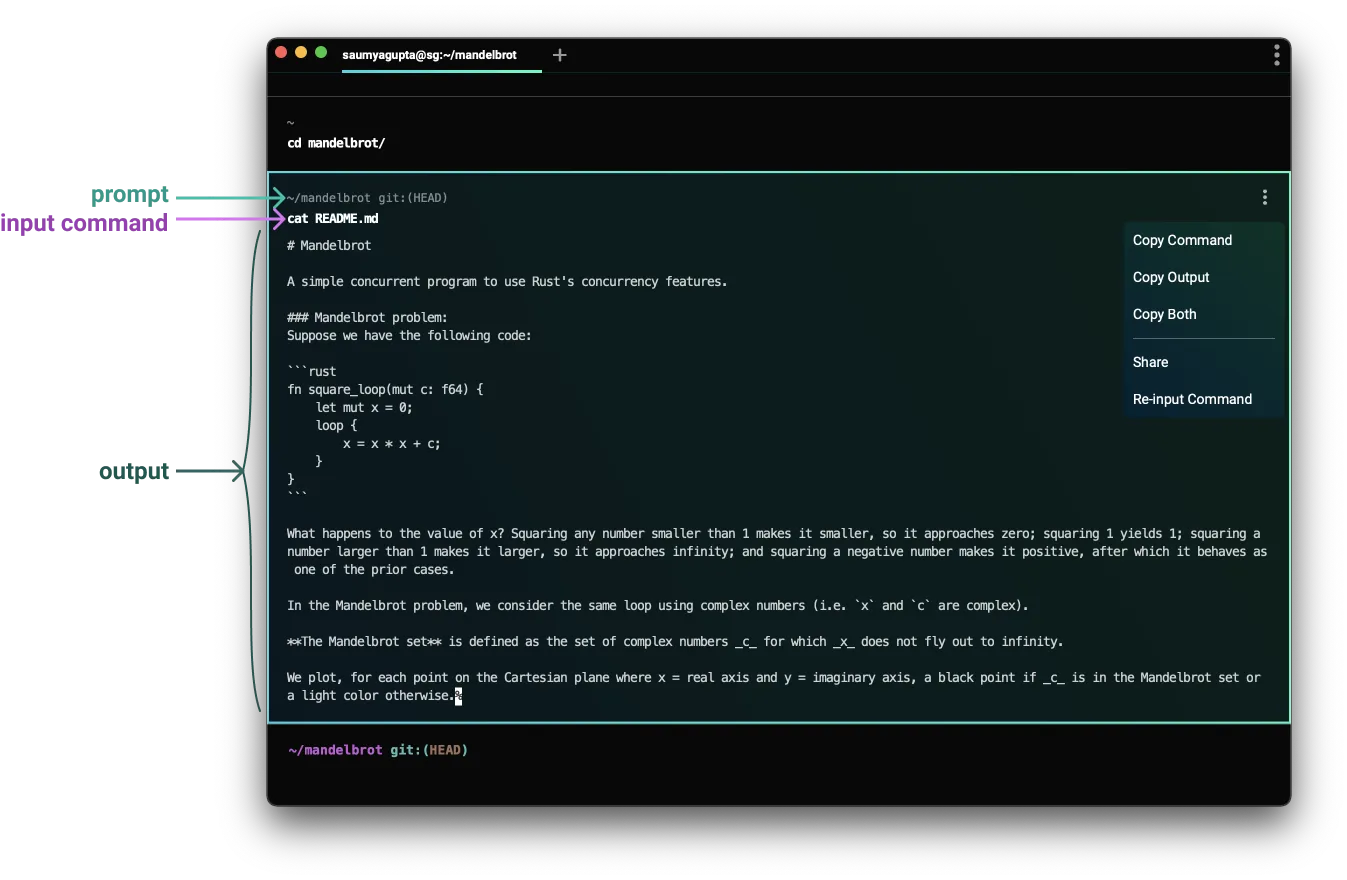
# Terminal Blocks overview Blocks are Warp's fundamental unit for organizing terminal output. Every command and its output is grouped into a single Block that you can copy, search, filter, bookmark, share, and navigate independently — replacing the endless scroll of traditional terminals with structured, actionable output. ## What are Blocks? Blocks enable us to easily: * Copy a command * Copy a command’s output * Scroll directly to the start of a command’s output * Re-input commands * Share both a command and its output (with formatting!) * Bookmark commands :::note Interested in how we differentiate input and output, or how we implement blocks? Check out our blog post: [How Warp Works](https://www.warp.dev/blog/how-warp-works#implementing-blocks). ::: <VideoEmbed url="https://youtu.be/PH1u0TZ5Lf0" title="Intro to Blocks" /> Tell me about this feature: https://docs.warp.dev/terminal/blocks/A Block groups commands and outputs into one atomic unit.
Blocks are Warp’s fundamental unit for organizing terminal output. Every command and its output is grouped into a single Block that you can copy, search, filter, bookmark, share, and navigate independently — replacing the endless scroll of traditional terminals with structured, actionable output.
What are Blocks?
Section titled “What are Blocks?”Blocks enable us to easily:
- Copy a command
- Copy a command’s output
- Scroll directly to the start of a command’s output
- Re-input commands
- Share both a command and its output (with formatting!)
- Bookmark commands