Changelog
Changelog — 2026
# Changelog — 2026 Submit bugs and feature requests on our [GitHub board!](https://github.com/warpdotdev/Warp/issues/new/choose) ### 2026.10.15 (v0.2026.10.14.08.27) **Improvements** * Added a keyboard shortcut (`⌘+E` on macOS or `Ctrl+E` on Windows/Linux, rebindable) to toggle Markdown files between rendered and raw view. ([#16413](https://github.com/warpdotdev/warp/pull/16413)) — [@arihanv](https://github.com/arihanv) ✨ * Warp now recognizes Muse Code as a first-class CLI agent, with branded session icons and rich-input support. ([#15999](https://github.com/warpdotdev/warp/pull/15999)) — [@nwp](https://github.com/nwp) ✨ **Bug fixes** * Fixed conversation transcript downloads with self-hosted storage. ([#16445](https://github.com/warpdotdev/warp/pull/16445)) * Fixed Claude transcript capture and resume paths on Windows and for project directories containing special characters or long names. ([#16428](https://github.com/warpdotdev/warp/pull/16428)) * Recover cloud Oz sessions when an agent command exits the persistent shell. ([#16148](https://github.com/warpdotdev/warp/pull/16148)) * Prevent session sharing from reconnecting indefinitely when a message cannot be delivered. ([#16071](https://github.com/warpdotdev/warp/pull/16071)) * Claude Code harness runs no longer report completion and re-open on every assistant turn while background tasks, subagents, or scheduled wakeups are still running; completion is reported once the session is actually idle, or immediately on finish-task. ([#16367](https://github.com/warpdotdev/warp/pull/16367)) * Fixed agents hanging when an unfinished shell command waits at a continuation prompt. ([#12934](https://github.com/warpdotdev/warp/pull/12934)) **Oz updates** * Cloud agents retry startup metadata requests for up to 30 seconds to allow execution claims to finish. ([#16438](https://github.com/warpdotdev/warp/pull/16438)) * Orchestrators can attach batch and per-child run metadata for grouping and setup workflows. ([#16396](https://github.com/warpdotdev/warp/pull/16396)) * Fixed cloud agents waiting for path approval when editing MCP configuration files. ([#16402](https://github.com/warpdotdev/warp/pull/16402)) * Cloud agents periodically save workspace handoff checkpoints during a run. ([#16391](https://github.com/warpdotdev/warp/pull/16391)) ### 2026.10.07 (v0.2026.10.07.08.29) **Improvements** * Added Kiro CLI support to Warp's third-party coding-agent toolbar and rich input. ([#16243](https://github.com/warpdotdev/warp/pull/16243)) * Codex run usage now reports cache-write token counts when available. ([#16230](https://github.com/warpdotdev/warp/pull/16230)) **Bug fixes** * Fixed a crash when navigating terminal history with the Up or Down Arrow. ([#14396](https://github.com/warpdotdev/warp/pull/14396)) — [@rhinoc](https://github.com/rhinoc) ✨ * Fixed "Rename tab" and "Rename pane" from the tab context menu not focusing the rename editor. ([#16303](https://github.com/warpdotdev/warp/pull/16303), [#16294](https://github.com/warpdotdev/warp/pull/16294)) * Fixed MCP OAuth authentication with providers that require authorization response issuer validation, including Linear. ([#16314](https://github.com/warpdotdev/warp/pull/16314)) * MCP tool calls fail when a response stream ends without a result and time out instead of waiting indefinitely for unresponsive servers. ([#16219](https://github.com/warpdotdev/warp/pull/16219)) * Follow-up messages sent through a shared session can interrupt an agent's running shell command and continue without falsely cancelling the conversation. ([#16266](https://github.com/warpdotdev/warp/pull/16266)) * Prevented repeated authentication refresh requests after token and proxy failures. ([#16099](https://github.com/warpdotdev/warp/pull/16099)) * Fixed rejected Firebase refresh tokens falling through to the authentication proxy instead of reporting the credential error. ([#16336](https://github.com/warpdotdev/warp/pull/16336)) * Fixed native zsh completion requests not returning when shell completions are uninitialized or fail. ([#16268](https://github.com/warpdotdev/warp/pull/16268)) * Fixed missing file-path completions when bundled and native completions both return no suggestions. ([#16213](https://github.com/warpdotdev/warp/pull/16213)) * Align fish and PowerShell right prompts with the terminal edge while preserving zsh's default spacing. ([#16264](https://github.com/warpdotdev/warp/pull/16264)) * Avoid a WSL subprocess when listing the working directory from the prompt chip. ([#16165](https://github.com/warpdotdev/warp/pull/16165)) * Fixed a crash when settings-file errors update an unavailable Settings pane. ([#16249](https://github.com/warpdotdev/warp/pull/16249)) * Fixed a crash during undo-close cleanup when a tab's pane group is unavailable. ([#16251](https://github.com/warpdotdev/warp/pull/16251)) * Fixed `runner list` failing for a whole team when one runner uses an OS or architecture the installed client doesn't recognize yet. ([#16237](https://github.com/warpdotdev/warp/pull/16237)) * Fixed Claude Code and Codex cloud agents on Windows runners failing during Warp plugin setup. ([#16307](https://github.com/warpdotdev/warp/pull/16307)) * Fixed the GitHub CLI not being authenticated for cloud agents on Windows runners. ([#16238](https://github.com/warpdotdev/warp/pull/16238)) * Fixed cloud agents on Windows runners failing to clone private repositories. ([#16236](https://github.com/warpdotdev/warp/pull/16236)) * Fixed Warp-managed Factory agents failing during environment setup on Windows runners. ([#16234](https://github.com/warpdotdev/warp/pull/16234)) * Fixed cloud agents using the runner's AWS credentials instead of the configured Bedrock role. ([#16185](https://github.com/warpdotdev/warp/pull/16185)) **Oz updates** * Set an environment's default runner with `oz environment update --default-runner <RUNNER_UID>`. ([#16259](https://github.com/warpdotdev/warp/pull/16259)) * Cloud runs report which environment setup command timed out instead of waiting until the sandbox expires. ([#16219](https://github.com/warpdotdev/warp/pull/16219)) * Claude Code and Codex follow-ups now report resumed activity even when the client retains a stale in-progress state. ([#16217](https://github.com/warpdotdev/warp/pull/16217)) * Improved cloud agent startup reliability by preventing overlapping workload-token refreshes within the shared API client. ([#16167](https://github.com/warpdotdev/warp/pull/16167)) * Unattended CLI agent runs now end as blocked instead of hanging when the agent stops to ask for user input. ([#16232](https://github.com/warpdotdev/warp/pull/16232)) * Computer-use agents on Windows cloud runners can now record video. ([#16260](https://github.com/warpdotdev/warp/pull/16260)) ### 2026.09.30 (v0.2026.09.30.08.29) **Improvements** * Added the option to switch teams from Settings > Teams * Vertical tabs search now matches and highlights tab group names * Added fzf Alt-C support across bash, zsh, and fish shell integrations **Bug fixes** * Fixed two windows opening when launching Warp on Windows * Fixed model preference being reset when the team model catalog refreshes * Fixed focus not being restored after closing a tab context menu * Fixed the typed query not being forwarded to fzf Ctrl-R history search in zsh * Fixed the layout of the external fzf Ctrl-R history picker * Fixed flag completions after a POSIX double dash (--) * Fixed agent management costs not honoring the Credits/Dollars setting * Fixed a panic when `/model` targets a closed window * Fixed scope-specific spend limit alerts ### 2026.09.23 (v0.2026.09.23.14.34) **New features** * You can now sign in with ChatGPT to use your ChatGPT plan with Warp's agent. Go to Settings > Agents > Warp Agent > Custom Inference to enable. * Added support for AWS ECR credentials in managed secrets. ([#16044](https://github.com/warpdotdev/warp/pull/16044)) * Added a usage popover to the agent input footer showing conversation usage and cost. ([#15946](https://github.com/warpdotdev/warp/pull/15946)) **Improvements** * Added Neovim 0.13 `al` and `il` text objects to Vim mode. ([#16105](https://github.com/warpdotdev/warp/pull/16105)) * Moved the team switcher next to the profile avatar for easier access. ([#16041](https://github.com/warpdotdev/warp/pull/16041)) **Bug fixes** * Fixed missing file and path suggestions when native shell completion returns no candidates. ([#16093](https://github.com/warpdotdev/warp/pull/16093)) * Team discovery now shows native workspace options and workspace-scoped teams. ([#16083](https://github.com/warpdotdev/warp/pull/16083)) * Fixed usage displays showing $0.00 for very small charges instead of a minimum threshold value. ([#16070](https://github.com/warpdotdev/warp/pull/16070)) * Restored image pasting into CLI agents when macOS provides TIFF clipboard data. ([#16055](https://github.com/warpdotdev/warp/pull/16055)) * Fixed shared sessions getting stuck reconnecting when the connection closes or stalls before the server confirms reconnection. ([#16052](https://github.com/warpdotdev/warp/pull/16052)) * Fixed a crash when opening a child agent from its pill after closing and reopening the parent conversation. ([#15996](https://github.com/warpdotdev/warp/pull/15996)) **Oz updates** * Cloud agent runs now save a handoff snapshot when interrupted (SIGTERM/SIGINT) so in-progress work can be resumed instead of lost. ([#15654](https://github.com/warpdotdev/warp/pull/15654)) * Agent runs with a zero post-completion idle timeout exit immediately. ([#16050](https://github.com/warpdotdev/warp/pull/16050)) ### 2026.09.16 (v0.2026.09.16.08.27) **New features** * You can now trigger fzf (ctrl-r or ctrl-t) and atuin if it's set up with your shell. ([#15903](https://github.com/warpdotdev/warp/pull/15903)) * Added native shell completions alongside Warp's built-in completion specs. By default, the native shell completions will be generated if Warp's built-in completion has no suggestions. This can be changed in Settings > Features > Terminal Input. ([#15903](https://github.com/warpdotdev/warp/pull/15903)) **Improvements** * Improved parallel clone error reporting to list only the repositories that actually failed. ([#16006](https://github.com/warpdotdev/warp/pull/16006)) * Added `oz secret create docker-registry` to create container registry credential secrets from the CLI. ([#15913](https://github.com/warpdotdev/warp/pull/15913)) * Discover and cache build tools in nested repository directories. ([#15844](https://github.com/warpdotdev/warp/pull/15844)) * Workspace admins can now remove members from a workspace directly from team settings. ([#15905](https://github.com/warpdotdev/warp/pull/15905)) * [Windows] [Materials](https://learn.microsoft.com/en-us/windows/apps/design/signature-experiences/materials) are now supported for the backdrop of Warp windows in Settings > Appearance > Window > Backdrop. ([#15879](https://github.com/warpdotdev/warp/pull/15879)) * Improved command history search ranking using match quality and usage signals. ([#15903](https://github.com/warpdotdev/warp/pull/15903)) * Native workspace members can leave a team without losing workspace access. ([#15880](https://github.com/warpdotdev/warp/pull/15880)) * Native workspace users can browse and join another open team from Teams settings. ([#15881](https://github.com/warpdotdev/warp/pull/15881)) **Bug fixes** * Fixed an issue where new users who quit sign-up partway could be shown the existing-user 'Introducing universal agent support' onboarding on their next launch. ([#16010](https://github.com/warpdotdev/warp/pull/16010)) * Stop Warp Agent CLI startup when team metadata cannot be refreshed. ([#15932](https://github.com/warpdotdev/warp/pull/15932)) * Add tab group persistence to (legacy) launch configs. ([#14624](https://github.com/warpdotdev/warp/pull/14624)) — [@maxmilian](https://github.com/maxmilian) ✨ * Fixed a crash after dragging a Settings tab between windows. ([#15948](https://github.com/warpdotdev/warp/pull/15948)) * Fixed cloud agent commits sometimes ignoring a customer's `git config --global user.name/email` setup command. ([#15869](https://github.com/warpdotdev/warp/pull/15869)) * Prevented a crash when confirming a file discard more than once in Code Review. ([#15884](https://github.com/warpdotdev/warp/pull/15884)) * Opening a subagent in the web session viewer no longer replaces the run's URL, so refreshing or sharing the link keeps you on the whole run instead of a single subagent. ([#15317](https://github.com/warpdotdev/warp/pull/15317)) * Stopping a shared Agent Mode conversation from a viewer or via conversation steering now interrupts the agent's running command instead of letting it run to completion. ([#15906](https://github.com/warpdotdev/warp/pull/15906)) * Fixed a new tab group's terminal stealing focus while its name was being typed, which saved the partially-typed name. ([#14895](https://github.com/warpdotdev/warp/pull/14895)) — [@maxmilian](https://github.com/maxmilian) ✨ * Fixed macOS computer-use recordings reporting near-zero duration. ([#15920](https://github.com/warpdotdev/warp/pull/15920)) * Fixed duplicate network requests when loading agent shared sessions. ([#15829](https://github.com/warpdotdev/warp/pull/15829)) **Oz updates** * Fixed native Oz follow-up prompts interrupting one another instead of each reaching the agent. ([#15921](https://github.com/warpdotdev/warp/pull/15921)) * Preserved team-scoped credentials when launching orchestrated agent runs. ([#15863](https://github.com/warpdotdev/warp/pull/15863)) * Fixed follow-up messages with attachments waiting until an agent finished its turn instead of being delivered at the next steering opportunity. ([#16046](https://github.com/warpdotdev/warp/pull/16046)) ### 2026.09.09 (v0.2026.09.09.08.26) **New features** * First-class Grok Build (SpaceXAI `grok`) support. Detects sessions, adds branded chrome in the footer, and enables rich input mode. ([#14228](https://github.com/warpdotdev/warp/pull/14228)) — [@nwp](https://github.com/nwp) ✨ **Improvements** * Create New Window is now an editable keyboard shortcut, so it can be remapped or unbound. ([#15771](https://github.com/warpdotdev/warp/pull/15771)) — [@tkossak](https://github.com/tkossak) ✨ * Added completions for `git merge-base`. ([#15769](https://github.com/warpdotdev/warp/pull/15769)) * Attach file is now a Command Palette action with an editable, unbound-by-default keybinding. ([#15762](https://github.com/warpdotdev/warp/pull/15762)) * Fish ctrl-r now hands off to PatrickF1/fzf.fish history search, not only junegunn fzf. ([#15744](https://github.com/warpdotdev/warp/pull/15744)) * Extended shell widget handoff to fzf's ctrl-t file search, alongside the existing ctrl-r history-search handoff. ([#15513](https://github.com/warpdotdev/warp/pull/15513)) **Bug fixes** * Fixed remote orchestration children launched by team service accounts requesting invalid personal ownership. ([#15866](https://github.com/warpdotdev/warp/pull/15866)) * Fixed unsent prompts being cleared after selecting a model through the `/model` keyboard shortcut. ([#15870](https://github.com/warpdotdev/warp/pull/15870)) * Fixed Agent API key creation requiring users to re-select the default agent. ([#15825](https://github.com/warpdotdev/warp/pull/15825)) * Fixed the prompt alert action for teamless native-workspace users who reach their limit. ([#15853](https://github.com/warpdotdev/warp/pull/15853)) * Hid team creation and empty team discovery prompts for teamless native-workspace users in Warp Drive. ([#15790](https://github.com/warpdotdev/warp/pull/15790)) * Teamless workspace users now see a clear Cloud Mode blocker instead of environment setup or a misleading agent-harness error. ([#15794](https://github.com/warpdotdev/warp/pull/15794)) * Fixed global file-based MCP tools that were missing from the first agent turn. ([#15755](https://github.com/warpdotdev/warp/pull/15755)) * Fixed dynamic Bash prompts being evaluated twice when Shell (PS1) is enabled. ([#15792](https://github.com/warpdotdev/warp/pull/15792)) * Fixed transcript persistence and skill discovery for third-party agent harnesses in single-repository cloud workspaces. ([#15787](https://github.com/warpdotdev/warp/pull/15787)) * Fixed a crash when a character at the end of a terminal line changes from single-width to double-width. ([#15763](https://github.com/warpdotdev/warp/pull/15763)) * Prevent a crash when smart-selecting RTL text whose visual glyph order reverses logical indices. ([#15772](https://github.com/warpdotdev/warp/pull/15772)) * On Warp on Web, switching teams now updates the current window instead of replacing the session. ([#15740](https://github.com/warpdotdev/warp/pull/15740)) * Command X-Ray now describes `git ls-remote` flags such as `--branches`. ([#15756](https://github.com/warpdotdev/warp/pull/15756)) * Third-party harnesses no longer hang the driver after `/exit` fails to stop the CLI. ([#15728](https://github.com/warpdotdev/warp/pull/15728)) * WASM conversation viewer now shows the web top bar for orchestrated factory sessions. ([#15754](https://github.com/warpdotdev/warp/pull/15754)) **Oz updates** * Environment pickers now show personal environments and environments for the selected window team. ([#15850](https://github.com/warpdotdev/warp/pull/15850)) * Added team selection to `oz run list`. ([#15811](https://github.com/warpdotdev/warp/pull/15811)) * Added team selection to runner listing and name-based updates. ([#15809](https://github.com/warpdotdev/warp/pull/15809)) * API key list, create, and expire commands now respect the selected Oz CLI team. ([#15806](https://github.com/warpdotdev/warp/pull/15806)) * Oz agent catalogs now follow active team selection. ([#15807](https://github.com/warpdotdev/warp/pull/15807)) * Environment lists and interactive pickers now follow the selected team. ([#15805](https://github.com/warpdotdev/warp/pull/15805)) * Added team selection to `oz model list` for team-specific model catalogs. ([#15804](https://github.com/warpdotdev/warp/pull/15804)) * Oz agents can use refreshed Entra credentials to write to Azure DevOps. ([#15840](https://github.com/warpdotdev/warp/pull/15840)) * Claude Code and Codex runs can now access Factory MCP automatically. ([#15827](https://github.com/warpdotdev/warp/pull/15827)) ### 2026.09.02 (v0.2026.09.02.08.27) **New features** * Start a debug agent inside the retained session of a cloud run that failed during environment setup. The run keeps its original failure record. ([#14916](https://github.com/warpdotdev/warp/pull/14916)) **Improvements** * Text inside "Thought" dropdowns in agent conversations can now be selected and copied. ([#15691](https://github.com/warpdotdev/warp/pull/15691)) * Show the live cloud connection indicator on third-party agent rich input. ([#15625](https://github.com/warpdotdev/warp/pull/15625)) * Faster conversation restore for conversations containing plan documents. ([#15579](https://github.com/warpdotdev/warp/pull/15579)) * `oz run get --conversation` and `oz run conversation get` now print the raw transcript for third-party harness runs instead of failing with operation_not_supported. ([#15642](https://github.com/warpdotdev/warp/pull/15642)) * Hovering over the profile icon on user messages in agent conversations now shows message timestamps, along with a "Copy timestamp" affordance in the overflow menu. ([#15605](https://github.com/warpdotdev/warp/pull/15605)) * The `create_file` tool can now fully replace an existing file's contents in one step (`allow_overwrite: true`) instead of failing and requiring a separate edit. ([#15380](https://github.com/warpdotdev/warp/pull/15380)) * Custom inference endpoint definitions now use validated file-backed settings shared by Warp and Warp Agent CLI. ([#15574](https://github.com/warpdotdev/warp/pull/15574)) **Bug fixes** * Fixed MCP servers that reject a configured credential being reported as though they required OAuth sign-in. Warp now distinguishes a rejected token from a genuine OAuth challenge, and refuses to send a credential header whose secret placeholder was never filled in. ([#15714](https://github.com/warpdotdev/warp/pull/15714)) * Fixed a crash when Agent streamed an empty update into a plan document. ([#15720](https://github.com/warpdotdev/warp/pull/15720)) * Prevent a crash on Linux/X11 when Warp requests user attention over a dead display connection. ([#15717](https://github.com/warpdotdev/warp/pull/15717)) * Fix a crash that could occur when extending a shared session after its terminal window had already closed. ([#15695](https://github.com/warpdotdev/warp/pull/15695)) * Fixed a crash when selecting some Windows fonts, such as Noto Sans Mono CJK SC, that expose a glyph advance without an outline bounding box. ([#15705](https://github.com/warpdotdev/warp/pull/15705)) * Fixed the built-in Factory MCP failing to reconnect during credential refresh. ([#15628](https://github.com/warpdotdev/warp/pull/15628)) * Fixed a race that could make a single local Oz `run_agents` child appear as two orchestration pills. ([#15583](https://github.com/warpdotdev/warp/pull/15583)) * Avoid repeated share-modal rendering when no terminal session is available. ([#13942](https://github.com/warpdotdev/warp/pull/13942)) — [@KRRT7](https://github.com/KRRT7) ✨ * Fixed animated GIF background images freezing on their first frame in the terminal window. ([#14618](https://github.com/warpdotdev/warp/pull/14618)) — [@niyasrad](https://github.com/niyasrad) ✨ * Fixed the SuperGrok / X Premium connect button getting stuck when the browser was closed mid-authentication, and added a Cancel button to recover without waiting for a timeout. ([#15576](https://github.com/warpdotdev/warp/pull/15576)) * Fixed onboarding interrupting a workspace opened from a shared session or agent-conversation link. ([#15550](https://github.com/warpdotdev/warp/pull/15550)) **Oz updates** * Cloud agents now report why an MCP server failed to connect — a rejected credential, or a secret that was not available to the run — instead of asking you to authenticate in the desktop app. ([#15714](https://github.com/warpdotdev/warp/pull/15714)) * Mixed GitHub and GitLab environments clone each repository from its own host and keep credentials for both forges on refresh. ([#15616](https://github.com/warpdotdev/warp/pull/15616)) ### 2026.08.27 (v0.2026.08.26.17.59) **New features** * Warp Factories is now live in Early Access. Read the [Warp Factories launch announcement](https://www.warp.dev/blog/open-infrastructure-for-building-a-software-factory) for details. **Improvements** * Removed unnecessary first-time-user banners and prompts (credits, notifications, desktop download) when viewing a shared session or conversation transcript on the web. ([#15515](https://github.com/warpdotdev/warp/pull/15515)) * Disabled team/workspace members are now shown grayed out with an explanatory tooltip instead of appearing active. ([#15258](https://github.com/warpdotdev/warp/pull/15258)) * Renamed the "Oz Cloud API Keys" settings page to "API keys" under Cloud platform. ([#15424](https://github.com/warpdotdev/warp/pull/15424)) * Enabled IME marked text (composition) input on Windows and Linux, previously macOS-only. ([#15395](https://github.com/warpdotdev/warp/pull/15395)) * Added a setting to make bare right-click paste from the clipboard, with Shift+right-click still opening the context menu. ([#15365](https://github.com/warpdotdev/warp/pull/15365)) * Added a setting to stop ‘#’ at the start of terminal input from opening AI Command Search, so shell comments aren't interrupted. ([#15340](https://github.com/warpdotdev/warp/pull/15340)) * Usage displays (agent block usage, conversation footer, usage history, and task details) now show a per-category dollar cost breakdown alongside credits. ([#15148](https://github.com/warpdotdev/warp/pull/15148)) * Added a "Paste" item to the terminal block list's right-click context menu. ([#15346](https://github.com/warpdotdev/warp/pull/15346)) * The markdown viewer now preserves your scroll position when switching between Rendered and Raw view modes. ([#13967](https://github.com/warpdotdev/warp/pull/13967)) — [@slash9494](https://github.com/slash9494) ✨ * Holding a modifier now shows each tab's switch-to-tab keyboard shortcut on the tab itself. ([#15221](https://github.com/warpdotdev/warp/pull/15221)) — [@JJack27](https://github.com/JJack27) ✨ **Bug fixes** * Fixed bash sessions never reporting detected shell plugins (e.g. Starship) back to Warp. ([#15518](https://github.com/warpdotdev/warp/pull/15518)) * Fixed mismatched Shift/Command/Option key icons in keybinding chips (Command Palette, context menus, tooltips) on the web build. ([#15569](https://github.com/warpdotdev/warp/pull/15569)) * [Windows] Fixed Warp becoming unresponsive after disconnecting and reconnecting a Remote Desktop session. ([#15566](https://github.com/warpdotdev/warp/pull/15566)) — [@bbbiggest](https://github.com/bbbiggest) ✨ * Fixed the Teams settings confirmation dialogs (remove member, transfer ownership, leave/delete team) landing at the top or bottom edge of the window depending on the page's scroll position instead of staying centered. ([#15542](https://github.com/warpdotdev/warp/pull/15542)) * Fixed automatic CLI plugin installation failing in Windows PowerShell 5.1. ([#15544](https://github.com/warpdotdev/warp/pull/15544)) * Fixed a multi-gigabyte memory spike when editing very large files, caused by unbounded parallel text-layout work. ([#15128](https://github.com/warpdotdev/warp/pull/15128)) * Fixed cloud agent runs occasionally getting stuck showing in progress when a child agent finished right as the parent run began tearing down. ([#15432](https://github.com/warpdotdev/warp/pull/15432)) * Pressing Ctrl-C in an attached third-party agent harness session (e.g. Claude Code) now correctly resolves it to cancelled instead of leaving it stuck showing in progress. ([#15506](https://github.com/warpdotdev/warp/pull/15506)) * Cloud agent runs now always report a terminal status (succeeded, failed, or error) when the agent process exits, instead of occasionally being left stuck in progress after sandbox deadlines, SIGTERM shutdowns, or exit races. ([#15387](https://github.com/warpdotdev/warp/pull/15387)) * Fixed a memory spike when opening large files in the code editor caused by an unnecessary full-file clone. ([#13508](https://github.com/warpdotdev/warp/pull/13508)) * Fixed completions for many commands' multi-argument options that were mis-modelled (e.g. `git branch`/`git switch`, `rsync --info`/`--debug`, `rustc -L`, `dart format`, `hugo new`, `date`), so they no longer offer the wrong arguments. ([#15487](https://github.com/warpdotdev/warp/pull/15487)) * Fixed `ln -s <path>` and `ln -F/-f/-i <path>` not offering file path completions. ([#15480](https://github.com/warpdotdev/warp/pull/15480)) * Fixed shell command completions resolving the wrong argument for options that take multiple arguments of differing types (such as `cargo fmt -- --print-config` and `jq --rawfile`), where a value before the last received a later argument's suggestions. ([#15475](https://github.com/warpdotdev/warp/pull/15475)) * Fixed PowerShell sessions using PSReadLine's vi edit mode submitting mangled commands. ([#15476](https://github.com/warpdotdev/warp/pull/15476)) * Cloud agent environments no longer hang with runaway "cloning" output when running `git log`, `git blame`, or other path-limited history commands. ([#15281](https://github.com/warpdotdev/warp/pull/15281)) * Fixed several latent shell-integration bugs, including a crash from slicing spans on non-UTF-8 character boundaries. ([#15428](https://github.com/warpdotdev/warp/pull/15428)) * Fixed the usage footer's conversation-total dollar amount reading higher than the per-response breakdown by aligning both with the same charged-usage figures. ([#15423](https://github.com/warpdotdev/warp/pull/15423)) * Fixed the agent `grep` tool returning a parse error, or in rare cases a wrong file/line, when a matched file path contained a colon (e.g. Windows paths, some Go module paths). ([#15422](https://github.com/warpdotdev/warp/pull/15422)) * Retry transient server errors when resolving a managed MCP server's connection, instead of permanently failing the agent run on the first blip. ([#15426](https://github.com/warpdotdev/warp/pull/15426)) * Fixed a hidden Alt+1 (Ctrl+1 on Mac) binding for Project Explorer that could not be remapped or disabled from Settings > Keyboard shortcuts. ([#15310](https://github.com/warpdotdev/warp/pull/15310)) * Fixed stdio MCP servers failing to start on a fresh `oz agent run` with "Unknown PATH when trying to launch MCP command." ([#15396](https://github.com/warpdotdev/warp/pull/15396)) * Fixed zsh tab completions losing their descriptions for commands using clustered short options. ([#15313](https://github.com/warpdotdev/warp/pull/15313)) * Fixed unbounded memory growth from rebuilding the launch-config search index on every rapid configuration-file change. ([#15119](https://github.com/warpdotdev/warp/pull/15119)) * Tab autocomplete now follows symlinks to directories in WSL sessions. ([#14755](https://github.com/warpdotdev/warp/pull/14755)) * Improved scrolling performance in transcripts with many Agent Mode blocks. ([#15280](https://github.com/warpdotdev/warp/pull/15280)) * Fixed a "double cursor" issue where a finished background block kept showing a cursor alongside the input editor or the next block. ([#15322](https://github.com/warpdotdev/warp/pull/15322)) * Fixed a stray “(1)” badge appearing on the Code Indexing and Profiles settings sub-pages during search. ([#15319](https://github.com/warpdotdev/warp/pull/15319)) * Fixed cloud agent runs having too small a recovery budget to retry a mid-stream connection reset, sometimes failing runs instead of automatically retrying. ([#15293](https://github.com/warpdotdev/warp/pull/15293)) **Oz updates** * Fixed handoff snapshot files not reaching a rebuilt cloud sandbox, which left the agent referencing files that were never downloaded. ([#15505](https://github.com/warpdotdev/warp/pull/15505)) ### 2026.08.25 (v0.2026.08.25.19.26) **New features** * Added an inline `/usage` command to the Warp Agent CLI showing plan, credit usage, and billing links. ([#14968](https://github.com/warpdotdev/warp/pull/14968)) **Bug fixes** * Fixed an unbounded memory leak in the terminal completions engine where large or unusual input (e.g. pasting a large blob of text) could permanently grow memory usage over a session. ([#15181](https://github.com/warpdotdev/warp/pull/15181)) * Fixed a font-fallback bug on web that made the ⇧ (Shift) key glyph in keyboard shortcut hints render heavier, larger, and misaligned compared to neighboring ⌘/⌥ glyphs. ([#15261](https://github.com/warpdotdev/warp/pull/15261)) * Removed a stray 1px border around the workspace on Warp Web that could get clipped by rounded browser corners. ([#15259](https://github.com/warpdotdev/warp/pull/15259)) **Oz updates** * Fixed intermittent “MCP server not found” errors after a cloud agent sandbox is rebuilt mid-task. ### 2026.08.19 (v0.2026.08.19.08.15) **New features** * Added an inline `/usage` command to the Warp Agent CLI showing plan, credit usage, and billing links. ([#14968](https://github.com/warpdotdev/warp/pull/14968)) **Bug fixes** * Fixed an unbounded memory leak in the terminal completions engine where large or unusual input (e.g. pasting a large blob of text) could permanently grow memory usage over a session. ([#15181](https://github.com/warpdotdev/warp/pull/15181)) * Fixed a font-fallback bug on web that made the ⇧ (Shift) key glyph in keyboard shortcut hints render heavier, larger, and misaligned compared to neighboring ⌘/⌥ glyphs. ([#15261](https://github.com/warpdotdev/warp/pull/15261)) * Removed a stray 1px border around the workspace on Warp Web that could get clipped by rounded browser corners. ([#15259](https://github.com/warpdotdev/warp/pull/15259)) **Oz updates** * Fixed intermittent “MCP server not found” errors after a cloud agent sandbox is rebuilt mid-task. ### 2026.08.18 (v0.2026.08.18.02.52) **New features** * Warp now includes a built-in Factory MCP server for logged-in users. **Improvements** * Added completions for `mpv` and `ruff`, and refreshed `deno` completions. ([#15248](https://github.com/warpdotdev/warp/pull/15248)) * Teamless users in a native workspace now see an Admin Panel link and joinable teams on the Teams settings page instead of team creation. ([#15246](https://github.com/warpdotdev/warp/pull/15246)) * `oz agent run-cloud` now accepts `--title` and `--parent-run-id`, so third-party harnesses can set a run's title and orchestration lineage. ([#15187](https://github.com/warpdotdev/warp/pull/15187)) * The agent run details panel now has a copy button on the Initial query field, matching the Error and Environment details fields. ([#15156](https://github.com/warpdotdev/warp/pull/15156)) * Workspace admins can now manage team membership (promote/demote/remove) on their current team, and show a "Workspace admin"/"Workspace owner" badge in the team members list. ([#15123](https://github.com/warpdotdev/warp/pull/15123)) * Cloud agent sandboxes now default to a `Warp` git identity instead of `Oz` when the server doesn't return a resolved GitHub identity. ([#15110](https://github.com/warpdotdev/warp/pull/15110)) * Added completions for `yay` and `paru`, and `kubectl --user` value completions. ([#15109](https://github.com/warpdotdev/warp/pull/15109)) * Added completions for `ip` — address, link, route, neighbour, netns, rule, tunnel, xfrm, monitor, and the remaining subcommands — plus `git read-tree`. ([#15101](https://github.com/warpdotdev/warp/pull/15101)) * Vim keybindings now work in several more multi-line editors (commit messages, suggested-rule content, env var commands, compact AI inputs, queued-prompt editing, workflow dynamic enums) when vim mode is enabled. ([#15054](https://github.com/warpdotdev/warp/pull/15054)) * Vim keybindings now work in the rule editor when vim mode is enabled. ([#15044](https://github.com/warpdotdev/warp/pull/15044)) * The File explorer chip can now be added to Warp Agent's input toolbelt via Edit agent toolbelt. ([#15007](https://github.com/warpdotdev/warp/pull/15007)) **Bug fixes** * Fixed a memory leak where repeatedly re-parsing and deep-cloning `.gitignore` matchers during file-tree watcher updates could allocate an unbounded number of regex caches in large repositories. ([#15240](https://github.com/warpdotdev/warp/pull/15240)) * Fixed billing copy that described add-on credit purchases as going to your personal balance instead of the team's shared pool. ([#15207](https://github.com/warpdotdev/warp/pull/15207)) * Fixed the client failing to load a cloud agent task list that included an orchestration-sourced task. ([#15164](https://github.com/warpdotdev/warp/pull/15164)) * Fixed `paru` completions to match the real v2.1.0 CLI (options, operations, and argument types). ([#15159](https://github.com/warpdotdev/warp/pull/15159)) * Fixed excessive memory growth where a burst of repository-indexing updates could spawn many concurrent background tasks re-reading project rule files (WARP.md/AGENTS.md). ([#15147](https://github.com/warpdotdev/warp/pull/15147)) * Fixed a runaway loop of duplicate network requests that could fire while viewing a completed cloud agent conversation. ([#15138](https://github.com/warpdotdev/warp/pull/15138)) * Fixed the Teams settings page showing an invite-by-link option for Private and Hidden teams, which don't support it. ([#15129](https://github.com/warpdotdev/warp/pull/15129)) * Fixed the Teams settings page showing another team's pending email invites in a multi-team workspace. ([#15121](https://github.com/warpdotdev/warp/pull/15121)) * Fixed zsh sessions occasionally echoing Warp's own shell-integration bootstrap script into the terminal when `cursor_mode`/prezto's `init.zsh` was loaded. ([#15118](https://github.com/warpdotdev/warp/pull/15118)) * Fixed the Teams settings page's "Open admin panel" link sending workspace admins to the team admin page instead of the workspace admin panel. ([#15113](https://github.com/warpdotdev/warp/pull/15113)) * Fixed `kubectl` completions ignoring a `--context`, `--cluster`, or `--user` flag on the command line; `kubecolor`/`oc` now complete those flags too, and `nx run` completions were fixed. ([#15109](https://github.com/warpdotdev/warp/pull/15109)) * Fixed `ip nexthop` filter completions suggesting protocol names that iproute2 rejects, and completed the `ip rule`/`ip mrule` flush selector sets. ([#15102](https://github.com/warpdotdev/warp/pull/15102)) * Fixed `ip` completions not appearing for iproute2's bare keyword arguments, along with missing `ip addr`/`ip a`/`ip neighbor` aliases. ([#15101](https://github.com/warpdotdev/warp/pull/15101)) * Fixed missing product logos for MCP servers with decorated titles (e.g. "Sentry (OAuth)") in MCP settings. ([#15037](https://github.com/warpdotdev/warp/pull/15037)) * Cancelling a conversation while an orchestration tool call was still streaming left the card stuck on "Configuring agents…"; it now shows a cancelled state. ([#14972](https://github.com/warpdotdev/warp/pull/14972)) * Fixed an issue where removing a team member from **Settings** > **Teams** would fail silently with no error shown if the removal was rejected by the server. ([#14964](https://github.com/warpdotdev/warp/pull/14964)) * [Windows] Stopped enumerating the full process table with per-process CPU sampling on every terminal session, which could cause DPC_WATCHDOG_VIOLATION / high CPU on machines with many cores. ([#13405](https://github.com/warpdotdev/warp/pull/13405)) — [@npapano42](https://github.com/npapano42) ✨ * Fixed excessive memory usage when opening code review in a repository with large untracked directories (e.g. `node_modules`). ([#13393](https://github.com/warpdotdev/warp/pull/13393)) * Fixed a performance issue where every file-tree change deep-cloned compiled `.gitignore` matchers in large repositories. ([#13290](https://github.com/warpdotdev/warp/pull/13290)) ### 2026.08.13 (v0.2026.08.12.21.54) **Improvements** * Added a customizable action to cycle the active tab color from a keybinding or the Command Palette. ([#14329](https://github.com/warpdotdev/warp/pull/14329)) — [@rasitakyol](https://github.com/rasitakyol) ✨ * Cloud agent run details now show the platform the run executes on, with a macOS or Linux icon alongside the architecture and runner. ([#14790](https://github.com/warpdotdev/warp/pull/14790)) * Added completions for `vagrant`, including its nested `box`, `cloud`, `plugin`, and `snapshot` command groups plus dynamic machine and box names. ([#14775](https://github.com/warpdotdev/warp/pull/14775)) * Added `openssl` command-line completions. ([#14771](https://github.com/warpdotdev/warp/pull/14771)) * Added inline command completions for the Yandex Cloud CLI (`yc`) and git worktree name suggestions. ([#14767](https://github.com/warpdotdev/warp/pull/14767)) * Tab autocomplete now follows symlinks to directories in remote/SSH sessions. ([#14746](https://github.com/warpdotdev/warp/pull/14746)) * Added completions for `journalctl`, including units, boots, journal fields, and syslog identifiers. ([#14742](https://github.com/warpdotdev/warp/pull/14742)) **Bug fixes** * Fixed a crash in the AI `@` context menu when a workflow's content included multi-byte characters (emoji, CJK, accented Latin) near the preview truncation boundary. ([#14933](https://github.com/warpdotdev/warp/pull/14933)) * Fixed the MCP tool-call JSON viewer's key/chevron being vertically centered against a tall expanded multi-line string value instead of aligned to its top. ([#14949](https://github.com/warpdotdev/warp/pull/14949)) * Fixed long-running commands in Warp Agent CLI not accepting keyboard input. ([#14943](https://github.com/warpdotdev/warp/pull/14943)) * Fixed an issue where an AI response could fail to render entirely if it included a citation of an unrecognized type. ([#14915](https://github.com/warpdotdev/warp/pull/14915)) * Fixed the code review pane failing to load file content for renamed files with uncommitted changes. ([#14655](https://github.com/warpdotdev/warp/pull/14655)) * Fixed inactive agent toolbelts continuing to run hidden context chip commands. ([#14854](https://github.com/warpdotdev/warp/pull/14854)) * Fixed canceled background commands leaving wrapped child processes running. ([#14853](https://github.com/warpdotdev/warp/pull/14853)) * Prevent stale shared-session links and QR codes from being exposed while a new session is pending. ([#13813](https://github.com/warpdotdev/warp/pull/13813)) — [@rasitakyol](https://github.com/rasitakyol) ✨ * Fixed combining marks rendering at the wrong position on Linux and Windows. ([#14322](https://github.com/warpdotdev/warp/pull/14322)) — [@SS-Script](https://github.com/SS-Script) ✨ * Fixed the Find in File field becoming unclickable after pressing Enter in Vim mode. ([#14836](https://github.com/warpdotdev/warp/pull/14836)) * Fixed background orchestrated agents stealing input focus in Warp Agent CLI when they need user interaction. ([#14829](https://github.com/warpdotdev/warp/pull/14829)) * Fixed the environment selector showing "New Environment" for agent runs without an environment. ([#14837](https://github.com/warpdotdev/warp/pull/14837)) * Fixed excessive Git process creation when loading global skills. ([#14830](https://github.com/warpdotdev/warp/pull/14830)) * Fixed window corners being rounded in fullscreen. ([#14109](https://github.com/warpdotdev/warp/pull/14109)) — [@s1ckoleg](https://github.com/s1ckoleg) ✨ * Cmd-Up in Agent Mode now navigates user prompts and skips agent-run commands. ([#14685](https://github.com/warpdotdev/warp/pull/14685)) * macOS Option-click on Warp's green traffic-light button now performs zoom instead of entering fullscreen. ([#14716](https://github.com/warpdotdev/warp/pull/14716)) * Fixed the dedicated hotkey (Quake mode) window not taking keyboard focus when opened on a different monitor than the main Warp window. ([#14726](https://github.com/warpdotdev/warp/pull/14726)) * `pkill <TAB>` now suggests running process names instead of filesystem paths. ([#14749](https://github.com/warpdotdev/warp/pull/14749)) * Fixed Warp Agent CLI Tab completions missing desktop completion sources and supported native-shell fallback. ([#14600](https://github.com/warpdotdev/warp/pull/14600)) * Fixed pasting rich text dropping numeric CSS font weights. ([#14512](https://github.com/warpdotdev/warp/pull/14512)) — [@fbartho](https://github.com/fbartho) ✨ * Fixed the Warp Agent CLI input occasionally rendering without a cursor after temporary interactions. ([#14747](https://github.com/warpdotdev/warp/pull/14747)) * Fixed the Warp Agent CLI model picker changing the default model for every session. ([#14737](https://github.com/warpdotdev/warp/pull/14737)) * Fixed the copy-link menu action doing nothing while a cloud agent session was still setting up. ([#14431](https://github.com/warpdotdev/warp/pull/14431)) * Running Oz from the command line on macOS no longer puts a bouncing Warp icon in the Dock. ([#14636](https://github.com/warpdotdev/warp/pull/14636)) **Oz updates** * Fixed background subagent sessions stealing focus from the visible Warp Agent CLI input. ([#14961](https://github.com/warpdotdev/warp/pull/14961)) * Renamed the Oz agent UI to Warp Agent across the app and CLI. ([#11022](https://github.com/warpdotdev/warp/pull/11022)) * Fixed keyboard input for long-running commands. ([#14943](https://github.com/warpdotdev/warp/pull/14943)) * Homebrew installations now show the correct `brew upgrade` command when an update is available. ([#14899](https://github.com/warpdotdev/warp/pull/14899)) * The Warp Agent CLI's Agents bar now mirrors the GUI's multi-level orchestration: drill into an orchestrating child's level, follow breadcrumbs back up, and see subtree rollup badges. ([#14884](https://github.com/warpdotdev/warp/pull/14884)) * Background orchestrated agents no longer take focus away from the session you are using. ([#14829](https://github.com/warpdotdev/warp/pull/14829)) * Fixed excessive Git process creation when loading global skills. ([#14830](https://github.com/warpdotdev/warp/pull/14830)) * Add a `/connect-grok` TUI slash command that jumps straight into connecting your Grok (X Premium / SuperGrok) account. ([#14759](https://github.com/warpdotdev/warp/pull/14759)) * Fixed occasional transcript jitter while Agent Mode responses stream in Warp Agent CLI. ([#14750](https://github.com/warpdotdev/warp/pull/14750)) * Shell Tab completions now share desktop ordering and native fallback behavior. ([#14600](https://github.com/warpdotdev/warp/pull/14600)) * Fixed the input occasionally rendering without a cursor after temporary interactions. ([#14747](https://github.com/warpdotdev/warp/pull/14747)) * Model selection now applies only to the current session and identifies the profile default. ([#14737](https://github.com/warpdotdev/warp/pull/14737)) * Code blocks no longer include box borders, making code easier to select and copy. ([#14738](https://github.com/warpdotdev/warp/pull/14738)) * Failed cloud agent runs now stay open and attachable for debugging instead of becoming unreachable. ([#14561](https://github.com/warpdotdev/warp/pull/14561)) * Child agents can now be launched with repository-qualified skill references instead of absolute paths. ([#14271](https://github.com/warpdotdev/warp/pull/14271)) * Running Oz from the command line on macOS no longer puts a bouncing Warp icon in the Dock. ([#14636](https://github.com/warpdotdev/warp/pull/14636)) ### 2026.08.07 (v0.2026.08.05.09.03) **Improvements** * Support `SKILLS_DIRS` env var in agent-driver mode to index extra skill directories at personal-skill precedence ([#14394](https://github.com/warpdotdev/warp/pull/14394)) **Bug fixes** * Onboarding no longer shows the smallest AI credit pack as selected when the "Buy AI credits" option isn't the one chosen. ([#14712](https://github.com/warpdotdev/warp/pull/14712)) * The vertical tab layout now shows the synced-inputs indicator on tabs with Synchronized Inputs enabled. ([#14697](https://github.com/warpdotdev/warp/pull/14697)) * Fixed a crash that could happen when typing immediately after a CLI agent session ended with completions-while-typing enabled. ([#14709](https://github.com/warpdotdev/warp/pull/14709)) * The tab bar background now matches the terminal background instead of rendering as a lighter strip. ([#14701](https://github.com/warpdotdev/warp/pull/14701)) * Opening a file from an agent conversation's code-block preview now jumps to the first line of the shown range instead of the top of the file. ([#14702](https://github.com/warpdotdev/warp/pull/14702)) * Fixed Cmd and Option shortcuts for Backspace, Delete, and arrow keys being dropped in apps using the Kitty keyboard protocol. ([#14012](https://github.com/warpdotdev/warp/pull/14012)) — [@FreddieMcHeart](https://github.com/FreddieMcHeart) ✨ **Oz updates** * Fixed background (window-scoped) computer use on Linux dropping the mouse button between actions, which broke drag gestures like text selection. ([#14686](https://github.com/warpdotdev/warp/pull/14686)) * Computer-use video recordings now render a smooth synthetic cursor that glides between actions and tracks drags continuously, consistently across window- and screen-scoped captures. ([#14681](https://github.com/warpdotdev/warp/pull/14681)) ### 2026.07.31 (v0.2026.07.29.09.05) **Improvements** * Custom model endpoints can now select an OpenAI Chat Completions, OpenAI Responses, or Anthropic Messages schema. ([#13938](https://github.com/warpdotdev/warp/pull/13938)) * Third-party agent harnesses can now report non-PR work products back to Warp. ([#14072](https://github.com/warpdotdev/warp/pull/14072)) * `gcloud` is now signed in automatically during GCP provider setup for cloud agents. ([#14132](https://github.com/warpdotdev/warp/pull/14132)) * Computer-use recording overlays now stay on screen long enough to read after recordings are trimmed to action segments. ([#14148](https://github.com/warpdotdev/warp/pull/14148)) * Managed secrets are now validated against the 128 KB environment variable limit before an agent run starts. ([#14219](https://github.com/warpdotdev/warp/pull/14219)) * The `oz` CLI can now set a named agent's prompt when creating or updating agents. ([#14261](https://github.com/warpdotdev/warp/pull/14261)) * Added Vim `<` and `>` indent and dedent operators to the code editor. ([#14268](https://github.com/warpdotdev/warp/pull/14268)) * Code-block file references now open in your configured editor, with a Warp fallback. ([#14275](https://github.com/warpdotdev/warp/pull/14275)) * Logging out now also signs out of Warp web and avoids immediate re-authorization. ([#14284](https://github.com/warpdotdev/warp/pull/14284)) * MCP tool confirmations now show which tool is running and which server it came from. ([#14298](https://github.com/warpdotdev/warp/pull/14298)) * Replace Oz armadillo icon with theme-adaptive Warp "W" logo (Icon::Agent) app-wide across all agent/Oz interactive surfaces. ([#14344](https://github.com/warpdotdev/warp/pull/14344)) * Agent execution profiles can now be configured from settings files for all users. ([#14418](https://github.com/warpdotdev/warp/pull/14418)) **Bug fixes** * Updated a bundled dependency to resolve CVE-2026-50185. ([#13357](https://github.com/warpdotdev/warp/pull/13357)) * Fixed the cloud agent Execution host dropdown not appearing when self-hosted workers were connected. ([#13875](https://github.com/warpdotdev/warp/pull/13875)) * Markdown content no longer renders HTML comments as visible text. ([#14009](https://github.com/warpdotdev/warp/pull/14009)) — [@maxmilian](https://github.com/maxmilian) ✨ * Cap and expand the shared desktop toast stack to keep error floods bounded and readable. ([#14028](https://github.com/warpdotdev/warp/pull/14028)) * Settings search now filters widgets on AI and Code subpages correctly — only matching widgets are shown instead of all widgets on the subpage. ([#14116](https://github.com/warpdotdev/warp/pull/14116)) * Fixed the Runner dropdown missing from the agent orchestration approval card. ([#14133](https://github.com/warpdotdev/warp/pull/14133)) * Remove shell selection from warpctrl tab/window create so local control cannot spawn caller-chosen shell binaries. ([#14158](https://github.com/warpdotdev/warp/pull/14158)) * Fixed misaligned zsh prompts caused by explicit-width prompt constructs. ([#14166](https://github.com/warpdotdev/warp/pull/14166)) * Report accurate video recording durations after post-processing. ([#14172](https://github.com/warpdotdev/warp/pull/14172)) * Fixed Vim `d%`, `c%`, and `y%` being no-ops in the code editor. ([#14176](https://github.com/warpdotdev/warp/pull/14176)) * Fixed click and drag annotations in computer-use recordings being offset or split across calls. ([#14191](https://github.com/warpdotdev/warp/pull/14191)) * Open recording artifacts in the authenticated viewer using the client-built Oz run URL. ([#14210](https://github.com/warpdotdev/warp/pull/14210)) * Warp now reports a server outage instead of blaming your model ID when the agent model list is unavailable. ([#14227](https://github.com/warpdotdev/warp/pull/14227)) * Fixed New Worktree tab configs breaking when the repository path contained spaces. ([#14296](https://github.com/warpdotdev/warp/pull/14296)) * Order the authenticated user's team first in freshly fetched multi-team workspace metadata. ([#14301](https://github.com/warpdotdev/warp/pull/14301)) * Fixed voice input submitting partial transcriptions to Hermes. ([#14367](https://github.com/warpdotdev/warp/pull/14367)) **Oz updates** * The `oz` CLI now accepts harness-specific model IDs with `--harness claude` and `--harness codex`. ([#14011](https://github.com/warpdotdev/warp/pull/14011)) ### 2026.07.23 (v0.2026.07.22.09.01) **New features** * Add native oh-my-pi (`omp`) CLI-agent integration with Rich Input. ([#13766](https://github.com/warpdotdev/warp/commit/8a30a37ff2f266ac1f264b9a9a0a19ac5a216117)) * Pin individual tabs and tab groups to keep them at the front of the tab bar. ([#13767](https://github.com/warpdotdev/warp/pull/13767)) **Improvements** * Agent read_files tool now returns partial results when files are truncated, rather than failing. ([#12054](https://github.com/warpdotdev/warp/pull/12054)) * Slash command hints are now hidden when the slash command is not active. ([#12896](https://github.com/warpdotdev/warp/pull/12896)) — [@SkyNotSilent](https://github.com/SkyNotSilent) ✨ * Aligned git branch status chip styling and behavior with the built-in branch chip. ([#13349](https://github.com/warpdotdev/warp/pull/13349)) — [@BobbyWang0120](https://github.com/BobbyWang0120) ✨ * Excluded directories from Command Palette file search results so files are not crowded out. ([#13433](https://github.com/warpdotdev/warp/pull/13433)) — [@maxmilian](https://github.com/maxmilian) ✨ * Added an opt-in "Auto save" setting for the Warp text editor (Settings > Code > Code Editor and Review) that saves changes as you type and when the editor loses focus, and flushes edits automatically when closing instead of prompting. ([#13435](https://github.com/warpdotdev/warp/pull/13435)) * Async find is now enabled for all users. ([#13515](https://github.com/warpdotdev/warp/pull/13515)) * Added a dismiss button to the shared object storage limit banner. ([#13620](https://github.com/warpdotdev/warp/pull/13620)) — [@maxmilian](https://github.com/maxmilian) ✨ * Warp TUI now renders alt-screen applications (vim, htop, etc.) and forwards input to the PTY. ([#13626](https://github.com/warpdotdev/warp/pull/13626)) * Warp TUI now supports mouse interactions in alt-screen applications (e.g. vim, htop). ([#13696](https://github.com/warpdotdev/warp/pull/13696)) * Add a Speech Language setting for voice input so multilingual users can force transcription language instead of relying only on auto-detect. ([#13722](https://github.com/warpdotdev/warp/pull/13722)) * Render formatted Markdown in Agent Mode output in the TUI. ([#13730](https://github.com/warpdotdev/warp/pull/13730)) * Show create and edit document plans inline in the TUI transcript. ([#13731](https://github.com/warpdotdev/warp/pull/13731)) * Hide the redundant agent bar when running the Warp TUI inside Warp. ([#13738](https://github.com/warpdotdev/warp/pull/13738)) * Added You.com product icon to the MCP server gallery. ([#13749](https://github.com/warpdotdev/warp/pull/13749)) — [@hongyi-chen](https://github.com/hongyi-chen) ✨ * Added oz runner CLI commands for creating, listing, and managing cloud runners. ([#13760](https://github.com/warpdotdev/warp/pull/13760)) * Added agent_identity_uid support for remote child agent execution in orchestration. ([#13773](https://github.com/warpdotdev/warp/pull/13773)) * Added Ctrl+P to expand and collapse inline plans in the TUI. ([#13781](https://github.com/warpdotdev/warp/pull/13781)) * Pressing Left on an empty Warp TUI input now opens the conversation list. ([#13797](https://github.com/warpdotdev/warp/pull/13797)) * Excluded directories from the files Command Palette filter so files are not crowded out. ([#13801](https://github.com/warpdotdev/warp/pull/13801)) * Added natural language detection to the headless TUI input, with Agent-biased mode switching and automatic Shell command detection. ([#13826](https://github.com/warpdotdev/warp/pull/13826)) * Added up-arrow prompt history navigation to the Warp TUI. ([#13827](https://github.com/warpdotdev/warp/pull/13827)) * Warp's TUI can now answer interactive agent questions, including multiple-choice and custom responses. ([#13830](https://github.com/warpdotdev/warp/pull/13830)) * Failed tool calls in the TUI now use a cleaner × symbol for clarity. ([#13838](https://github.com/warpdotdev/warp/pull/13838)) * The Warp TUI binary has been renamed from warp-tui to warp. ([#13904](https://github.com/warpdotdev/warp/pull/13904)) * Added support for attaching images to prompts in Warp's TUI. ([#13908](https://github.com/warpdotdev/warp/pull/13908)) * Added a `/exit` slash command and `ctrl-d` support for quitting the Warp TUI. ([#13915](https://github.com/warpdotdev/warp/pull/13915)) * Added a `/view-logs` slash command to the Warp TUI for viewing application logs. ([#13932](https://github.com/warpdotdev/warp/pull/13932)) * Agent now includes pull request URL and repository host in Git context for better code awareness. ([#13936](https://github.com/warpdotdev/warp/pull/13936)) * TUI now shows a "Starting shell..." indicator during session bootstrap. ([#13958](https://github.com/warpdotdev/warp/pull/13958)) * Agent read_files tool now reports accurate errors for oversized or unprocessable files. ([#13966](https://github.com/warpdotdev/warp/pull/13966)) * Cloud Runners and Cloud Agent Runners are now enabled for all users. ([#14010](https://github.com/warpdotdev/warp/pull/14010)) * TUI prompt history is now persisted across sessions. ([#14015](https://github.com/warpdotdev/warp/pull/14015)) * Generic tool call permission requests are now shown in the Warp TUI. ([#14019](https://github.com/warpdotdev/warp/pull/14019)) * File edit permission requests are now surfaced in the Warp TUI for agent tool calls. ([#14020](https://github.com/warpdotdev/warp/pull/14020)) * Shell command permission requests in the TUI are now editable before confirming. ([#14021](https://github.com/warpdotdev/warp/pull/14021)) * Added a status line to the TUI showing shell, cwd, and agent mode context. ([#14034](https://github.com/warpdotdev/warp/pull/14034)) * Natural language detection is now opt-in via `/enable` and `/disable` slash commands in the TUI. ([#14035](https://github.com/warpdotdev/warp/pull/14035)) * The Warp TUI input now shows ghosted keybinding hints that adapt to your mode — agent mode, ! shell mode, and while a long-running command is in progress. ([#14038](https://github.com/warpdotdev/warp/pull/14038)) * Show actionable Agent Mode request failures in the headless TUI. ([#14044](https://github.com/warpdotdev/warp/pull/14044)) * Improved TUI Markdown block spacing for better readability. ([#14049](https://github.com/warpdotdev/warp/pull/14049)) * Add a GUI and TUI `/fast-forward` slash command for toggling per-conversation autoexecute mode. ([#14057](https://github.com/warpdotdev/warp/pull/14057)) * TUI orchestration tab bar now uses Down (instead of Shift+Down) to focus the input, and Escape to return to the main agent. ([#14064](https://github.com/warpdotdev/warp/pull/14064)) * Shell commands are now cleared when starting a new TUI conversation. ([#14074](https://github.com/warpdotdev/warp/pull/14074)) * TUI footer model label is now clickable to open the inline model selection menu. ([#14076](https://github.com/warpdotdev/warp/pull/14076)) * Improved TUI shell-command readability with distinct command styling. ([#14101](https://github.com/warpdotdev/warp/pull/14101)) * TUI ask-question footer now reads "Ctrl + C to cancel question" instead of "Ctrl + C to skip all", making it clear that Ctrl-C stops the conversation. ([#14105](https://github.com/warpdotdev/warp/pull/14105)) * Improved TUI thinking block formatting with better spacing and left-aligned body text. ([#14108](https://github.com/warpdotdev/warp/pull/14108)) * Added a `/logout` command to the Warp TUI. ([#14117](https://github.com/warpdotdev/warp/pull/14117)) **Bug fixes** * Cancel in-flight repo metadata tree walks when repository file-tree state is removed. ([#12328](https://github.com/warpdotdev/warp/pull/12328)) — [@chinmaydwivedi](https://github.com/chinmaydwivedi) ✨ * Fixed local child agent conversations from orchestrated conversations sometimes appearing in the conversation list (including being shown as cloud agents). ([#13059](https://github.com/warpdotdev/warp/pull/13059)) * Fixed Vim gg command ignoring a count prefix (e.g. 5gg now correctly jumps to line 5). ([#13167](https://github.com/warpdotdev/warp/pull/13167)) — [@Jason-Shen2](https://github.com/Jason-Shen2) ✨ * Fixed the tab configs menu overflowing past the terminal window when many tab configs are available. ([#13224](https://github.com/warpdotdev/warp/pull/13224)) — [@fabiSwDevBeg](https://github.com/fabiSwDevBeg) ✨ * Fixed stale classic completions remaining visible after the user edits input. ([#13606](https://github.com/warpdotdev/warp/pull/13606)) — [@maxmilian](https://github.com/maxmilian) ✨ * Fixed copying multi-line text from the TUI inserting extra newlines and dropping trailing text ([#13741](https://github.com/warpdotdev/warp/pull/13741)) * Fixed asymmetric padding on MCP tool chips in the settings view. ([#13750](https://github.com/warpdotdev/warp/pull/13750)) * Fixed background computer use on macOS leaving keyboard focus stuck on the controlled window after a session ended. ([#13752](https://github.com/warpdotdev/warp/pull/13752)) * Local images embedded in Markdown now refresh after their files change on disk. ([#13764](https://github.com/warpdotdev/warp/pull/13764)) — [@rasitakyol](https://github.com/rasitakyol) ✨ * Fixed interactive input and cursor rendering for long-running commands in the headless TUI. ([#13774](https://github.com/warpdotdev/warp/pull/13774)) * Fixed the TUI remaining stuck on the sign-in screen after browser login completed. ([#13780](https://github.com/warpdotdev/warp/pull/13780)) * Fixed Shift+Enter in the TUI not inserting a newline due to missing Kitty keyboard protocol. ([#13782](https://github.com/warpdotdev/warp/pull/13782)) * Fixed Claude Code agent stop handling to properly recover from StopFailure hook errors. ([#13784](https://github.com/warpdotdev/warp/pull/13784)) * Fixed a crash that could occur when a CLI sub-agent block was opened for a long-running command. ([#13789](https://github.com/warpdotdev/warp/pull/13789)) * Fixed Windows PTY cleanup to properly terminate the ConPTY root process and close the pseudoconsole. ([#13802](https://github.com/warpdotdev/warp/pull/13802)) * Fixed PowerShell command history failing to load on Windows (regression that produced a ParserError when reading the history file). ([#13803](https://github.com/warpdotdev/warp/pull/13803)) * Fixed a parse error when passing global CLI flags (`--api-key`, `--debug`) before a subcommand. ([#13816](https://github.com/warpdotdev/warp/pull/13816)) * Fixed IME (input method editor) support on Linux Wayland and addressed KDE cursor-area loops. ([#13819](https://github.com/warpdotdev/warp/pull/13819)) — [@Detritalw](https://github.com/Detritalw) ✨ * Fixed pane header incorrectly showing a cloud sync icon for shared local conversations. ([#13823](https://github.com/warpdotdev/warp/pull/13823)) * Fixed the headless TUI footer/prompt rendering flush against the bottom terminal edge with no padding. ([#13850](https://github.com/warpdotdev/warp/pull/13850)) * Fixed shell startup prompts in Warp TUI sending input to both the shell and Warp Agent. ([#13901](https://github.com/warpdotdev/warp/pull/13901)) * Fixed file tree / project explorer failing to load on Windows when OSC 7 reports a drive-path cwd. ([#13920](https://github.com/warpdotdev/warp/pull/13920)) * Fixed TUI copy to correctly use the native clipboard and provide accurate feedback. ([#13929](https://github.com/warpdotdev/warp/pull/13929)) * Fixed the Warp Agent welcome screen not appearing after shell startup in the TUI. ([#13999](https://github.com/warpdotdev/warp/pull/13999)) * Fixed an issue where agent conversations could get stuck in a loading state. ([#14027](https://github.com/warpdotdev/warp/pull/14027)) * Fixed Ctrl+Shift+C forwarding to the PTY on Linux in fullscreen TUI when there is no selection. ([#14046](https://github.com/warpdotdev/warp/pull/14046)) * Fixed background focus suppression on macOS to scope correctly to the activation window. ([#14061](https://github.com/warpdotdev/warp/pull/14061)) * Fixed input focus being lost in the TUI when the agent is drafting tool calls. ([#14073](https://github.com/warpdotdev/warp/pull/14073)) * Agent request failures in the TUI now use consistent warning styling and out-of-credits actions. ([#14092](https://github.com/warpdotdev/warp/pull/14092)) * Fixed inverted colors on selected text in the TUI editor. ([#14102](https://github.com/warpdotdev/warp/pull/14102)) * Fixed Ctrl-V in the TUI to paste text when the clipboard does not contain an image. ([#14107](https://github.com/warpdotdev/warp/pull/14107)) * Fixed the redundant Agent footer appearing when Warp Preview or Dev TUI runs inside Warp. ([#14112](https://github.com/warpdotdev/warp/pull/14112)) **Oz updates** * Added a TUI-only skill for migrating compatible Warp GUI settings and global file-based MCP servers. ([#13877](https://github.com/warpdotdev/warp/pull/13877)) ### 2026.07.16 (v0.2026.07.15.08.55) **New features** * Added a connection indicator for cloud agent sessions. ([#13340](https://github.com/warpdotdev/warp/pull/13340)) **Improvements** * MCP tool-call request/response previews in Agent Mode now render in monospace font. ([#13490](https://github.com/warpdotdev/warp/pull/13490)) * Added toggles in Settings → Appearance to control which tabs appear in the tools panel. ([#13506](https://github.com/warpdotdev/warp/pull/13506)) * Added a Subscribe button to the out-of-credits AI error for quick upgrade access. ([#13544](https://github.com/warpdotdev/warp/pull/13544)) * The run details Status chip now links directly to the run in Oz web. ([#13455](https://github.com/warpdotdev/warp/pull/13455)) * Double-click a collapsed hidden section in the diff editor to fully expand it. ([#11621](https://github.com/warpdotdev/warp/pull/11621)) — [@bradleyjames](https://github.com/bradleyjames) ✨ * Agent conversations now respect your theme's background color instead of a lightened overlay. ([#13495](https://github.com/warpdotdev/warp/pull/13495)) * Faster app startup: persisted agent conversations are now loaded lazily instead of fully decoded at launch. ([#13449](https://github.com/warpdotdev/warp/pull/13449)) * Highlighted the currently selected period in the Billing & Usage dropdown. ([#13551](https://github.com/warpdotdev/warp/pull/13551)) * Added a Copy action to the locked initial queued prompt in cloud mode. ([#13595](https://github.com/warpdotdev/warp/pull/13595)) * Suppressed passive suggestions for cloud-agent session viewers. ([#13565](https://github.com/warpdotdev/warp/pull/13565)) * Added a 'Copy current path' Command Palette action. ([#13148](https://github.com/warpdotdev/warp/pull/13148)) — [@elviskahoro](https://github.com/elviskahoro) ✨ * Added Resend and Sentry product icons to the MCP gallery. ([#13450](https://github.com/warpdotdev/warp/pull/13450)) * Matched MCP Servers search field sizing to standard search fields. ([#13536](https://github.com/warpdotdev/warp/pull/13536)) * Replaced the `/pr-comments` slash command with the bundled PR Comments skill. ([#13621](https://github.com/warpdotdev/warp/pull/13621)) **Bug fixes** * Fixed an issue where you could not continue a conversation after the sandbox shut down. ([#13340](https://github.com/warpdotdev/warp/pull/13340)) * Fixed link detection incorrectly including fullwidth/CJK punctuation after URLs and file paths. ([#13085](https://github.com/warpdotdev/warp/pull/13085)) — [@rhinoc](https://github.com/rhinoc) ✨ * Fixed git status completion parsing for paths with spaces and renames, and completion of nested untracked files for git add. ([#13673](https://github.com/warpdotdev/warp/pull/13673)) * Fixed forking an agent conversation resetting the working directory instead of keeping the current one. ([#13482](https://github.com/warpdotdev/warp/pull/13482)) * Fixed unmodified-lines hover styles flickering while scrolling over the code review gutter. ([#13556](https://github.com/warpdotdev/warp/pull/13556)) * Fixed launch configuration tab-level commands not running when opened via `warp://launch/<name>`. ([#13103](https://github.com/warpdotdev/warp/pull/13103)) — [@AndreKalberer](https://github.com/AndreKalberer) ✨ * Fixed Markdown files opening in Warp's Markdown Viewer from macOS file URLs even when the Markdown Viewer preference is disabled. ([#12866](https://github.com/warpdotdev/warp/commit/6b01a8e2fa372498c78e2c777b8006db6a86ca8b)) — @fadexadex ✨ * Fixed bold/italic Markdown links breaking before trailing punctuation. ([#13747](https://github.com/warpdotdev/warp/pull/13747)) * Fixed extra border gap on agent tool-call banners. ([#13154](https://github.com/warpdotdev/warp/pull/13154)) * Fixed text selection not starting correctly over Markdown tables. ([#12841](https://github.com/warpdotdev/warp/pull/12841)) * Fixed custom endpoint model selections not persisting across device sync. ([#13574](https://github.com/warpdotdev/warp/pull/13574)) * Fixed code review pinned file header showing diff content behind its rounded corners. ([#13616](https://github.com/warpdotdev/warp/pull/13616)) * Fixed missing macOS permission descriptions for Reminders and Calendar access (resolves icalBuddy failures). ([#13608](https://github.com/warpdotdev/warp/pull/13608)) * Fixed imported PR comments on context lines being wrongly marked as outdated. ([#13585](https://github.com/warpdotdev/warp/pull/13585)) * Fixed repo-gated slash commands lingering after leaving a repository. ([#13614](https://github.com/warpdotdev/warp/pull/13614)) * Fixed crash when deserializing cloud environments without a Docker image. ([#13553](https://github.com/warpdotdev/warp/pull/13553)) * Fixed group header not rendering for every multi-pane vertical tab. ([#10738](https://github.com/warpdotdev/warp/pull/10738)) — [@lonexreb](https://github.com/lonexreb) ✨ * Fixed the queued prompts panel not reappearing when an inline menu closes. ([#13527](https://github.com/warpdotdev/warp/pull/13527)) * Fixed an orchestration pill bar panic when dragging panes. ([#13528](https://github.com/warpdotdev/warp/pull/13528)) * Fixed a crash when opening Custom Routers settings with an invalid router file. ([#13499](https://github.com/warpdotdev/warp/pull/13499)) * Fixed agent requests failing during Grok OAuth token refresh. ([#13460](https://github.com/warpdotdev/warp/pull/13460)) * Fixed local-to-cloud handoff failing to start with an invalid model ID. ([#13458](https://github.com/warpdotdev/warp/pull/13458)) * Fixed a macOS computer-use crash when building the keycode cache off the main thread. ([#13547](https://github.com/warpdotdev/warp/pull/13547)) * Fixed directory account resolution for Linux builds using musl libc. ([#13384](https://github.com/warpdotdev/warp/pull/13384)) ### 2026.07.09 (v0.2026.07.08.17.54) **Improvements** * Markdown files now have syntax highlighting in the editor. ([#13034](https://github.com/warpdotdev/warp/pull/13034)) — [@bradleyjames](https://github.com/bradleyjames) ✨ * Cross-window tab dragging has been re-enabled on macOS and Windows. ([#13411](https://github.com/warpdotdev/warp/pull/13411)) * "Copy file path" is now available from the file viewer pane right-click menu. ([#13145](https://github.com/warpdotdev/warp/pull/13145)) — [@elviskahoro](https://github.com/elviskahoro) ✨ * Made custom inference model lists scrollable. ([#12647](https://github.com/warpdotdev/warp/pull/12647)) * Added a Command Palette action to write a heap profile to disk. ([#13107](https://github.com/warpdotdev/warp/pull/13107)) — [@AndreKalberer](https://github.com/AndreKalberer) ✨ **Bug fixes** * Fixed a crash when changing the Agent Mode model if cached model preferences were stale. ([#13443](https://github.com/warpdotdev/warp/pull/13443)) * Fixed some glyphs misrendering on macOS when a user-installed font was set as the default. ([#13317](https://github.com/warpdotdev/warp/pull/13317)) * Fixed the conversation details credits breakdown not showing which models were used. ([#13438](https://github.com/warpdotdev/warp/pull/13438)) * Fixed a case where taking over an agent-monitored long-running command with Ctrl-C could cause it to hang. ([#12738](https://github.com/warpdotdev/warp/pull/12738)) * Web search and web page fetch now show a clear failed state instead of appearing to complete successfully. ([#13185](https://github.com/warpdotdev/warp/pull/13185)) * Fixed cmd+←/→ (and Home/End) jumping to the start/end of the current visual (soft-wrapped) line in the input editor. ([#13195](https://github.com/warpdotdev/warp/pull/13195)) * Fixed faint, hard-to-read item labels in the Settings “Header toolbar layout” editor in light themes. ([#13209](https://github.com/warpdotdev/warp/pull/13209)) * [Windows] Fixed new terminal sessions and background work being starved due to a priority inversion in the Windows PTY. ([#13151](https://github.com/warpdotdev/warp/pull/13151)) * Fixed `/pr-comments` returning a 404 for pull requests opened from a fork. ([#13284](https://github.com/warpdotdev/warp/pull/13284)) * Fixed a terminal crash when a clear-driven resize truncated the spacer row. ([#12726](https://github.com/warpdotdev/warp/pull/12726)) — [@ChanlerDev](https://github.com/ChanlerDev) ✨ * Custom PS1 prompt text is now included when copying terminal blocks. ([#13076](https://github.com/warpdotdev/warp/pull/13076)) — [@SkyNotSilent](https://github.com/SkyNotSilent) ✨ * Added a “Don’t show me again” option to the SSH “completions are not working” banner. ([#12969](https://github.com/warpdotdev/warp/pull/12969)) — [@s1ckoleg](https://github.com/s1ckoleg) ✨ * Fixed duplicated leading characters in rendered multi-line command blocks. ([#12619](https://github.com/warpdotdev/warp/pull/12619)) — [@MX48Live](https://github.com/MX48Live) ✨ * Fixed the inline `/repos` menu briefly flashing “No results” before the list populated. ([#13454](https://github.com/warpdotdev/warp/pull/13454)) * Fixed a crash during cross-window tab drag when entering macOS full-screen mode. ([#13409](https://github.com/warpdotdev/warp/pull/13409)) * Fixed a panic in the SSH remote server daemon on hosts where the current user has no passwd entry. ([#13382](https://github.com/warpdotdev/warp/pull/13382)) * Warp SSH now falls back to plain SSH when `~/.ssh/config` sets `RemoteCommand`, preventing session startup failures. ([#13315](https://github.com/warpdotdev/warp/pull/13315)) * Fixed clicking a link or file path in Agent Mode output not showing the “Open link” tooltip on a plain click. ([#13280](https://github.com/warpdotdev/warp/pull/13280)) * Fixed conversation rewind re-sending rewound-away prompts and triggering stale sub-agent tasks. ([#13072](https://github.com/warpdotdev/warp/pull/13072)) * Fixed a tab-rename action being incorrectly offered for tabs inside tab groups in pane view. ([#13289](https://github.com/warpdotdev/warp/pull/13289)) * Fixed a crash when `/compact-and` ran while a queued prompt was active. ([#13236](https://github.com/warpdotdev/warp/pull/13236)) * Fixed the model fallback logic incorrectly selecting admin-disabled models. ([#13331](https://github.com/warpdotdev/warp/pull/13331)) * [Windows] Fixed secure storage reporting missing keys as a generic error instead of NotFound. ([#13278](https://github.com/warpdotdev/warp/pull/13278)) ### 2026.07.03 (v0.2026.07.01.09.21) **New features** * Add native support for the agy (Antigravity) CLI agent. ([#12380](https://github.com/warpdotdev/warp/pull/12380)) — [@jgfurlan](https://github.com/jgfurlan) ✨ * Custom model routers - define your own routing rules to send agent requests to different models. ([#13052](https://github.com/warpdotdev/warp/pull/13052)) * Tab Groups - organize tabs into named, collapsible groups in both the horizontal and vertical tab bars. Drag tabs into groups and reorder groups within the tab bar. Customize groups with colors and names, and use keyboard shortcuts to manage them. ([#13230](https://github.com/warpdotdev/warp/pull/13230)) **Improvements** * Add Droid rich status listener support for structured CLI agent notifications. ([#12640](https://github.com/warpdotdev/warp/pull/12640)) — [@senseFy](https://github.com/senseFy) ✨ * The Warp CLI and warpctl binaries are now statically compiled on Linux for better compatibility. ([#12813](https://github.com/warpdotdev/warp/pull/12813)) * New File can now be assigned a custom keyboard shortcut from Settings -> Keybindings. ([#12979](https://github.com/warpdotdev/warp/pull/12979)) — [@SkyNotSilent](https://github.com/SkyNotSilent) ✨ * Improved PowerShell startup time on Windows by deferring cmdlet loading during bootstrap. ([#12981](https://github.com/warpdotdev/warp/pull/12981)) * Code review comments can now be sent to the agent with the keyboard (Ctrl/Cmd+Enter), and the shortcut is shown on the "Send to Agent" button. ([#12982](https://github.com/warpdotdev/warp/pull/12982)) * Streamlined the new agent-onboarding flow — removed the post-setup "I don't want AI" buttons, moved the progress dots inline with the Back/Next controls, and simplified the "don't want AI" confirmation dialog. ([#12991](https://github.com/warpdotdev/warp/pull/12991)) * Agent onboarding now ties AI features to having a Warp account — creating an account (including when you use third-party agents) keeps AI on, while skipping sign-in defers it; the login screen no longer has a "disable AI" option. ([#12992](https://github.com/warpdotdev/warp/pull/12992)) * The onboarding "Choose how to access AI" step now offers "Subscription" or "Set up later" and can be skipped without subscribing; choosing Subscription and pressing Next opens the upgrade page directly. ([#12993](https://github.com/warpdotdev/warp/pull/12993)) * Custom model routers can now be created and edited directly in Warp Agent settings, without manual YAML file editing. ([#13010](https://github.com/warpdotdev/warp/pull/13010)) * After saving a BYOK API key, Warp now suggests a provider-appropriate default model. ([#13018](https://github.com/warpdotdev/warp/pull/13018)) * Custom models are no longer shown in the inline model picker for cloud agent panes. ([#13023](https://github.com/warpdotdev/warp/pull/13023)) * Add a Copy as Markdown action to AI planning document menus. ([#13082](https://github.com/warpdotdev/warp/pull/13082)) — [@SkyNotSilent](https://github.com/SkyNotSilent) ✨ * Artifact download notifications now include links to open the file or its location. ([#13096](https://github.com/warpdotdev/warp/pull/13096)) * The agent context window indicator now shows how much context remains instead of how much is used. ([#13097](https://github.com/warpdotdev/warp/pull/13097)) * Clearer Command Palette labels for installing/uninstalling the Oz and Warp Control CLIs (they now describe global, outside-Warp use vs. in-Warp use). ([#13155](https://github.com/warpdotdev/warp/pull/13155)) * The Billing & Usage legend no longer lists credit buckets that have zero credits. ([#13181](https://github.com/warpdotdev/warp/pull/13181)) * Added `warp://settings` deep links - open settings, pre-fill the search bar with `?q=`, or jump to a specific setting with `?widget=`. ([#13232](https://github.com/warpdotdev/warp/pull/13232)) **Bug fixes** * Fixed MCP server configuration failing to save when secret redaction was enabled. ([#10839](https://github.com/warpdotdev/warp/pull/10839)) — [@david-engelmann](https://github.com/david-engelmann) ✨ * Fixed tab titles getting stuck on "Wants to run AskUserQuestion: ..." after answering a Claude Code question. ([#12341](https://github.com/warpdotdev/warp/pull/12341)) — [@christophercolumbusdog](https://github.com/christophercolumbusdog) ✨ * Warp no longer blocks system-initiated logout, shutdown, or scheduled OS updates while a process is running. ([#12480](https://github.com/warpdotdev/warp/pull/12480)) — [@maxmilian](https://github.com/maxmilian) ✨ * Fixed the profile switcher clearing typed terminal input. ([#12714](https://github.com/warpdotdev/warp/pull/12714)) * Fixed a crash when rejecting and then confirming a requested command. ([#12747](https://github.com/warpdotdev/warp/pull/12747)) * Fixed terminal file links capturing a trailing sentence period, which prevented Markdown files referenced at the end of a sentence from opening in the Markdown viewer. ([#12965](https://github.com/warpdotdev/warp/pull/12965)) * Fixed quota and credit errors being misclassified as Warp faults. ([#12966](https://github.com/warpdotdev/warp/pull/12966)) * Fixed long file paths split across wrapped terminal lines not being detected as clickable file links. ([#12968](https://github.com/warpdotdev/warp/pull/12968)) * Fixed unreadable agent toolbelt chip text after changing themes. ([#12970](https://github.com/warpdotdev/warp/pull/12970)) * Fixed double-click and drag text selection running past word boundaries into the next word. ([#12985](https://github.com/warpdotdev/warp/pull/12985)) * Fixed conversation-list hover tooltips showing through modal dialogs. ([#13011](https://github.com/warpdotdev/warp/pull/13011)) * Fixed `/open-file` not allowing the argument to be cleared when the current directory contains a single file. ([#13017](https://github.com/warpdotdev/warp/pull/13017)) — [@AndreKalberer](https://github.com/AndreKalberer) ✨ * Fixed inline-code links in agent output having their underline hidden by the block background. ([#13030](https://github.com/warpdotdev/warp/pull/13030)) * Slash commands that emit an action (like `/fork`) now run immediately instead of being captured as a queued prompt when queued-prompts mode is on. ([#13060](https://github.com/warpdotdev/warp/pull/13060)) * Fixed `/fork-and-compact` so its new pane / new tab options match `/fork` (Enter opens a new pane, Cmd/Ctrl+Enter opens a new tab). ([#13061](https://github.com/warpdotdev/warp/pull/13061)) * Fixed clicking Markdown links in AI block output doing nothing. ([#13065](https://github.com/warpdotdev/warp/pull/13065)) * Fixed "New group with tab" being offered for a tab that is already in a group. ([#13080](https://github.com/warpdotdev/warp/pull/13080)) * Fixed a crash when viewing shared sessions that used conversation search. ([#13108](https://github.com/warpdotdev/warp/pull/13108)) * Fixed Claude Code cloud agents not reporting successful completion. ([#13110](https://github.com/warpdotdev/warp/pull/13110)) * Warp no longer registers itself as an alternate handler for common file types on macOS. ([#13121](https://github.com/warpdotdev/warp/pull/13121)) * Fix the rotating agent tips not appearing below the "Warping..." indicator in Agent Mode. ([#13122](https://github.com/warpdotdev/warp/pull/13122)) * Closing the active vertical tab now activates the tab below it instead of the one above. ([#13142](https://github.com/warpdotdev/warp/pull/13142)) — [@elviskahoro](https://github.com/elviskahoro) ✨ * Fixed Vim visual-mode paste losing the selection after recalling a command from history. ([#13152](https://github.com/warpdotdev/warp/pull/13152)) * Fixed grep and file-glob tool-call headers in the agent view showing doubled file separators (e.g. `C:\\Users\\...`) on Windows. ([#13160](https://github.com/warpdotdev/warp/pull/13160)) * Fixed cloud agent follow-up messages creating a local session instead of continuing in the cloud. ([#13162](https://github.com/warpdotdev/warp/pull/13162)) * Fixed agent chips overflowing the orchestrate "start additional agents" card; they now wrap onto multiple lines. ([#13197](https://github.com/warpdotdev/warp/pull/13197)) * Fixed `?` opening the help panel instead of being typed when editing a queued prompt. ([#13202](https://github.com/warpdotdev/warp/pull/13202)) * Fixed severe UI lag on Windows systems with Intel UHD Graphics 770 by downranking that GPU adapter. ([#13204](https://github.com/warpdotdev/warp/pull/13204)) * Fixed local Oz/ambient agent runs reporting "Cancelled by user" when an agent-issued command exited the shell; the run now reports as failed with an explanation. ([#13210](https://github.com/warpdotdev/warp/pull/13210)) **Oz updates** * Added Oz CLI commands for memory store management: list/get/update stores, list store agents, list/create/update/delete memories, and view memory version history. ([#12973](https://github.com/warpdotdev/warp/pull/12973)) * Agent responses now surface fetched memories as citations. ([#13199](https://github.com/warpdotdev/warp/pull/13199)) ### 2026.06.24 (v0.2026.06.24.09.19) **New features** * Warp Agent now supports custom model routers. Custom routers can be complexity-based, where tasks are routed based on how difficult they are, or rule-based, where they are routed based on a set of natural language prompts. ([#13052](https://github.com/warpdotdev/warp/pull/13052)) * [macOS] Added an option to hide Warp from the Dock while using the dedicated hotkey window (Settings → Features → Global hotkey). ([#9926](https://github.com/warpdotdev/warp/pull/9926)) — [@ShankyJS](https://github.com/ShankyJS) ✨ **Improvements** * A richer notifications plugin for Codex is now supported. ([#12978](https://github.com/warpdotdev/warp/pull/12978)) — [@liliwilson](https://github.com/liliwilson) ✨ * Made the Agent picker in the New API key modal searchable. ([#12972](https://github.com/warpdotdev/warp/pull/12972)) * Unified legacy and SSH warpification settings for a more consistent experience. ([#12946](https://github.com/warpdotdev/warp/pull/12946)) * PR chips in vertical tabs Summary mode are now clickable. ([#12945](https://github.com/warpdotdev/warp/pull/12945)) * Third-party agent harnesses (Codex, Claude Code) now support local continuation when a cloud run is interrupted. ([#12076](https://github.com/warpdotdev/warp/pull/12076)) * Connected AI provider labels are now shown in the host picker when choosing between available agents. ([#12214](https://github.com/warpdotdev/warp/pull/12214)) — [@dmichelin](https://github.com/dmichelin) ✨ * Shell integration now passes command completion metadata via Precmd for more accurate completions. ([#12853](https://github.com/warpdotdev/warp/pull/12853)) — [@vorporeal](https://github.com/vorporeal) ✨ * The Maximize / Minimize pane action now shows its keyboard shortcut in the pane-header overflow menu. ([#12811](https://github.com/warpdotdev/warp/pull/12811)) — [@roor0](https://github.com/roor0) ✨ * Made the cloud credits banner in Agent Conversations dismissible. ([#11975](https://github.com/warpdotdev/warp/pull/11975)) * Updated Claude Code agent to use the public Claude platform plugin for multi-harness support. ([#12879](https://github.com/warpdotdev/warp/pull/12879)) — [@liliwilson](https://github.com/liliwilson) ✨ * Remote SSH Agent conversations now use bundled skills, home skills, and file-based global rules from the remote host. ([#12669](https://github.com/warpdotdev/warp/pull/12669)) — [@moirahuang](https://github.com/moirahuang) ✨ * Applied a file size limit on tree-sitter parsing to prevent memory spikes with very large files. ([#12696](https://github.com/warpdotdev/warp/pull/12696)) — [@acarl005](https://github.com/acarl005) ✨ * Added a Git Branch Status prompt chip that shows branch name with ahead/behind commit counts. ([#11938](https://github.com/warpdotdev/warp/pull/11938)) — [@BobbyWang0120](https://github.com/BobbyWang0120) ✨ * Shipped channel-specific warpctrl CLI wrappers with PATH install/uninstall support on macOS. ([#12705](https://github.com/warpdotdev/warp/pull/12705)) — [@zachlloyd](https://github.com/zachlloyd) ✨ * Enabled cross-window tab dragging on stable for Windows and macOS. ([#12795](https://github.com/warpdotdev/warp/pull/12795)) — [@peicodes](https://github.com/peicodes) ✨ * Added eza completions. ([#12798](https://github.com/warpdotdev/warp/pull/12798)) — [@acarl005](https://github.com/acarl005) ✨ * Deferred PowerShell function name loading in the bootstrap to reduce startup latency. ([#12764](https://github.com/warpdotdev/warp/pull/12764)) — [@acarl005](https://github.com/acarl005) ✨ * Agent run CLI now resolves managed MCPs correctly. ([#12754](https://github.com/warpdotdev/warp/pull/12754)) — [@Legoben](https://github.com/Legoben) ✨ * Added a setting to auto-queue prompts until the end of a long-running command, preventing premature agent steering (enabled by default). ([#12587](https://github.com/warpdotdev/warp/pull/12587)) — [@harryalbert](https://github.com/harryalbert) ✨ * Suppressed transient “lost connection” banners during auto-recovery to reduce noise. ([#12757](https://github.com/warpdotdev/warp/pull/12757)) * Agent sessions now fail fast with specific error messages when PTY spawning fails. ([#12663](https://github.com/warpdotdev/warp/pull/12663)) — [@seemeroland](https://github.com/seemeroland) ✨ * Added a "Show hidden files" toggle to the Settings UI. ([#12710](https://github.com/warpdotdev/warp/pull/12710)) — [@moirahuang](https://github.com/moirahuang) ✨ * Local orchestration subagents now render with the local agent icon for clearer visual distinction. ([#12608](https://github.com/warpdotdev/warp/pull/12608)) — [@vkodithala](https://github.com/vkodithala) ✨ * Added a "Continue locally" button for in-progress cloud Oz runs so you can seamlessly switch to local execution. ([#12626](https://github.com/warpdotdev/warp/pull/12626)) — [@vkodithala](https://github.com/vkodithala) ✨ **Bug fixes** * Fixed copying selected text from AI response blocks producing an empty clipboard. ([#12892](https://github.com/warpdotdev/warp/pull/12892)) * Fixed Ctrl+C not cancelling an in-progress AI stream. ([#12944](https://github.com/warpdotdev/warp/pull/12944)) * Fixed a panic when processing OSC 1337 escape sequences with a missing second parameter. ([#12889](https://github.com/warpdotdev/warp/pull/12889)) * Fixed a panic that could occur when restoring a conversation due to an invalid grid assertion. ([#12761](https://github.com/warpdotdev/warp/pull/12761)) — [@acarl005](https://github.com/acarl005) ✨ * Fixed a bug with cross-window drag and pinned tabs. ([#12926](https://github.com/warpdotdev/warp/pull/12926)) — [@peicodes](https://github.com/peicodes) ✨ * Fixed Codex plugin installation failing in some cases. ([#12919](https://github.com/warpdotdev/warp/pull/12919)) — [@liliwilson](https://github.com/liliwilson) ✨ * Re-displaying a local image in an AI response now reflects edits made to the file on disk instead of showing a stale cached copy. ([#12840](https://github.com/warpdotdev/warp/pull/12840)) — [@zachlloyd](https://github.com/zachlloyd) ✨ * Prevented auto-update from using a 0-byte corrupted installer file. ([#12806](https://github.com/warpdotdev/warp/pull/12806)) — [@acarl005](https://github.com/acarl005) ✨ * Fixed strong model handle captures in subscriptions that could cause memory leaks. ([#12914](https://github.com/warpdotdev/warp/pull/12914)) — [@acarl005](https://github.com/acarl005) ✨ * Fixed the Ctrl+Tab switcher to show tab colors on icons and lead with the tab title. ([#12776](https://github.com/warpdotdev/warp/pull/12776)) — [@GeekLuffy](https://github.com/GeekLuffy) ✨ * Fixed focus stealing when a prompt is queued. ([#12833](https://github.com/warpdotdev/warp/pull/12833)) — [@harryalbert](https://github.com/harryalbert) ✨ * Fixed mouse down events being dispatched even when already handled by a child element. ([#12079](https://github.com/warpdotdev/warp/pull/12079)) — [@adrawbond-alto](https://github.com/adrawbond-alto) ✨ * Fixed AI being unavailable on the free plan for users whose only credential was a connected SuperGrok (xAI/Grok) subscription. ([#12831](https://github.com/warpdotdev/warp/pull/12831)) — [@jefflloyd](https://github.com/jefflloyd) ✨ * Fixed fork button tooltip, command insertion behavior, and `/continue-locally` button visibility in AI blocks. ([#12704](https://github.com/warpdotdev/warp/pull/12704)) — [@harryalbert](https://github.com/harryalbert) ✨ * Fixed opening a markdown file always creating a new pane instead of focusing an existing one. ([#12489](https://github.com/warpdotdev/warp/pull/12489)) * Fixed several cross-window tab dragging bugs. ([#12746](https://github.com/warpdotdev/warp/pull/12746)) — [@peicodes](https://github.com/peicodes) ✨ * Fixed Cmd+K (clear conversation) not cancelling in-progress agent tasks and tool calls. ([#12555](https://github.com/warpdotdev/warp/pull/12555)) — [@acarl005](https://github.com/acarl005) ✨ * Fixed cross-window tab dragging incorrectly splitting tab groups. ([#12753](https://github.com/warpdotdev/warp/pull/12753)) — [@johnturcoo](https://github.com/johnturcoo) ✨ * Fixed rewind restoring an empty input after slash/skill-command agent prompts. ([#12149](https://github.com/warpdotdev/warp/pull/12149)) — [@vkodithala](https://github.com/vkodithala) ✨ * Fixed missing LC_RPATH in the macOS standalone CLI binary causing dyld failures on startup. ([#12739](https://github.com/warpdotdev/warp/pull/12739)) * Fixed file saves not working in remote sessions. ([#12742](https://github.com/warpdotdev/warp/pull/12742)) — [@MaggieShan](https://github.com/MaggieShan) ✨ * Fixed editor find/replace not matching non-ASCII text (e.g. Chinese characters). ([#12547](https://github.com/warpdotdev/warp/pull/12547)) — [@maxmilian](https://github.com/maxmilian) ✨ * Fixed up/down arrow keys not being captured inside the queued-prompt inline editor. ([#12591](https://github.com/warpdotdev/warp/pull/12591)) — [@harryalbert](https://github.com/harryalbert) ✨ * Fixed an issue where focus would not return to the input box after running a command while blocks were selected in the block list. ([#12583](https://github.com/warpdotdev/warp/pull/12583)) **Oz updates** * Support cloning GitLab repositories during cloud environment setup. ([#12659](https://github.com/warpdotdev/warp/pull/12659)) — [@captainsafia](https://github.com/captainsafia) ✨ ### 2026.06.17 (v0.2026.06.17.09.49) **New features** * Adds support for git chips over remote environments. ([#12542](https://github.com/warpdotdev/warp/pull/12542)) * Added a "Format on save" setting (Settings → Code) to disable automatic LSP formatting on save while keeping other LSP features enabled. ([#12254](https://github.com/warpdotdev/warp/pull/12254)) * Conversations can now be renamed using the `/rename-conversation` command. ([#12323](https://github.com/warpdotdev/warp/pull/12323)) **Improvements** * Added a warp://settings/warp_agent deep link that opens the Warp Agent settings page directly. ([#12720](https://github.com/warpdotdev/warp/pull/12720)) * Added hover tooltips to all git dialog action buttons (Commit, Push, Publish, Create PR, View PR) so their purpose is clear at a glance. ([#12709](https://github.com/warpdotdev/warp/pull/12709)) * Transient network error banners now surface the underlying error details to aid in debugging connection issues. ([#12497](https://github.com/warpdotdev/warp/pull/12497)) * Warp now offers a one-time prompt to enable automatic local-to-cloud handoff when your computer sleeps during a local agent run, and shows a confirmation toast when an automatic handoff completes. ([#12514](https://github.com/warpdotdev/warp/pull/12514)) * [Windows] Reduced lag when switching tabs to a WSL tab. ([#12492](https://github.com/warpdotdev/warp/pull/12492)) * The experimental tmux-based SSH warpification flow has been removed in favor of Warp's SSH extension. Users who had opted into the tmux wrapper see a one-time notice on their next SSH session. ([#12478](https://github.com/warpdotdev/warp/pull/12478)) * Hitting enter with an empty input and queued prompt(s) now automatically sends your top queued prompt. ([#12536](https://github.com/warpdotdev/warp/pull/12536)) * Conversations can now be renamed by double-clicking their title in the conversation list. ([#12409](https://github.com/warpdotdev/warp/pull/12409)) * Double-click the empty area of the vertical tabs panel to open a new tab. ([#12506](https://github.com/warpdotdev/warp/pull/12506)) * Added an opt-in setting (`warpify.ssh.reuse_existing_control_master`) that makes Warp's SSH wrapper attach to an existing SSH ControlMaster for the destination host instead of always creating its own, preserving user-managed masters and their port forwards. ([#12465](https://github.com/warpdotdev/warp/pull/12465)) * Mermaid diagrams in AI responses now scale to the full available width instead of being constrained to a fixed height. ([#12488](https://github.com/warpdotdev/warp/pull/12488)) * Agent completion notifications are no longer shown when a follow-up prompt is queued to auto-send. ([#12461](https://github.com/warpdotdev/warp/pull/12461)) * SuperGrok: connecting an xAI Grok subscription to use Grok models in the agent is now available on stable (previously dogfood only). ([#12494](https://github.com/warpdotdev/warp/pull/12494)) * Agent questions now size to their content, allowing a single question to use more vertical room. ([#11719](https://github.com/warpdotdev/warp/pull/11719)) * Cloud agents that pause to wait for inbound events from child agents are now correctly held in a "waiting" state instead of being prematurely treated as completed. ([#12084](https://github.com/warpdotdev/warp/pull/12084)) **Bug fixes** * Added a fallback to paste the xAI authorization code when connecting a SuperGrok subscription, so sign-in can complete even when the browser can't reach the loopback redirect. ([#12599](https://github.com/warpdotdev/warp/pull/12599)) * Fixed several tab group bugs affecting special system-managed tabs. ([#12706](https://github.com/warpdotdev/warp/pull/12706)) * Fixed macOS native window chrome events (e.g. window close/minimize) being dropped in certain situations. ([#12557](https://github.com/warpdotdev/warp/pull/12557)) * Project explorer now sorts numbered files in natural (numeric-aware) order — e.g. file2 before file10. ([#11991](https://github.com/warpdotdev/warp/pull/11991)) * Cloud agent runs and local agent conversations now automatically recover from transient network failures mid-turn (showing a "Reconnecting" status) instead of failing the run. ([#12431](https://github.com/warpdotdev/warp/pull/12431)) * Fixed an issue where pressing Ctrl-C to stop a command monitored by Warp Agent could leave the conversation stuck showing `Warping…`. ([#12623](https://github.com/warpdotdev/warp/pull/12623)) * Warp now immediately surfaces a clear error message when a required platform plugin is not installed correctly, instead of silently failing. ([#12471](https://github.com/warpdotdev/warp/pull/12471)) * Fixed child agent status chips lingering in the UI when agent runs fail immediately on start. ([#12649](https://github.com/warpdotdev/warp/pull/12649)) * Fixed a crash and mis-rendering when parsing certain Markdown content with very long delimiter runs. * Fixed vertical tabs toolbar buttons appearing underneath macOS traffic light buttons when the tools panel is open. ([#12660](https://github.com/warpdotdev/warp/pull/12660)) * Fixed a regression where pane layout was not saved correctly when closing the app. ([#12672](https://github.com/warpdotdev/warp/pull/12672)) * Fixed double-slash prefix (e.g. `//home/user/...`) shown in the read_skill action header when the skill is not yet indexed by Warp. ([#12668](https://github.com/warpdotdev/warp/pull/12668)) * [Windows] Fixed pasted CRLF line endings breaking multi-line commands in POSIX shells. ([#12446](https://github.com/warpdotdev/warp/pull/12446)) * Fixed attaching files or context blocks via CLI rich input not working correctly. ([#11509](https://github.com/warpdotdev/warp/pull/11509)) * Command search in the terminal (Ctrl-R) now prioritizes commands in your history. ([#12600](https://github.com/warpdotdev/warp/pull/12600)) * Fixed a rare reversed line range when an AI file read truncated a file whose first line exceeded the remaining byte budget. * Fixed queued prompts in sub-agent conversations sometimes not being sent when a sibling agent block obscured the turn-end signal. ([#12573](https://github.com/warpdotdev/warp/pull/12573)) * Fixed the code review file section header rendering opaque square corners behind its rounded background. ([#12447](https://github.com/warpdotdev/warp/pull/12447)) * Fixed inline images emitted during shell startup (e.g. `fastfetch`) being dropped instead of rendered. ([#10478](https://github.com/warpdotdev/warp/pull/10478)) * Fixed git diff status chips not appearing in the prompt when untracked directories (e.g. nested repos or worktrees) are present. ([#12590](https://github.com/warpdotdev/warp/pull/12590)) * Fixed custom inference endpoint and BYO API key settings inputs becoming unreadable after switching themes. ([#12521](https://github.com/warpdotdev/warp/pull/12521)) * Fixed the theme picker causing the top tab bar to pass underneath macOS traffic light buttons. ([#11052](https://github.com/warpdotdev/warp/pull/11052)) * Fixed header text alignment in markdown viewer — headers now share the same left edge as paragraph text. ([#12371](https://github.com/warpdotdev/warp/pull/12371)) * Fixed "Open skill" buttons sharing hover and click state when multiple skills are read in one agent block. ([#12429](https://github.com/warpdotdev/warp/pull/12429)) * Fixed code review "attach as context" actions (diff hunk, selection, and diff set) sometimes targeting a different agent conversation than the one in focus when using orchestrated agents. ([#12524](https://github.com/warpdotdev/warp/pull/12524)) * Fixed Cmd+Enter incorrectly starting new agent conversations instead of submitting the current prompt. ([#12540](https://github.com/warpdotdev/warp/pull/12540)) * Fixed launch crashes on Macs with legacy Metal driver stacks by pinning the Metal AIR bytecode target to the app's minimum macOS deployment target. ([#12496](https://github.com/warpdotdev/warp/pull/12496)) * Fixed CLI environment updates resetting secret selection to "All Secrets". ([#12280](https://github.com/warpdotdev/warp/pull/12280)) * Fixed Shift+Backspace deleting a whole word instead of one character on Windows. ([#11563](https://github.com/warpdotdev/warp/pull/11563)) * Fixed connected SuperGrok subscriptions silently failing to authenticate once the OAuth access token expired; tokens are now refreshed automatically. ([#12516](https://github.com/warpdotdev/warp/pull/12516)) * Fixed user-installed CLIs (e.g. `gcloud`, `gh`) and language servers failing to resolve when shell startup files print output on launch. ([#12473](https://github.com/warpdotdev/warp/pull/12473)) * Fixed commands rendering with duplicated or missing characters when using the Warp prompt with zsh themes (e.g. oh-my-zsh's robbyrussell) alongside plugins such as zsh-syntax-highlighting. ([#12438](https://github.com/warpdotdev/warp/pull/12438)) * Fixed `/fork` with an attached image — attachments are now sent with the initial prompt in the new forked conversation. ([#12376](https://github.com/warpdotdev/warp/pull/12376)) * [Windows] Fixed terminal response sequences getting dropped, which caused `edit.exe` to hang indefinitely and NeoVim 0.12 to start slowly. ([#11906](https://github.com/warpdotdev/warp/pull/11906)) * Orchestrated child agents can now correctly read plans from parent agents. ([#12359](https://github.com/warpdotdev/warp/pull/12359)) * Fixed MCP tool argument coercion not applying integer conversion recursively to nested object, array, and oneOf schemas. ([#10640](https://github.com/warpdotdev/warp/pull/10640)) **Oz updates** * By default, cloud agent runs now continue without configured MCP servers that fail to start within the 20-second startup window, instead of failing the run. ([#12470](https://github.com/warpdotdev/warp/pull/12470)) ### 2026.06.10 (v0.2026.06.10.09.27) **New features** * Git operations are now supported on remote sessions ([#12230](https://github.com/warpdotdev/warp/pull/12230)) **Improvements** * Added a toggle to show hidden files in the Project Explorer. ([#9532](https://github.com/warpdotdev/warp/pull/9532)) * Remote sessions now discover and apply project rules such as `WARP.md` and `AGENTS.md`. ([#11460](https://github.com/warpdotdev/warp/pull/11460)) * Added a setting to submit Rich Input on Ctrl+Enter, so Enter inserts a newline for easier multi-line prompt composition with CLI agents. ([#11723](https://github.com/warpdotdev/warp/pull/11723)) * Added keyboard shortcuts for cycling through orchestrator and subagent sessions in Agent Mode. ([#11760](https://github.com/warpdotdev/warp/pull/11760)) * Added a way to jump directly to the latest agent message in the terminal. ([#11924](https://github.com/warpdotdev/warp/pull/11924)) * Mermaid diagrams now tolerate and apply supported frontmatter formatting directives when rendered in Warp. ([#12155](https://github.com/warpdotdev/warp/pull/12155)) * Queued prompt rows now render at the same text size as the prompt input. ([#12171](https://github.com/warpdotdev/warp/pull/12171)) * Added a setting to hide the title bar search bar in the vertical tab layout. ([#12249](https://github.com/warpdotdev/warp/pull/12249)) * Terminal commands can now be queued in addition to prompts. ([#12259](https://github.com/warpdotdev/warp/pull/12259)) * Improved detection of natural-language input versus shell commands in the input editor. ([#12273](https://github.com/warpdotdev/warp/pull/12273)) * Enabled input method editor (IME) support on Linux X11 for composing non-Latin text. ([#12277](https://github.com/warpdotdev/warp/pull/12277)) * Improved the error message shown when Warp loses connection while receiving an agent response. ([#12382](https://github.com/warpdotdev/warp/pull/12382)) **Bug fixes** * Fixed terminal secret redaction when multibyte UTF-8 characters appear before a custom redaction regex match. ([#9521](https://github.com/warpdotdev/warp/pull/9521)) * Fix block navigation with arrow keys, when focused a block (no longer triggers input editor dropdown navigation). Introduced a setting for this as well, to configure whether input takes back focus. ([#10095](https://github.com/warpdotdev/warp/pull/10095)) * Fixed the IME composition cursor area not refreshing after a terminal redraw. ([#10443](https://github.com/warpdotdev/warp/pull/10443)) * Fixed the MCP server “+ Add” flow bypassing the secret redaction check. ([#11297](https://github.com/warpdotdev/warp/pull/11297)) * Fixed browser keyboard shortcuts being intercepted in WASM (browser) sessions. ([#11778](https://github.com/warpdotdev/warp/pull/11778)) * Fixed focus reporting events not being emitted for normal-screen terminal applications. ([#11946](https://github.com/warpdotdev/warp/pull/11946)) * Fixed latency between commands caused by the Node.js version prompt chip running `node --version` on every prompt; detection is now skipped when the chip is disabled and cached otherwise. ([#11986](https://github.com/warpdotdev/warp/pull/11986)) * Fix discovery and refresh of symlinked project skills in remote repositories. ([#12051](https://github.com/warpdotdev/warp/pull/12051)) * Fixed the Nix flake build by correcting the enabled build features. ([#12070](https://github.com/warpdotdev/warp/pull/12070)) * Fixed a crash that could occur after clearing and resizing a terminal with scrollback. ([#12085](https://github.com/warpdotdev/warp/pull/12085)) * Fixed focus jumping to the prompt input while navigating an AI block's code diff hunks with the arrow keys during an agent turn. ([#12107](https://github.com/warpdotdev/warp/pull/12107)) * Reduced memory usage of the file watcher on large projects by no longer watching gitignored directories (e.g. node_modules, build output). ([#12122](https://github.com/warpdotdev/warp/pull/12122)) * Fixed a “cannot detect diffs” error in the code review view for some repositories. ([#12126](https://github.com/warpdotdev/warp/pull/12126)) * Fixed excessive memory usage (and inotify watch exhaustion) on Linux when a Warp session navigated into a large non-git directory; lazy directory roots are now watched incrementally as folders are expanded instead of recursively up front. ([#12176](https://github.com/warpdotdev/warp/pull/12176)) * Fixed the app hanging when switching tabs in very large repositories. ([#12221](https://github.com/warpdotdev/warp/pull/12221)) * Fixed file search returning no results for very large repositories. ([#12226](https://github.com/warpdotdev/warp/pull/12226)) * Discover project skills under force-included paths when repo metadata is lazily loaded. ([#12235](https://github.com/warpdotdev/warp/pull/12235)) * Fixed skill path normalization on Windows when paths use backslash separators. ([#12281](https://github.com/warpdotdev/warp/pull/12281)) * Fixed incorrect results in file search filtering. ([#12379](https://github.com/warpdotdev/warp/pull/12379)) * Applied the latest security patches. ([#12411](https://github.com/warpdotdev/warp/pull/12411)) **Oz updates** * Agent handoff surfaces now accept empty prompts and support handing off in a single click. ([#11576](https://github.com/warpdotdev/warp/pull/11576)) * Added a setting to control whether orchestration messages are expanded or collapsed by default. ([#12219](https://github.com/warpdotdev/warp/pull/12219)) * Long-running command agent boxes can now be resized by dragging their top or left edge. ([#12236](https://github.com/warpdotdev/warp/pull/12236)) * Fixed CLI subagent interactions being unexpectedly cancelled for Oz agents. ([#12384](https://github.com/warpdotdev/warp/pull/12384)) ### 2026.06.03 (v0.2026.06.03.09.49) **New features** * Added the installation path into de Windows App Paths Registry ([#10805](https://github.com/warpdotdev/warp/pull/10805)) — [@Cocodrulo](https://github.com/Cocodrulo) ✨ * Queue multiple follow-up prompts while the agent is working either by using the `/queue` command, prompt queueing mode (activated via a chip in the warping line), and/or by changing your default prompt submission mode to "Queue until response finishes" in settings. ([#12081](https://github.com/warpdotdev/warp/pull/12081)) **Improvements** * Add configurable absolute and relative line numbers for code editors. ([#10012](https://github.com/warpdotdev/warp/pull/10012)) * Added support for warp://action/open_file_editor URIs to open files at specific locations from external apps ([#10233](https://github.com/warpdotdev/warp/pull/10233)) * Agent requests now include PR and repository metadata, enabling better context-aware responses ([#10391](https://github.com/warpdotdev/warp/pull/10391)) * Cloud environment creation modal now auto-focuses the name field for quicker setup ([#11233](https://github.com/warpdotdev/warp/pull/11233)) * Authentication secrets for agent orchestration can now be deleted directly from the selector menu ([#11241](https://github.com/warpdotdev/warp/pull/11241)) * Conversation usage breakdown now surfaces inference vs. platform credit split ([#11441](https://github.com/warpdotdev/warp/pull/11441)) * Added Command Palette entries for toggle settings that were missing across Appearance, Features, Code, Privacy, AI, and other settings pages ([#11512](https://github.com/warpdotdev/warp/pull/11512)) * Cloud agent setup mode now uses the improved queued prompt UI ([#11547](https://github.com/warpdotdev/warp/pull/11547)) * Cloud agent sessions can now be started without an initial prompt ([#11573](https://github.com/warpdotdev/warp/pull/11573)) * Updated `/compact-and` and `/fork-and-compact` commands to use the new queued prompts UI ([#11575](https://github.com/warpdotdev/warp/pull/11575)) * Polished the orchestration pill bar and segmented control UI to better match design specs ([#11578](https://github.com/warpdotdev/warp/pull/11578)) * Remote project skill locations are now correctly propagated through the UI ([#11581](https://github.com/warpdotdev/warp/pull/11581)) * Cloud agent conversations now always display the fast-forward chip as enabled, reflecting actual behavior ([#11690](https://github.com/warpdotdev/warp/pull/11690)) * Added setting to control whether mid-conversation prompts interrupt or queue the agent ([#11746](https://github.com/warpdotdev/warp/pull/11746)) * Added missing flag completions for `gh pr merge`. ([#11764](https://github.com/warpdotdev/warp/pull/11764)) * Enabled handoff for locally orchestrated conversations. ([#11768](https://github.com/warpdotdev/warp/pull/11768)) * Maximized orchestration pane now stays maximized when opening sub-agent conversations ([#11776](https://github.com/warpdotdev/warp/pull/11776)) * Improved lightbox UX: background click now dismisses correctly, and light theme button rendering is fixed ([#11783](https://github.com/warpdotdev/warp/pull/11783)) * Reordered the tools panel to show the project explorer first and conversation list second ([#11843](https://github.com/warpdotdev/warp/pull/11843)) * Remote project skill locations are now correctly resolved in tool output ([#11863](https://github.com/warpdotdev/warp/pull/11863)) * Added 'Send Now' button to queued prompts for immediate execution ([#11880](https://github.com/warpdotdev/warp/pull/11880)) * Vertical tab agent icons now reflect active child-agent status for orchestration sessions. ([#11895](https://github.com/warpdotdev/warp/pull/11895)) * Added dotnet CLI completions ([#11919](https://github.com/warpdotdev/warp/pull/11919)) * Improved queued prompt hover behavior and drag handle UX ([#12067](https://github.com/warpdotdev/warp/pull/12067)) **Bug fixes** * Fixed custom themes not syncing correctly across machines when using Settings Sync ([#9728](https://github.com/warpdotdev/warp/pull/9728)) — [@nisavid](https://github.com/nisavid) ✨ * Fixed MCP install/update modal primary buttons using incorrect button styling ([#10586](https://github.com/warpdotdev/warp/pull/10586)) * AI responses that contain Markdown tables now render as structured tables in Stable instead of monospaced pipe-table blocks. ([#10683](https://github.com/warpdotdev/warp/pull/10683)) * Fixed MCP server log files growing unbounded; logs are now rotated to cap disk usage ([#10874](https://github.com/warpdotdev/warp/pull/10874)) — [@david-engelmann](https://github.com/david-engelmann) ✨ * Fix Windows PowerShell command discovery when localized executable names are emitted in a non-UTF-8 code page. ([#11203](https://github.com/warpdotdev/warp/pull/11203)) — [@cesaryuan](https://github.com/cesaryuan) ✨ * Fixed 'Maximize Pane' option missing from the overflow menu in Rendered Markdown mode ([#11258](https://github.com/warpdotdev/warp/pull/11258)) — [@wzc520pyfm](https://github.com/wzc520pyfm) ✨ * Artifact upload failures now surface actionable quota-limit details when upload limits are reached. ([#11386](https://github.com/warpdotdev/warp/pull/11386)) * Fixed Tab configs: pressing Space while a parameter dropdown is focused now selects the item instead of switching fields ([#11412](https://github.com/warpdotdev/warp/pull/11412)) * Fixed find highlights lingering on AI blocks after closing the find bar. ([#11458](https://github.com/warpdotdev/warp/pull/11458)) * Fixed custom LLM models being reset to defaults during preference reconciliation on app startup ([#11655](https://github.com/warpdotdev/warp/pull/11655)) * Fixed new model choices popup banner overflowing on mobile/thin devices ([#11685](https://github.com/warpdotdev/warp/pull/11685)) * Shared cloud-agent session details now show a muted no-access notice when run metadata is restricted instead of displaying a raw permission error. ([#11686](https://github.com/warpdotdev/warp/pull/11686)) * Fixed the team settings owner badge being unreadable on some themes. ([#11689](https://github.com/warpdotdev/warp/pull/11689)) * Fixed terminal input being incorrectly active during GitHub Actions session shares ([#11691](https://github.com/warpdotdev/warp/pull/11691)) * Fixed Windows terminal startup failures caused by REG_MULTI_SZ registry environment variables being passed to CreateProcessW ([#11714](https://github.com/warpdotdev/warp/pull/11714)) * Fixed orchestration session restoration so the pill bar, child transcript name resolution, restored remote-child cloud transcripts, and cloud-parent panes all work correctly after a Warp restart. ([#11722](https://github.com/warpdotdev/warp/pull/11722)) * Fixed conversation creator profiles not displaying correctly in shared conversations ([#11725](https://github.com/warpdotdev/warp/pull/11725)) * Fixed a crash when rendering AI reasoning or summaries that contain multiple markdown images. ([#11766](https://github.com/warpdotdev/warp/pull/11766)) * Clarify BYOK / Custom inference settings copy: API keys are stored only on your device, never on Warp's servers, and used to make requests to your chosen model provider. ([#11780](https://github.com/warpdotdev/warp/pull/11780)) * Fixed `/app` in Warp-on-Web opening the wrong Agent experience instead of the Cloud Agent start page. ([#11781](https://github.com/warpdotdev/warp/pull/11781)) * Fixed working directories not being cleaned up correctly after code review sessions ([#11789](https://github.com/warpdotdev/warp/pull/11789)) * Fixed duplicate codebase indexing entries appearing for remote server connections ([#11792](https://github.com/warpdotdev/warp/pull/11792)) * Fixed orchestration pill bar hover card showing the wrong harness for non-Warp child agents (e.g. Claude Code). ([#11800](https://github.com/warpdotdev/warp/pull/11800)) * Fixed Continue button remaining active when the New API key form is incomplete ([#11802](https://github.com/warpdotdev/warp/pull/11802)) * Removed built-in feedback skill; the `/feedback` command now consistently opens the external feedback form ([#11806](https://github.com/warpdotdev/warp/pull/11806)) * Fixed a crash when the agent's context window limit is exceeded ([#11813](https://github.com/warpdotdev/warp/pull/11813)) * Fixed agent conversations sometimes failing to restore after restarting Warp ([#11814](https://github.com/warpdotdev/warp/pull/11814)) * Fix find match highlight position in initial `/agent` queries ([#11823](https://github.com/warpdotdev/warp/pull/11823)) — [@AndreKalberer](https://github.com/AndreKalberer) ✨ * Fixed queued prompts panel appearing alongside inline menus, causing visual overlap ([#11848](https://github.com/warpdotdev/warp/pull/11848)) * Fixed symlinked gitignored paths not being handled correctly in code review ([#11856](https://github.com/warpdotdev/warp/pull/11856)) * Fixed duplicated leading characters in wrapped zsh command blocks when using the Warp prompt. ([#11868](https://github.com/warpdotdev/warp/pull/11868)) * Fixed the Accept button staying enabled in the multi-agent run card when "New API key" was selected in the harness API key picker without a key being created. ([#11904](https://github.com/warpdotdev/warp/pull/11904)) * Fixed billing usage display showing incorrect per-user base credit limits ([#11910](https://github.com/warpdotdev/warp/pull/11910)) * Fixed apply-diff/edit-file sending full file contents instead of only changed ranges after accepting edits ([#11987](https://github.com/warpdotdev/warp/pull/11987)) * Fixed duplicate Command Palette entries for mouse reporting. ([#12011](https://github.com/warpdotdev/warp/pull/12011)) * Fixed project skill refreshes causing UI stalls when unrelated files change in large repositories. ([#12040](https://github.com/warpdotdev/warp/pull/12040)) * Fixed the orchestration pill bar's scrollbar overlapping the agent chips. ([#12045](https://github.com/warpdotdev/warp/pull/12045)) * Fixed a crash when trying to use the microphone on macOS ([#12074](https://github.com/warpdotdev/warp/pull/12074)) * Fixed several queued prompt issues: `/queue` command behavior in empty conversations and other paper cuts ([#12105](https://github.com/warpdotdev/warp/pull/12105)) ### 2026.05.27 (v0.2026.05.27.15.44) **New features** * Added git operations to the code review pane. ([#11716](https://github.com/warpdotdev/warp/pull/11716)) **Improvements** * A new, faster implementation of find is now available as an opt-in setting under Settings → Features → Asynchronous find, keeping the UI responsive on large outputs. ([#11555](https://github.com/warpdotdev/warp/pull/11555)) * Custom inference endpoints now show token usage with friendly alias names in Agent Mode. ([#11496](https://github.com/warpdotdev/warp/pull/11496)) * Added AWS Bedrock indicators in the model selector for Bedrock-enabled models. ([#11358](https://github.com/warpdotdev/warp/pull/11358)) * The Oz CLI now has commands for operating over reusable agents. ([#11286](https://github.com/warpdotdev/warp/pull/11286)) * Added the ability to view attached images in agent conversations. ([#11426](https://github.com/warpdotdev/warp/pull/11426)) * Markdown files opened from remote SSH sessions now render in the markdown viewer with Rendered/Raw toggle support. ([#11427](https://github.com/warpdotdev/warp/pull/11427)) * Added a QR code flow for remote-control sessions. ([#11435](https://github.com/warpdotdev/warp/pull/11435)) * Mermaid diagrams in notebooks can now be opened in a lightbox by clicking the rendered diagram. ([#11548](https://github.com/warpdotdev/warp/pull/11548)) * Rich text editor newlines now render as line breaks instead of paragraph breaks, fixing unusually large spacing. ([#10293](https://github.com/warpdotdev/warp/pull/10293)) * Orchestration child agent pills now sort by status, surfacing attention-needed items first. ([#11363](https://github.com/warpdotdev/warp/pull/11363)) * The orchestrator pill now shows in-progress status while child agents are running. ([#11367](https://github.com/warpdotdev/warp/pull/11367)) * Added a disconnection banner when remote SSH sessions lose connection. ([#11565](https://github.com/warpdotdev/warp/pull/11565)) * Improved GitHub authentication error messages with more detailed information. ([#11248](https://github.com/warpdotdev/warp/pull/11248)) * Warp now exposes a focus URL in terminal session environments so external notification tools can return focus to the originating pane. ([#11130](https://github.com/warpdotdev/warp/pull/11130)) * Added podman exec/run support for warpify subshells. ([#9831](https://github.com/warpdotdev/warp/pull/9831)) * Added in-session size-based rotation for warp.log so the log no longer grows unbounded within a session. ([#11000](https://github.com/warpdotdev/warp/pull/11000)) **Bug fixes** * Stopped tearing down and re-opening the orchestration connection on every status transition, reducing reconnect churn. ([#11574](https://github.com/warpdotdev/warp/pull/11574)) * Fixed free solo users seeing the legacy Billing and usage settings page instead of the V2 page. ([#11434](https://github.com/warpdotdev/warp/pull/11434)) * Fixed file edit diff application when a create and delete target the same path. ([#11516](https://github.com/warpdotdev/warp/pull/11516)) * Fixed an issue that could prevent an AI query and its output from showing up. ([#11494](https://github.com/warpdotdev/warp/pull/11494)) * Fixed command execution requests being sent while disconnected from a remote server. ([#11558](https://github.com/warpdotdev/warp/pull/11558)) * Fixed URL redirects not working correctly. ([#11353](https://github.com/warpdotdev/warp/pull/11353)) * Fixed a Linux file-watcher bug where certain git events were not being sent. ([#11464](https://github.com/warpdotdev/warp/pull/11464)) * Fixed the code review panel showing \"Unable to load file content\" when opening the same remote SSH repo in multiple tabs. ([#11418](https://github.com/warpdotdev/warp/pull/11418)) * Fixed the remote control button incorrectly appearing in cloud conversation transcripts. ([#11292](https://github.com/warpdotdev/warp/pull/11292)) * Fixed notification dots not appearing on vertical tabs when the inbox panel is hidden. ([#11611](https://github.com/warpdotdev/warp/pull/11611)) * Fixed local-to-cloud handoff for remote SSH sessions, which was previously broken. ([#11453](https://github.com/warpdotdev/warp/pull/11453)) * Fixed pasting raw image data to CLI agents. ([#11627](https://github.com/warpdotdev/warp/pull/11627)) * Fixed gitignore rules not being correctly inherited by nested directories during codebase indexing. ([#11698](https://github.com/warpdotdev/warp/pull/11698)) * Fixed Ctrl+C in certain terminal programs erroneously closing the entire session on Windows. ([#10976](https://github.com/warpdotdev/warp/pull/10976)) * Fixed rendering issues on the Intel HD Graphics 2500 integrated GPU. ([#11454](https://github.com/warpdotdev/warp/pull/11454)) * Fixed a zsh bootstrapping issue where commands could be duplicated when using oh-my-zsh with the allexport option. ([#11673](https://github.com/warpdotdev/warp/pull/11673)) * Fixed warpify using incorrect path separators for shell configuration files on some platforms. ([#10584](https://github.com/warpdotdev/warp/pull/10584)) * The tab's working directory and git branch indicator now update when a process emits an OSC 7 escape sequence to report a new CWD (e.g. worktrunk's wt switch). ([#9279](https://github.com/warpdotdev/warp/pull/9279)) * Orchestration child agents are now preserved across restart so agent names and child pills restore correctly. ([#10794](https://github.com/warpdotdev/warp/pull/10794)) **Oz updates** * Added search to the Oz Cloud API Keys settings page. ([#11307](https://github.com/warpdotdev/warp/pull/11307)) * Fixed Oz cloud agent GitHub CLI authentication by writing refreshed credentials to gh's expected hosts.yml file. ([#11492](https://github.com/warpdotdev/warp/pull/11492)) * Added an execution profile permission for controlling whether agents can use run_agents. ([#11225](https://github.com/warpdotdev/warp/pull/11225)) ### 2026.05.20 (v0.2026.05.20.09.21) **Improvements** * Added support for double-clicking pane dividers to evenly redistribute panes in a split. ([#11293](https://github.com/warpdotdev/warp/pull/11293)) * The new-tab worktree menu now abbreviates the home directory to ~, left-truncates long paths so the trailing repo name stays visible, and surfaces the full absolute path on hover (#10862). ([#10958](https://github.com/warpdotdev/warp/pull/10958)) * Added a create-environment flow to the orchestration environment picker. ([#10857](https://github.com/warpdotdev/warp/pull/10857)) * Added a setting to control terminal clipboard access via OSC 52, with a warning banner shown when access is blocked. * Restricted OSC 52 clipboard write access behind a new user-configurable setting. * Added confirmation dialogs when reloading credits during team-leave or member-removal flows. ([#11366](https://github.com/warpdotdev/warp/pull/11366)) * Enabled custom inference endpoint configuration for AI models on stable. ([#11450](https://github.com/warpdotdev/warp/pull/11450)) * Custom AI model selection is no longer available for cloud agent runs; custom endpoints remain available for local agents and non-cloud conversations. ([#11219](https://github.com/warpdotdev/warp/pull/11219)) * Enabled solo-user bring-your-own-key (BYOK) support and launched the redesigned Billing & Usage page. ([#11437](https://github.com/warpdotdev/warp/pull/11437)) * Updated seat-limit messaging on the Teams settings page to direct users to the upgrade page. ([#11288](https://github.com/warpdotdev/warp/pull/11288)) * Added host labels to remote repository and file displays in code review; removed the Open Repo button for remote sessions. ([#11423](https://github.com/warpdotdev/warp/pull/11423), [#11299](https://github.com/warpdotdev/warp/pull/11299)) * Added a "Create new branch" option to the branch switcher. ([#10610](https://github.com/warpdotdev/warp/pull/10610)) * Added CLI commands for managing API keys. ([#10998](https://github.com/warpdotdev/warp/pull/10998)) * Added a keybinding to toggle file navigation in Code Review. ([#11077](https://github.com/warpdotdev/warp/pull/11077)) * Enabled the `CMD+O` shortcut and `@` context menu in remote SSH sessions. ([#11295](https://github.com/warpdotdev/warp/pull/11295)) * Added diff statistics to the diff chip in remote SSH sessions. ([#11214](https://github.com/warpdotdev/warp/pull/11214)) **Bug fixes** * Fixed a bug where Warp could be restored as a 1px-wide window on macOS after using the green title-bar tile button (#10083). ([#10855](https://github.com/warpdotdev/warp/pull/10855)) * Fixed code review comments being routed to invisible child agent terminals during orchestration. ([#11340](https://github.com/warpdotdev/warp/pull/11340)) * Fixed orchestration config picker menus not matching their picker fields. ([#11289](https://github.com/warpdotdev/warp/pull/11289)) * Fixed the git diff prompt chip flickering on entering a repository, and stale git diff state on the prompt chip and code review button when leaving a repository. ([#11242](https://github.com/warpdotdev/warp/pull/11242)) * Fixed uninterpolated session ID placeholders appearing in the tmux warpification flow. * Fixed DCS sequence validation incorrectly rejecting input from session viewers. * Fixed AI being unavailable for users who had auto-reload enabled but zero remaining credits. ([#11420](https://github.com/warpdotdev/warp/pull/11420)) * Fixed a deadlock in secret redaction that could cause Warp to become unresponsive. ([#11428](https://github.com/warpdotdev/warp/pull/11428)) * Fixed tab focus to activate the next tab to the right after closing a tab. ([#11197](https://github.com/warpdotdev/warp/pull/11197)) * Fixed the agent model dropdown rendering in the new API key creation modal. ([#11187](https://github.com/warpdotdev/warp/pull/11187)) * Fixed broken Oz notifications caused by a stale Claude plugin version. ([#11204](https://github.com/warpdotdev/warp/pull/11204)) * Fixed broken skill links in the agent details panel. ([#11231](https://github.com/warpdotdev/warp/pull/11231)) * Fixed asset-loading errors on the WASM build. ([#11195](https://github.com/warpdotdev/warp/pull/11195)) **Oz updates** * Oz now refreshes GitHub credentials during task runs to keep Git operations authenticated. ([#11338](https://github.com/warpdotdev/warp/pull/11338)) * Add a View in Oz action to orchestration child-agent pill menus. ([#11309](https://github.com/warpdotdev/warp/pull/11309)) * Added a macOS setting to automatically hand off active local Warp Agent sessions to Cloud Mode before sleep. ([#11049](https://github.com/warpdotdev/warp/pull/11049)) ### 2026.05.18 (v0.2026.05.18.05.32) **New features** * You can now hand off local Warp Agent conversations to the cloud. ([#10910](https://github.com/warpdotdev/warp/pull/10910)) **Improvements** * Cloud conversations are now accessible via `/conversations`. ([#10800](https://github.com/warpdotdev/warp/pull/10800)) * Refreshed metadata and iconography for the cloud agent view entry block. ([#11088](https://github.com/warpdotdev/warp/pull/11088)) * Blocklist search now runs asynchronously for snappier command suggestions. ([#9618](https://github.com/warpdotdev/warp/pull/9618)) * Opening a cloud agent conversation now attaches to its existing session when one is available. ([#11097](https://github.com/warpdotdev/warp/pull/11097)) * Show the cloud agent environment name and setup status alongside vertical-tabs pwd. ([#11006](https://github.com/warpdotdev/warp/pull/11006)) * Added a 'Your team is full' alert above the invite header in Settings → Team. ([#10705](https://github.com/warpdotdev/warp/pull/10705)) * Cloud Mode initial runs now automatically retry after completing GitHub authentication. ([#10973](https://github.com/warpdotdev/warp/pull/10973)) * [Tab configs] Tab configs now run their commands sequentially. ([#10698](https://github.com/warpdotdev/warp/pull/10698)) * Show server-provided `user_display_message` text in quota-limit errors. ([#10279](https://github.com/warpdotdev/warp/pull/10279)) * Added a "Clear" action to the terminal right-click context menu so clearing terminal output is discoverable without using the keyboard shortcut. ([#10612](https://github.com/warpdotdev/warp/pull/10612)) — @wzc520pyfm ✨ * Added a `warp://tab_config/<name>` deeplink that opens a saved tab config in the active window (or a new one with `?new_window=true`). ([#9379](https://github.com/warpdotdev/warp/pull/9379)) — @haha1903 ✨ * Skipped the SSH extension install on unsupported remote platforms. ([#10950](https://github.com/warpdotdev/warp/pull/10950)) * Skipped repo-menu git stats on startup to improve launch performance. ([#10937](https://github.com/warpdotdev/warp/pull/10937)) * Reduced unnecessary git operations on startup when the Code Review panel is closed. ([#10934](https://github.com/warpdotdev/warp/pull/10934)) **Bug fixes** * Fixed Mermaid diagram text not rendering in Warp on Web. ([#11141](https://github.com/warpdotdev/warp/pull/11141)) * Clipped the inline menu header to prevent overflow in split panes. ([#10811](https://github.com/warpdotdev/warp/pull/10811)) — @SagarSDagdu ✨ * [Windows] Inno Setup now terminates the minidump server process if it fails to exit. ([#10766](https://github.com/warpdotdev/warp/pull/10766)) * [Linux] Fixed Warp on Raspberry Pi. ([#10688](https://github.com/warpdotdev/warp/pull/10688)) * Stop waiting for file-based MCP servers we never attempted to start. ([#10969](https://github.com/warpdotdev/warp/pull/10969)) * Fixed restored command history after closing an SSH session. ([#10713](https://github.com/warpdotdev/warp/pull/10713)) — @fatsolko ✨ * Fixed local-repo session detection. ([#11019](https://github.com/warpdotdev/warp/pull/11019)) * Fixed remote-server connection failures when the socket path exceeded the sun_path limit. ([#11009](https://github.com/warpdotdev/warp/pull/11009)) * The details panel for cloud agent runs now displays any failures fetching the agent metadata ([#10765](https://github.com/warpdotdev/warp/pull/10765)) * Fixed an MCP OAuth issue by creating the authenticated client before refreshing the token. ([#10984](https://github.com/warpdotdev/warp/pull/10984)) * Fixed errant task status reporting for cloud agent conversations. ([#10977](https://github.com/warpdotdev/warp/pull/10977)) * Set a minimum window size in AppKit so windows can no longer be restored at 1px wide. ([#10965](https://github.com/warpdotdev/warp/pull/10965)) * Improved remote-server install reliability by falling back to a cached client-side tarball upload when remote downloads fail. ([#10925](https://github.com/warpdotdev/warp/pull/10925)) * Respect the Markdown Viewer preference when opening Markdown file links. ([#9483](https://github.com/warpdotdev/warp/pull/9483)) — @maro20066600 ✨ **Oz updates** * Run any agent harness in the cloud. Use Oz to spin up Claude Code or Codex agents in the cloud; Oz will help you track and steer the agents. * Multi-agent orchestration. Warp Agents will now orchestrate swarms of subagents, allowing you to parallelize tasks. ### 2026.05.14 (v0.2026.05.13.09.15) **New features** * Summary mode for vertical tabs provides a compact overview of tab contents ([#10793](https://github.com/warpdotdev/warp/pull/10793)) * You can now associate colors with directories so tabs automatically adopt the configured color when their working directory matches. Configure in **Settings** > **Appearance**. ([#10284](https://github.com/warpdotdev/warp/pull/10284)) **Improvements** * vim ctrl-d / ctrl-u scroll the code editor by half a page in normal and visual mode ([#10582](https://github.com/warpdotdev/warp/pull/10582)) — @bradleyjames ✨ * Added an autonomy speedbump when agents use the Ask-User-Question tool ([#10433](https://github.com/warpdotdev/warp/pull/10433)) * When viewing conversation transcripts, you can now see the run duration on shell commands and start/end timestamp on hover ([#10423](https://github.com/warpdotdev/warp/pull/10423)) * Remote server binary is now verified with `--version` after install ([#10687](https://github.com/warpdotdev/warp/pull/10687)) * SSH extension now supports amd64 architecture and tracks install source in telemetry ([#10534](https://github.com/warpdotdev/warp/pull/10534)) * vim zz centers the cursor's line vertically in the code editor ([#10581](https://github.com/warpdotdev/warp/pull/10581)) — @bradleyjames ✨ * Improved SSH extension install reliability — network failures now automatically retry via SCP fallback ([#10533](https://github.com/warpdotdev/warp/pull/10533)) * WSL sessions now prefer Linux-side git and gh binaries over Windows interop ([#10137](https://github.com/warpdotdev/warp/pull/10137)) — @JonRC ✨ * Added Raw and Rendered display controls for Mermaid code blocks in notebooks, planning documents, and rendered Markdown views. ([#10431](https://github.com/warpdotdev/warp/pull/10431)) * Unified agent status icons in the session management panel ([#10518](https://github.com/warpdotdev/warp/pull/10518)) * Tab config repo picker now abbreviates the home directory to `~`, left-truncates long paths so the trailing repo name stays visible, and surfaces the full absolute path on hover so deeply nested saved repos stay distinguishable. ([#9451](https://github.com/warpdotdev/warp/pull/9451)) — @saucy-tech ✨ * Enabled Oz OIDC authentication on stable ([#10468](https://github.com/warpdotdev/warp/pull/10468)) * Added 'Reveal in Finder' option to the code pane overflow menu ([#10334](https://github.com/warpdotdev/warp/pull/10334)) — @wzc520pyfm ✨ * Agent Mode can now help you remap Warp keyboard shortcuts — ask it to change a shortcut and it will edit your keybindings.yaml for you. ([#9415](https://github.com/warpdotdev/warp/pull/9415)) — @sebryu ✨ * Agent Mode project rules are now re-indexed on app startup ([#10377](https://github.com/warpdotdev/warp/pull/10377)) * Performance improvement for opening the Command Palette when in a project with a lot of files. ([#10332](https://github.com/warpdotdev/warp/pull/10332)) * Context window size is now configurable for custom model endpoints ([#10386](https://github.com/warpdotdev/warp/pull/10386)) * Added 'Cycle Most Recent Tab' as a third Ctrl+Tab behavior option in Settings ([#9658](https://github.com/warpdotdev/warp/pull/9658)) — @Akeuuh ✨ * Rename Pane is now reachable from Settings → Keyboard shortcuts as a remappable binding (`workspace:rename_active_pane`), in addition to the existing right-click context menu. Thanks @lonexreb! ([#9712](https://github.com/warpdotdev/warp/pull/9712)) — @lonexreb ✨ * Added the installation path into the Windows Registry ([#10607](https://github.com/warpdotdev/warp/pull/10607)) — @Cocodrulo ✨ **Bug fixes** * Fixed shared session scrollback not restoring correctly ([#10780](https://github.com/warpdotdev/warp/pull/10780)) * Fixed duplicate commands rendering when restoring cloud mode conversations ([#10776](https://github.com/warpdotdev/warp/pull/10776)) * Fixed file edit diffs dropping the end of a partial trailing context line when applying multi-line replacements. ([#9623](https://github.com/warpdotdev/warp/pull/9623)) * Fixed a panic when the file watcher failed to initialize ([#10682](https://github.com/warpdotdev/warp/pull/10682)) * Hidden the sharer's cursor in cloud agent sessions ([#10480](https://github.com/warpdotdev/warp/pull/10480)) * Fixed rich input trapping arrow keys in CLI Agent sessions ([#10556](https://github.com/warpdotdev/warp/pull/10556)) — @SagarSDagdu ✨ * Cloud agent run details now include platform cost in the "Credits used" total (and no longer drop the field entirely when one cost bucket is null). ([#10672](https://github.com/warpdotdev/warp/pull/10672)) * Fix MCP OAuth servers disconnecting after access-token TTL expires; refresh tokens are now used to obtain new access tokens before expiry (#8863). ([#9460](https://github.com/warpdotdev/warp/pull/9460)) — @david-engelmann ✨ * Fix MCP servers advertising both tools and resources sometimes failing to start due to asymmetric capability handling (#6798). ([#9436](https://github.com/warpdotdev/warp/pull/9436)) — @david-engelmann ✨ * Code Review panel now remembers the manually-selected Git repository when leaving and returning to an Agent session in a multi-repo workspace. ([#10599](https://github.com/warpdotdev/warp/pull/10599)) — @wzc520pyfm ✨ * Fixed ambient agent sessions not re-opening correctly from the management view ([#10510](https://github.com/warpdotdev/warp/pull/10510)) * Right-aligned the `Open in Warp` button in the shared session snapshot footer. ([#10667](https://github.com/warpdotdev/warp/pull/10667)) * Fixed response controls and stopped-task footer visibility after cancelling agent-initiated long-running commands and MCP tool calls. ([#9695](https://github.com/warpdotdev/warp/pull/9695)) * Fixed a race condition in the run command executor ([#10666](https://github.com/warpdotdev/warp/pull/10666)) * Fixed a bug where cloud conversations were sometimes empty on-join. ([#10670](https://github.com/warpdotdev/warp/pull/10670)) * [Windows/Linux] Text selection on soft-wrapped lines fixed. ([#10445](https://github.com/warpdotdev/warp/pull/10445)) * Fixed zombie minidump server process blocking Windows auto-update ([#10528](https://github.com/warpdotdev/warp/pull/10528)) * Fixed MCP install/update modal button text color ([#10166](https://github.com/warpdotdev/warp/pull/10166)) * Child agent panes are now restored lazily when reopening a parent agent conversation. ([#10371](https://github.com/warpdotdev/warp/pull/10371)) * Fixed 'open .command' file failing to launch ([#10543](https://github.com/warpdotdev/warp/pull/10543)) — @Jackie-Tang ✨ * Fix unreadable repository switcher text in the Code Review pane after toggling between light and dark themes. ([#10601](https://github.com/warpdotdev/warp/pull/10601)) — @wzc520pyfm ✨ * Stop the GitHub PR prompt chip from polling `gh pr view` every 30 seconds when nothing has changed, preventing it from draining the user's GitHub GraphQL rate limit. ([#10307](https://github.com/warpdotdev/warp/pull/10307)) — @croaky ✨ * Fixed tmux status line colors leaking into alternate screen background rendering. ([#10132](https://github.com/warpdotdev/warp/pull/10132)) — @MeteorSkyOne ✨ * Reserved titlebar space for right-side window controls on Windows/Linux ([#10178](https://github.com/warpdotdev/warp/pull/10178)) — @gabrimatic ✨ * Fixed Mermaid diagrams showing an indefinite rendering placeholder when rendering fails or times out. ([#10432](https://github.com/warpdotdev/warp/pull/10432)) * Fixed remote file tree not updating with local file changes ([#10514](https://github.com/warpdotdev/warp/pull/10514)) * Fixed code review find bar not cleaning up on close ([#10451](https://github.com/warpdotdev/warp/pull/10451)) — @EdenBendheim ✨ * Fixed CLI agent notifications in WSL sessions by forwarding the required Warp environment variables into WSL. ([#10174](https://github.com/warpdotdev/warp/pull/10174)) — @gabrimatic ✨ * Fixed cloud conversation background and status styling ([#10511](https://github.com/warpdotdev/warp/pull/10511)) * Fixed Vietnamese characters being silently dropped on Windows when typing with Unikey or EVKey in Telex/VNI mode. ([#10442](https://github.com/warpdotdev/warp/pull/10442)) * Slash commands now correctly respect enablement checks at execution time ([#10466](https://github.com/warpdotdev/warp/pull/10466)) * Fixed file path detection for paths preceded by Unicode/CJK punctuation ([#10250](https://github.com/warpdotdev/warp/pull/10250)) — @SagarSDagdu ✨ * Fixed pacman signing key validation before allowing Arch Linux auto-update ([#9706](https://github.com/warpdotdev/warp/pull/9706)) — @Naveen-Boddepalli ✨ * Tab titles for plugin-backed CLI agents (e.g. Claude Code via claude-code-warp) no longer keep showing stale permission-prompt text after a session completes. Thanks @lonexreb! ([#9671](https://github.com/warpdotdev/warp/pull/9671)) — @lonexreb ✨ * Fixed prompt branch picker clicks for branches checked out in linked worktrees. Thanks to @JasonLovesDoggo (#9264), @tkshsbcue (#9440), and @lonexreb (#9560) for earlier fixes and investigation. ([#9905](https://github.com/warpdotdev/warp/pull/9905)) — @kranthik10 ✨ * Fix remote-server SSH wrapper failing to install the Oz agent on macOS remotes whose `bash -s` resolves to Apple bash 3.2 (the default), which surfaced as "Initialize: Response channel closed before receiving a reply" and a misplaced binary under `~/"/Users/.../"`. ([#10317](https://github.com/warpdotdev/warp/pull/10317)) — @lucasdoell ✨ * Child agent initial prompts (from orchestrator) no longer appear in the agent input completion history. ([#10304](https://github.com/warpdotdev/warp/pull/10304)) * Fixed infinite SSE retry loop on stale agent runs ([#10383](https://github.com/warpdotdev/warp/pull/10383)) * Fixed Markdown table-of-contents anchor links in rendered notebooks. ([#10143](https://github.com/warpdotdev/warp/pull/10143)) — @haikomatt ✨ * Fixed cloud conversation transcript pane getting stuck in loading state after restarting Warp ([#10385](https://github.com/warpdotdev/warp/pull/10385)) * Stop the Code Review pane from re-running `gh pr view` on every filesystem event when the current branch has no PR. ([#10361](https://github.com/warpdotdev/warp/pull/10361)) — @croaky ✨ * Fixed tree command output filenames not being detected as clickable file links ([#10004](https://github.com/warpdotdev/warp/pull/10004)) — @princepal9120 ✨ * Enabled IME input on Linux/Wayland ([#9602](https://github.com/warpdotdev/warp/pull/9602)) — @anshul-garg27 ✨ * Focused-pane notifications are now marked as read when the Warp window is re-focused ([#10082](https://github.com/warpdotdev/warp/pull/10082)) * Fixed an issue where clicking the show/hide rich input footer chip would sometimes exit the agent view. ([#10303](https://github.com/warpdotdev/warp/pull/10303)) * Fixed duplicate apt source entries on Debian/Ubuntu when .sources file exists ([#10011](https://github.com/warpdotdev/warp/pull/10011)) * Fixed RowIterator crashes for third-party agent sessions ([#10305](https://github.com/warpdotdev/warp/pull/10305)) * Fixed a deadlock in terminal view rendering that could freeze the UI ([#10308](https://github.com/warpdotdev/warp/pull/10308)) * Revised tab summary mode layout and behavior ([#10067](https://github.com/warpdotdev/warp/pull/10067)) * Fixed a race condition in git branch/diff-stats prompt chip initialization ([#10265](https://github.com/warpdotdev/warp/pull/10265)) * Fixed a race condition that could permanently lose active rule files ([#10238](https://github.com/warpdotdev/warp/pull/10238)) * Fixed 429 rate limiting in cloud agent CLI polling ([#10275](https://github.com/warpdotdev/warp/pull/10275)) * Fixed a race condition causing accepted commands to be auto-cancelled ([#10241](https://github.com/warpdotdev/warp/pull/10241)) * macOS: fix third-party IMEs (e.g. 超注音 / Yahoo Bopomofo) advancing candidate selection by 2 per arrow press during composition. ([#9711](https://github.com/warpdotdev/warp/pull/9711)) — @maxmilian ✨ **Oz updates** * Ambient agent conversations can now be restored into cloud mode panes ([#10426](https://github.com/warpdotdev/warp/pull/10426)) * Hide notification chip in ambient agent sessions ([#10299](https://github.com/warpdotdev/warp/pull/10299)) * Agent `/compact` now sends skills and environment context for better summarization ([#10274](https://github.com/warpdotdev/warp/pull/10274)) ### 2026.05.06 (v0.2026.05.06.15.42) **New features** * Added a `/set-tab-color` slash command for setting or clearing the current tab's color from the input bar. **Improvements** * Added tab context menu actions to copy visible tab and pane metadata when available. * The conversation details panel can now be opened and closed with a configurable keyboard shortcut. * Conversation details side panel is now available for local Warp Agent conversations, not just cloud Oz runs. Click the info button in the pane header to open it for any active AI conversation. * Reduced memory usage and CPU work in the agent runs management view while a conversation is streaming. * Added support for drag-and-drop of image files into an active CLI agent session (e.g. Claude Code). Thanks @SagarSDagdu! * Recognize Mistral Vibe (vibe / vibe-acp) as a known CLI agent in the terminal, with brand-colored toolbar tile. Thanks @lonexreb! * Warp now renders inline local images and Mermaid diagrams in agent block output. * Warp now silently falls back to a regular SSH session on remote hosts where the prebuilt remote-server binary is incompatible (e.g. glibc < 2.31), instead of attempting an install that would fail at runtime. * Tighten orchestration event subscription scope so SSE runs only for active parent and child agent runs. * HTML files using the .htm extension now open with HTML syntax highlighting in Warp's editor. * Recognize Block's goose CLI agent — running goose now activates the CLI-agent toolbar, status, brand color, and icon like other recognized third-party agents. Thanks @webdevtodayjason! * Added a `/continue-locally` slash command to continue cloud conversations locally. * Added a "Show in Finder" (macOS) / "Show containing folder" (Linux/Windows) option to the tooltip that appears when clicking a detected file link. **Bug fixes** * Stop the Code Review pane from re-running `gh pr view` on every filesystem event when the current branch has no PR. Thanks @croaky! * Fixed `/feedback` recording "Unknown" instead of the installed Warp version on packaged builds. Thanks @SagarSDagdu! * Fixed find (`⌘+F`) selection jumping to a different match when new output streams into the active block. Thanks @amazansky! * Fixed a command injection vulnerability when opening files in external editors on Linux. * Fix Japanese IME losing the last character of a phrase that ends right before a punctuation mark on macOS. Thanks @s-zaizen! * Fixed local file tree blinking/reshuffling when connected to an SSH session * Fixed terminal text selection not auto-scrolling when dragging beyond bounds * Fixed `Ctrl+G` not closing CLI agent rich input on Linux when editor is focused (fixes #9286). Thanks @nihalxkumar! * Pressing backspace in the agent view when the buffer is empty no longer resets the conversation. * Fixed unnecessary reconnect attempts for remote SSH sessions after system sleep, reducing error noise * Fixed issue with repeated TUI redraws for CLI agents on terminal pane resize. * Fix new-session "+" dropdown alignment when the Tabs Panel is placed on the right side of the header toolbar. * Copy keybinding now prioritizes selected text in the input over a selected block when both are active. * [Windows] Fix hotkey window. * [Windows] Symlink traversal fixed. * Fixed a crash on Windows when handing off a Web conversation to the native client ("Grid received input but did not receive Reset Grid OSC"). * Fixed a bug where multiple 'open skill' buttons shared hover state. * Fixed Page Up and Page Down from the prompt so they scroll terminal output when the suggestion menu is closed; shortcuts appear under Keyboard Shortcuts as editable scroll actions (terminal:scroll_up_one_page / terminal:scroll_down_one_page). Thanks @fadexadex! * Fixed the OSS Linux desktop entry so WarpOss launches through the packaged warp-terminal-oss command. Thanks @lonexreb! * Fixed Ctrl/Cmd shortcuts (e.g. copy, paste) failing on Windows when a non-Latin keyboard layout was active. * Fix macOS IME candidate popup positioning in code editor panes so it anchors to the editor caret instead of stale terminal/input positions. Thanks @qubaitian! * Fixed `/open-file` handling for relative WSL paths so Unix separators are preserved before opening files on Windows hosts. * Fixed background colour bleeding in alt screen programs (e.g. delta, diff-so-fancy) where coloured regions would incorrectly fill the entire viewport when they dominated the visible area. Thanks @JamieMcMillan! * Clip the warping indicator's action chips (e.g. "Hide responses", "Take over", auto-approve, queue-next-prompt, stop) onto a new line on narrow panes instead of overflowing into the adjacent pane. * Inline .bmp, .tiff / .tif, and .ico images in agent block output now render correctly instead of falling back to plain text. Thanks @anshul-garg27! * Notifications and session UI from the community-maintained pi-mono plugin (Pi CLI agent) are now wired through Warp's default session listener. Thanks @lonexreb! * Fixed an issue where attaching an image in block input did not immediately lock into Agent Mode, which could cause the NLD classifier to introduce uncertainty. * Remote-server installs no longer fail when the staging-directory cleanup hits a "Directory not empty" race after the binary has already been moved into place. * .command shell scripts now open with shell syntax highlighting in Warp's editor. * Fix git diff chip flickering between tracked-only and all-files count when untracked files are present * Open File → Default App now opens files in the running Warp channel instead of routing to a different installed Warp. * Fixed vertical tabs settings popup items (View as, Density, Pane title as) being unclickable. Thanks @leozeli! * Fixed a macOS memory leak that occurred when Warp enumerated system fonts or built a font fallback chain. * Executable shell scripts opened from a file:// URL now run in the terminal instead of opening in the editor. Thanks @amriksingh0786! * Fixed Option+Enter, Option+Tab, and Option+Escape sending literal key names instead of correct escape sequences. Thanks @oliver-ni! * Fixed read_files tool showing an empty box when the LLM requests line ranges beyond the end of a file. * Fixed Linux WarpOSS application-menu launcher pointing to a non-existent warp-oss binary; the .desktop Exec line now matches the installed warp-terminal-oss launcher. Thanks @lonexreb! * Prevent Warp from consuming too much memory when identifying filepaths in long block outputs. * Don't trigger the agent onboarding tutorial when Warp is running in headless SDK/CLI mode. * Added `--version` flag support in the Oz CLI * Fixed file tree flickering when transitioning to an SSH remote session * Fixed scroll-to-start/end of selected block keybinding (`⌘+Shift+↑`/`⌘+Shift+↓` on macOS, `Ctrl+Shift+↑`/`Ctrl+Shift+↓` on Windows/Linux) not working when the input is focused. * Fix the terminal pane background appearing darker in horizontal tabs mode when the active theme has a background image or a custom window opacity. * AI code blocks tagged vue, xml, dockerfile, jsx, tsx, objective-c, or starlark now render with syntax highlighting. Common aliases like rs, py, js, ts, yml, kt, rb, golang, terraform, and docker are also recognized. * Reopen Closed Session is now reachable from the new-session menu on Linux and Windows. * Fixed missing syntax highlighting for C++ header files using .hpp, .hxx, or .H extensions. **Oz updates** * Add Codex as a supported harness for local child agents. * Configurable max context window per profile. ### 2026.04.29 **Improvements** * New AI setting to control whether Oz adds an attribution co-author line to commit messages and pull requests it creates. * Git operation buttons now show tooltips explaining why they're disabled (e.g. "No changes to commit", "Enter a commit message"). * Long-running shell command indicator now shows a countdown to the agent's next snapshot (e.g. "Next check in 12s") instead of how long it's been since the last one. **Bug fixes** * warp://action/new_tab?path=~/foo (and /new_window) now expand ~ to your home directory. * Tab configs in the + menu and default session mode dropdown are now sorted alphabetically by name instead of appearing in random order. * Fixed an issue where slash commands sent while an agent was still responding were silently dropped. Now, slash commands like /pr-comments run as follow-ups, just like typed messages. * Disabled the commit message editor while a git commit is being performed in the git operations dialog. * Project-scoped file-based MCP servers now spawn from the repo root by default (and global ones from ~), so configs with relative commands/args (and workspace launchers like pnpm/npm) work without an explicit working_directory. * Stopped spamming agent-run metadata fetches on the WASM shared-session viewer, eliminating a flood of 403 responses on `/api/v1/agent/runs/{id}` for non-owner viewers. * Fixed dropped keystrokes when typing into a command block that started from a queued/typeahead command. * Fixed double-line visual artifacts between workspace panels in all panel arrangements. * Fixed a small memory leak on macOS that could accumulate Core Graphics objects during text rendering. * Fixed settings popup items (View as / Density) being unclickable (thanks @leozeli!). **Oz updates** * Reduced the oz CLI tarball download size by ~60% on both macOS and Linux. * Model selector no longer shows promotional discounts for models routed through your own API key (BYOK), since those discounts only apply to Warp-billed usage. ### 2026.04.27 **New features** * Warp is now open source. * Warp is now configurable via a TOML settings file. Access the file from the settings page or ask Warp's agent to update settings for you. **Improvements** * Add setting to disable suggested rules. * Added a `/feedback` slash command for submitting feedback about Warp. * The `oz run get` and `oz run list` commands now support JSON output, along with filtering via the `--jq` flag. * Feedback from the user menu, Help menu, Resource Center footer, and Command Palette now opens the `/feedback` flow. * Middle-clicking a vertical tab now closes it, matching horizontal tabs. * Slash commands in the terminal are now available even when AI is disabled. * The network log viewer now opens as an in-app read-only pane backed by a 50-item in-memory buffer instead of writing `warp_network.log` to disk. * Added a "Check now" button next to the "Last seen by agent" indicator for long-running commands, letting users immediately deliver a fresh snapshot to the agent without waiting for its poll timer. * The agent mode input placeholder now reflects conversation state: "Warp anything" for new conversations, "Steer the running agent" while streaming, and "Ask a follow up" once finished. * Pasting an absolute file path (e.g. from "Copy file path" in the Code Review pane) into the Command Palette file picker now correctly finds and opens the file. **Bug fixes** * Fixed wide Markdown table scrollbars in block list responses rendering over the terminal input. * Fixed vertical tabs close button appearing on the left side when the panel is positioned on the right. * Onboarding autonomy selections (Full / Partial / None) now correctly apply to the default execution profile, and existing users' stored cloud profiles are preserved when logging in at the end of onboarding. * Fixed a crash that could occur in the project explorer while file-tree metadata was being updated. * Fixed issue where clicks in the vertical tabs settings panel were being ignored. * Fixed "View in Oz" button in the conversation details panel not responding to clicks. * \[Windows] WSL panes in restored sessions have the same PWD when you exited. * Restored the API Keys (BYOK) and AWS Bedrock sections in the Agents > Oz settings subpage. * Fixed a small memory leak on macOS when reading or writing user preferences. * Usernames with an apostrophe no longer break PowerShell sessions. * Fixed a hang that could occur when exiting an SSH session with the remote-server feature enabled. * Fixed a crash triggered by terminal output containing very long runs of zero-width characters (such as steganographic ZWJ/ZWNJ sequences embedded in HTML piped through the terminal), which could also reproduce at startup via session restoration if the offending output had been persisted into a block. * Fixed a small per-call memory leak triggered when opening a file in its default macOS application. * Fixed unreadable text in the CLI agent rich input when running alt-screen CLI agents, increasing the contrast against background (e.g. OpenCode). * Fixed a one-time startup memory leak in the macOS Services submenu setup. * Fixed a per-window memory leak of the window delegate in the macOS ObjC bridge (window.m). * Fixed file tree sidebar incorrectly showing remote SSH session directories in local tabs. * Fixed a keycode-dictionary per-bucket over-retain in the macOS ObjC bridge (keycode.m). * Fixed a small per-window memory leak in the macOS ObjC bridge (host_view.m). * Fixed a per-hotkey memory leak when registering global hotkeys on macOS. * Tab title no longer changes to an agent-executed command name (e.g. cargo) during agent validation steps. * \[macOS] Fixed a memory leak on image pasting and app-icon changes. * Reopening a closed cloud-mode tab within the undo-close grace period now restores a live view of the cloud conversation instead of a frozen snapshot with a "session ended" banner. * Fixed privacy settings for logged-out users not persisting to the settings file. **Oz updates** ### 2026.04.22 (v0.2026.04.22.08.46) **New features** * Toolbar chips can now be rearranged by right-clicking anywhere in the top bar and selecting "Rearrange toolbar items". * Mermaid diagrams now render in markdown notebooks. **Improvements** * Added support for pasting images into the rich input editor with CLI agents, such as Claude Code or Codex. * Typing `_text_` or `__text__` in a code review or rich-text comment now renders as italic or bold, matching the existing `*text*`/`**text**` behavior. * \[Windows] Added a "Start Warp at login" toggle under **Settings** > **Features** > **General** that registers Warp to launch automatically when you sign in to Windows. * Add View menu entries (with keyboard shortcuts) for the Global Search and Agent Conversations left panel items on macOS. * \[Windows] Added 408 new PowerShell cmdlet completions and improved suggestion quality for existing PowerShell completions. * Added completions for `pprof`. * `/fork` now opens the forked conversation in a new pane with Enter and in a new tab with Cmd+Enter. * Right-click a URL or file-path link inside an AI response to copy it directly via the context menu. * Added a setting to hide the lines added/removed counts from the code review button in the tab bar. * Reorganized settings into subpages for Agents, Code, and Cloud platform; improved settings search. * Wired branch completion into `git log` argument position. * Added notifications for OpenCode's "Ask user question" tool. * Show discount chip on models with active promotions in the model picker. * Per-query image limit bumped to 20 (from 5) and per-conversation image limit bumped to 200 (from 20). * Performance improvement preventing lagginess after logging in when you have many Warp Drive objects. * Added support for file artifacts in agent conversations with download functionality and filtering options. **Bug fixes** * \[Windows] Fixed image paste into CLI coding agents (Claude Code, OpenCode, etc.). * Fixed MCP server tags overflowing off-screen when a server has many chips (e.g. GitHub MCP with many repo scopes). * Fixed MCP gallery items not being alphabetized consistently in the MCP servers settings page. * Fixed artifacts card clipping the "Continue locally" button on narrow panes. * Fixed code review submit button being incorrectly disabled when the terminal's working directory casing didn't match the on-disk repo path on macOS. * Fixed new accounts not being marked as onboarded on the server when signing up after completing the onboarding slides from a non-login-slide entrypoint. * Fixed Project Explorer getting stuck in loading state when opened after connecting to a remote SSH session. * Fixed a bug where the agent's `read_files` tool returned extensionless text files (such as shell scripts) as binary content. * Fixed MCP settings page file-based server badges growing unbounded and incorrectly labelling Warp-scoped servers as ".warp" instead of "global". * Fixed missing in-progress indicator in agent panes when a shell command is running but no agent message has been sent yet. * Fixed MCP OAuth authentication failing with providers that enforce strict redirect URI matching (e.g. Hydra/ORY). * Fixed MCP tool calls with integer-typed parameters failing due to being serialized as floats. * Fixed file edit tool dropping the end of a line when the LLM's search block ended with a partial line match. * First find match now gets correctly selected when using the code editor with vim mode. * Fixed code review comments being silently dropped when sent after cancelling a running agent command with Ctrl+C. * Toolbar chips in the coding agent footer are no longer hard to read when running alt-screen CLI agents like OpenCode. * Fixed MCP servers (e.g. Figma) requiring re-authentication on every app restart. * \[Windows] Fixed a race condition that caused auto-updates to fail with file-in-use errors when Warp hadn't fully exited before the installer ran. * Improved reliability of the Rich Input submission flow for Copilot CLI. * \[Windows] Fixed unbounded memory growth when rendering large amounts of CJK text with a primary font that does not include CJK glyphs. * Fixed settings search bar text overflowing when typing long queries. * Fixed Oz CLI hanging after command completes when the network is unavailable. * Fixed Ctrl+C not terminating the Oz CLI during shutdown. * Fixed `~` (tilde) not being expanded to the home directory in the `/open-file` slash command. * Fixed orchestration events breaking tool call ordering when a CLI subagent is active. **Oz updates** * Added a bundled Claude API skill for Claude API and Anthropic SDK development guidance. * Added support for `--share public:{access_level}` to oz CLI to set public access level on oz cloud runs. * `start_agent` no longer rejects remote child agents when `environment_id` is omitted; within a remote parent, the child inherits the parent's environment automatically. ### 2026.04.15 (v0.2026.04.15.08.45) **Improvements** * Agent Mode now shows a "Last seen by agent at" indicator for long-running commands, so you can see how recently the agent received new output. * Added completions for npm package search, nx, brew, aws s3, tree, awk, sort, ip, uv, and nmap, and added pnpm workspace filter support. * Skill invocations now display with the same purple highlighted text as slash commands in the input and prompt views. * Added completions for `timedatectl`, `ack`, `watch`, `lsof`, `systemctl`, `ros2`, `nextflow`, `tsh`, `codex`, `asdf`, `sdk`, `pass`, `az`, `oc`, `scp`, `claude`, `git show`, `git rm`, `gsutil`, `aws ec2`, `docker-compose`, `yarn`, and `docker run`; improved `git switch`, `git diff`, `aws` static flags, `gt`, `kubectl`, `tf`, `pnpm`, `kubectl`, and SSH host completions; added `apt` repo package generator. * Code review comment buttons now remain visible when AI is disabled; comments can be sent to CLI agent terminals (e.g. Claude Code). * Review comments can now be sent to any available terminal in the tab, not just the focused one. If the focused terminal is busy, Warp will automatically route comments to another idle terminal in the same repo. * Skills are now searchable from the @-context menu in Agent Mode, inserting `/{skill_name}` into the prompt. * File-based MCP servers can now be configured via `~/.agents/.mcp.json` (global) or `.agents/.mcp.json` (project-local). **Bug fixes** * Fixed longer prompts for Claude Code not being fully submitted when using Rich Input in Warp. * Fixed settings being reset to defaults when a logged-out user creates a new account. * Updated openh264 dependency to resolve a heap overflow security vulnerability (GHSA-5pmw-9j92-3c4c). * Show "Resume Conversation" shortcut when agent conversations fail with transport or server errors. * Fixed `kubectl` resource completion breaking when `-n`/`--namespace` or other flags are placed before the subcommand. * Fixed markdown files with animated GIFs and WebPs using excessive memory by rendering them as first-frame previews. * Fixed autosuggestions and completions not appearing after shell bootstrap completes. * Fixed excessive CPU usage from redundant `git status` processes when multiple terminal tabs are open in the same repository. * Fixed a bug where conversations would stall if a long-running command finished while the user was in control. * Fixed thought block headers ("Thought for X >") having a click area that extended to the full width of the pane; only the text and chevron are now clickable. * Fixed global search using excessive memory when matching files with very long lines (e.g. minified JavaScript). * Window title now respects custom tab names instead of always showing the generated name. * Fixed `git push` branch completion for force-push and refspec prefixes, HTML entity rendering in completion specs, and `npm i` short-form command priority. * Fixed repeated 403 errors when indexing large codebases. * Fixed ask-question option rows changing cursor shape while hovering over option text. **Oz updates** * Local child agents now inherit the parent agent's AI profile (model and permissions). ### 2026.04.08 (v0.2026.04.08.08.36) **New features** * Vertical tabs are now available, offering a new way to organize your terminal tabs in a sidebar layout. * Tab configs allow you to save and share your workspace setup as customizable configurations. * You can easily create new worktrees with autogenerated branch names. These are saved as tab configs to then customize and edit. * New Rich Input available in third-party CLI agents (e.g. Claude Code, Codex, Gemini CLI, OpenCode, etc.). This allows you to use Warp's rich input features with these coding agents. * Released a revamped notifications UI, and support for notifications for Claude Code and OpenCode. * Added support for the coding agent toolbar for auggie and pie. * Added a settings entry for the ask question tool to configure when it pauses for user input. **Improvements** * Conversation search now shows what it is searching for and its current activity. * Added `warp://settings/appearance` deep link to open Appearance settings directly. * Improved AI @context menu to prioritize blocks from the active terminal session and rank items by recency. * Added support for rendering markdown tables in notebooks and Warp's built-in Markdown viewer. * The Command Palette file opener now supports `~` (tilde) expansion to the home directory when searching for files. * Added completions for `timedatectl`, `ack`, `watch`, `lsof`, `systemctl`, `ros2`, `nextflow`, `tsh`, `codex`, `asdf`, `sdk`, `pass`, `az`, `oc`, `scp`, `claude`, `git show`, `git rm`, `gsutil`, `aws ec2`, `docker-compose`, `yarn`, and `docker run`. * Improved dynamic completions for `git switch`, `git diff`, `gt`, `kubectl`, `tf`, `pnpm`, `apt` and SSH hosts. **Bug fixes** * Added prompt changes to avoid agents getting stuck navigating pagers in Full Terminal Use. * Removed the web inactivity logout that could sign out authenticated users unnecessarily while session-cookie expiration work lands. * Skip ask-user-question prompts while auto-approve is enabled in Agent Mode. * Fixed `git push` branch completion for force-push and refspec prefixes. * Fixed HTML entity rendering in completion specs. * Fixed `npm i` short-form command priority. **Oz updates** * Added an `oz whoami` command to get user information. ### 2026.04.01 (v0.2026.04.01.08.39) **New features** * \[macOS] Right-clicking on text files in Finder allows you to open in Warp's code editor. * Send code review comments, attach diff hunks as context, and send substrings as context (`cmd L`) to 3rd party CLI tools such as Claude Code, Codex, Opencode, etc. * Agents can now ask users clarifying questions during Agent Mode interactions. * Warp's agent now suggests followups when it is done. **Improvements** * Replaced warpify banner for subshell and SSH sessions with a footer to either warpify or tag an agent in. * Improved error messaging when session sharing times out via CLI `--share` flag, now suggesting that it may be disabled by a team administrator. * Added "Copy file path" option to the overflow menu in the file viewer for both code and markdown files. * Added "Sign up" option to the settings gear menu for non-logged-in users. * MCP config files edited by the agent now show an 'Open config' button in the code diff header, making it easy to jump directly to the config file. * Added `/skills` support in CLI agent rich input for browsing and invoking agent-specific skills. * Sandboxed agents now have dedicated autonomy settings, instead of inheriting the team-level defaults. * Updated settings info icon tooltips to clarify they open documentation. * Improved quality and latency of prompt suggestions and suggested code diffs. * Cloud agents can now accept images and file attachments as context. **Bug fixes** * Fixed stale fallback model messaging persisting across new user queries. * Fixed scroll behavior when editing code review comments to properly reveal the comment editor. * Fixed WebSocket proxy connections timing out when the proxy listens on port 80. * Fixed PowerShell aliases and functions to be matched case-insensitively, matching PowerShell's native behavior. * Fixed conversation search temp directory paths using mixed separators on Windows. * Fixed keyboard shortcuts settings panel being empty when first navigated to via search. * Fixed the `@` context menu dismissing after typing ~6 characters when filtering categories. * Fixed a crash with Oz CLI commands that read from stdin. * Fixed a production WebAssembly crash caused by native repository detection code being reached from shared Wasm call paths. * Fixed links in blocklist code review comments not opening when clicked. * Fixed "Out of credits" alert not dismissing when users provide their own API keys. * Fixed link detection being offset in AI conversations after conversation summaries or hidden reasoning blocks. * Simplified file explorer lazy-loaded folder handling and fixed transitions between standalone folders and indexed Git repositories. * Fixed inline code snippet colors and underline colors not updating when switching editor themes in notebooks. * \[Windows] Fix rendering on an additional set of older Intel iGPU drivers. * Fixed web auth flows so session-cookie-authenticated clients can call authenticated server APIs without requiring an Authorization header. **Oz updates** * Fixed Oz session sharing failing behind HTTP proxies on port 80. * The `OZ_RUN_ID` environment variable is now available inside agent terminal sessions, set to the current task ID. * Improved error messages when agent session sharing fails, removing repetitive text and providing clearer guidance. * Agents can now ask users clarifying questions during Agent Mode interactions. ### 2026.03.25 (v0.2026.03.25.08.24) **New features** * You can now use the pr-comments skill using `/pr-comments` to fetch Pull Request comments from GitHub. * Warp now supports the Kitty Keyboard Protocol. **Improvements** * Onboarding now shows premium model tiers as disabled with an upgrade path for free users. * All inline menus are now resizable, and some inline menus now have tabs. * Adds new built-in `edit-figma-design` skill, invokable by users with Figma's remote MCP server installed. * MCP server templates can now use dropdown selectors for enums. * Added a customizable toolbelt for the agent input footer — drag and drop to rearrange context chips and controls. * \[macOS] Migrate to Apple's newest icon format. This will allow Warp's icon to adapt to the chosen "Icon & Widget Style" preference if the default icon is selected. * Code review comments can now be sent directly to running CLI agents (Claude Code, Gemini CLI, etc.) from the code review panel. * Pressing `esc` now dismisses an empty code review comment composer. * Added the ability to always show or always hide agent thinking blocks. Visit **Settings** > **AI** > **Other** to change. * Add a `/changelog` command for reopening the latest changelog, and keep the update toast visible until dismissed. * Added syntax highlighting for Dockerfiles in the file editor. * Added a setting to hide agent-executed commands from shell history, now enabled by default. * MCP servers detected from third-party agents (Claude, Codex) are now visible and spawnable from the MCP servers page in Warp's AI settings. For more, see our [docs](/agents/capabilities/mcp/#file-based-mcp-servers) on file-based MCP servers. **Bug fixes** * Fixed visual jitter in agent toolbelt when opening the rich input composer. * Clarified the `/fork` slash command description. * MCP resource reads now respect autonomy settings instead of always prompting for approval. * You now get completions, syntax highlighting, and hover descriptions when your flag/value pairs are `=`-separated, e.g. `--flag=value`. * Fixed stale go-to-definition and symbol outlines when using code review with multiple tabs. * Fixed an issue where selecting a shell command from command search (`cmd-r`) while in Agent Mode with auto-detection disabled would treat the command as an agent prompt instead of executing it as a shell command. * Fixed `ctrl-c` not working during conversation search. * Fixed an issue where the follow-up prompt in `/compact-and` and `/fork-and-compact` was silently lost when summarization failed or was cancelled. * Fixed dismiss button and `ctrl-c` not working on suggested unit tests banner. * Git diff chip now appears in remote and subshell sessions. * Fixed input scrolling bug where clicks were sometimes applied one line up (instead of on the clicked line). * Fixed rendering of programs that use the synchronized output VT extension in shared sessions, such as Claude Code. **Oz updates** * Updated the `create-skill` bundled skill with the latest upstream version, adding eval/iteration workflow, benchmarking, and description optimization capabilities. * New chip in AI input mode for GitHub pull requests, whenever you have a pull request open for your current branch. ### 2026.03.18 (v0.2026.03.18.08.24) **New features** * Warp now automatically detects global and project-scoped MCP servers configured with `claude` or `codex`. Toggle **File-based MCP servers** in **Settings** > **AI** to auto-spawn servers based on your local configuration. See [docs](/agents/capabilities/mcp/#file-based-mcp-servers) for more. * Added Go to Line dialog in the code editor (`CTRL-G`) with line:column support. **Improvements** * Added "Leave Agent Thinking expanded" setting to keep agent thinking blocks expanded after streaming. * Added "All" and "Current Directory" tabs to the inline conversations menu. * Updated settings copy to consistently use "Oz" instead of "the Agent" in MCP Servers and Rules sections. * Improved the performance of loading and rendering large AI conversations. * Added an inline plan selector for conversations with multiple plans. * \[macOS] The window traffic light buttons now look correct at different zoom levels. * Kitty keyboard protocol support is now available on Preview builds. * The Warp agent management view now links to associated skills for cloud agents. * `Ctrl-R` command search now includes AI query history from all past conversations, not just those currently open. * Enabled Kitty keyboard protocol support on dev builds. * Improved the ranking of items listed in @ context by considering recency. * Added new built-in skills `generate-figma-content` and `pull-figma-content` invokable by users with Figma's remote MCP server installed. * Hidden directories and files (starting with `.`) now appear at the top of the Project Explorer, matching the convention used by most editors. * Updated setup command placeholder to show `cd my-repo &&` example. **Bug fixes** * Fixed "for terminal" text in pane header becoming bold when disabled, causing a layout shift. * Fixed notebook find bar showing `?/n` instead of proper match counter. * Fixed bug where editing a tab title always started with the pane title (instead of the tab's custom title, if it existed). * Fixed "View latest changelog" action not appearing in the Command Palette. * Fixed issue where artifacts from cloud agent runs did not update live in the conversation details pane. * Fixed intermittent "Failed to update plan" toast appearing without user action when background plan auto-saves encountered transient failures. * Fixed tooltip for branch name in code review panel overlapping the truncated text — it now appears above the branch name. * Fixed `Ctrl+G` not being bound by default for "Go to line" in the code editor. * Fixed `cmd-O` files palette not toggling off when pressed again. * Fixed code review panel unnecessarily resetting scroll position and cached state when switching tabs. * Fixed some saved prompts not appearing in slash command menu when searching with a single character. * Fixed SSH warpification not triggering when using shell aliases for SSH commands. * Fixed a bug where SSH sessions run by the agent would incorrectly trigger warpification UI. * Fixed issue on macOS where New Window/New Tab menu items and keybindings occasionally became disabled when using global hotkey window. * Fixed code review branch dropdown only showing "Uncommitted changes" after closing and reopening the panel. * Fixed "New environment" button in Environment settings not opening the setup mode selector popup. * Fixed onboarding slides cutting off navigation buttons when the window is too short — content area is now scrollable. * \[Windows] Fixed path inconsistencies that caused codebases to fail indexing. * Show tooltip on the codebase indexing toggle when it is disabled by an admin policy, explaining why the setting cannot be changed. * \[Windows] Fixed rendering issues on old Intel UHD integrated GPUs. * Fixed a bug where only the first plan was shown inline when restoring a conversation with multiple plans created. * Fixed resume-conversation keybinding not working when a long-running command subagent is active. * Fixed broken documentation links in agent tips, settings, and onboarding content. * Fixed AI queries in `Ctrl-R` history not being sorted by time. **Oz updates** * Conversation search now uses real file tools for faster, more accurate history search. * Added `/open-repo` slash command for switching between indexed codebases. * Added tabs to the up-arrow history menu to filter to commands or prompts. * `oz agent run` now prints the run ID with a link to the Oz dashboard. ### 2026.03.11 (v0.2026.03.04.08.20) **Bug fixes** * The terminal input now automatically detects references to Figma and encourages the use of the Figma MCP. Images exported from Figma are also detected. ### 2026.03.05 (v0.2026.03.04.08.20) **New features** * Adds prompt customization for the new Warp prompt. **Improvements** * Adds new built-in skills `generate-figma-content` and `pull-figma-content` invokable by users with Figma's remote MCP server installed. * Selected text is no longer auto-attached as agent context to prevent accidental attachment, and instead requires right click > attach as agent context. * Cloud conversations now appear in the @conversations context menu. * When Settings > MCP Servers > File-based MCP servers is toggled on, we now automatically detect and spawn global and project-scoped MCP servers installed via `codex`. * Global search now pre-populates with the active text selection from code, terminal, notebook, and plan views. * Warp prompt now has separate chips for git branch and git diff stats. * Show pending prompt indicator when using `/fork-and-compact` or `/compact-and` with a follow-up prompt. * Oz permission notifications now use "Oz" branding instead of "Agent Mode". * \[macOS] The window traffic light buttons now look correct at different zoom levels. * Added "Copy plan ID" option to the plan document overflow menu. **Bug fixes** * Fixed an issue where changing directories from the prompt chip dropdown cleared the terminal input. * Fixed LSP error diagnostics (underlines) persisting on valid symbols after workspace reanalysis. * Resolved an issue where duplicate skills installed across multiple provider directories (e.g., `.claude` and `.agents`) would appear twice. * Fixed git diff stats chip incorrectly appearing in non-git directories. * Fixed global hotkey window opening on the wrong screen after sleep/wake when pinned to a specific display. * Fixed cursor position queries (`ESC[6n`) not working when connected via tmux control mode (`-CC`), which caused certain TUI applications to hang when Warpified in SSH (e.g. Codex CLI). * Fixed agent driver not waiting for automatic error retry on network failures. * Fixed incorrect ANSI colors in the Adeberry theme. * Fixed a bug where some MCP servers would fail to connect due to an unsupported `resources/list` method. * CLI now exits immediately with an error when credentials are invalid, instead of timing out while syncing Warp Drive. * Fixed a crash that could occur when selecting text during rapid terminal output. * Fixed ephemeral MCP servers not being included in multi-agent API requests. * Fixed settings page not updating profile picture after auth state changes. * Fixed the "Open in Warp" button not working for code snippets in restored and forked AI conversations. * Hide the free cloud credits banner on shared sessions and WASM builds. * Fixed a case where the newest plan created by the agent would not visually replace a previous plan that was open. * "Plan synced to Warp Drive" toast no longer appears when the synced plan is in a different tab. * Fixed "open file" button in code review diff view not working when the pane is maximized. * Fixed git metadata background operations after a terminal is closed. * Mobile soft keyboard will now work for LRCs. * Agents now report more detailed information about session-sharing failures. **Oz updates** * Agent tasks now report structured error codes to the server, enabling better error tracking and retryability handling. * Fixed cloud agent not waiting for automatic error retry on network failures. * Added support for passing arguments to skill invocations (`$ARGUMENTS`, `$N`) and for including user queries with the invocation. ### 2026.02.25 (v0.2026.02.25.08.24) **New features** * Warp now has language server support in our native code editor. For details on the languages and features we support, see [Language Server Protocol](/code/code-editor/language-server-protocol/). **Improvements** * Reintroduced customization support for the Warp prompt. * Maximizing the Code Review panel now opens the file list. * Docker image inputs in environment settings now show a link to the Docker Hub page when available. * Added `/compact-and` slash command to trigger conversation compaction and automatically send a follow-up prompt when it completes. * Added a new `/profile` command that allows you to switch between profiles using an inline menu. * Oz CLI now outputs a direct link to the Oz webapp run page when spawning cloud agents. **Bug fixes** * Fixed a bug where the Oz CLI would open the Warp GUI app rather than printing help output. * Fixed broken documentation links on the Referrals settings page and AI settings page. * Fix CLI agent footer detection when commands are prefixed with env var assignments. For example, `OPENCODE_EXPERIMENTAL_PLAN_MODE=1 opencode`. * Fixed rendering of codebase search tool calls when restoring conversations * Local-only slash commands such as `/open-file` are now disabled automatically in remote sessions * Fixed "View all cloud runs" button linking to a specific run instead of the runs list page * Fix tab alignment in monospace text blocks by using fixed-width tab stops. * Improve cloud-mode modal routing for concurrent-limit vs out-of-credits states. * Fix cloud-mode out-of-credits modal flicker and compact CTA alignment. * \[Linux] The `oz` CLI package is now named `oz-stable`. **Oz updates** * Add "Default mode for new sessions" setting to open new tabs and panes in agent view by default. ### 2026.02.18 (v0.2026.02.18.08.22) **New features** * Agents can now fetch and read content directly from URLs provided in your query. **Improvements** * Enabled multi-select in Notebooks and code editors. * Added a new setting under `Appearance > Tabs` to preserve the active tab's color when creating new tabs. **Bug fixes** * Fixed Escape key closing the up-arrow menu instead of transitioning to normal mode when in vim insert mode. * Fixed Option-left and Option-right keys not working for word navigation in code review comments editor. ### 2026.02.11 (v0.2026.02.11.08.23) **Improvements** * Updated the tabs UI to be cleaner, more readable, and to make tab focus clearer. **Bug fixes** * Show the Input Type setting (Warp/PS1) regardless of global AI setting. ### 2026.02.10 (v0.2026.02.10.11.37) **New features** #### Introducing Oz: orchestration for cloud agents 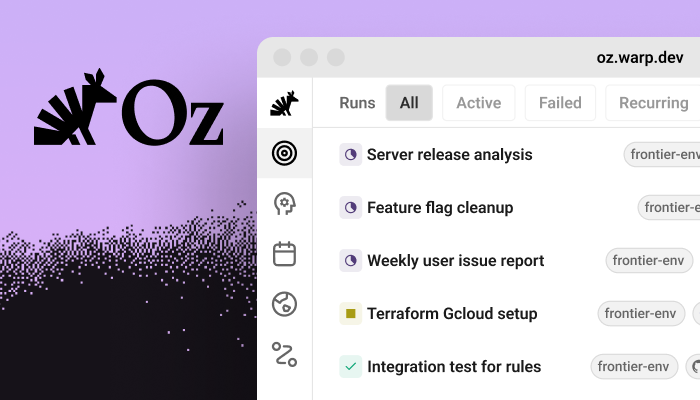 Oz is Warp's orchestration platform for cloud agents: launch parallel agents, automate recurring engineering work, and build apps on top of agents with full visibility and control. [Read the launch post →](https://www.warp.dev/blog/oz-orchestration-platform-cloud-agents) #### Cloud Agents * **Run Cloud Agents from anywhere with built-in tracking** — start agents from Warp or via the CLI, triggers, or schedules. Every run is auditable and steerable. [Cloud Agents docs →](https://docs.warp.dev/platform/) * **Cloud environments for consistent execution** — configure Docker-based environments (unlimited repos + setup commands) and run agents in isolated cloud sandboxes. [Environments docs →](https://docs.warp.dev/platform/environments) * **Track agents from the web** — manage runs, create schedules, configure environments, and set up integrations from any browser in the <a href="https://oz.warp.dev">Oz web app</a>. * **Schedule agents based on Skills** — run agents automatically on a cron schedule for code cleanup, dependency updates, and issue triage. See [Scheduled Agents](/platform/triggers/scheduled-agents/). * **Programmable by default** — orchestrate agents via the CLI and integrate Oz into tools and services via the [API reference](/factories/developer-tools/). #### Warp Upgrades * **Terminal and Agent modes** — two distinct modes: a clean terminal for commands, and a dedicated conversation view for multi-turn agent workflows with full controls (model select, voice, attachments). * **Cloud-Synced Conversations** — your agent conversations sync to the cloud and persist across devices. Share with teammates via link, view on the web, or continue locally. #### Agent Capabilities * **Skills** — reusable instruction sets that agents auto-discover from your project or home directory. Invoke with `/{skill-name}` or run as scheduled cloud agents for repeatable automation. [Skills docs →](/agents/capabilities/skills/) * **Computer Use** — agents can interact with desktop environments in sandboxed cloud containers—take screenshots, click, type, and test UI changes. [Computer Use docs →](/agents/capabilities/computer-use/) ### 2026.02.04 (v0.2026.02.04.08.20) **New features** * Added full support for the Kitty keyboard enhancement protocol, enabling TUI applications like OpenCode to detect and use enhanced keyboard input. * Support agent footer when running Copilot CLI. * Added a new paid plan, **Max**, which comes with 12× more monthly credits than Build. Upgrade in `Settings > Billing and Usage`. **Improvements** * Improved environment update handling with better timestamp tracking and immediate UI refresh after edits. * `@` menu now shows function definitions when NLD is disabled. * Conversation deep links now open in a new tab instead of a new window. * Renamed `edit` slash command to `open`. * Fixed a race condition when using API keys with the Oz CLI. * Improved robustness of MCP connections (especially using the legacy SSE transport). "Transport closed" errors now trigger a reconnection to the server. * Added a new setting to keep the opened/closed state of the tool panel consistent across tabs in the same window ("Tools panel visibility is consistent across tabs"). **Bug fixes** * Fixed "Sharing in Warp Drive" onboarding block appearing mid-stream during agent responses. * Disabled codebase indexing on non-agent run commands. * Fixed scrolling behavior when typing in long-running commands — cursor is now scrolled into view. * Fixed sharing dialog copy link icon being slightly larger than the text. * Fixed issue where the code review panel would get stuck on "Loading open changes" when multiple repositories are open in the same tab. * Fixed a crash caused by orphaned wide character flags in the terminal grid. * Fixed clipping issue in terminal message bar. ### 2026.01.28 (v0.2026.01.28.08.14) **Improvements** * Files opened from code review panel, project explorer, and global search now respect your external editor setting. * Toggling the plan while the pane is maximized now restores the layout to show the plan. * Added "copy path" button to file headers in code review panel. * Pasting images into the input now enters Agent Mode, matching drag and drop behavior. **Bug Fixes** * Fixed an issue where conversations could break when the agent read large images from directories. * Fixed input buttons overflowing into adjacent panes in narrow layouts. * Fixed text in MCP tool call details not being copyable. * Fixed status indicator incorrectly showing for empty conversations in tab headers. * Fixed Drive team section header displaying in all caps. * Fixed Enter key not working in MCP installation modal. * Fixed slash command text not highlighting correctly in some cases. * Fixed input mode detection occasionally switching unexpectedly. * Fixed /edit command failing when filename had trailing whitespace. ### 2026.01.21 (v0.2026.01.21.08.14) **New Features** * Global search in files across your current directories. Use `CMD-F`/`CTRL-SHIFT-F` to open. * Expanded web search support to additional models. **Improvements** * Save AI prompts as Agent Mode workflows via context menu. * `/init` now generates AGENTS.md instead of WARP.md. * Added horizontal autoscrolling when jumping to line/column. * Better language detection for syntax highlighting. **Bug Fixes** * Fixed a memory leak that occurs when making an Agent Mode request. * Fixed an issue where "waiting for a password" notifications could be triggered incorrectly when launching certain terminal apps like neovim. * Fixed duplicate entries appearing in the agent management view for Slack-triggered conversations. * Fixed alias expansion being triggered in AI input when it should only apply to shell commands. * Fixed an issue where multiple shell commands could enter long-running mode in the same request batch. * Hide AI options in the Command Palette when AI is disabled. * Stopped highlighting search matches in reasoning blocks. * Fixed session viewer input being cleared when agent runs commands. ### 2026.01.14 (v0.2026.01.14.08.15) **New features** * Added footer for third party CLIs. * Added onboarding flow for new users. **Improvements** * Fixed duplicate rule suggestions on dismiss and save. * @-context search now matches on both name and content for notebooks, rules, and workflows. * Updated checkbox checkmark to use foreground color for better theme consistency. * Filter selections in the cloud agent management view now persist across app restarts. * MCP servers with OAuth authentication can now be used in warp agent run if previously authenticated in the desktop app. **Bug fixes** * Fixed a bug where text in the MCP tool call detail wasn't selectable. * Fixed agent thread banner text overflow on smaller screens. ### 2026.01.07 (v0.2026.01.07.08.13) **New Features** * Added agent tips under the warping indicator. **Improvements** * Users can now create team-scoped API keys. * Agent tip now leads with `WARP.md` when mentioning project-scoped rule files. * The `oz agent run-cloud` command can now create cloud agent tasks that are shared with team members. * Updated agent profile switching tip to better explain why users would want to switch profiles. * Comments in the code review flow now render full width when there are 4 or fewer comments, improving readability. * When the completions menu is opened (tab), no completion item is selected by default. Pressing enter while no completion is selected directly runs the command currently in the input. Upon selecting a completion, it now automatically shows up in the input. This more closely mirrors behavior in traditional terminals. * The `oz agent run-cloud` command now supports saved prompts. * We added a new full terminal use model selector in the agents profile page so that you can select a specific model for full terminal use work. **Bug fixes** * Improved out-of-memory handling for cloud agents. * Fixed a configuration error creating team-scoped Warp-managed secrets. * Fixed 'parameter not set' error in zsh when users have setopt nounset enabled. * Fixed an issue where up arrow history could be ordered incorrectly on quit or restart Warp.Summarize what's new and whether I need to take any action: https://docs.warp.dev/changelog/2026/Warp release notes for 2026. Updates ship weekly, typically on Thursdays.
Submit bugs and feature requests on our GitHub board!
2026.10.15 (v0.2026.10.14.08.27)
Section titled “2026.10.15 (v0.2026.10.14.08.27)”Improvements
- Added a keyboard shortcut (
⌘+Eon macOS orCtrl+Eon Windows/Linux, rebindable) to toggle Markdown files between rendered and raw view. (#16413) — @arihanv ✨ - Warp now recognizes Muse Code as a first-class CLI agent, with branded session icons and rich-input support. (#15999) — @nwp ✨
Bug fixes
- Fixed conversation transcript downloads with self-hosted storage. (#16445)
- Fixed Claude transcript capture and resume paths on Windows and for project directories containing special characters or long names. (#16428)
- Recover cloud Oz sessions when an agent command exits the persistent shell. (#16148)
- Prevent session sharing from reconnecting indefinitely when a message cannot be delivered. (#16071)
- Claude Code harness runs no longer report completion and re-open on every assistant turn while background tasks, subagents, or scheduled wakeups are still running; completion is reported once the session is actually idle, or immediately on finish-task. (#16367)
- Fixed agents hanging when an unfinished shell command waits at a continuation prompt. (#12934)
Oz updates
- Cloud agents retry startup metadata requests for up to 30 seconds to allow execution claims to finish. (#16438)
- Orchestrators can attach batch and per-child run metadata for grouping and setup workflows. (#16396)
- Fixed cloud agents waiting for path approval when editing MCP configuration files. (#16402)
- Cloud agents periodically save workspace handoff checkpoints during a run. (#16391)
2026.10.07 (v0.2026.10.07.08.29)
Section titled “2026.10.07 (v0.2026.10.07.08.29)”Improvements
- Added Kiro CLI support to Warp’s third-party coding-agent toolbar and rich input. (#16243)
- Codex run usage now reports cache-write token counts when available. (#16230)
Bug fixes
- Fixed a crash when navigating terminal history with the Up or Down Arrow. (#14396) — @rhinoc ✨
- Fixed “Rename tab” and “Rename pane” from the tab context menu not focusing the rename editor. (#16303, #16294)
- Fixed MCP OAuth authentication with providers that require authorization response issuer validation, including Linear. (#16314)
- MCP tool calls fail when a response stream ends without a result and time out instead of waiting indefinitely for unresponsive servers. (#16219)
- Follow-up messages sent through a shared session can interrupt an agent’s running shell command and continue without falsely cancelling the conversation. (#16266)
- Prevented repeated authentication refresh requests after token and proxy failures. (#16099)
- Fixed rejected Firebase refresh tokens falling through to the authentication proxy instead of reporting the credential error. (#16336)
- Fixed native zsh completion requests not returning when shell completions are uninitialized or fail. (#16268)
- Fixed missing file-path completions when bundled and native completions both return no suggestions. (#16213)
- Align fish and PowerShell right prompts with the terminal edge while preserving zsh’s default spacing. (#16264)
- Avoid a WSL subprocess when listing the working directory from the prompt chip. (#16165)
- Fixed a crash when settings-file errors update an unavailable Settings pane. (#16249)
- Fixed a crash during undo-close cleanup when a tab’s pane group is unavailable. (#16251)
- Fixed
runner listfailing for a whole team when one runner uses an OS or architecture the installed client doesn’t recognize yet. (#16237) - Fixed Claude Code and Codex cloud agents on Windows runners failing during Warp plugin setup. (#16307)
- Fixed the GitHub CLI not being authenticated for cloud agents on Windows runners. (#16238)
- Fixed cloud agents on Windows runners failing to clone private repositories. (#16236)
- Fixed Warp-managed Factory agents failing during environment setup on Windows runners. (#16234)
- Fixed cloud agents using the runner’s AWS credentials instead of the configured Bedrock role. (#16185)
Oz updates
- Set an environment’s default runner with
oz environment update --default-runner <RUNNER_UID>. (#16259) - Cloud runs report which environment setup command timed out instead of waiting until the sandbox expires. (#16219)
- Claude Code and Codex follow-ups now report resumed activity even when the client retains a stale in-progress state. (#16217)
- Improved cloud agent startup reliability by preventing overlapping workload-token refreshes within the shared API client. (#16167)
- Unattended CLI agent runs now end as blocked instead of hanging when the agent stops to ask for user input. (#16232)
- Computer-use agents on Windows cloud runners can now record video. (#16260)
2026.09.30 (v0.2026.09.30.08.29)
Section titled “2026.09.30 (v0.2026.09.30.08.29)”Improvements
- Added the option to switch teams from Settings > Teams
- Vertical tabs search now matches and highlights tab group names
- Added fzf Alt-C support across bash, zsh, and fish shell integrations
Bug fixes
- Fixed two windows opening when launching Warp on Windows
- Fixed model preference being reset when the team model catalog refreshes
- Fixed focus not being restored after closing a tab context menu
- Fixed the typed query not being forwarded to fzf Ctrl-R history search in zsh
- Fixed the layout of the external fzf Ctrl-R history picker
- Fixed flag completions after a POSIX double dash (—)
- Fixed agent management costs not honoring the Credits/Dollars setting
- Fixed a panic when
/modeltargets a closed window - Fixed scope-specific spend limit alerts
2026.09.23 (v0.2026.09.23.14.34)
Section titled “2026.09.23 (v0.2026.09.23.14.34)”New features
- You can now sign in with ChatGPT to use your ChatGPT plan with Warp’s agent. Go to Settings > Agents > Warp Agent > Custom Inference to enable.
- Added support for AWS ECR credentials in managed secrets. (#16044)
- Added a usage popover to the agent input footer showing conversation usage and cost. (#15946)
Improvements
- Added Neovim 0.13
alandiltext objects to Vim mode. (#16105) - Moved the team switcher next to the profile avatar for easier access. (#16041)
Bug fixes
- Fixed missing file and path suggestions when native shell completion returns no candidates. (#16093)
- Team discovery now shows native workspace options and workspace-scoped teams. (#16083)
- Fixed usage displays showing $0.00 for very small charges instead of a minimum threshold value. (#16070)
- Restored image pasting into CLI agents when macOS provides TIFF clipboard data. (#16055)
- Fixed shared sessions getting stuck reconnecting when the connection closes or stalls before the server confirms reconnection. (#16052)
- Fixed a crash when opening a child agent from its pill after closing and reopening the parent conversation. (#15996)
Oz updates
- Cloud agent runs now save a handoff snapshot when interrupted (SIGTERM/SIGINT) so in-progress work can be resumed instead of lost. (#15654)
- Agent runs with a zero post-completion idle timeout exit immediately. (#16050)
2026.09.16 (v0.2026.09.16.08.27)
Section titled “2026.09.16 (v0.2026.09.16.08.27)”New features
- You can now trigger fzf (ctrl-r or ctrl-t) and atuin if it’s set up with your shell. (#15903)
- Added native shell completions alongside Warp’s built-in completion specs. By default, the native shell completions will be generated if Warp’s built-in completion has no suggestions. This can be changed in Settings > Features > Terminal Input. (#15903)
Improvements
- Improved parallel clone error reporting to list only the repositories that actually failed. (#16006)
- Added
oz secret create docker-registryto create container registry credential secrets from the CLI. (#15913) - Discover and cache build tools in nested repository directories. (#15844)
- Workspace admins can now remove members from a workspace directly from team settings. (#15905)
- [Windows] Materials are now supported for the backdrop of Warp windows in Settings > Appearance > Window > Backdrop. (#15879)
- Improved command history search ranking using match quality and usage signals. (#15903)
- Native workspace members can leave a team without losing workspace access. (#15880)
- Native workspace users can browse and join another open team from Teams settings. (#15881)
Bug fixes
- Fixed an issue where new users who quit sign-up partway could be shown the existing-user ‘Introducing universal agent support’ onboarding on their next launch. (#16010)
- Stop Warp Agent CLI startup when team metadata cannot be refreshed. (#15932)
- Add tab group persistence to (legacy) launch configs. (#14624) — @maxmilian ✨
- Fixed a crash after dragging a Settings tab between windows. (#15948)
- Fixed cloud agent commits sometimes ignoring a customer’s
git config --global user.name/emailsetup command. (#15869) - Prevented a crash when confirming a file discard more than once in Code Review. (#15884)
- Opening a subagent in the web session viewer no longer replaces the run’s URL, so refreshing or sharing the link keeps you on the whole run instead of a single subagent. (#15317)
- Stopping a shared Agent Mode conversation from a viewer or via conversation steering now interrupts the agent’s running command instead of letting it run to completion. (#15906)
- Fixed a new tab group’s terminal stealing focus while its name was being typed, which saved the partially-typed name. (#14895) — @maxmilian ✨
- Fixed macOS computer-use recordings reporting near-zero duration. (#15920)
- Fixed duplicate network requests when loading agent shared sessions. (#15829)
Oz updates
- Fixed native Oz follow-up prompts interrupting one another instead of each reaching the agent. (#15921)
- Preserved team-scoped credentials when launching orchestrated agent runs. (#15863)
- Fixed follow-up messages with attachments waiting until an agent finished its turn instead of being delivered at the next steering opportunity. (#16046)
2026.09.09 (v0.2026.09.09.08.26)
Section titled “2026.09.09 (v0.2026.09.09.08.26)”New features
- First-class Grok Build (SpaceXAI
grok) support. Detects sessions, adds branded chrome in the footer, and enables rich input mode. (#14228) — @nwp ✨
Improvements
- Create New Window is now an editable keyboard shortcut, so it can be remapped or unbound. (#15771) — @tkossak ✨
- Added completions for
git merge-base. (#15769) - Attach file is now a Command Palette action with an editable, unbound-by-default keybinding. (#15762)
- Fish ctrl-r now hands off to PatrickF1/fzf.fish history search, not only junegunn fzf. (#15744)
- Extended shell widget handoff to fzf’s ctrl-t file search, alongside the existing ctrl-r history-search handoff. (#15513)
Bug fixes
- Fixed remote orchestration children launched by team service accounts requesting invalid personal ownership. (#15866)
- Fixed unsent prompts being cleared after selecting a model through the
/modelkeyboard shortcut. (#15870) - Fixed Agent API key creation requiring users to re-select the default agent. (#15825)
- Fixed the prompt alert action for teamless native-workspace users who reach their limit. (#15853)
- Hid team creation and empty team discovery prompts for teamless native-workspace users in Warp Drive. (#15790)
- Teamless workspace users now see a clear Cloud Mode blocker instead of environment setup or a misleading agent-harness error. (#15794)
- Fixed global file-based MCP tools that were missing from the first agent turn. (#15755)
- Fixed dynamic Bash prompts being evaluated twice when Shell (PS1) is enabled. (#15792)
- Fixed transcript persistence and skill discovery for third-party agent harnesses in single-repository cloud workspaces. (#15787)
- Fixed a crash when a character at the end of a terminal line changes from single-width to double-width. (#15763)
- Prevent a crash when smart-selecting RTL text whose visual glyph order reverses logical indices. (#15772)
- On Warp on Web, switching teams now updates the current window instead of replacing the session. (#15740)
- Command X-Ray now describes
git ls-remoteflags such as--branches. (#15756) - Third-party harnesses no longer hang the driver after
/exitfails to stop the CLI. (#15728) - WASM conversation viewer now shows the web top bar for orchestrated factory sessions. (#15754)
Oz updates
- Environment pickers now show personal environments and environments for the selected window team. (#15850)
- Added team selection to
oz run list. (#15811) - Added team selection to runner listing and name-based updates. (#15809)
- API key list, create, and expire commands now respect the selected Oz CLI team. (#15806)
- Oz agent catalogs now follow active team selection. (#15807)
- Environment lists and interactive pickers now follow the selected team. (#15805)
- Added team selection to
oz model listfor team-specific model catalogs. (#15804) - Oz agents can use refreshed Entra credentials to write to Azure DevOps. (#15840)
- Claude Code and Codex runs can now access Factory MCP automatically. (#15827)
2026.09.02 (v0.2026.09.02.08.27)
Section titled “2026.09.02 (v0.2026.09.02.08.27)”New features
- Start a debug agent inside the retained session of a cloud run that failed during environment setup. The run keeps its original failure record. (#14916)
Improvements
- Text inside “Thought” dropdowns in agent conversations can now be selected and copied. (#15691)
- Show the live cloud connection indicator on third-party agent rich input. (#15625)
- Faster conversation restore for conversations containing plan documents. (#15579)
oz run get --conversationandoz run conversation getnow print the raw transcript for third-party harness runs instead of failing with operation_not_supported. (#15642)- Hovering over the profile icon on user messages in agent conversations now shows message timestamps, along with a “Copy timestamp” affordance in the overflow menu. (#15605)
- The
create_filetool can now fully replace an existing file’s contents in one step (allow_overwrite: true) instead of failing and requiring a separate edit. (#15380) - Custom inference endpoint definitions now use validated file-backed settings shared by Warp and Warp Agent CLI. (#15574)
Bug fixes
- Fixed MCP servers that reject a configured credential being reported as though they required OAuth sign-in. Warp now distinguishes a rejected token from a genuine OAuth challenge, and refuses to send a credential header whose secret placeholder was never filled in. (#15714)
- Fixed a crash when Agent streamed an empty update into a plan document. (#15720)
- Prevent a crash on Linux/X11 when Warp requests user attention over a dead display connection. (#15717)
- Fix a crash that could occur when extending a shared session after its terminal window had already closed. (#15695)
- Fixed a crash when selecting some Windows fonts, such as Noto Sans Mono CJK SC, that expose a glyph advance without an outline bounding box. (#15705)
- Fixed the built-in Factory MCP failing to reconnect during credential refresh. (#15628)
- Fixed a race that could make a single local Oz
run_agentschild appear as two orchestration pills. (#15583) - Avoid repeated share-modal rendering when no terminal session is available. (#13942) — @KRRT7 ✨
- Fixed animated GIF background images freezing on their first frame in the terminal window. (#14618) — @niyasrad ✨
- Fixed the SuperGrok / X Premium connect button getting stuck when the browser was closed mid-authentication, and added a Cancel button to recover without waiting for a timeout. (#15576)
- Fixed onboarding interrupting a workspace opened from a shared session or agent-conversation link. (#15550)
Oz updates
- Cloud agents now report why an MCP server failed to connect — a rejected credential, or a secret that was not available to the run — instead of asking you to authenticate in the desktop app. (#15714)
- Mixed GitHub and GitLab environments clone each repository from its own host and keep credentials for both forges on refresh. (#15616)
2026.08.27 (v0.2026.08.26.17.59)
Section titled “2026.08.27 (v0.2026.08.26.17.59)”New features
- Warp Factories is now live in Early Access. Read the Warp Factories launch announcement for details.
Improvements
- Removed unnecessary first-time-user banners and prompts (credits, notifications, desktop download) when viewing a shared session or conversation transcript on the web. (#15515)
- Disabled team/workspace members are now shown grayed out with an explanatory tooltip instead of appearing active. (#15258)
- Renamed the “Oz Cloud API Keys” settings page to “API keys” under Cloud platform. (#15424)
- Enabled IME marked text (composition) input on Windows and Linux, previously macOS-only. (#15395)
- Added a setting to make bare right-click paste from the clipboard, with Shift+right-click still opening the context menu. (#15365)
- Added a setting to stop ‘#’ at the start of terminal input from opening AI Command Search, so shell comments aren’t interrupted. (#15340)
- Usage displays (agent block usage, conversation footer, usage history, and task details) now show a per-category dollar cost breakdown alongside credits. (#15148)
- Added a “Paste” item to the terminal block list’s right-click context menu. (#15346)
- The markdown viewer now preserves your scroll position when switching between Rendered and Raw view modes. (#13967) — @slash9494 ✨
- Holding a modifier now shows each tab’s switch-to-tab keyboard shortcut on the tab itself. (#15221) — @JJack27 ✨
Bug fixes
- Fixed bash sessions never reporting detected shell plugins (e.g. Starship) back to Warp. (#15518)
- Fixed mismatched Shift/Command/Option key icons in keybinding chips (Command Palette, context menus, tooltips) on the web build. (#15569)
- [Windows] Fixed Warp becoming unresponsive after disconnecting and reconnecting a Remote Desktop session. (#15566) — @bbbiggest ✨
- Fixed the Teams settings confirmation dialogs (remove member, transfer ownership, leave/delete team) landing at the top or bottom edge of the window depending on the page’s scroll position instead of staying centered. (#15542)
- Fixed automatic CLI plugin installation failing in Windows PowerShell 5.1. (#15544)
- Fixed a multi-gigabyte memory spike when editing very large files, caused by unbounded parallel text-layout work. (#15128)
- Fixed cloud agent runs occasionally getting stuck showing in progress when a child agent finished right as the parent run began tearing down. (#15432)
- Pressing Ctrl-C in an attached third-party agent harness session (e.g. Claude Code) now correctly resolves it to cancelled instead of leaving it stuck showing in progress. (#15506)
- Cloud agent runs now always report a terminal status (succeeded, failed, or error) when the agent process exits, instead of occasionally being left stuck in progress after sandbox deadlines, SIGTERM shutdowns, or exit races. (#15387)
- Fixed a memory spike when opening large files in the code editor caused by an unnecessary full-file clone. (#13508)
- Fixed completions for many commands’ multi-argument options that were mis-modelled (e.g.
git branch/git switch,rsync --info/--debug,rustc -L,dart format,hugo new,date), so they no longer offer the wrong arguments. (#15487) - Fixed
ln -s <path>andln -F/-f/-i <path>not offering file path completions. (#15480) - Fixed shell command completions resolving the wrong argument for options that take multiple arguments of differing types (such as
cargo fmt -- --print-configandjq --rawfile), where a value before the last received a later argument’s suggestions. (#15475) - Fixed PowerShell sessions using PSReadLine’s vi edit mode submitting mangled commands. (#15476)
- Cloud agent environments no longer hang with runaway “cloning” output when running
git log,git blame, or other path-limited history commands. (#15281) - Fixed several latent shell-integration bugs, including a crash from slicing spans on non-UTF-8 character boundaries. (#15428)
- Fixed the usage footer’s conversation-total dollar amount reading higher than the per-response breakdown by aligning both with the same charged-usage figures. (#15423)
- Fixed the agent
greptool returning a parse error, or in rare cases a wrong file/line, when a matched file path contained a colon (e.g. Windows paths, some Go module paths). (#15422) - Retry transient server errors when resolving a managed MCP server’s connection, instead of permanently failing the agent run on the first blip. (#15426)
- Fixed a hidden Alt+1 (Ctrl+1 on Mac) binding for Project Explorer that could not be remapped or disabled from Settings > Keyboard shortcuts. (#15310)
- Fixed stdio MCP servers failing to start on a fresh
oz agent runwith “Unknown PATH when trying to launch MCP command.” (#15396) - Fixed zsh tab completions losing their descriptions for commands using clustered short options. (#15313)
- Fixed unbounded memory growth from rebuilding the launch-config search index on every rapid configuration-file change. (#15119)
- Tab autocomplete now follows symlinks to directories in WSL sessions. (#14755)
- Improved scrolling performance in transcripts with many Agent Mode blocks. (#15280)
- Fixed a “double cursor” issue where a finished background block kept showing a cursor alongside the input editor or the next block. (#15322)
- Fixed a stray “(1)” badge appearing on the Code Indexing and Profiles settings sub-pages during search. (#15319)
- Fixed cloud agent runs having too small a recovery budget to retry a mid-stream connection reset, sometimes failing runs instead of automatically retrying. (#15293)
Oz updates
- Fixed handoff snapshot files not reaching a rebuilt cloud sandbox, which left the agent referencing files that were never downloaded. (#15505)
2026.08.25 (v0.2026.08.25.19.26)
Section titled “2026.08.25 (v0.2026.08.25.19.26)”New features
- Added an inline
/usagecommand to the Warp Agent CLI showing plan, credit usage, and billing links. (#14968)
Bug fixes
- Fixed an unbounded memory leak in the terminal completions engine where large or unusual input (e.g. pasting a large blob of text) could permanently grow memory usage over a session. (#15181)
- Fixed a font-fallback bug on web that made the ⇧ (Shift) key glyph in keyboard shortcut hints render heavier, larger, and misaligned compared to neighboring ⌘/⌥ glyphs. (#15261)
- Removed a stray 1px border around the workspace on Warp Web that could get clipped by rounded browser corners. (#15259)
Oz updates
- Fixed intermittent “MCP server not found” errors after a cloud agent sandbox is rebuilt mid-task.
2026.08.19 (v0.2026.08.19.08.15)
Section titled “2026.08.19 (v0.2026.08.19.08.15)”New features
- Added an inline
/usagecommand to the Warp Agent CLI showing plan, credit usage, and billing links. (#14968)
Bug fixes
- Fixed an unbounded memory leak in the terminal completions engine where large or unusual input (e.g. pasting a large blob of text) could permanently grow memory usage over a session. (#15181)
- Fixed a font-fallback bug on web that made the ⇧ (Shift) key glyph in keyboard shortcut hints render heavier, larger, and misaligned compared to neighboring ⌘/⌥ glyphs. (#15261)
- Removed a stray 1px border around the workspace on Warp Web that could get clipped by rounded browser corners. (#15259)
Oz updates
- Fixed intermittent “MCP server not found” errors after a cloud agent sandbox is rebuilt mid-task.
2026.08.18 (v0.2026.08.18.02.52)
Section titled “2026.08.18 (v0.2026.08.18.02.52)”New features
- Warp now includes a built-in Factory MCP server for logged-in users.
Improvements
- Added completions for
mpvandruff, and refresheddenocompletions. (#15248) - Teamless users in a native workspace now see an Admin Panel link and joinable teams on the Teams settings page instead of team creation. (#15246)
oz agent run-cloudnow accepts--titleand--parent-run-id, so third-party harnesses can set a run’s title and orchestration lineage. (#15187)- The agent run details panel now has a copy button on the Initial query field, matching the Error and Environment details fields. (#15156)
- Workspace admins can now manage team membership (promote/demote/remove) on their current team, and show a “Workspace admin”/“Workspace owner” badge in the team members list. (#15123)
- Cloud agent sandboxes now default to a
Warpgit identity instead ofOzwhen the server doesn’t return a resolved GitHub identity. (#15110) - Added completions for
yayandparu, andkubectl --uservalue completions. (#15109) - Added completions for
ip— address, link, route, neighbour, netns, rule, tunnel, xfrm, monitor, and the remaining subcommands — plusgit read-tree. (#15101) - Vim keybindings now work in several more multi-line editors (commit messages, suggested-rule content, env var commands, compact AI inputs, queued-prompt editing, workflow dynamic enums) when vim mode is enabled. (#15054)
- Vim keybindings now work in the rule editor when vim mode is enabled. (#15044)
- The File explorer chip can now be added to Warp Agent’s input toolbelt via Edit agent toolbelt. (#15007)
Bug fixes
- Fixed a memory leak where repeatedly re-parsing and deep-cloning
.gitignorematchers during file-tree watcher updates could allocate an unbounded number of regex caches in large repositories. (#15240) - Fixed billing copy that described add-on credit purchases as going to your personal balance instead of the team’s shared pool. (#15207)
- Fixed the client failing to load a cloud agent task list that included an orchestration-sourced task. (#15164)
- Fixed
parucompletions to match the real v2.1.0 CLI (options, operations, and argument types). (#15159) - Fixed excessive memory growth where a burst of repository-indexing updates could spawn many concurrent background tasks re-reading project rule files (WARP.md/AGENTS.md). (#15147)
- Fixed a runaway loop of duplicate network requests that could fire while viewing a completed cloud agent conversation. (#15138)
- Fixed the Teams settings page showing an invite-by-link option for Private and Hidden teams, which don’t support it. (#15129)
- Fixed the Teams settings page showing another team’s pending email invites in a multi-team workspace. (#15121)
- Fixed zsh sessions occasionally echoing Warp’s own shell-integration bootstrap script into the terminal when
cursor_mode/prezto’sinit.zshwas loaded. (#15118) - Fixed the Teams settings page’s “Open admin panel” link sending workspace admins to the team admin page instead of the workspace admin panel. (#15113)
- Fixed
kubectlcompletions ignoring a--context,--cluster, or--userflag on the command line;kubecolor/ocnow complete those flags too, andnx runcompletions were fixed. (#15109) - Fixed
ip nexthopfilter completions suggesting protocol names that iproute2 rejects, and completed theip rule/ip mruleflush selector sets. (#15102) - Fixed
ipcompletions not appearing for iproute2’s bare keyword arguments, along with missingip addr/ip a/ip neighboraliases. (#15101) - Fixed missing product logos for MCP servers with decorated titles (e.g. “Sentry (OAuth)”) in MCP settings. (#15037)
- Cancelling a conversation while an orchestration tool call was still streaming left the card stuck on “Configuring agents…”; it now shows a cancelled state. (#14972)
- Fixed an issue where removing a team member from Settings > Teams would fail silently with no error shown if the removal was rejected by the server. (#14964)
- [Windows] Stopped enumerating the full process table with per-process CPU sampling on every terminal session, which could cause DPC_WATCHDOG_VIOLATION / high CPU on machines with many cores. (#13405) — @npapano42 ✨
- Fixed excessive memory usage when opening code review in a repository with large untracked directories (e.g.
node_modules). (#13393) - Fixed a performance issue where every file-tree change deep-cloned compiled
.gitignorematchers in large repositories. (#13290)
2026.08.13 (v0.2026.08.12.21.54)
Section titled “2026.08.13 (v0.2026.08.12.21.54)”Improvements
- Added a customizable action to cycle the active tab color from a keybinding or the Command Palette. (#14329) — @rasitakyol ✨
- Cloud agent run details now show the platform the run executes on, with a macOS or Linux icon alongside the architecture and runner. (#14790)
- Added completions for
vagrant, including its nestedbox,cloud,plugin, andsnapshotcommand groups plus dynamic machine and box names. (#14775) - Added
opensslcommand-line completions. (#14771) - Added inline command completions for the Yandex Cloud CLI (
yc) and git worktree name suggestions. (#14767) - Tab autocomplete now follows symlinks to directories in remote/SSH sessions. (#14746)
- Added completions for
journalctl, including units, boots, journal fields, and syslog identifiers. (#14742)
Bug fixes
- Fixed a crash in the AI
@context menu when a workflow’s content included multi-byte characters (emoji, CJK, accented Latin) near the preview truncation boundary. (#14933) - Fixed the MCP tool-call JSON viewer’s key/chevron being vertically centered against a tall expanded multi-line string value instead of aligned to its top. (#14949)
- Fixed long-running commands in Warp Agent CLI not accepting keyboard input. (#14943)
- Fixed an issue where an AI response could fail to render entirely if it included a citation of an unrecognized type. (#14915)
- Fixed the code review pane failing to load file content for renamed files with uncommitted changes. (#14655)
- Fixed inactive agent toolbelts continuing to run hidden context chip commands. (#14854)
- Fixed canceled background commands leaving wrapped child processes running. (#14853)
- Prevent stale shared-session links and QR codes from being exposed while a new session is pending. (#13813) — @rasitakyol ✨
- Fixed combining marks rendering at the wrong position on Linux and Windows. (#14322) — @SS-Script ✨
- Fixed the Find in File field becoming unclickable after pressing Enter in Vim mode. (#14836)
- Fixed background orchestrated agents stealing input focus in Warp Agent CLI when they need user interaction. (#14829)
- Fixed the environment selector showing “New Environment” for agent runs without an environment. (#14837)
- Fixed excessive Git process creation when loading global skills. (#14830)
- Fixed window corners being rounded in fullscreen. (#14109) — @s1ckoleg ✨
- Cmd-Up in Agent Mode now navigates user prompts and skips agent-run commands. (#14685)
- macOS Option-click on Warp’s green traffic-light button now performs zoom instead of entering fullscreen. (#14716)
- Fixed the dedicated hotkey (Quake mode) window not taking keyboard focus when opened on a different monitor than the main Warp window. (#14726)
pkill <TAB>now suggests running process names instead of filesystem paths. (#14749)- Fixed Warp Agent CLI Tab completions missing desktop completion sources and supported native-shell fallback. (#14600)
- Fixed pasting rich text dropping numeric CSS font weights. (#14512) — @fbartho ✨
- Fixed the Warp Agent CLI input occasionally rendering without a cursor after temporary interactions. (#14747)
- Fixed the Warp Agent CLI model picker changing the default model for every session. (#14737)
- Fixed the copy-link menu action doing nothing while a cloud agent session was still setting up. (#14431)
- Running Oz from the command line on macOS no longer puts a bouncing Warp icon in the Dock. (#14636)
Oz updates
- Fixed background subagent sessions stealing focus from the visible Warp Agent CLI input. (#14961)
- Renamed the Oz agent UI to Warp Agent across the app and CLI. (#11022)
- Fixed keyboard input for long-running commands. (#14943)
- Homebrew installations now show the correct
brew upgradecommand when an update is available. (#14899) - The Warp Agent CLI’s Agents bar now mirrors the GUI’s multi-level orchestration: drill into an orchestrating child’s level, follow breadcrumbs back up, and see subtree rollup badges. (#14884)
- Background orchestrated agents no longer take focus away from the session you are using. (#14829)
- Fixed excessive Git process creation when loading global skills. (#14830)
- Add a
/connect-grokTUI slash command that jumps straight into connecting your Grok (X Premium / SuperGrok) account. (#14759) - Fixed occasional transcript jitter while Agent Mode responses stream in Warp Agent CLI. (#14750)
- Shell Tab completions now share desktop ordering and native fallback behavior. (#14600)
- Fixed the input occasionally rendering without a cursor after temporary interactions. (#14747)
- Model selection now applies only to the current session and identifies the profile default. (#14737)
- Code blocks no longer include box borders, making code easier to select and copy. (#14738)
- Failed cloud agent runs now stay open and attachable for debugging instead of becoming unreachable. (#14561)
- Child agents can now be launched with repository-qualified skill references instead of absolute paths. (#14271)
- Running Oz from the command line on macOS no longer puts a bouncing Warp icon in the Dock. (#14636)
2026.08.07 (v0.2026.08.05.09.03)
Section titled “2026.08.07 (v0.2026.08.05.09.03)”Improvements
- Support
SKILLS_DIRSenv var in agent-driver mode to index extra skill directories at personal-skill precedence (#14394)
Bug fixes
- Onboarding no longer shows the smallest AI credit pack as selected when the “Buy AI credits” option isn’t the one chosen. (#14712)
- The vertical tab layout now shows the synced-inputs indicator on tabs with Synchronized Inputs enabled. (#14697)
- Fixed a crash that could happen when typing immediately after a CLI agent session ended with completions-while-typing enabled. (#14709)
- The tab bar background now matches the terminal background instead of rendering as a lighter strip. (#14701)
- Opening a file from an agent conversation’s code-block preview now jumps to the first line of the shown range instead of the top of the file. (#14702)
- Fixed Cmd and Option shortcuts for Backspace, Delete, and arrow keys being dropped in apps using the Kitty keyboard protocol. (#14012) — @FreddieMcHeart ✨
Oz updates
- Fixed background (window-scoped) computer use on Linux dropping the mouse button between actions, which broke drag gestures like text selection. (#14686)
- Computer-use video recordings now render a smooth synthetic cursor that glides between actions and tracks drags continuously, consistently across window- and screen-scoped captures. (#14681)
2026.07.31 (v0.2026.07.29.09.05)
Section titled “2026.07.31 (v0.2026.07.29.09.05)”Improvements
- Custom model endpoints can now select an OpenAI Chat Completions, OpenAI Responses, or Anthropic Messages schema. (#13938)
- Third-party agent harnesses can now report non-PR work products back to Warp. (#14072)
gcloudis now signed in automatically during GCP provider setup for cloud agents. (#14132)- Computer-use recording overlays now stay on screen long enough to read after recordings are trimmed to action segments. (#14148)
- Managed secrets are now validated against the 128 KB environment variable limit before an agent run starts. (#14219)
- The
ozCLI can now set a named agent’s prompt when creating or updating agents. (#14261) - Added Vim
<and>indent and dedent operators to the code editor. (#14268) - Code-block file references now open in your configured editor, with a Warp fallback. (#14275)
- Logging out now also signs out of Warp web and avoids immediate re-authorization. (#14284)
- MCP tool confirmations now show which tool is running and which server it came from. (#14298)
- Replace Oz armadillo icon with theme-adaptive Warp “W” logo (Icon::Agent) app-wide across all agent/Oz interactive surfaces. (#14344)
- Agent execution profiles can now be configured from settings files for all users. (#14418)
Bug fixes
- Updated a bundled dependency to resolve CVE-2026-50185. (#13357)
- Fixed the cloud agent Execution host dropdown not appearing when self-hosted workers were connected. (#13875)
- Markdown content no longer renders HTML comments as visible text. (#14009) — @maxmilian ✨
- Cap and expand the shared desktop toast stack to keep error floods bounded and readable. (#14028)
- Settings search now filters widgets on AI and Code subpages correctly — only matching widgets are shown instead of all widgets on the subpage. (#14116)
- Fixed the Runner dropdown missing from the agent orchestration approval card. (#14133)
- Remove shell selection from warpctrl tab/window create so local control cannot spawn caller-chosen shell binaries. (#14158)
- Fixed misaligned zsh prompts caused by explicit-width prompt constructs. (#14166)
- Report accurate video recording durations after post-processing. (#14172)
- Fixed Vim
d%,c%, andy%being no-ops in the code editor. (#14176) - Fixed click and drag annotations in computer-use recordings being offset or split across calls. (#14191)
- Open recording artifacts in the authenticated viewer using the client-built Oz run URL. (#14210)
- Warp now reports a server outage instead of blaming your model ID when the agent model list is unavailable. (#14227)
- Fixed New Worktree tab configs breaking when the repository path contained spaces. (#14296)
- Order the authenticated user’s team first in freshly fetched multi-team workspace metadata. (#14301)
- Fixed voice input submitting partial transcriptions to Hermes. (#14367)
Oz updates
- The
ozCLI now accepts harness-specific model IDs with--harness claudeand--harness codex. (#14011)
2026.07.23 (v0.2026.07.22.09.01)
Section titled “2026.07.23 (v0.2026.07.22.09.01)”New features
- Add native oh-my-pi (
omp) CLI-agent integration with Rich Input. (#13766) - Pin individual tabs and tab groups to keep them at the front of the tab bar. (#13767)
Improvements
- Agent read_files tool now returns partial results when files are truncated, rather than failing. (#12054)
- Slash command hints are now hidden when the slash command is not active. (#12896) — @SkyNotSilent ✨
- Aligned git branch status chip styling and behavior with the built-in branch chip. (#13349) — @BobbyWang0120 ✨
- Excluded directories from Command Palette file search results so files are not crowded out. (#13433) — @maxmilian ✨
- Added an opt-in “Auto save” setting for the Warp text editor (Settings > Code > Code Editor and Review) that saves changes as you type and when the editor loses focus, and flushes edits automatically when closing instead of prompting. (#13435)
- Async find is now enabled for all users. (#13515)
- Added a dismiss button to the shared object storage limit banner. (#13620) — @maxmilian ✨
- Warp TUI now renders alt-screen applications (vim, htop, etc.) and forwards input to the PTY. (#13626)
- Warp TUI now supports mouse interactions in alt-screen applications (e.g. vim, htop). (#13696)
- Add a Speech Language setting for voice input so multilingual users can force transcription language instead of relying only on auto-detect. (#13722)
- Render formatted Markdown in Agent Mode output in the TUI. (#13730)
- Show create and edit document plans inline in the TUI transcript. (#13731)
- Hide the redundant agent bar when running the Warp TUI inside Warp. (#13738)
- Added You.com product icon to the MCP server gallery. (#13749) — @hongyi-chen ✨
- Added oz runner CLI commands for creating, listing, and managing cloud runners. (#13760)
- Added agent_identity_uid support for remote child agent execution in orchestration. (#13773)
- Added Ctrl+P to expand and collapse inline plans in the TUI. (#13781)
- Pressing Left on an empty Warp TUI input now opens the conversation list. (#13797)
- Excluded directories from the files Command Palette filter so files are not crowded out. (#13801)
- Added natural language detection to the headless TUI input, with Agent-biased mode switching and automatic Shell command detection. (#13826)
- Added up-arrow prompt history navigation to the Warp TUI. (#13827)
- Warp’s TUI can now answer interactive agent questions, including multiple-choice and custom responses. (#13830)
- Failed tool calls in the TUI now use a cleaner × symbol for clarity. (#13838)
- The Warp TUI binary has been renamed from warp-tui to warp. (#13904)
- Added support for attaching images to prompts in Warp’s TUI. (#13908)
- Added a
/exitslash command andctrl-dsupport for quitting the Warp TUI. (#13915) - Added a
/view-logsslash command to the Warp TUI for viewing application logs. (#13932) - Agent now includes pull request URL and repository host in Git context for better code awareness. (#13936)
- TUI now shows a “Starting shell…” indicator during session bootstrap. (#13958)
- Agent read_files tool now reports accurate errors for oversized or unprocessable files. (#13966)
- Cloud Runners and Cloud Agent Runners are now enabled for all users. (#14010)
- TUI prompt history is now persisted across sessions. (#14015)
- Generic tool call permission requests are now shown in the Warp TUI. (#14019)
- File edit permission requests are now surfaced in the Warp TUI for agent tool calls. (#14020)
- Shell command permission requests in the TUI are now editable before confirming. (#14021)
- Added a status line to the TUI showing shell, cwd, and agent mode context. (#14034)
- Natural language detection is now opt-in via
/enableand/disableslash commands in the TUI. (#14035) - The Warp TUI input now shows ghosted keybinding hints that adapt to your mode — agent mode, ! shell mode, and while a long-running command is in progress. (#14038)
- Show actionable Agent Mode request failures in the headless TUI. (#14044)
- Improved TUI Markdown block spacing for better readability. (#14049)
- Add a GUI and TUI
/fast-forwardslash command for toggling per-conversation autoexecute mode. (#14057) - TUI orchestration tab bar now uses Down (instead of Shift+Down) to focus the input, and Escape to return to the main agent. (#14064)
- Shell commands are now cleared when starting a new TUI conversation. (#14074)
- TUI footer model label is now clickable to open the inline model selection menu. (#14076)
- Improved TUI shell-command readability with distinct command styling. (#14101)
- TUI ask-question footer now reads “Ctrl + C to cancel question” instead of “Ctrl + C to skip all”, making it clear that Ctrl-C stops the conversation. (#14105)
- Improved TUI thinking block formatting with better spacing and left-aligned body text. (#14108)
- Added a
/logoutcommand to the Warp TUI. (#14117)
Bug fixes
- Cancel in-flight repo metadata tree walks when repository file-tree state is removed. (#12328) — @chinmaydwivedi ✨
- Fixed local child agent conversations from orchestrated conversations sometimes appearing in the conversation list (including being shown as cloud agents). (#13059)
- Fixed Vim gg command ignoring a count prefix (e.g. 5gg now correctly jumps to line 5). (#13167) — @Jason-Shen2 ✨
- Fixed the tab configs menu overflowing past the terminal window when many tab configs are available. (#13224) — @fabiSwDevBeg ✨
- Fixed stale classic completions remaining visible after the user edits input. (#13606) — @maxmilian ✨
- Fixed copying multi-line text from the TUI inserting extra newlines and dropping trailing text (#13741)
- Fixed asymmetric padding on MCP tool chips in the settings view. (#13750)
- Fixed background computer use on macOS leaving keyboard focus stuck on the controlled window after a session ended. (#13752)
- Local images embedded in Markdown now refresh after their files change on disk. (#13764) — @rasitakyol ✨
- Fixed interactive input and cursor rendering for long-running commands in the headless TUI. (#13774)
- Fixed the TUI remaining stuck on the sign-in screen after browser login completed. (#13780)
- Fixed Shift+Enter in the TUI not inserting a newline due to missing Kitty keyboard protocol. (#13782)
- Fixed Claude Code agent stop handling to properly recover from StopFailure hook errors. (#13784)
- Fixed a crash that could occur when a CLI sub-agent block was opened for a long-running command. (#13789)
- Fixed Windows PTY cleanup to properly terminate the ConPTY root process and close the pseudoconsole. (#13802)
- Fixed PowerShell command history failing to load on Windows (regression that produced a ParserError when reading the history file). (#13803)
- Fixed a parse error when passing global CLI flags (
--api-key,--debug) before a subcommand. (#13816) - Fixed IME (input method editor) support on Linux Wayland and addressed KDE cursor-area loops. (#13819) — @Detritalw ✨
- Fixed pane header incorrectly showing a cloud sync icon for shared local conversations. (#13823)
- Fixed the headless TUI footer/prompt rendering flush against the bottom terminal edge with no padding. (#13850)
- Fixed shell startup prompts in Warp TUI sending input to both the shell and Warp Agent. (#13901)
- Fixed file tree / project explorer failing to load on Windows when OSC 7 reports a drive-path cwd. (#13920)
- Fixed TUI copy to correctly use the native clipboard and provide accurate feedback. (#13929)
- Fixed the Warp Agent welcome screen not appearing after shell startup in the TUI. (#13999)
- Fixed an issue where agent conversations could get stuck in a loading state. (#14027)
- Fixed Ctrl+Shift+C forwarding to the PTY on Linux in fullscreen TUI when there is no selection. (#14046)
- Fixed background focus suppression on macOS to scope correctly to the activation window. (#14061)
- Fixed input focus being lost in the TUI when the agent is drafting tool calls. (#14073)
- Agent request failures in the TUI now use consistent warning styling and out-of-credits actions. (#14092)
- Fixed inverted colors on selected text in the TUI editor. (#14102)
- Fixed Ctrl-V in the TUI to paste text when the clipboard does not contain an image. (#14107)
- Fixed the redundant Agent footer appearing when Warp Preview or Dev TUI runs inside Warp. (#14112)
Oz updates
- Added a TUI-only skill for migrating compatible Warp GUI settings and global file-based MCP servers. (#13877)
2026.07.16 (v0.2026.07.15.08.55)
Section titled “2026.07.16 (v0.2026.07.15.08.55)”New features
- Added a connection indicator for cloud agent sessions. (#13340)
Improvements
- MCP tool-call request/response previews in Agent Mode now render in monospace font. (#13490)
- Added toggles in Settings → Appearance to control which tabs appear in the tools panel. (#13506)
- Added a Subscribe button to the out-of-credits AI error for quick upgrade access. (#13544)
- The run details Status chip now links directly to the run in Oz web. (#13455)
- Double-click a collapsed hidden section in the diff editor to fully expand it. (#11621) — @bradleyjames ✨
- Agent conversations now respect your theme’s background color instead of a lightened overlay. (#13495)
- Faster app startup: persisted agent conversations are now loaded lazily instead of fully decoded at launch. (#13449)
- Highlighted the currently selected period in the Billing & Usage dropdown. (#13551)
- Added a Copy action to the locked initial queued prompt in cloud mode. (#13595)
- Suppressed passive suggestions for cloud-agent session viewers. (#13565)
- Added a ‘Copy current path’ Command Palette action. (#13148) — @elviskahoro ✨
- Added Resend and Sentry product icons to the MCP gallery. (#13450)
- Matched MCP Servers search field sizing to standard search fields. (#13536)
- Replaced the
/pr-commentsslash command with the bundled PR Comments skill. (#13621)
Bug fixes
- Fixed an issue where you could not continue a conversation after the sandbox shut down. (#13340)
- Fixed link detection incorrectly including fullwidth/CJK punctuation after URLs and file paths. (#13085) — @rhinoc ✨
- Fixed git status completion parsing for paths with spaces and renames, and completion of nested untracked files for git add. (#13673)
- Fixed forking an agent conversation resetting the working directory instead of keeping the current one. (#13482)
- Fixed unmodified-lines hover styles flickering while scrolling over the code review gutter. (#13556)
- Fixed launch configuration tab-level commands not running when opened via
warp://launch/<name>. (#13103) — @AndreKalberer ✨ - Fixed Markdown files opening in Warp’s Markdown Viewer from macOS file URLs even when the Markdown Viewer preference is disabled. (#12866) — @fadexadex ✨
- Fixed bold/italic Markdown links breaking before trailing punctuation. (#13747)
- Fixed extra border gap on agent tool-call banners. (#13154)
- Fixed text selection not starting correctly over Markdown tables. (#12841)
- Fixed custom endpoint model selections not persisting across device sync. (#13574)
- Fixed code review pinned file header showing diff content behind its rounded corners. (#13616)
- Fixed missing macOS permission descriptions for Reminders and Calendar access (resolves icalBuddy failures). (#13608)
- Fixed imported PR comments on context lines being wrongly marked as outdated. (#13585)
- Fixed repo-gated slash commands lingering after leaving a repository. (#13614)
- Fixed crash when deserializing cloud environments without a Docker image. (#13553)
- Fixed group header not rendering for every multi-pane vertical tab. (#10738) — @lonexreb ✨
- Fixed the queued prompts panel not reappearing when an inline menu closes. (#13527)
- Fixed an orchestration pill bar panic when dragging panes. (#13528)
- Fixed a crash when opening Custom Routers settings with an invalid router file. (#13499)
- Fixed agent requests failing during Grok OAuth token refresh. (#13460)
- Fixed local-to-cloud handoff failing to start with an invalid model ID. (#13458)
- Fixed a macOS computer-use crash when building the keycode cache off the main thread. (#13547)
- Fixed directory account resolution for Linux builds using musl libc. (#13384)
2026.07.09 (v0.2026.07.08.17.54)
Section titled “2026.07.09 (v0.2026.07.08.17.54)”Improvements
- Markdown files now have syntax highlighting in the editor. (#13034) — @bradleyjames ✨
- Cross-window tab dragging has been re-enabled on macOS and Windows. (#13411)
- “Copy file path” is now available from the file viewer pane right-click menu. (#13145) — @elviskahoro ✨
- Made custom inference model lists scrollable. (#12647)
- Added a Command Palette action to write a heap profile to disk. (#13107) — @AndreKalberer ✨
Bug fixes
- Fixed a crash when changing the Agent Mode model if cached model preferences were stale. (#13443)
- Fixed some glyphs misrendering on macOS when a user-installed font was set as the default. (#13317)
- Fixed the conversation details credits breakdown not showing which models were used. (#13438)
- Fixed a case where taking over an agent-monitored long-running command with Ctrl-C could cause it to hang. (#12738)
- Web search and web page fetch now show a clear failed state instead of appearing to complete successfully. (#13185)
- Fixed cmd+←/→ (and Home/End) jumping to the start/end of the current visual (soft-wrapped) line in the input editor. (#13195)
- Fixed faint, hard-to-read item labels in the Settings “Header toolbar layout” editor in light themes. (#13209)
- [Windows] Fixed new terminal sessions and background work being starved due to a priority inversion in the Windows PTY. (#13151)
- Fixed
/pr-commentsreturning a 404 for pull requests opened from a fork. (#13284) - Fixed a terminal crash when a clear-driven resize truncated the spacer row. (#12726) — @ChanlerDev ✨
- Custom PS1 prompt text is now included when copying terminal blocks. (#13076) — @SkyNotSilent ✨
- Added a “Don’t show me again” option to the SSH “completions are not working” banner. (#12969) — @s1ckoleg ✨
- Fixed duplicated leading characters in rendered multi-line command blocks. (#12619) — @MX48Live ✨
- Fixed the inline
/reposmenu briefly flashing “No results” before the list populated. (#13454) - Fixed a crash during cross-window tab drag when entering macOS full-screen mode. (#13409)
- Fixed a panic in the SSH remote server daemon on hosts where the current user has no passwd entry. (#13382)
- Warp SSH now falls back to plain SSH when
~/.ssh/configsetsRemoteCommand, preventing session startup failures. (#13315) - Fixed clicking a link or file path in Agent Mode output not showing the “Open link” tooltip on a plain click. (#13280)
- Fixed conversation rewind re-sending rewound-away prompts and triggering stale sub-agent tasks. (#13072)
- Fixed a tab-rename action being incorrectly offered for tabs inside tab groups in pane view. (#13289)
- Fixed a crash when
/compact-andran while a queued prompt was active. (#13236) - Fixed the model fallback logic incorrectly selecting admin-disabled models. (#13331)
- [Windows] Fixed secure storage reporting missing keys as a generic error instead of NotFound. (#13278)
2026.07.03 (v0.2026.07.01.09.21)
Section titled “2026.07.03 (v0.2026.07.01.09.21)”New features
- Add native support for the agy (Antigravity) CLI agent. (#12380) — @jgfurlan ✨
- Custom model routers - define your own routing rules to send agent requests to different models. (#13052)
- Tab Groups - organize tabs into named, collapsible groups in both the horizontal and vertical tab bars. Drag tabs into groups and reorder groups within the tab bar. Customize groups with colors and names, and use keyboard shortcuts to manage them. (#13230)
Improvements
- Add Droid rich status listener support for structured CLI agent notifications. (#12640) — @senseFy ✨
- The Warp CLI and warpctl binaries are now statically compiled on Linux for better compatibility. (#12813)
- New File can now be assigned a custom keyboard shortcut from Settings -> Keybindings. (#12979) — @SkyNotSilent ✨
- Improved PowerShell startup time on Windows by deferring cmdlet loading during bootstrap. (#12981)
- Code review comments can now be sent to the agent with the keyboard (Ctrl/Cmd+Enter), and the shortcut is shown on the “Send to Agent” button. (#12982)
- Streamlined the new agent-onboarding flow — removed the post-setup “I don’t want AI” buttons, moved the progress dots inline with the Back/Next controls, and simplified the “don’t want AI” confirmation dialog. (#12991)
- Agent onboarding now ties AI features to having a Warp account — creating an account (including when you use third-party agents) keeps AI on, while skipping sign-in defers it; the login screen no longer has a “disable AI” option. (#12992)
- The onboarding “Choose how to access AI” step now offers “Subscription” or “Set up later” and can be skipped without subscribing; choosing Subscription and pressing Next opens the upgrade page directly. (#12993)
- Custom model routers can now be created and edited directly in Warp Agent settings, without manual YAML file editing. (#13010)
- After saving a BYOK API key, Warp now suggests a provider-appropriate default model. (#13018)
- Custom models are no longer shown in the inline model picker for cloud agent panes. (#13023)
- Add a Copy as Markdown action to AI planning document menus. (#13082) — @SkyNotSilent ✨
- Artifact download notifications now include links to open the file or its location. (#13096)
- The agent context window indicator now shows how much context remains instead of how much is used. (#13097)
- Clearer Command Palette labels for installing/uninstalling the Oz and Warp Control CLIs (they now describe global, outside-Warp use vs. in-Warp use). (#13155)
- The Billing & Usage legend no longer lists credit buckets that have zero credits. (#13181)
- Added
warp://settingsdeep links - open settings, pre-fill the search bar with?q=, or jump to a specific setting with?widget=. (#13232)
Bug fixes
- Fixed MCP server configuration failing to save when secret redaction was enabled. (#10839) — @david-engelmann ✨
- Fixed tab titles getting stuck on “Wants to run AskUserQuestion: …” after answering a Claude Code question. (#12341) — @christophercolumbusdog ✨
- Warp no longer blocks system-initiated logout, shutdown, or scheduled OS updates while a process is running. (#12480) — @maxmilian ✨
- Fixed the profile switcher clearing typed terminal input. (#12714)
- Fixed a crash when rejecting and then confirming a requested command. (#12747)
- Fixed terminal file links capturing a trailing sentence period, which prevented Markdown files referenced at the end of a sentence from opening in the Markdown viewer. (#12965)
- Fixed quota and credit errors being misclassified as Warp faults. (#12966)
- Fixed long file paths split across wrapped terminal lines not being detected as clickable file links. (#12968)
- Fixed unreadable agent toolbelt chip text after changing themes. (#12970)
- Fixed double-click and drag text selection running past word boundaries into the next word. (#12985)
- Fixed conversation-list hover tooltips showing through modal dialogs. (#13011)
- Fixed
/open-filenot allowing the argument to be cleared when the current directory contains a single file. (#13017) — @AndreKalberer ✨ - Fixed inline-code links in agent output having their underline hidden by the block background. (#13030)
- Slash commands that emit an action (like
/fork) now run immediately instead of being captured as a queued prompt when queued-prompts mode is on. (#13060) - Fixed
/fork-and-compactso its new pane / new tab options match/fork(Enter opens a new pane, Cmd/Ctrl+Enter opens a new tab). (#13061) - Fixed clicking Markdown links in AI block output doing nothing. (#13065)
- Fixed “New group with tab” being offered for a tab that is already in a group. (#13080)
- Fixed a crash when viewing shared sessions that used conversation search. (#13108)
- Fixed Claude Code cloud agents not reporting successful completion. (#13110)
- Warp no longer registers itself as an alternate handler for common file types on macOS. (#13121)
- Fix the rotating agent tips not appearing below the “Warping…” indicator in Agent Mode. (#13122)
- Closing the active vertical tab now activates the tab below it instead of the one above. (#13142) — @elviskahoro ✨
- Fixed Vim visual-mode paste losing the selection after recalling a command from history. (#13152)
- Fixed grep and file-glob tool-call headers in the agent view showing doubled file separators (e.g.
C:\\Users\\...) on Windows. (#13160) - Fixed cloud agent follow-up messages creating a local session instead of continuing in the cloud. (#13162)
- Fixed agent chips overflowing the orchestrate “start additional agents” card; they now wrap onto multiple lines. (#13197)
- Fixed
?opening the help panel instead of being typed when editing a queued prompt. (#13202) - Fixed severe UI lag on Windows systems with Intel UHD Graphics 770 by downranking that GPU adapter. (#13204)
- Fixed local Oz/ambient agent runs reporting “Cancelled by user” when an agent-issued command exited the shell; the run now reports as failed with an explanation. (#13210)
Oz updates
- Added Oz CLI commands for memory store management: list/get/update stores, list store agents, list/create/update/delete memories, and view memory version history. (#12973)
- Agent responses now surface fetched memories as citations. (#13199)
2026.06.24 (v0.2026.06.24.09.19)
Section titled “2026.06.24 (v0.2026.06.24.09.19)”New features
- Warp Agent now supports custom model routers. Custom routers can be complexity-based, where tasks are routed based on how difficult they are, or rule-based, where they are routed based on a set of natural language prompts. (#13052)
- [macOS] Added an option to hide Warp from the Dock while using the dedicated hotkey window (Settings → Features → Global hotkey). (#9926) — @ShankyJS ✨
Improvements
- A richer notifications plugin for Codex is now supported. (#12978) — @liliwilson ✨
- Made the Agent picker in the New API key modal searchable. (#12972)
- Unified legacy and SSH warpification settings for a more consistent experience. (#12946)
- PR chips in vertical tabs Summary mode are now clickable. (#12945)
- Third-party agent harnesses (Codex, Claude Code) now support local continuation when a cloud run is interrupted. (#12076)
- Connected AI provider labels are now shown in the host picker when choosing between available agents. (#12214) — @dmichelin ✨
- Shell integration now passes command completion metadata via Precmd for more accurate completions. (#12853) — @vorporeal ✨
- The Maximize / Minimize pane action now shows its keyboard shortcut in the pane-header overflow menu. (#12811) — @roor0 ✨
- Made the cloud credits banner in Agent Conversations dismissible. (#11975)
- Updated Claude Code agent to use the public Claude platform plugin for multi-harness support. (#12879) — @liliwilson ✨
- Remote SSH Agent conversations now use bundled skills, home skills, and file-based global rules from the remote host. (#12669) — @moirahuang ✨
- Applied a file size limit on tree-sitter parsing to prevent memory spikes with very large files. (#12696) — @acarl005 ✨
- Added a Git Branch Status prompt chip that shows branch name with ahead/behind commit counts. (#11938) — @BobbyWang0120 ✨
- Shipped channel-specific warpctrl CLI wrappers with PATH install/uninstall support on macOS. (#12705) — @zachlloyd ✨
- Enabled cross-window tab dragging on stable for Windows and macOS. (#12795) — @peicodes ✨
- Added eza completions. (#12798) — @acarl005 ✨
- Deferred PowerShell function name loading in the bootstrap to reduce startup latency. (#12764) — @acarl005 ✨
- Agent run CLI now resolves managed MCPs correctly. (#12754) — @Legoben ✨
- Added a setting to auto-queue prompts until the end of a long-running command, preventing premature agent steering (enabled by default). (#12587) — @harryalbert ✨
- Suppressed transient “lost connection” banners during auto-recovery to reduce noise. (#12757)
- Agent sessions now fail fast with specific error messages when PTY spawning fails. (#12663) — @seemeroland ✨
- Added a “Show hidden files” toggle to the Settings UI. (#12710) — @moirahuang ✨
- Local orchestration subagents now render with the local agent icon for clearer visual distinction. (#12608) — @vkodithala ✨
- Added a “Continue locally” button for in-progress cloud Oz runs so you can seamlessly switch to local execution. (#12626) — @vkodithala ✨
Bug fixes
- Fixed copying selected text from AI response blocks producing an empty clipboard. (#12892)
- Fixed Ctrl+C not cancelling an in-progress AI stream. (#12944)
- Fixed a panic when processing OSC 1337 escape sequences with a missing second parameter. (#12889)
- Fixed a panic that could occur when restoring a conversation due to an invalid grid assertion. (#12761) — @acarl005 ✨
- Fixed a bug with cross-window drag and pinned tabs. (#12926) — @peicodes ✨
- Fixed Codex plugin installation failing in some cases. (#12919) — @liliwilson ✨
- Re-displaying a local image in an AI response now reflects edits made to the file on disk instead of showing a stale cached copy. (#12840) — @zachlloyd ✨
- Prevented auto-update from using a 0-byte corrupted installer file. (#12806) — @acarl005 ✨
- Fixed strong model handle captures in subscriptions that could cause memory leaks. (#12914) — @acarl005 ✨
- Fixed the Ctrl+Tab switcher to show tab colors on icons and lead with the tab title. (#12776) — @GeekLuffy ✨
- Fixed focus stealing when a prompt is queued. (#12833) — @harryalbert ✨
- Fixed mouse down events being dispatched even when already handled by a child element. (#12079) — @adrawbond-alto ✨
- Fixed AI being unavailable on the free plan for users whose only credential was a connected SuperGrok (xAI/Grok) subscription. (#12831) — @jefflloyd ✨
- Fixed fork button tooltip, command insertion behavior, and
/continue-locallybutton visibility in AI blocks. (#12704) — @harryalbert ✨ - Fixed opening a markdown file always creating a new pane instead of focusing an existing one. (#12489)
- Fixed several cross-window tab dragging bugs. (#12746) — @peicodes ✨
- Fixed Cmd+K (clear conversation) not cancelling in-progress agent tasks and tool calls. (#12555) — @acarl005 ✨
- Fixed cross-window tab dragging incorrectly splitting tab groups. (#12753) — @johnturcoo ✨
- Fixed rewind restoring an empty input after slash/skill-command agent prompts. (#12149) — @vkodithala ✨
- Fixed missing LC_RPATH in the macOS standalone CLI binary causing dyld failures on startup. (#12739)
- Fixed file saves not working in remote sessions. (#12742) — @MaggieShan ✨
- Fixed editor find/replace not matching non-ASCII text (e.g. Chinese characters). (#12547) — @maxmilian ✨
- Fixed up/down arrow keys not being captured inside the queued-prompt inline editor. (#12591) — @harryalbert ✨
- Fixed an issue where focus would not return to the input box after running a command while blocks were selected in the block list. (#12583)
Oz updates
- Support cloning GitLab repositories during cloud environment setup. (#12659) — @captainsafia ✨
2026.06.17 (v0.2026.06.17.09.49)
Section titled “2026.06.17 (v0.2026.06.17.09.49)”New features
- Adds support for git chips over remote environments. (#12542)
- Added a “Format on save” setting (Settings → Code) to disable automatic LSP formatting on save while keeping other LSP features enabled. (#12254)
- Conversations can now be renamed using the
/rename-conversationcommand. (#12323)
Improvements
- Added a warp://settings/warp_agent deep link that opens the Warp Agent settings page directly. (#12720)
- Added hover tooltips to all git dialog action buttons (Commit, Push, Publish, Create PR, View PR) so their purpose is clear at a glance. (#12709)
- Transient network error banners now surface the underlying error details to aid in debugging connection issues. (#12497)
- Warp now offers a one-time prompt to enable automatic local-to-cloud handoff when your computer sleeps during a local agent run, and shows a confirmation toast when an automatic handoff completes. (#12514)
- [Windows] Reduced lag when switching tabs to a WSL tab. (#12492)
- The experimental tmux-based SSH warpification flow has been removed in favor of Warp’s SSH extension. Users who had opted into the tmux wrapper see a one-time notice on their next SSH session. (#12478)
- Hitting enter with an empty input and queued prompt(s) now automatically sends your top queued prompt. (#12536)
- Conversations can now be renamed by double-clicking their title in the conversation list. (#12409)
- Double-click the empty area of the vertical tabs panel to open a new tab. (#12506)
- Added an opt-in setting (
warpify.ssh.reuse_existing_control_master) that makes Warp’s SSH wrapper attach to an existing SSH ControlMaster for the destination host instead of always creating its own, preserving user-managed masters and their port forwards. (#12465) - Mermaid diagrams in AI responses now scale to the full available width instead of being constrained to a fixed height. (#12488)
- Agent completion notifications are no longer shown when a follow-up prompt is queued to auto-send. (#12461)
- SuperGrok: connecting an xAI Grok subscription to use Grok models in the agent is now available on stable (previously dogfood only). (#12494)
- Agent questions now size to their content, allowing a single question to use more vertical room. (#11719)
- Cloud agents that pause to wait for inbound events from child agents are now correctly held in a “waiting” state instead of being prematurely treated as completed. (#12084)
Bug fixes
- Added a fallback to paste the xAI authorization code when connecting a SuperGrok subscription, so sign-in can complete even when the browser can’t reach the loopback redirect. (#12599)
- Fixed several tab group bugs affecting special system-managed tabs. (#12706)
- Fixed macOS native window chrome events (e.g. window close/minimize) being dropped in certain situations. (#12557)
- Project explorer now sorts numbered files in natural (numeric-aware) order — e.g. file2 before file10. (#11991)
- Cloud agent runs and local agent conversations now automatically recover from transient network failures mid-turn (showing a “Reconnecting” status) instead of failing the run. (#12431)
- Fixed an issue where pressing Ctrl-C to stop a command monitored by Warp Agent could leave the conversation stuck showing
Warping…. (#12623) - Warp now immediately surfaces a clear error message when a required platform plugin is not installed correctly, instead of silently failing. (#12471)
- Fixed child agent status chips lingering in the UI when agent runs fail immediately on start. (#12649)
- Fixed a crash and mis-rendering when parsing certain Markdown content with very long delimiter runs.
- Fixed vertical tabs toolbar buttons appearing underneath macOS traffic light buttons when the tools panel is open. (#12660)
- Fixed a regression where pane layout was not saved correctly when closing the app. (#12672)
- Fixed double-slash prefix (e.g.
//home/user/...) shown in the read_skill action header when the skill is not yet indexed by Warp. (#12668) - [Windows] Fixed pasted CRLF line endings breaking multi-line commands in POSIX shells. (#12446)
- Fixed attaching files or context blocks via CLI rich input not working correctly. (#11509)
- Command search in the terminal (Ctrl-R) now prioritizes commands in your history. (#12600)
- Fixed a rare reversed line range when an AI file read truncated a file whose first line exceeded the remaining byte budget.
- Fixed queued prompts in sub-agent conversations sometimes not being sent when a sibling agent block obscured the turn-end signal. (#12573)
- Fixed the code review file section header rendering opaque square corners behind its rounded background. (#12447)
- Fixed inline images emitted during shell startup (e.g.
fastfetch) being dropped instead of rendered. (#10478) - Fixed git diff status chips not appearing in the prompt when untracked directories (e.g. nested repos or worktrees) are present. (#12590)
- Fixed custom inference endpoint and BYO API key settings inputs becoming unreadable after switching themes. (#12521)
- Fixed the theme picker causing the top tab bar to pass underneath macOS traffic light buttons. (#11052)
- Fixed header text alignment in markdown viewer — headers now share the same left edge as paragraph text. (#12371)
- Fixed “Open skill” buttons sharing hover and click state when multiple skills are read in one agent block. (#12429)
- Fixed code review “attach as context” actions (diff hunk, selection, and diff set) sometimes targeting a different agent conversation than the one in focus when using orchestrated agents. (#12524)
- Fixed Cmd+Enter incorrectly starting new agent conversations instead of submitting the current prompt. (#12540)
- Fixed launch crashes on Macs with legacy Metal driver stacks by pinning the Metal AIR bytecode target to the app’s minimum macOS deployment target. (#12496)
- Fixed CLI environment updates resetting secret selection to “All Secrets”. (#12280)
- Fixed Shift+Backspace deleting a whole word instead of one character on Windows. (#11563)
- Fixed connected SuperGrok subscriptions silently failing to authenticate once the OAuth access token expired; tokens are now refreshed automatically. (#12516)
- Fixed user-installed CLIs (e.g.
gcloud,gh) and language servers failing to resolve when shell startup files print output on launch. (#12473) - Fixed commands rendering with duplicated or missing characters when using the Warp prompt with zsh themes (e.g. oh-my-zsh’s robbyrussell) alongside plugins such as zsh-syntax-highlighting. (#12438)
- Fixed
/forkwith an attached image — attachments are now sent with the initial prompt in the new forked conversation. (#12376) - [Windows] Fixed terminal response sequences getting dropped, which caused
edit.exeto hang indefinitely and NeoVim 0.12 to start slowly. (#11906) - Orchestrated child agents can now correctly read plans from parent agents. (#12359)
- Fixed MCP tool argument coercion not applying integer conversion recursively to nested object, array, and oneOf schemas. (#10640)
Oz updates
- By default, cloud agent runs now continue without configured MCP servers that fail to start within the 20-second startup window, instead of failing the run. (#12470)
2026.06.10 (v0.2026.06.10.09.27)
Section titled “2026.06.10 (v0.2026.06.10.09.27)”New features
- Git operations are now supported on remote sessions (#12230)
Improvements
- Added a toggle to show hidden files in the Project Explorer. (#9532)
- Remote sessions now discover and apply project rules such as
WARP.mdandAGENTS.md. (#11460) - Added a setting to submit Rich Input on Ctrl+Enter, so Enter inserts a newline for easier multi-line prompt composition with CLI agents. (#11723)
- Added keyboard shortcuts for cycling through orchestrator and subagent sessions in Agent Mode. (#11760)
- Added a way to jump directly to the latest agent message in the terminal. (#11924)
- Mermaid diagrams now tolerate and apply supported frontmatter formatting directives when rendered in Warp. (#12155)
- Queued prompt rows now render at the same text size as the prompt input. (#12171)
- Added a setting to hide the title bar search bar in the vertical tab layout. (#12249)
- Terminal commands can now be queued in addition to prompts. (#12259)
- Improved detection of natural-language input versus shell commands in the input editor. (#12273)
- Enabled input method editor (IME) support on Linux X11 for composing non-Latin text. (#12277)
- Improved the error message shown when Warp loses connection while receiving an agent response. (#12382)
Bug fixes
- Fixed terminal secret redaction when multibyte UTF-8 characters appear before a custom redaction regex match. (#9521)
- Fix block navigation with arrow keys, when focused a block (no longer triggers input editor dropdown navigation). Introduced a setting for this as well, to configure whether input takes back focus. (#10095)
- Fixed the IME composition cursor area not refreshing after a terminal redraw. (#10443)
- Fixed the MCP server “+ Add” flow bypassing the secret redaction check. (#11297)
- Fixed browser keyboard shortcuts being intercepted in WASM (browser) sessions. (#11778)
- Fixed focus reporting events not being emitted for normal-screen terminal applications. (#11946)
- Fixed latency between commands caused by the Node.js version prompt chip running
node --versionon every prompt; detection is now skipped when the chip is disabled and cached otherwise. (#11986) - Fix discovery and refresh of symlinked project skills in remote repositories. (#12051)
- Fixed the Nix flake build by correcting the enabled build features. (#12070)
- Fixed a crash that could occur after clearing and resizing a terminal with scrollback. (#12085)
- Fixed focus jumping to the prompt input while navigating an AI block’s code diff hunks with the arrow keys during an agent turn. (#12107)
- Reduced memory usage of the file watcher on large projects by no longer watching gitignored directories (e.g. node_modules, build output). (#12122)
- Fixed a “cannot detect diffs” error in the code review view for some repositories. (#12126)
- Fixed excessive memory usage (and inotify watch exhaustion) on Linux when a Warp session navigated into a large non-git directory; lazy directory roots are now watched incrementally as folders are expanded instead of recursively up front. (#12176)
- Fixed the app hanging when switching tabs in very large repositories. (#12221)
- Fixed file search returning no results for very large repositories. (#12226)
- Discover project skills under force-included paths when repo metadata is lazily loaded. (#12235)
- Fixed skill path normalization on Windows when paths use backslash separators. (#12281)
- Fixed incorrect results in file search filtering. (#12379)
- Applied the latest security patches. (#12411)
Oz updates
- Agent handoff surfaces now accept empty prompts and support handing off in a single click. (#11576)
- Added a setting to control whether orchestration messages are expanded or collapsed by default. (#12219)
- Long-running command agent boxes can now be resized by dragging their top or left edge. (#12236)
- Fixed CLI subagent interactions being unexpectedly cancelled for Oz agents. (#12384)
2026.06.03 (v0.2026.06.03.09.49)
Section titled “2026.06.03 (v0.2026.06.03.09.49)”New features
- Added the installation path into de Windows App Paths Registry (#10805) — @Cocodrulo ✨
- Queue multiple follow-up prompts while the agent is working either by using the
/queuecommand, prompt queueing mode (activated via a chip in the warping line), and/or by changing your default prompt submission mode to “Queue until response finishes” in settings. (#12081)
Improvements
- Add configurable absolute and relative line numbers for code editors. (#10012)
- Added support for warp://action/open_file_editor URIs to open files at specific locations from external apps (#10233)
- Agent requests now include PR and repository metadata, enabling better context-aware responses (#10391)
- Cloud environment creation modal now auto-focuses the name field for quicker setup (#11233)
- Authentication secrets for agent orchestration can now be deleted directly from the selector menu (#11241)
- Conversation usage breakdown now surfaces inference vs. platform credit split (#11441)
- Added Command Palette entries for toggle settings that were missing across Appearance, Features, Code, Privacy, AI, and other settings pages (#11512)
- Cloud agent setup mode now uses the improved queued prompt UI (#11547)
- Cloud agent sessions can now be started without an initial prompt (#11573)
- Updated
/compact-andand/fork-and-compactcommands to use the new queued prompts UI (#11575) - Polished the orchestration pill bar and segmented control UI to better match design specs (#11578)
- Remote project skill locations are now correctly propagated through the UI (#11581)
- Cloud agent conversations now always display the fast-forward chip as enabled, reflecting actual behavior (#11690)
- Added setting to control whether mid-conversation prompts interrupt or queue the agent (#11746)
- Added missing flag completions for
gh pr merge. (#11764) - Enabled handoff for locally orchestrated conversations. (#11768)
- Maximized orchestration pane now stays maximized when opening sub-agent conversations (#11776)
- Improved lightbox UX: background click now dismisses correctly, and light theme button rendering is fixed (#11783)
- Reordered the tools panel to show the project explorer first and conversation list second (#11843)
- Remote project skill locations are now correctly resolved in tool output (#11863)
- Added ‘Send Now’ button to queued prompts for immediate execution (#11880)
- Vertical tab agent icons now reflect active child-agent status for orchestration sessions. (#11895)
- Added dotnet CLI completions (#11919)
- Improved queued prompt hover behavior and drag handle UX (#12067)
Bug fixes
- Fixed custom themes not syncing correctly across machines when using Settings Sync (#9728) — @nisavid ✨
- Fixed MCP install/update modal primary buttons using incorrect button styling (#10586)
- AI responses that contain Markdown tables now render as structured tables in Stable instead of monospaced pipe-table blocks. (#10683)
- Fixed MCP server log files growing unbounded; logs are now rotated to cap disk usage (#10874) — @david-engelmann ✨
- Fix Windows PowerShell command discovery when localized executable names are emitted in a non-UTF-8 code page. (#11203) — @cesaryuan ✨
- Fixed ‘Maximize Pane’ option missing from the overflow menu in Rendered Markdown mode (#11258) — @wzc520pyfm ✨
- Artifact upload failures now surface actionable quota-limit details when upload limits are reached. (#11386)
- Fixed Tab configs: pressing Space while a parameter dropdown is focused now selects the item instead of switching fields (#11412)
- Fixed find highlights lingering on AI blocks after closing the find bar. (#11458)
- Fixed custom LLM models being reset to defaults during preference reconciliation on app startup (#11655)
- Fixed new model choices popup banner overflowing on mobile/thin devices (#11685)
- Shared cloud-agent session details now show a muted no-access notice when run metadata is restricted instead of displaying a raw permission error. (#11686)
- Fixed the team settings owner badge being unreadable on some themes. (#11689)
- Fixed terminal input being incorrectly active during GitHub Actions session shares (#11691)
- Fixed Windows terminal startup failures caused by REG_MULTI_SZ registry environment variables being passed to CreateProcessW (#11714)
- Fixed orchestration session restoration so the pill bar, child transcript name resolution, restored remote-child cloud transcripts, and cloud-parent panes all work correctly after a Warp restart. (#11722)
- Fixed conversation creator profiles not displaying correctly in shared conversations (#11725)
- Fixed a crash when rendering AI reasoning or summaries that contain multiple markdown images. (#11766)
- Clarify BYOK / Custom inference settings copy: API keys are stored only on your device, never on Warp’s servers, and used to make requests to your chosen model provider. (#11780)
- Fixed
/appin Warp-on-Web opening the wrong Agent experience instead of the Cloud Agent start page. (#11781) - Fixed working directories not being cleaned up correctly after code review sessions (#11789)
- Fixed duplicate codebase indexing entries appearing for remote server connections (#11792)
- Fixed orchestration pill bar hover card showing the wrong harness for non-Warp child agents (e.g. Claude Code). (#11800)
- Fixed Continue button remaining active when the New API key form is incomplete (#11802)
- Removed built-in feedback skill; the
/feedbackcommand now consistently opens the external feedback form (#11806) - Fixed a crash when the agent’s context window limit is exceeded (#11813)
- Fixed agent conversations sometimes failing to restore after restarting Warp (#11814)
- Fix find match highlight position in initial
/agentqueries (#11823) — @AndreKalberer ✨ - Fixed queued prompts panel appearing alongside inline menus, causing visual overlap (#11848)
- Fixed symlinked gitignored paths not being handled correctly in code review (#11856)
- Fixed duplicated leading characters in wrapped zsh command blocks when using the Warp prompt. (#11868)
- Fixed the Accept button staying enabled in the multi-agent run card when “New API key” was selected in the harness API key picker without a key being created. (#11904)
- Fixed billing usage display showing incorrect per-user base credit limits (#11910)
- Fixed apply-diff/edit-file sending full file contents instead of only changed ranges after accepting edits (#11987)
- Fixed duplicate Command Palette entries for mouse reporting. (#12011)
- Fixed project skill refreshes causing UI stalls when unrelated files change in large repositories. (#12040)
- Fixed the orchestration pill bar’s scrollbar overlapping the agent chips. (#12045)
- Fixed a crash when trying to use the microphone on macOS (#12074)
- Fixed several queued prompt issues:
/queuecommand behavior in empty conversations and other paper cuts (#12105)
2026.05.27 (v0.2026.05.27.15.44)
Section titled “2026.05.27 (v0.2026.05.27.15.44)”New features
- Added git operations to the code review pane. (#11716)
Improvements
- A new, faster implementation of find is now available as an opt-in setting under Settings → Features → Asynchronous find, keeping the UI responsive on large outputs. (#11555)
- Custom inference endpoints now show token usage with friendly alias names in Agent Mode. (#11496)
- Added AWS Bedrock indicators in the model selector for Bedrock-enabled models. (#11358)
- The Oz CLI now has commands for operating over reusable agents. (#11286)
- Added the ability to view attached images in agent conversations. (#11426)
- Markdown files opened from remote SSH sessions now render in the markdown viewer with Rendered/Raw toggle support. (#11427)
- Added a QR code flow for remote-control sessions. (#11435)
- Mermaid diagrams in notebooks can now be opened in a lightbox by clicking the rendered diagram. (#11548)
- Rich text editor newlines now render as line breaks instead of paragraph breaks, fixing unusually large spacing. (#10293)
- Orchestration child agent pills now sort by status, surfacing attention-needed items first. (#11363)
- The orchestrator pill now shows in-progress status while child agents are running. (#11367)
- Added a disconnection banner when remote SSH sessions lose connection. (#11565)
- Improved GitHub authentication error messages with more detailed information. (#11248)
- Warp now exposes a focus URL in terminal session environments so external notification tools can return focus to the originating pane. (#11130)
- Added podman exec/run support for warpify subshells. (#9831)
- Added in-session size-based rotation for warp.log so the log no longer grows unbounded within a session. (#11000)
Bug fixes
- Stopped tearing down and re-opening the orchestration connection on every status transition, reducing reconnect churn. (#11574)
- Fixed free solo users seeing the legacy Billing and usage settings page instead of the V2 page. (#11434)
- Fixed file edit diff application when a create and delete target the same path. (#11516)
- Fixed an issue that could prevent an AI query and its output from showing up. (#11494)
- Fixed command execution requests being sent while disconnected from a remote server. (#11558)
- Fixed URL redirects not working correctly. (#11353)
- Fixed a Linux file-watcher bug where certain git events were not being sent. (#11464)
- Fixed the code review panel showing “Unable to load file content” when opening the same remote SSH repo in multiple tabs. (#11418)
- Fixed the remote control button incorrectly appearing in cloud conversation transcripts. (#11292)
- Fixed notification dots not appearing on vertical tabs when the inbox panel is hidden. (#11611)
- Fixed local-to-cloud handoff for remote SSH sessions, which was previously broken. (#11453)
- Fixed pasting raw image data to CLI agents. (#11627)
- Fixed gitignore rules not being correctly inherited by nested directories during codebase indexing. (#11698)
- Fixed Ctrl+C in certain terminal programs erroneously closing the entire session on Windows. (#10976)
- Fixed rendering issues on the Intel HD Graphics 2500 integrated GPU. (#11454)
- Fixed a zsh bootstrapping issue where commands could be duplicated when using oh-my-zsh with the allexport option. (#11673)
- Fixed warpify using incorrect path separators for shell configuration files on some platforms. (#10584)
- The tab’s working directory and git branch indicator now update when a process emits an OSC 7 escape sequence to report a new CWD (e.g. worktrunk’s wt switch). (#9279)
- Orchestration child agents are now preserved across restart so agent names and child pills restore correctly. (#10794)
Oz updates
- Added search to the Oz Cloud API Keys settings page. (#11307)
- Fixed Oz cloud agent GitHub CLI authentication by writing refreshed credentials to gh’s expected hosts.yml file. (#11492)
- Added an execution profile permission for controlling whether agents can use run_agents. (#11225)
2026.05.20 (v0.2026.05.20.09.21)
Section titled “2026.05.20 (v0.2026.05.20.09.21)”Improvements
- Added support for double-clicking pane dividers to evenly redistribute panes in a split. (#11293)
- The new-tab worktree menu now abbreviates the home directory to ~, left-truncates long paths so the trailing repo name stays visible, and surfaces the full absolute path on hover (#10862). (#10958)
- Added a create-environment flow to the orchestration environment picker. (#10857)
- Added a setting to control terminal clipboard access via OSC 52, with a warning banner shown when access is blocked.
- Restricted OSC 52 clipboard write access behind a new user-configurable setting.
- Added confirmation dialogs when reloading credits during team-leave or member-removal flows. (#11366)
- Enabled custom inference endpoint configuration for AI models on stable. (#11450)
- Custom AI model selection is no longer available for cloud agent runs; custom endpoints remain available for local agents and non-cloud conversations. (#11219)
- Enabled solo-user bring-your-own-key (BYOK) support and launched the redesigned Billing & Usage page. (#11437)
- Updated seat-limit messaging on the Teams settings page to direct users to the upgrade page. (#11288)
- Added host labels to remote repository and file displays in code review; removed the Open Repo button for remote sessions. (#11423, #11299)
- Added a “Create new branch” option to the branch switcher. (#10610)
- Added CLI commands for managing API keys. (#10998)
- Added a keybinding to toggle file navigation in Code Review. (#11077)
- Enabled the
CMD+Oshortcut and@context menu in remote SSH sessions. (#11295) - Added diff statistics to the diff chip in remote SSH sessions. (#11214)
Bug fixes
- Fixed a bug where Warp could be restored as a 1px-wide window on macOS after using the green title-bar tile button (#10083). (#10855)
- Fixed code review comments being routed to invisible child agent terminals during orchestration. (#11340)
- Fixed orchestration config picker menus not matching their picker fields. (#11289)
- Fixed the git diff prompt chip flickering on entering a repository, and stale git diff state on the prompt chip and code review button when leaving a repository. (#11242)
- Fixed uninterpolated session ID placeholders appearing in the tmux warpification flow.
- Fixed DCS sequence validation incorrectly rejecting input from session viewers.
- Fixed AI being unavailable for users who had auto-reload enabled but zero remaining credits. (#11420)
- Fixed a deadlock in secret redaction that could cause Warp to become unresponsive. (#11428)
- Fixed tab focus to activate the next tab to the right after closing a tab. (#11197)
- Fixed the agent model dropdown rendering in the new API key creation modal. (#11187)
- Fixed broken Oz notifications caused by a stale Claude plugin version. (#11204)
- Fixed broken skill links in the agent details panel. (#11231)
- Fixed asset-loading errors on the WASM build. (#11195)
Oz updates
- Oz now refreshes GitHub credentials during task runs to keep Git operations authenticated. (#11338)
- Add a View in Oz action to orchestration child-agent pill menus. (#11309)
- Added a macOS setting to automatically hand off active local Warp Agent sessions to Cloud Mode before sleep. (#11049)
2026.05.18 (v0.2026.05.18.05.32)
Section titled “2026.05.18 (v0.2026.05.18.05.32)”New features
- You can now hand off local Warp Agent conversations to the cloud. (#10910)
Improvements
- Cloud conversations are now accessible via
/conversations. (#10800) - Refreshed metadata and iconography for the cloud agent view entry block. (#11088)
- Blocklist search now runs asynchronously for snappier command suggestions. (#9618)
- Opening a cloud agent conversation now attaches to its existing session when one is available. (#11097)
- Show the cloud agent environment name and setup status alongside vertical-tabs pwd. (#11006)
- Added a ‘Your team is full’ alert above the invite header in Settings → Team. (#10705)
- Cloud Mode initial runs now automatically retry after completing GitHub authentication. (#10973)
- [Tab configs] Tab configs now run their commands sequentially. (#10698)
- Show server-provided
user_display_messagetext in quota-limit errors. (#10279) - Added a “Clear” action to the terminal right-click context menu so clearing terminal output is discoverable without using the keyboard shortcut. (#10612) — @wzc520pyfm ✨
- Added a
warp://tab_config/<name>deeplink that opens a saved tab config in the active window (or a new one with?new_window=true). (#9379) — @haha1903 ✨ - Skipped the SSH extension install on unsupported remote platforms. (#10950)
- Skipped repo-menu git stats on startup to improve launch performance. (#10937)
- Reduced unnecessary git operations on startup when the Code Review panel is closed. (#10934)
Bug fixes
- Fixed Mermaid diagram text not rendering in Warp on Web. (#11141)
- Clipped the inline menu header to prevent overflow in split panes. (#10811) — @SagarSDagdu ✨
- [Windows] Inno Setup now terminates the minidump server process if it fails to exit. (#10766)
- [Linux] Fixed Warp on Raspberry Pi. (#10688)
- Stop waiting for file-based MCP servers we never attempted to start. (#10969)
- Fixed restored command history after closing an SSH session. (#10713) — @fatsolko ✨
- Fixed local-repo session detection. (#11019)
- Fixed remote-server connection failures when the socket path exceeded the sun_path limit. (#11009)
- The details panel for cloud agent runs now displays any failures fetching the agent metadata (#10765)
- Fixed an MCP OAuth issue by creating the authenticated client before refreshing the token. (#10984)
- Fixed errant task status reporting for cloud agent conversations. (#10977)
- Set a minimum window size in AppKit so windows can no longer be restored at 1px wide. (#10965)
- Improved remote-server install reliability by falling back to a cached client-side tarball upload when remote downloads fail. (#10925)
- Respect the Markdown Viewer preference when opening Markdown file links. (#9483) — @maro20066600 ✨
Oz updates
- Run any agent harness in the cloud. Use Oz to spin up Claude Code or Codex agents in the cloud; Oz will help you track and steer the agents.
- Multi-agent orchestration. Warp Agents will now orchestrate swarms of subagents, allowing you to parallelize tasks.
2026.05.14 (v0.2026.05.13.09.15)
Section titled “2026.05.14 (v0.2026.05.13.09.15)”New features
- Summary mode for vertical tabs provides a compact overview of tab contents (#10793)
- You can now associate colors with directories so tabs automatically adopt the configured color when their working directory matches. Configure in Settings > Appearance. (#10284)
Improvements
- vim ctrl-d / ctrl-u scroll the code editor by half a page in normal and visual mode (#10582) — @bradleyjames ✨
- Added an autonomy speedbump when agents use the Ask-User-Question tool (#10433)
- When viewing conversation transcripts, you can now see the run duration on shell commands and start/end timestamp on hover (#10423)
- Remote server binary is now verified with
--versionafter install (#10687) - SSH extension now supports amd64 architecture and tracks install source in telemetry (#10534)
- vim zz centers the cursor’s line vertically in the code editor (#10581) — @bradleyjames ✨
- Improved SSH extension install reliability — network failures now automatically retry via SCP fallback (#10533)
- WSL sessions now prefer Linux-side git and gh binaries over Windows interop (#10137) — @JonRC ✨
- Added Raw and Rendered display controls for Mermaid code blocks in notebooks, planning documents, and rendered Markdown views. (#10431)
- Unified agent status icons in the session management panel (#10518)
- Tab config repo picker now abbreviates the home directory to
~, left-truncates long paths so the trailing repo name stays visible, and surfaces the full absolute path on hover so deeply nested saved repos stay distinguishable. (#9451) — @saucy-tech ✨ - Enabled Oz OIDC authentication on stable (#10468)
- Added ‘Reveal in Finder’ option to the code pane overflow menu (#10334) — @wzc520pyfm ✨
- Agent Mode can now help you remap Warp keyboard shortcuts — ask it to change a shortcut and it will edit your keybindings.yaml for you. (#9415) — @sebryu ✨
- Agent Mode project rules are now re-indexed on app startup (#10377)
- Performance improvement for opening the Command Palette when in a project with a lot of files. (#10332)
- Context window size is now configurable for custom model endpoints (#10386)
- Added ‘Cycle Most Recent Tab’ as a third Ctrl+Tab behavior option in Settings (#9658) — @Akeuuh ✨
- Rename Pane is now reachable from Settings → Keyboard shortcuts as a remappable binding (
workspace:rename_active_pane), in addition to the existing right-click context menu. Thanks @lonexreb! (#9712) — @lonexreb ✨ - Added the installation path into the Windows Registry (#10607) — @Cocodrulo ✨
Bug fixes
- Fixed shared session scrollback not restoring correctly (#10780)
- Fixed duplicate commands rendering when restoring cloud mode conversations (#10776)
- Fixed file edit diffs dropping the end of a partial trailing context line when applying multi-line replacements. (#9623)
- Fixed a panic when the file watcher failed to initialize (#10682)
- Hidden the sharer’s cursor in cloud agent sessions (#10480)
- Fixed rich input trapping arrow keys in CLI Agent sessions (#10556) — @SagarSDagdu ✨
- Cloud agent run details now include platform cost in the “Credits used” total (and no longer drop the field entirely when one cost bucket is null). (#10672)
- Fix MCP OAuth servers disconnecting after access-token TTL expires; refresh tokens are now used to obtain new access tokens before expiry (#8863). (#9460) — @david-engelmann ✨
- Fix MCP servers advertising both tools and resources sometimes failing to start due to asymmetric capability handling (#6798). (#9436) — @david-engelmann ✨
- Code Review panel now remembers the manually-selected Git repository when leaving and returning to an Agent session in a multi-repo workspace. (#10599) — @wzc520pyfm ✨
- Fixed ambient agent sessions not re-opening correctly from the management view (#10510)
- Right-aligned the
Open in Warpbutton in the shared session snapshot footer. (#10667) - Fixed response controls and stopped-task footer visibility after cancelling agent-initiated long-running commands and MCP tool calls. (#9695)
- Fixed a race condition in the run command executor (#10666)
- Fixed a bug where cloud conversations were sometimes empty on-join. (#10670)
- [Windows/Linux] Text selection on soft-wrapped lines fixed. (#10445)
- Fixed zombie minidump server process blocking Windows auto-update (#10528)
- Fixed MCP install/update modal button text color (#10166)
- Child agent panes are now restored lazily when reopening a parent agent conversation. (#10371)
- Fixed ‘open .command’ file failing to launch (#10543) — @Jackie-Tang ✨
- Fix unreadable repository switcher text in the Code Review pane after toggling between light and dark themes. (#10601) — @wzc520pyfm ✨
- Stop the GitHub PR prompt chip from polling
gh pr viewevery 30 seconds when nothing has changed, preventing it from draining the user’s GitHub GraphQL rate limit. (#10307) — @croaky ✨ - Fixed tmux status line colors leaking into alternate screen background rendering. (#10132) — @MeteorSkyOne ✨
- Reserved titlebar space for right-side window controls on Windows/Linux (#10178) — @gabrimatic ✨
- Fixed Mermaid diagrams showing an indefinite rendering placeholder when rendering fails or times out. (#10432)
- Fixed remote file tree not updating with local file changes (#10514)
- Fixed code review find bar not cleaning up on close (#10451) — @EdenBendheim ✨
- Fixed CLI agent notifications in WSL sessions by forwarding the required Warp environment variables into WSL. (#10174) — @gabrimatic ✨
- Fixed cloud conversation background and status styling (#10511)
- Fixed Vietnamese characters being silently dropped on Windows when typing with Unikey or EVKey in Telex/VNI mode. (#10442)
- Slash commands now correctly respect enablement checks at execution time (#10466)
- Fixed file path detection for paths preceded by Unicode/CJK punctuation (#10250) — @SagarSDagdu ✨
- Fixed pacman signing key validation before allowing Arch Linux auto-update (#9706) — @Naveen-Boddepalli ✨
- Tab titles for plugin-backed CLI agents (e.g. Claude Code via claude-code-warp) no longer keep showing stale permission-prompt text after a session completes. Thanks @lonexreb! (#9671) — @lonexreb ✨
- Fixed prompt branch picker clicks for branches checked out in linked worktrees. Thanks to @JasonLovesDoggo (#9264), @tkshsbcue (#9440), and @lonexreb (#9560) for earlier fixes and investigation. (#9905) — @kranthik10 ✨
- Fix remote-server SSH wrapper failing to install the Oz agent on macOS remotes whose
bash -sresolves to Apple bash 3.2 (the default), which surfaced as “Initialize: Response channel closed before receiving a reply” and a misplaced binary under~/"/Users/.../". (#10317) — @lucasdoell ✨ - Child agent initial prompts (from orchestrator) no longer appear in the agent input completion history. (#10304)
- Fixed infinite SSE retry loop on stale agent runs (#10383)
- Fixed Markdown table-of-contents anchor links in rendered notebooks. (#10143) — @haikomatt ✨
- Fixed cloud conversation transcript pane getting stuck in loading state after restarting Warp (#10385)
- Stop the Code Review pane from re-running
gh pr viewon every filesystem event when the current branch has no PR. (#10361) — @croaky ✨ - Fixed tree command output filenames not being detected as clickable file links (#10004) — @princepal9120 ✨
- Enabled IME input on Linux/Wayland (#9602) — @anshul-garg27 ✨
- Focused-pane notifications are now marked as read when the Warp window is re-focused (#10082)
- Fixed an issue where clicking the show/hide rich input footer chip would sometimes exit the agent view. (#10303)
- Fixed duplicate apt source entries on Debian/Ubuntu when .sources file exists (#10011)
- Fixed RowIterator crashes for third-party agent sessions (#10305)
- Fixed a deadlock in terminal view rendering that could freeze the UI (#10308)
- Revised tab summary mode layout and behavior (#10067)
- Fixed a race condition in git branch/diff-stats prompt chip initialization (#10265)
- Fixed a race condition that could permanently lose active rule files (#10238)
- Fixed 429 rate limiting in cloud agent CLI polling (#10275)
- Fixed a race condition causing accepted commands to be auto-cancelled (#10241)
- macOS: fix third-party IMEs (e.g. 超注音 / Yahoo Bopomofo) advancing candidate selection by 2 per arrow press during composition. (#9711) — @maxmilian ✨
Oz updates
- Ambient agent conversations can now be restored into cloud mode panes (#10426)
- Hide notification chip in ambient agent sessions (#10299)
- Agent
/compactnow sends skills and environment context for better summarization (#10274)
2026.05.06 (v0.2026.05.06.15.42)
Section titled “2026.05.06 (v0.2026.05.06.15.42)”New features
- Added a
/set-tab-colorslash command for setting or clearing the current tab’s color from the input bar.
Improvements
- Added tab context menu actions to copy visible tab and pane metadata when available.
- The conversation details panel can now be opened and closed with a configurable keyboard shortcut.
- Conversation details side panel is now available for local Warp Agent conversations, not just cloud Oz runs. Click the info button in the pane header to open it for any active AI conversation.
- Reduced memory usage and CPU work in the agent runs management view while a conversation is streaming.
- Added support for drag-and-drop of image files into an active CLI agent session (e.g. Claude Code). Thanks @SagarSDagdu!
- Recognize Mistral Vibe (vibe / vibe-acp) as a known CLI agent in the terminal, with brand-colored toolbar tile. Thanks @lonexreb!
- Warp now renders inline local images and Mermaid diagrams in agent block output.
- Warp now silently falls back to a regular SSH session on remote hosts where the prebuilt remote-server binary is incompatible (e.g. glibc < 2.31), instead of attempting an install that would fail at runtime.
- Tighten orchestration event subscription scope so SSE runs only for active parent and child agent runs.
- HTML files using the .htm extension now open with HTML syntax highlighting in Warp’s editor.
- Recognize Block’s goose CLI agent — running goose now activates the CLI-agent toolbar, status, brand color, and icon like other recognized third-party agents. Thanks @webdevtodayjason!
- Added a
/continue-locallyslash command to continue cloud conversations locally. - Added a “Show in Finder” (macOS) / “Show containing folder” (Linux/Windows) option to the tooltip that appears when clicking a detected file link.
Bug fixes
- Stop the Code Review pane from re-running
gh pr viewon every filesystem event when the current branch has no PR. Thanks @croaky! - Fixed
/feedbackrecording “Unknown” instead of the installed Warp version on packaged builds. Thanks @SagarSDagdu! - Fixed find (
⌘+F) selection jumping to a different match when new output streams into the active block. Thanks @amazansky! - Fixed a command injection vulnerability when opening files in external editors on Linux.
- Fix Japanese IME losing the last character of a phrase that ends right before a punctuation mark on macOS. Thanks @s-zaizen!
- Fixed local file tree blinking/reshuffling when connected to an SSH session
- Fixed terminal text selection not auto-scrolling when dragging beyond bounds
- Fixed
Ctrl+Gnot closing CLI agent rich input on Linux when editor is focused (fixes #9286). Thanks @nihalxkumar! - Pressing backspace in the agent view when the buffer is empty no longer resets the conversation.
- Fixed unnecessary reconnect attempts for remote SSH sessions after system sleep, reducing error noise
- Fixed issue with repeated TUI redraws for CLI agents on terminal pane resize.
- Fix new-session ”+” dropdown alignment when the Tabs Panel is placed on the right side of the header toolbar.
- Copy keybinding now prioritizes selected text in the input over a selected block when both are active.
- [Windows] Fix hotkey window.
- [Windows] Symlink traversal fixed.
- Fixed a crash on Windows when handing off a Web conversation to the native client (“Grid received input but did not receive Reset Grid OSC”).
- Fixed a bug where multiple ‘open skill’ buttons shared hover state.
- Fixed Page Up and Page Down from the prompt so they scroll terminal output when the suggestion menu is closed; shortcuts appear under Keyboard Shortcuts as editable scroll actions (terminal:scroll_up_one_page / terminal:scroll_down_one_page). Thanks @fadexadex!
- Fixed the OSS Linux desktop entry so WarpOss launches through the packaged warp-terminal-oss command. Thanks @lonexreb!
- Fixed Ctrl/Cmd shortcuts (e.g. copy, paste) failing on Windows when a non-Latin keyboard layout was active.
- Fix macOS IME candidate popup positioning in code editor panes so it anchors to the editor caret instead of stale terminal/input positions. Thanks @qubaitian!
- Fixed
/open-filehandling for relative WSL paths so Unix separators are preserved before opening files on Windows hosts. - Fixed background colour bleeding in alt screen programs (e.g. delta, diff-so-fancy) where coloured regions would incorrectly fill the entire viewport when they dominated the visible area. Thanks @JamieMcMillan!
- Clip the warping indicator’s action chips (e.g. “Hide responses”, “Take over”, auto-approve, queue-next-prompt, stop) onto a new line on narrow panes instead of overflowing into the adjacent pane.
- Inline .bmp, .tiff / .tif, and .ico images in agent block output now render correctly instead of falling back to plain text. Thanks @anshul-garg27!
- Notifications and session UI from the community-maintained pi-mono plugin (Pi CLI agent) are now wired through Warp’s default session listener. Thanks @lonexreb!
- Fixed an issue where attaching an image in block input did not immediately lock into Agent Mode, which could cause the NLD classifier to introduce uncertainty.
- Remote-server installs no longer fail when the staging-directory cleanup hits a “Directory not empty” race after the binary has already been moved into place.
- .command shell scripts now open with shell syntax highlighting in Warp’s editor.
- Fix git diff chip flickering between tracked-only and all-files count when untracked files are present
- Open File → Default App now opens files in the running Warp channel instead of routing to a different installed Warp.
- Fixed vertical tabs settings popup items (View as, Density, Pane title as) being unclickable. Thanks @leozeli!
- Fixed a macOS memory leak that occurred when Warp enumerated system fonts or built a font fallback chain.
- Executable shell scripts opened from a file:// URL now run in the terminal instead of opening in the editor. Thanks @amriksingh0786!
- Fixed Option+Enter, Option+Tab, and Option+Escape sending literal key names instead of correct escape sequences. Thanks @oliver-ni!
- Fixed read_files tool showing an empty box when the LLM requests line ranges beyond the end of a file.
- Fixed Linux WarpOSS application-menu launcher pointing to a non-existent warp-oss binary; the .desktop Exec line now matches the installed warp-terminal-oss launcher. Thanks @lonexreb!
- Prevent Warp from consuming too much memory when identifying filepaths in long block outputs.
- Don’t trigger the agent onboarding tutorial when Warp is running in headless SDK/CLI mode.
- Added
--versionflag support in the Oz CLI - Fixed file tree flickering when transitioning to an SSH remote session
- Fixed scroll-to-start/end of selected block keybinding (
⌘+Shift+↑/⌘+Shift+↓on macOS,Ctrl+Shift+↑/Ctrl+Shift+↓on Windows/Linux) not working when the input is focused. - Fix the terminal pane background appearing darker in horizontal tabs mode when the active theme has a background image or a custom window opacity.
- AI code blocks tagged vue, xml, dockerfile, jsx, tsx, objective-c, or starlark now render with syntax highlighting. Common aliases like rs, py, js, ts, yml, kt, rb, golang, terraform, and docker are also recognized.
- Reopen Closed Session is now reachable from the new-session menu on Linux and Windows.
- Fixed missing syntax highlighting for C++ header files using .hpp, .hxx, or .H extensions.
Oz updates
- Add Codex as a supported harness for local child agents.
- Configurable max context window per profile.
2026.04.29
Section titled “2026.04.29”Improvements
- New AI setting to control whether Oz adds an attribution co-author line to commit messages and pull requests it creates.
- Git operation buttons now show tooltips explaining why they’re disabled (e.g. “No changes to commit”, “Enter a commit message”).
- Long-running shell command indicator now shows a countdown to the agent’s next snapshot (e.g. “Next check in 12s”) instead of how long it’s been since the last one.
Bug fixes
- warp://action/new_tab?path=~/foo (and /new_window) now expand ~ to your home directory.
- Tab configs in the + menu and default session mode dropdown are now sorted alphabetically by name instead of appearing in random order.
- Fixed an issue where slash commands sent while an agent was still responding were silently dropped. Now, slash commands like /pr-comments run as follow-ups, just like typed messages.
- Disabled the commit message editor while a git commit is being performed in the git operations dialog.
- Project-scoped file-based MCP servers now spawn from the repo root by default (and global ones from ~), so configs with relative commands/args (and workspace launchers like pnpm/npm) work without an explicit working_directory.
- Stopped spamming agent-run metadata fetches on the WASM shared-session viewer, eliminating a flood of 403 responses on
/api/v1/agent/runs/{id}for non-owner viewers. - Fixed dropped keystrokes when typing into a command block that started from a queued/typeahead command.
- Fixed double-line visual artifacts between workspace panels in all panel arrangements.
- Fixed a small memory leak on macOS that could accumulate Core Graphics objects during text rendering.
- Fixed settings popup items (View as / Density) being unclickable (thanks @leozeli!).
Oz updates
- Reduced the oz CLI tarball download size by ~60% on both macOS and Linux.
- Model selector no longer shows promotional discounts for models routed through your own API key (BYOK), since those discounts only apply to Warp-billed usage.
2026.04.27
Section titled “2026.04.27”New features
- Warp is now open source.
- Warp is now configurable via a TOML settings file. Access the file from the settings page or ask Warp’s agent to update settings for you.
Improvements
- Add setting to disable suggested rules.
- Added a
/feedbackslash command for submitting feedback about Warp. - The
oz run getandoz run listcommands now support JSON output, along with filtering via the--jqflag. - Feedback from the user menu, Help menu, Resource Center footer, and Command Palette now opens the
/feedbackflow. - Middle-clicking a vertical tab now closes it, matching horizontal tabs.
- Slash commands in the terminal are now available even when AI is disabled.
- The network log viewer now opens as an in-app read-only pane backed by a 50-item in-memory buffer instead of writing
warp_network.logto disk. - Added a “Check now” button next to the “Last seen by agent” indicator for long-running commands, letting users immediately deliver a fresh snapshot to the agent without waiting for its poll timer.
- The agent mode input placeholder now reflects conversation state: “Warp anything” for new conversations, “Steer the running agent” while streaming, and “Ask a follow up” once finished.
- Pasting an absolute file path (e.g. from “Copy file path” in the Code Review pane) into the Command Palette file picker now correctly finds and opens the file.
Bug fixes
- Fixed wide Markdown table scrollbars in block list responses rendering over the terminal input.
- Fixed vertical tabs close button appearing on the left side when the panel is positioned on the right.
- Onboarding autonomy selections (Full / Partial / None) now correctly apply to the default execution profile, and existing users’ stored cloud profiles are preserved when logging in at the end of onboarding.
- Fixed a crash that could occur in the project explorer while file-tree metadata was being updated.
- Fixed issue where clicks in the vertical tabs settings panel were being ignored.
- Fixed “View in Oz” button in the conversation details panel not responding to clicks.
- [Windows] WSL panes in restored sessions have the same PWD when you exited.
- Restored the API Keys (BYOK) and AWS Bedrock sections in the Agents > Oz settings subpage.
- Fixed a small memory leak on macOS when reading or writing user preferences.
- Usernames with an apostrophe no longer break PowerShell sessions.
- Fixed a hang that could occur when exiting an SSH session with the remote-server feature enabled.
- Fixed a crash triggered by terminal output containing very long runs of zero-width characters (such as steganographic ZWJ/ZWNJ sequences embedded in HTML piped through the terminal), which could also reproduce at startup via session restoration if the offending output had been persisted into a block.
- Fixed a small per-call memory leak triggered when opening a file in its default macOS application.
- Fixed unreadable text in the CLI agent rich input when running alt-screen CLI agents, increasing the contrast against background (e.g. OpenCode).
- Fixed a one-time startup memory leak in the macOS Services submenu setup.
- Fixed a per-window memory leak of the window delegate in the macOS ObjC bridge (window.m).
- Fixed file tree sidebar incorrectly showing remote SSH session directories in local tabs.
- Fixed a keycode-dictionary per-bucket over-retain in the macOS ObjC bridge (keycode.m).
- Fixed a small per-window memory leak in the macOS ObjC bridge (host_view.m).
- Fixed a per-hotkey memory leak when registering global hotkeys on macOS.
- Tab title no longer changes to an agent-executed command name (e.g. cargo) during agent validation steps.
- [macOS] Fixed a memory leak on image pasting and app-icon changes.
- Reopening a closed cloud-mode tab within the undo-close grace period now restores a live view of the cloud conversation instead of a frozen snapshot with a “session ended” banner.
- Fixed privacy settings for logged-out users not persisting to the settings file.
Oz updates
2026.04.22 (v0.2026.04.22.08.46)
Section titled “2026.04.22 (v0.2026.04.22.08.46)”New features
- Toolbar chips can now be rearranged by right-clicking anywhere in the top bar and selecting “Rearrange toolbar items”.
- Mermaid diagrams now render in markdown notebooks.
Improvements
- Added support for pasting images into the rich input editor with CLI agents, such as Claude Code or Codex.
- Typing
_text_or__text__in a code review or rich-text comment now renders as italic or bold, matching the existing*text*/**text**behavior. - [Windows] Added a “Start Warp at login” toggle under Settings > Features > General that registers Warp to launch automatically when you sign in to Windows.
- Add View menu entries (with keyboard shortcuts) for the Global Search and Agent Conversations left panel items on macOS.
- [Windows] Added 408 new PowerShell cmdlet completions and improved suggestion quality for existing PowerShell completions.
- Added completions for
pprof. /forknow opens the forked conversation in a new pane with Enter and in a new tab with Cmd+Enter.- Right-click a URL or file-path link inside an AI response to copy it directly via the context menu.
- Added a setting to hide the lines added/removed counts from the code review button in the tab bar.
- Reorganized settings into subpages for Agents, Code, and Cloud platform; improved settings search.
- Wired branch completion into
git logargument position. - Added notifications for OpenCode’s “Ask user question” tool.
- Show discount chip on models with active promotions in the model picker.
- Per-query image limit bumped to 20 (from 5) and per-conversation image limit bumped to 200 (from 20).
- Performance improvement preventing lagginess after logging in when you have many Warp Drive objects.
- Added support for file artifacts in agent conversations with download functionality and filtering options.
Bug fixes
- [Windows] Fixed image paste into CLI coding agents (Claude Code, OpenCode, etc.).
- Fixed MCP server tags overflowing off-screen when a server has many chips (e.g. GitHub MCP with many repo scopes).
- Fixed MCP gallery items not being alphabetized consistently in the MCP servers settings page.
- Fixed artifacts card clipping the “Continue locally” button on narrow panes.
- Fixed code review submit button being incorrectly disabled when the terminal’s working directory casing didn’t match the on-disk repo path on macOS.
- Fixed new accounts not being marked as onboarded on the server when signing up after completing the onboarding slides from a non-login-slide entrypoint.
- Fixed Project Explorer getting stuck in loading state when opened after connecting to a remote SSH session.
- Fixed a bug where the agent’s
read_filestool returned extensionless text files (such as shell scripts) as binary content. - Fixed MCP settings page file-based server badges growing unbounded and incorrectly labelling Warp-scoped servers as “.warp” instead of “global”.
- Fixed missing in-progress indicator in agent panes when a shell command is running but no agent message has been sent yet.
- Fixed MCP OAuth authentication failing with providers that enforce strict redirect URI matching (e.g. Hydra/ORY).
- Fixed MCP tool calls with integer-typed parameters failing due to being serialized as floats.
- Fixed file edit tool dropping the end of a line when the LLM’s search block ended with a partial line match.
- First find match now gets correctly selected when using the code editor with vim mode.
- Fixed code review comments being silently dropped when sent after cancelling a running agent command with Ctrl+C.
- Toolbar chips in the coding agent footer are no longer hard to read when running alt-screen CLI agents like OpenCode.
- Fixed MCP servers (e.g. Figma) requiring re-authentication on every app restart.
- [Windows] Fixed a race condition that caused auto-updates to fail with file-in-use errors when Warp hadn’t fully exited before the installer ran.
- Improved reliability of the Rich Input submission flow for Copilot CLI.
- [Windows] Fixed unbounded memory growth when rendering large amounts of CJK text with a primary font that does not include CJK glyphs.
- Fixed settings search bar text overflowing when typing long queries.
- Fixed Oz CLI hanging after command completes when the network is unavailable.
- Fixed Ctrl+C not terminating the Oz CLI during shutdown.
- Fixed
~(tilde) not being expanded to the home directory in the/open-fileslash command. - Fixed orchestration events breaking tool call ordering when a CLI subagent is active.
Oz updates
- Added a bundled Claude API skill for Claude API and Anthropic SDK development guidance.
- Added support for
--share public:{access_level}to oz CLI to set public access level on oz cloud runs. start_agentno longer rejects remote child agents whenenvironment_idis omitted; within a remote parent, the child inherits the parent’s environment automatically.
2026.04.15 (v0.2026.04.15.08.45)
Section titled “2026.04.15 (v0.2026.04.15.08.45)”Improvements
- Agent Mode now shows a “Last seen by agent at” indicator for long-running commands, so you can see how recently the agent received new output.
- Added completions for npm package search, nx, brew, aws s3, tree, awk, sort, ip, uv, and nmap, and added pnpm workspace filter support.
- Skill invocations now display with the same purple highlighted text as slash commands in the input and prompt views.
- Added completions for
timedatectl,ack,watch,lsof,systemctl,ros2,nextflow,tsh,codex,asdf,sdk,pass,az,oc,scp,claude,git show,git rm,gsutil,aws ec2,docker-compose,yarn, anddocker run; improvedgit switch,git diff,awsstatic flags,gt,kubectl,tf,pnpm,kubectl, and SSH host completions; addedaptrepo package generator. - Code review comment buttons now remain visible when AI is disabled; comments can be sent to CLI agent terminals (e.g. Claude Code).
- Review comments can now be sent to any available terminal in the tab, not just the focused one. If the focused terminal is busy, Warp will automatically route comments to another idle terminal in the same repo.
- Skills are now searchable from the @-context menu in Agent Mode, inserting
/{skill_name}into the prompt. - File-based MCP servers can now be configured via
~/.agents/.mcp.json(global) or.agents/.mcp.json(project-local).
Bug fixes
- Fixed longer prompts for Claude Code not being fully submitted when using Rich Input in Warp.
- Fixed settings being reset to defaults when a logged-out user creates a new account.
- Updated openh264 dependency to resolve a heap overflow security vulnerability (GHSA-5pmw-9j92-3c4c).
- Show “Resume Conversation” shortcut when agent conversations fail with transport or server errors.
- Fixed
kubectlresource completion breaking when-n/--namespaceor other flags are placed before the subcommand. - Fixed markdown files with animated GIFs and WebPs using excessive memory by rendering them as first-frame previews.
- Fixed autosuggestions and completions not appearing after shell bootstrap completes.
- Fixed excessive CPU usage from redundant
git statusprocesses when multiple terminal tabs are open in the same repository. - Fixed a bug where conversations would stall if a long-running command finished while the user was in control.
- Fixed thought block headers (“Thought for X >”) having a click area that extended to the full width of the pane; only the text and chevron are now clickable.
- Fixed global search using excessive memory when matching files with very long lines (e.g. minified JavaScript).
- Window title now respects custom tab names instead of always showing the generated name.
- Fixed
git pushbranch completion for force-push and refspec prefixes, HTML entity rendering in completion specs, andnpm ishort-form command priority. - Fixed repeated 403 errors when indexing large codebases.
- Fixed ask-question option rows changing cursor shape while hovering over option text.
Oz updates
- Local child agents now inherit the parent agent’s AI profile (model and permissions).
2026.04.08 (v0.2026.04.08.08.36)
Section titled “2026.04.08 (v0.2026.04.08.08.36)”New features
- Vertical tabs are now available, offering a new way to organize your terminal tabs in a sidebar layout.
- Tab configs allow you to save and share your workspace setup as customizable configurations.
- You can easily create new worktrees with autogenerated branch names. These are saved as tab configs to then customize and edit.
- New Rich Input available in third-party CLI agents (e.g. Claude Code, Codex, Gemini CLI, OpenCode, etc.). This allows you to use Warp’s rich input features with these coding agents.
- Released a revamped notifications UI, and support for notifications for Claude Code and OpenCode.
- Added support for the coding agent toolbar for auggie and pie.
- Added a settings entry for the ask question tool to configure when it pauses for user input.
Improvements
- Conversation search now shows what it is searching for and its current activity.
- Added
warp://settings/appearancedeep link to open Appearance settings directly. - Improved AI @context menu to prioritize blocks from the active terminal session and rank items by recency.
- Added support for rendering markdown tables in notebooks and Warp’s built-in Markdown viewer.
- The Command Palette file opener now supports
~(tilde) expansion to the home directory when searching for files. - Added completions for
timedatectl,ack,watch,lsof,systemctl,ros2,nextflow,tsh,codex,asdf,sdk,pass,az,oc,scp,claude,git show,git rm,gsutil,aws ec2,docker-compose,yarn, anddocker run. - Improved dynamic completions for
git switch,git diff,gt,kubectl,tf,pnpm,aptand SSH hosts.
Bug fixes
- Added prompt changes to avoid agents getting stuck navigating pagers in Full Terminal Use.
- Removed the web inactivity logout that could sign out authenticated users unnecessarily while session-cookie expiration work lands.
- Skip ask-user-question prompts while auto-approve is enabled in Agent Mode.
- Fixed
git pushbranch completion for force-push and refspec prefixes. - Fixed HTML entity rendering in completion specs.
- Fixed
npm ishort-form command priority.
Oz updates
- Added an
oz whoamicommand to get user information.
2026.04.01 (v0.2026.04.01.08.39)
Section titled “2026.04.01 (v0.2026.04.01.08.39)”New features
- [macOS] Right-clicking on text files in Finder allows you to open in Warp’s code editor.
- Send code review comments, attach diff hunks as context, and send substrings as context (
cmd L) to 3rd party CLI tools such as Claude Code, Codex, Opencode, etc. - Agents can now ask users clarifying questions during Agent Mode interactions.
- Warp’s agent now suggests followups when it is done.
Improvements
- Replaced warpify banner for subshell and SSH sessions with a footer to either warpify or tag an agent in.
- Improved error messaging when session sharing times out via CLI
--shareflag, now suggesting that it may be disabled by a team administrator. - Added “Copy file path” option to the overflow menu in the file viewer for both code and markdown files.
- Added “Sign up” option to the settings gear menu for non-logged-in users.
- MCP config files edited by the agent now show an ‘Open config’ button in the code diff header, making it easy to jump directly to the config file.
- Added
/skillssupport in CLI agent rich input for browsing and invoking agent-specific skills. - Sandboxed agents now have dedicated autonomy settings, instead of inheriting the team-level defaults.
- Updated settings info icon tooltips to clarify they open documentation.
- Improved quality and latency of prompt suggestions and suggested code diffs.
- Cloud agents can now accept images and file attachments as context.
Bug fixes
- Fixed stale fallback model messaging persisting across new user queries.
- Fixed scroll behavior when editing code review comments to properly reveal the comment editor.
- Fixed WebSocket proxy connections timing out when the proxy listens on port 80.
- Fixed PowerShell aliases and functions to be matched case-insensitively, matching PowerShell’s native behavior.
- Fixed conversation search temp directory paths using mixed separators on Windows.
- Fixed keyboard shortcuts settings panel being empty when first navigated to via search.
- Fixed the
@context menu dismissing after typing ~6 characters when filtering categories. - Fixed a crash with Oz CLI commands that read from stdin.
- Fixed a production WebAssembly crash caused by native repository detection code being reached from shared Wasm call paths.
- Fixed links in blocklist code review comments not opening when clicked.
- Fixed “Out of credits” alert not dismissing when users provide their own API keys.
- Fixed link detection being offset in AI conversations after conversation summaries or hidden reasoning blocks.
- Simplified file explorer lazy-loaded folder handling and fixed transitions between standalone folders and indexed Git repositories.
- Fixed inline code snippet colors and underline colors not updating when switching editor themes in notebooks.
- [Windows] Fix rendering on an additional set of older Intel iGPU drivers.
- Fixed web auth flows so session-cookie-authenticated clients can call authenticated server APIs without requiring an Authorization header.
Oz updates
- Fixed Oz session sharing failing behind HTTP proxies on port 80.
- The
OZ_RUN_IDenvironment variable is now available inside agent terminal sessions, set to the current task ID. - Improved error messages when agent session sharing fails, removing repetitive text and providing clearer guidance.
- Agents can now ask users clarifying questions during Agent Mode interactions.
2026.03.25 (v0.2026.03.25.08.24)
Section titled “2026.03.25 (v0.2026.03.25.08.24)”New features
- You can now use the pr-comments skill using
/pr-commentsto fetch Pull Request comments from GitHub. - Warp now supports the Kitty Keyboard Protocol.
Improvements
- Onboarding now shows premium model tiers as disabled with an upgrade path for free users.
- All inline menus are now resizable, and some inline menus now have tabs.
- Adds new built-in
edit-figma-designskill, invokable by users with Figma’s remote MCP server installed. - MCP server templates can now use dropdown selectors for enums.
- Added a customizable toolbelt for the agent input footer — drag and drop to rearrange context chips and controls.
- [macOS] Migrate to Apple’s newest icon format. This will allow Warp’s icon to adapt to the chosen “Icon & Widget Style” preference if the default icon is selected.
- Code review comments can now be sent directly to running CLI agents (Claude Code, Gemini CLI, etc.) from the code review panel.
- Pressing
escnow dismisses an empty code review comment composer. - Added the ability to always show or always hide agent thinking blocks. Visit Settings > AI > Other to change.
- Add a
/changelogcommand for reopening the latest changelog, and keep the update toast visible until dismissed. - Added syntax highlighting for Dockerfiles in the file editor.
- Added a setting to hide agent-executed commands from shell history, now enabled by default.
- MCP servers detected from third-party agents (Claude, Codex) are now visible and spawnable from the MCP servers page in Warp’s AI settings. For more, see our docs on file-based MCP servers.
Bug fixes
- Fixed visual jitter in agent toolbelt when opening the rich input composer.
- Clarified the
/forkslash command description. - MCP resource reads now respect autonomy settings instead of always prompting for approval.
- You now get completions, syntax highlighting, and hover descriptions when your flag/value pairs are
=-separated, e.g.--flag=value. - Fixed stale go-to-definition and symbol outlines when using code review with multiple tabs.
- Fixed an issue where selecting a shell command from command search (
cmd-r) while in Agent Mode with auto-detection disabled would treat the command as an agent prompt instead of executing it as a shell command. - Fixed
ctrl-cnot working during conversation search. - Fixed an issue where the follow-up prompt in
/compact-andand/fork-and-compactwas silently lost when summarization failed or was cancelled. - Fixed dismiss button and
ctrl-cnot working on suggested unit tests banner. - Git diff chip now appears in remote and subshell sessions.
- Fixed input scrolling bug where clicks were sometimes applied one line up (instead of on the clicked line).
- Fixed rendering of programs that use the synchronized output VT extension in shared sessions, such as Claude Code.
Oz updates
- Updated the
create-skillbundled skill with the latest upstream version, adding eval/iteration workflow, benchmarking, and description optimization capabilities. - New chip in AI input mode for GitHub pull requests, whenever you have a pull request open for your current branch.
2026.03.18 (v0.2026.03.18.08.24)
Section titled “2026.03.18 (v0.2026.03.18.08.24)”New features
- Warp now automatically detects global and project-scoped MCP servers configured with
claudeorcodex. Toggle File-based MCP servers in Settings > AI to auto-spawn servers based on your local configuration. See docs for more. - Added Go to Line dialog in the code editor (
CTRL-G) with line:column support.
Improvements
- Added “Leave Agent Thinking expanded” setting to keep agent thinking blocks expanded after streaming.
- Added “All” and “Current Directory” tabs to the inline conversations menu.
- Updated settings copy to consistently use “Oz” instead of “the Agent” in MCP Servers and Rules sections.
- Improved the performance of loading and rendering large AI conversations.
- Added an inline plan selector for conversations with multiple plans.
- [macOS] The window traffic light buttons now look correct at different zoom levels.
- Kitty keyboard protocol support is now available on Preview builds.
- The Warp agent management view now links to associated skills for cloud agents.
Ctrl-Rcommand search now includes AI query history from all past conversations, not just those currently open.- Enabled Kitty keyboard protocol support on dev builds.
- Improved the ranking of items listed in @ context by considering recency.
- Added new built-in skills
generate-figma-contentandpull-figma-contentinvokable by users with Figma’s remote MCP server installed. - Hidden directories and files (starting with
.) now appear at the top of the Project Explorer, matching the convention used by most editors. - Updated setup command placeholder to show
cd my-repo &&example.
Bug fixes
- Fixed “for terminal” text in pane header becoming bold when disabled, causing a layout shift.
- Fixed notebook find bar showing
?/ninstead of proper match counter. - Fixed bug where editing a tab title always started with the pane title (instead of the tab’s custom title, if it existed).
- Fixed “View latest changelog” action not appearing in the Command Palette.
- Fixed issue where artifacts from cloud agent runs did not update live in the conversation details pane.
- Fixed intermittent “Failed to update plan” toast appearing without user action when background plan auto-saves encountered transient failures.
- Fixed tooltip for branch name in code review panel overlapping the truncated text — it now appears above the branch name.
- Fixed
Ctrl+Gnot being bound by default for “Go to line” in the code editor. - Fixed
cmd-Ofiles palette not toggling off when pressed again. - Fixed code review panel unnecessarily resetting scroll position and cached state when switching tabs.
- Fixed some saved prompts not appearing in slash command menu when searching with a single character.
- Fixed SSH warpification not triggering when using shell aliases for SSH commands.
- Fixed a bug where SSH sessions run by the agent would incorrectly trigger warpification UI.
- Fixed issue on macOS where New Window/New Tab menu items and keybindings occasionally became disabled when using global hotkey window.
- Fixed code review branch dropdown only showing “Uncommitted changes” after closing and reopening the panel.
- Fixed “New environment” button in Environment settings not opening the setup mode selector popup.
- Fixed onboarding slides cutting off navigation buttons when the window is too short — content area is now scrollable.
- [Windows] Fixed path inconsistencies that caused codebases to fail indexing.
- Show tooltip on the codebase indexing toggle when it is disabled by an admin policy, explaining why the setting cannot be changed.
- [Windows] Fixed rendering issues on old Intel UHD integrated GPUs.
- Fixed a bug where only the first plan was shown inline when restoring a conversation with multiple plans created.
- Fixed resume-conversation keybinding not working when a long-running command subagent is active.
- Fixed broken documentation links in agent tips, settings, and onboarding content.
- Fixed AI queries in
Ctrl-Rhistory not being sorted by time.
Oz updates
- Conversation search now uses real file tools for faster, more accurate history search.
- Added
/open-reposlash command for switching between indexed codebases. - Added tabs to the up-arrow history menu to filter to commands or prompts.
oz agent runnow prints the run ID with a link to the Oz dashboard.
2026.03.11 (v0.2026.03.04.08.20)
Section titled “2026.03.11 (v0.2026.03.04.08.20)”Bug fixes
- The terminal input now automatically detects references to Figma and encourages the use of the Figma MCP. Images exported from Figma are also detected.
2026.03.05 (v0.2026.03.04.08.20)
Section titled “2026.03.05 (v0.2026.03.04.08.20)”New features
- Adds prompt customization for the new Warp prompt.
Improvements
- Adds new built-in skills
generate-figma-contentandpull-figma-contentinvokable by users with Figma’s remote MCP server installed. - Selected text is no longer auto-attached as agent context to prevent accidental attachment, and instead requires right click > attach as agent context.
- Cloud conversations now appear in the @conversations context menu.
- When Settings > MCP Servers > File-based MCP servers is toggled on, we now automatically detect and spawn global and project-scoped MCP servers installed via
codex. - Global search now pre-populates with the active text selection from code, terminal, notebook, and plan views.
- Warp prompt now has separate chips for git branch and git diff stats.
- Show pending prompt indicator when using
/fork-and-compactor/compact-andwith a follow-up prompt. - Oz permission notifications now use “Oz” branding instead of “Agent Mode”.
- [macOS] The window traffic light buttons now look correct at different zoom levels.
- Added “Copy plan ID” option to the plan document overflow menu.
Bug fixes
- Fixed an issue where changing directories from the prompt chip dropdown cleared the terminal input.
- Fixed LSP error diagnostics (underlines) persisting on valid symbols after workspace reanalysis.
- Resolved an issue where duplicate skills installed across multiple provider directories (e.g.,
.claudeand.agents) would appear twice. - Fixed git diff stats chip incorrectly appearing in non-git directories.
- Fixed global hotkey window opening on the wrong screen after sleep/wake when pinned to a specific display.
- Fixed cursor position queries (
ESC[6n) not working when connected via tmux control mode (-CC), which caused certain TUI applications to hang when Warpified in SSH (e.g. Codex CLI). - Fixed agent driver not waiting for automatic error retry on network failures.
- Fixed incorrect ANSI colors in the Adeberry theme.
- Fixed a bug where some MCP servers would fail to connect due to an unsupported
resources/listmethod. - CLI now exits immediately with an error when credentials are invalid, instead of timing out while syncing Warp Drive.
- Fixed a crash that could occur when selecting text during rapid terminal output.
- Fixed ephemeral MCP servers not being included in multi-agent API requests.
- Fixed settings page not updating profile picture after auth state changes.
- Fixed the “Open in Warp” button not working for code snippets in restored and forked AI conversations.
- Hide the free cloud credits banner on shared sessions and WASM builds.
- Fixed a case where the newest plan created by the agent would not visually replace a previous plan that was open.
- “Plan synced to Warp Drive” toast no longer appears when the synced plan is in a different tab.
- Fixed “open file” button in code review diff view not working when the pane is maximized.
- Fixed git metadata background operations after a terminal is closed.
- Mobile soft keyboard will now work for LRCs.
- Agents now report more detailed information about session-sharing failures.
Oz updates
- Agent tasks now report structured error codes to the server, enabling better error tracking and retryability handling.
- Fixed cloud agent not waiting for automatic error retry on network failures.
- Added support for passing arguments to skill invocations (
$ARGUMENTS,$N) and for including user queries with the invocation.
2026.02.25 (v0.2026.02.25.08.24)
Section titled “2026.02.25 (v0.2026.02.25.08.24)”New features
- Warp now has language server support in our native code editor. For details on the languages and features we support, see Language Server Protocol.
Improvements
- Reintroduced customization support for the Warp prompt.
- Maximizing the Code Review panel now opens the file list.
- Docker image inputs in environment settings now show a link to the Docker Hub page when available.
- Added
/compact-andslash command to trigger conversation compaction and automatically send a follow-up prompt when it completes. - Added a new
/profilecommand that allows you to switch between profiles using an inline menu. - Oz CLI now outputs a direct link to the Oz webapp run page when spawning cloud agents.
Bug fixes
- Fixed a bug where the Oz CLI would open the Warp GUI app rather than printing help output.
- Fixed broken documentation links on the Referrals settings page and AI settings page.
- Fix CLI agent footer detection when commands are prefixed with env var assignments. For example,
OPENCODE_EXPERIMENTAL_PLAN_MODE=1 opencode. - Fixed rendering of codebase search tool calls when restoring conversations
- Local-only slash commands such as
/open-fileare now disabled automatically in remote sessions - Fixed “View all cloud runs” button linking to a specific run instead of the runs list page
- Fix tab alignment in monospace text blocks by using fixed-width tab stops.
- Improve cloud-mode modal routing for concurrent-limit vs out-of-credits states.
- Fix cloud-mode out-of-credits modal flicker and compact CTA alignment.
- [Linux] The
ozCLI package is now namedoz-stable.
Oz updates
- Add “Default mode for new sessions” setting to open new tabs and panes in agent view by default.
2026.02.18 (v0.2026.02.18.08.22)
Section titled “2026.02.18 (v0.2026.02.18.08.22)”New features
- Agents can now fetch and read content directly from URLs provided in your query.
Improvements
- Enabled multi-select in Notebooks and code editors.
- Added a new setting under
Appearance > Tabsto preserve the active tab’s color when creating new tabs.
Bug fixes
- Fixed Escape key closing the up-arrow menu instead of transitioning to normal mode when in vim insert mode.
- Fixed Option-left and Option-right keys not working for word navigation in code review comments editor.
2026.02.11 (v0.2026.02.11.08.23)
Section titled “2026.02.11 (v0.2026.02.11.08.23)”Improvements
- Updated the tabs UI to be cleaner, more readable, and to make tab focus clearer.
Bug fixes
- Show the Input Type setting (Warp/PS1) regardless of global AI setting.
2026.02.10 (v0.2026.02.10.11.37)
Section titled “2026.02.10 (v0.2026.02.10.11.37)”New features
Introducing Oz: orchestration for cloud agents
Section titled “Introducing Oz: orchestration for cloud agents”
Oz is Warp’s orchestration platform for cloud agents: launch parallel agents, automate recurring engineering work, and build apps on top of agents with full visibility and control.
Cloud Agents
Section titled “Cloud Agents”- Run Cloud Agents from anywhere with built-in tracking — start agents from Warp or via the CLI, triggers, or schedules. Every run is auditable and steerable. Cloud Agents docs →
- Cloud environments for consistent execution — configure Docker-based environments (unlimited repos + setup commands) and run agents in isolated cloud sandboxes. Environments docs →
- Track agents from the web — manage runs, create schedules, configure environments, and set up integrations from any browser in the Oz web app.
- Schedule agents based on Skills — run agents automatically on a cron schedule for code cleanup, dependency updates, and issue triage. See Scheduled Agents.
- Programmable by default — orchestrate agents via the CLI and integrate Oz into tools and services via the API reference.
Warp Upgrades
Section titled “Warp Upgrades”- Terminal and Agent modes — two distinct modes: a clean terminal for commands, and a dedicated conversation view for multi-turn agent workflows with full controls (model select, voice, attachments).
- Cloud-Synced Conversations — your agent conversations sync to the cloud and persist across devices. Share with teammates via link, view on the web, or continue locally.
Agent Capabilities
Section titled “Agent Capabilities”- Skills — reusable instruction sets that agents auto-discover from your project or home directory. Invoke with
/{skill-name}or run as scheduled cloud agents for repeatable automation. Skills docs → - Computer Use — agents can interact with desktop environments in sandboxed cloud containers—take screenshots, click, type, and test UI changes. Computer Use docs →
2026.02.04 (v0.2026.02.04.08.20)
Section titled “2026.02.04 (v0.2026.02.04.08.20)”New features
- Added full support for the Kitty keyboard enhancement protocol, enabling TUI applications like OpenCode to detect and use enhanced keyboard input.
- Support agent footer when running Copilot CLI.
- Added a new paid plan, Max, which comes with 12× more monthly credits than Build. Upgrade in
Settings > Billing and Usage.
Improvements
- Improved environment update handling with better timestamp tracking and immediate UI refresh after edits.
@menu now shows function definitions when NLD is disabled.- Conversation deep links now open in a new tab instead of a new window.
- Renamed
editslash command toopen. - Fixed a race condition when using API keys with the Oz CLI.
- Improved robustness of MCP connections (especially using the legacy SSE transport). “Transport closed” errors now trigger a reconnection to the server.
- Added a new setting to keep the opened/closed state of the tool panel consistent across tabs in the same window (“Tools panel visibility is consistent across tabs”).
Bug fixes
- Fixed “Sharing in Warp Drive” onboarding block appearing mid-stream during agent responses.
- Disabled codebase indexing on non-agent run commands.
- Fixed scrolling behavior when typing in long-running commands — cursor is now scrolled into view.
- Fixed sharing dialog copy link icon being slightly larger than the text.
- Fixed issue where the code review panel would get stuck on “Loading open changes” when multiple repositories are open in the same tab.
- Fixed a crash caused by orphaned wide character flags in the terminal grid.
- Fixed clipping issue in terminal message bar.
2026.01.28 (v0.2026.01.28.08.14)
Section titled “2026.01.28 (v0.2026.01.28.08.14)”Improvements
- Files opened from code review panel, project explorer, and global search now respect your external editor setting.
- Toggling the plan while the pane is maximized now restores the layout to show the plan.
- Added “copy path” button to file headers in code review panel.
- Pasting images into the input now enters Agent Mode, matching drag and drop behavior.
Bug Fixes
- Fixed an issue where conversations could break when the agent read large images from directories.
- Fixed input buttons overflowing into adjacent panes in narrow layouts.
- Fixed text in MCP tool call details not being copyable.
- Fixed status indicator incorrectly showing for empty conversations in tab headers.
- Fixed Drive team section header displaying in all caps.
- Fixed Enter key not working in MCP installation modal.
- Fixed slash command text not highlighting correctly in some cases.
- Fixed input mode detection occasionally switching unexpectedly.
- Fixed /edit command failing when filename had trailing whitespace.
2026.01.21 (v0.2026.01.21.08.14)
Section titled “2026.01.21 (v0.2026.01.21.08.14)”New Features
- Global search in files across your current directories. Use
CMD-F/CTRL-SHIFT-Fto open. - Expanded web search support to additional models.
Improvements
- Save AI prompts as Agent Mode workflows via context menu.
/initnow generates AGENTS.md instead of WARP.md.- Added horizontal autoscrolling when jumping to line/column.
- Better language detection for syntax highlighting.
Bug Fixes
- Fixed a memory leak that occurs when making an Agent Mode request.
- Fixed an issue where “waiting for a password” notifications could be triggered incorrectly when launching certain terminal apps like neovim.
- Fixed duplicate entries appearing in the agent management view for Slack-triggered conversations.
- Fixed alias expansion being triggered in AI input when it should only apply to shell commands.
- Fixed an issue where multiple shell commands could enter long-running mode in the same request batch.
- Hide AI options in the Command Palette when AI is disabled.
- Stopped highlighting search matches in reasoning blocks.
- Fixed session viewer input being cleared when agent runs commands.
2026.01.14 (v0.2026.01.14.08.15)
Section titled “2026.01.14 (v0.2026.01.14.08.15)”New features
- Added footer for third party CLIs.
- Added onboarding flow for new users.
Improvements
- Fixed duplicate rule suggestions on dismiss and save.
- @-context search now matches on both name and content for notebooks, rules, and workflows.
- Updated checkbox checkmark to use foreground color for better theme consistency.
- Filter selections in the cloud agent management view now persist across app restarts.
- MCP servers with OAuth authentication can now be used in warp agent run if previously authenticated in the desktop app.
Bug fixes
- Fixed a bug where text in the MCP tool call detail wasn’t selectable.
- Fixed agent thread banner text overflow on smaller screens.
2026.01.07 (v0.2026.01.07.08.13)
Section titled “2026.01.07 (v0.2026.01.07.08.13)”New Features
- Added agent tips under the warping indicator.
Improvements
- Users can now create team-scoped API keys.
- Agent tip now leads with
WARP.mdwhen mentioning project-scoped rule files. - The
oz agent run-cloudcommand can now create cloud agent tasks that are shared with team members. - Updated agent profile switching tip to better explain why users would want to switch profiles.
- Comments in the code review flow now render full width when there are 4 or fewer comments, improving readability.
- When the completions menu is opened (tab), no completion item is selected by default. Pressing enter while no completion is selected directly runs the command currently in the input. Upon selecting a completion, it now automatically shows up in the input. This more closely mirrors behavior in traditional terminals.
- The
oz agent run-cloudcommand now supports saved prompts. - We added a new full terminal use model selector in the agents profile page so that you can select a specific model for full terminal use work.
Bug fixes
- Improved out-of-memory handling for cloud agents.
- Fixed a configuration error creating team-scoped Warp-managed secrets.
- Fixed ‘parameter not set’ error in zsh when users have setopt nounset enabled.
- Fixed an issue where up arrow history could be ordered incorrectly on quit or restart Warp.