Automation Platform > Harnesses
Harnesses in the Automation Platform
# Harnesses in the Automation Platform The Automation Platform can run third-party agent harnesses as cloud agents alongside Warp Agent, including [Claude Code](/platform/harnesses/claude-code/) and [Codex](/platform/harnesses/codex/). You choose the harness (agent runtime) that fits the task; the platform around the run stays the same. For a factory, set the default or per-agent harness in its [factory definition](/factories/factory-as-code/#agentdefaultsharness) or configure it for a [factory agent](/factories/factory-agents/). Watch this walkthrough to see how to run Warp Agent, Claude Code, or Codex as a cloud agent. <VideoEmbed url="https://www.youtube.com/watch?v=ZUYyuA5i1VU" title={`Run any agent in the cloud with the Automation Platform - Claude Code, Codex, or Warp Agent`} /> ## What stays the same Third-party harnesses inherit the same Automation Platform features as Warp Agent: * **Triggers** — Slack, Linear, schedules, CI, and API [triggers](/platform/triggers/) launch any harness. * **Environments and secrets** — Reuse the same [environments](/platform/environments/) and [agent secrets](/platform/secrets/). * **Skills and Rules** — Saved [Skills](/agents/capabilities/skills/) and [Rules](/agents/capabilities/rules/) apply across harnesses. * **Observability** — Every run produces a transcript and shareable session in the [cloud agent dashboard](/platform/managing-cloud-agents/). ## Plan requirements Third-party harnesses require a paid plan. On the Free plan, cloud agent runs use Warp Agent, and choosing another harness returns an upgrade prompt. See [Warp pricing](https://www.warp.dev/pricing) for what each plan includes. ## Billing Claude Code and Codex use credentials you supply, and your inference provider bills your account. Warp charges for [Warp-hosted compute](/support-and-community/plans-and-billing/credits/#compute-usage) and [platform usage](/support-and-community/plans-and-billing/platform-credits/) according to your plan or contract. External inference bills are not fully represented in Warp's [cost summaries](/support-and-community/plans-and-billing/credits/#charges-and-estimates). ## How to switch harnesses ### Warp app In Cloud Mode, choose a harness from the **Agent harness** dropdown above the input. <figure style={{ maxWidth: "375px" }}>  <figcaption>The Agent harness selector.</figcaption> </figure> :::note You can enter Cloud Mode by creating a new **Cloud Agent** tab or by using the `/cloud-agent` slash command. ::: ### Web app On the new run or new schedule pane, choose the harness in the **Harness** field. ### API and SDK Set the `harness` field on the agent config to one of the [harness identifiers](#harness-identifiers) below. See the [API reference](/factories/api-and-sdk/) for the exact field names. ## Harness identifiers Surfaces that take the harness as a string use `oz` for the Warp Agent, `claude` for Claude Code, and `codex` for Codex. Write `claude` for Claude Code — not `claude-code` — unless the surface explicitly accepts that alias: * **API and SDK** — the agent config's `harness.type` accepts `oz`, `claude`, or `codex`. * **CLI** — `oz agent run-cloud --harness` accepts the same identifiers, plus `claude-code` as an alias for `claude`. * **Factory definition files** — [`harness.type`](/factories/factory-as-code/#agentdefaultsharness) accepts `oz`, `claude`, or `codex`, plus `claude-code` as an alias for `claude`. Where the alias is accepted, it selects the same Claude Code harness as `claude`. Everywhere else — including the API — only the canonical identifiers are valid, so prefer them in anything you script, sync, or store. ## Related pages * [Warp Agent with the Automation Platform](/platform/harnesses/warp-agent/) — the Automation Platform's default first-party harness. * [Claude Code with the Automation Platform](/platform/harnesses/claude-code/) — Claude Code as a cloud harness. * [Codex with the Automation Platform](/platform/harnesses/codex/) — Codex as a cloud harness. * [Authentication](/platform/harnesses/authentication/) — connect credentials and launch Claude Code or Codex. * [Multi-agent orchestration](/platform/orchestration/) — run parent and child agents across harnesses and locations. * [Third-party CLI agents in the Warp terminal](/agents/cli-agents/overview/) — run Claude Code, Codex, and other CLI agents locally.Tell me about this feature: https://docs.warp.dev/platform/harnesses/Run third-party harnesses such as Claude Code or Codex as cloud agents. They inherit the same triggers, environments, secrets, and observability as Warp Agent.
The Automation Platform can run third-party agent harnesses as cloud agents alongside Warp Agent, including Claude Code and Codex. You choose the harness (agent runtime) that fits the task; the platform around the run stays the same.
For a factory, set the default or per-agent harness in its factory definition or configure it for a factory agent.
Watch this walkthrough to see how to run Warp Agent, Claude Code, or Codex as a cloud agent.
What stays the same
Section titled “What stays the same”Third-party harnesses inherit the same Automation Platform features as Warp Agent:
- Triggers — Slack, Linear, schedules, CI, and API triggers launch any harness.
- Environments and secrets — Reuse the same environments and agent secrets.
- Skills and Rules — Saved Skills and Rules apply across harnesses.
- Observability — Every run produces a transcript and shareable session in the cloud agent dashboard.
Plan requirements
Section titled “Plan requirements”Third-party harnesses require a paid plan. On the Free plan, cloud agent runs use Warp Agent, and choosing another harness returns an upgrade prompt. See Warp pricing for what each plan includes.
Billing
Section titled “Billing”Claude Code and Codex use credentials you supply, and your inference provider bills your account. Warp charges for Warp-hosted compute and platform usage according to your plan or contract. External inference bills are not fully represented in Warp’s cost summaries.
How to switch harnesses
Section titled “How to switch harnesses”Warp app
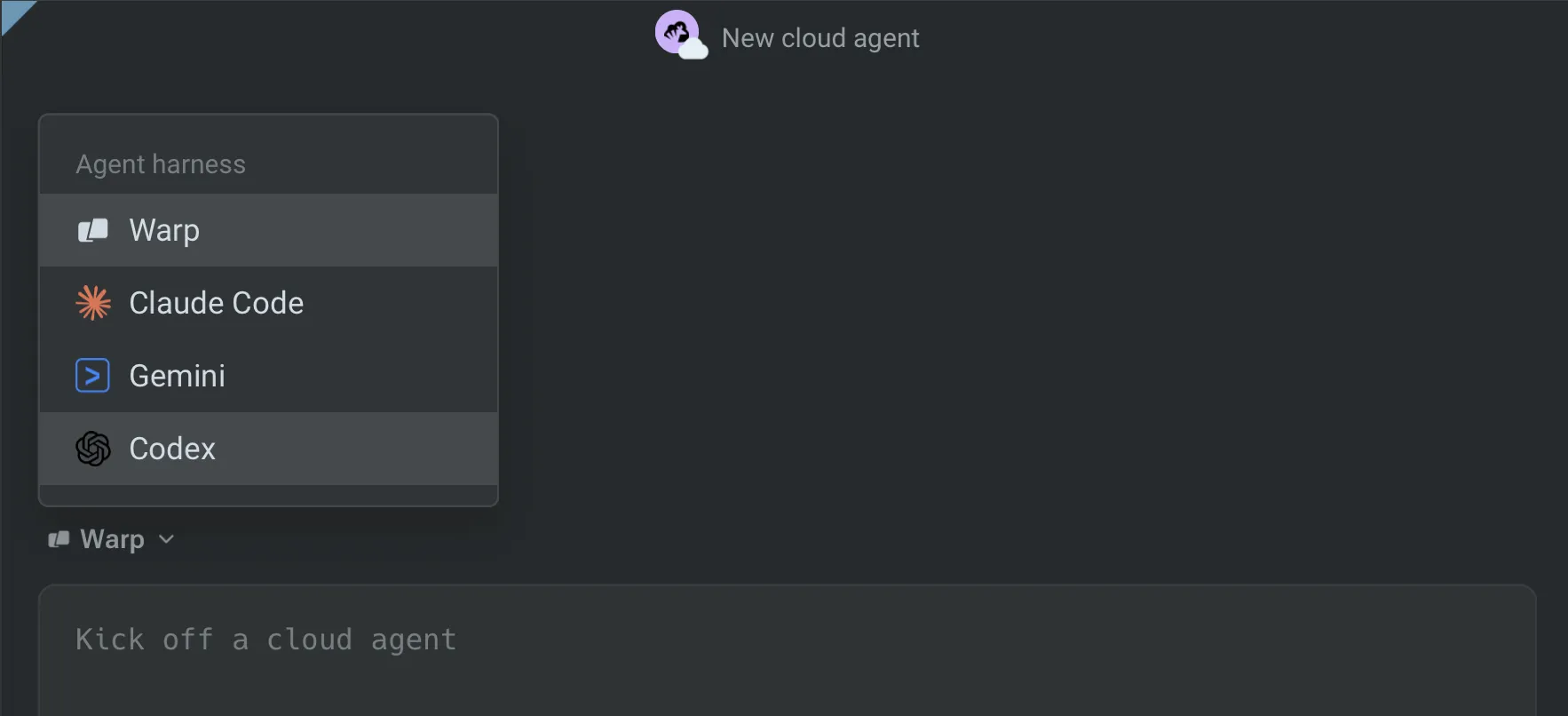
Section titled “Warp app”In Cloud Mode, choose a harness from the Agent harness dropdown above the input.
Web app
Section titled “Web app”On the new run or new schedule pane, choose the harness in the Harness field.
API and SDK
Section titled “API and SDK”Set the harness field on the agent config to one of the harness identifiers below. See the API reference for the exact field names.
Harness identifiers
Section titled “Harness identifiers”Surfaces that take the harness as a string use oz for the Warp Agent, claude for Claude Code, and codex for Codex. Write claude for Claude Code — not claude-code — unless the surface explicitly accepts that alias:
- API and SDK — the agent config’s
harness.typeacceptsoz,claude, orcodex. - CLI —
oz agent run-cloud --harnessaccepts the same identifiers, plusclaude-codeas an alias forclaude. - Factory definition files —
harness.typeacceptsoz,claude, orcodex, plusclaude-codeas an alias forclaude.
Where the alias is accepted, it selects the same Claude Code harness as claude. Everywhere else — including the API — only the canonical identifiers are valid, so prefer them in anything you script, sync, or store.
Related pages
Section titled “Related pages”- Warp Agent with the Automation Platform — the Automation Platform‘s default first-party harness.
- Claude Code with the Automation Platform — Claude Code as a cloud harness.
- Codex with the Automation Platform — Codex as a cloud harness.
- Authentication — connect credentials and launch Claude Code or Codex.
- Multi-agent orchestration — run parent and child agents across harnesses and locations.
- Third-party CLI agents in the Warp terminal — run Claude Code, Codex, and other CLI agents locally.