# Slash Commands

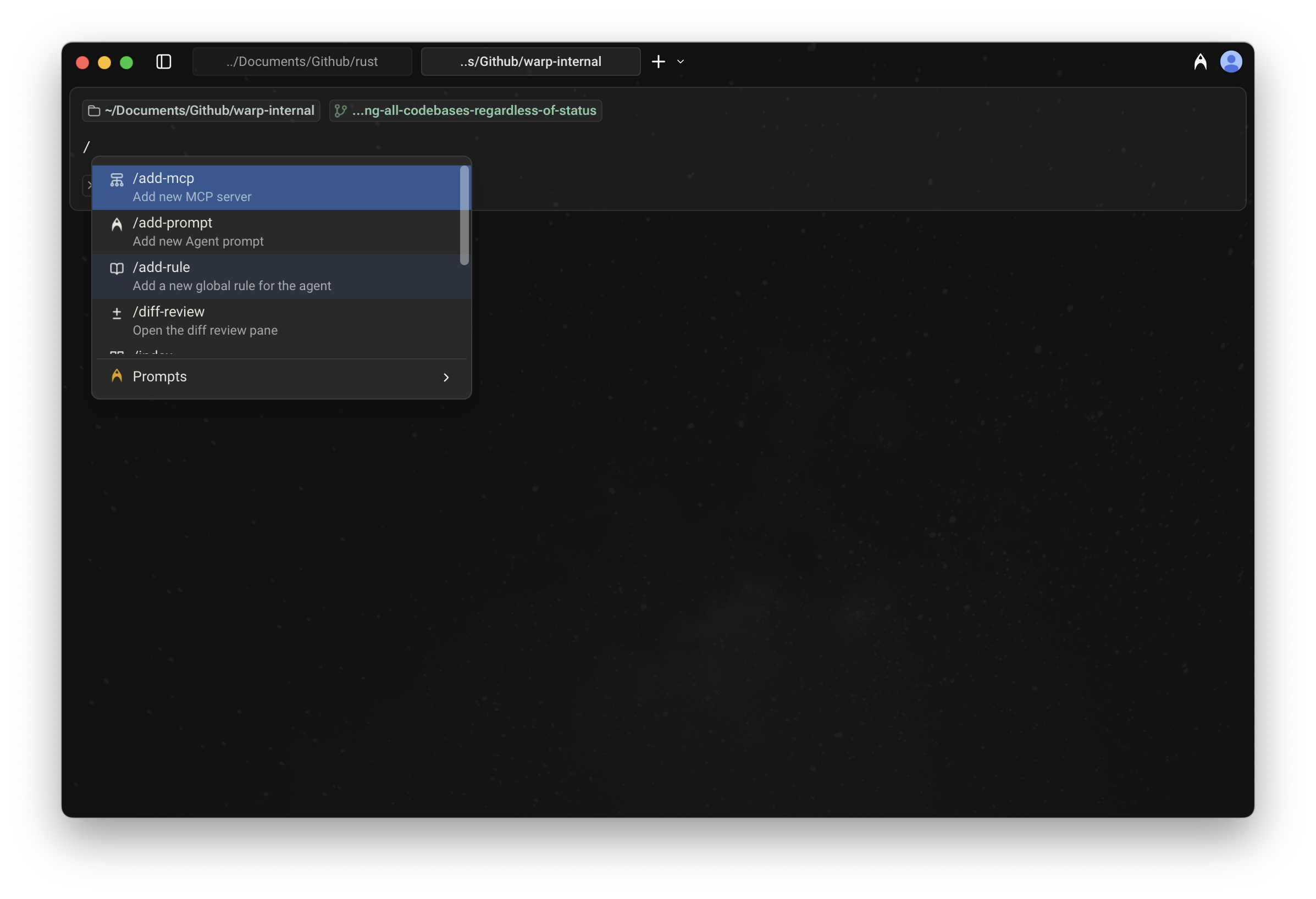
When using Agent Mode or Auto-Detection Mode, typing `/` in the input field opens the Slash Commands menu.

<figure><img src="https://769506432-files.gitbook.io/~/files/v0/b/gitbook-x-prod.appspot.com/o/spaces%2FAULCelT4yIUOcSwWWvPk%2Fuploads%2Fgit-blob-d74394b5f83dd754c9a5132ccd44345c75b4b0f7%2Fslash-commands-menu.png?alt=media" alt=""><figcaption><p>Slash Commands menu</p></figcaption></figure>

As you type, the menu filters results in real time, making it easy to find and run the command or prompt you need.

## Static slash commands

Warp currently supports the following built-in Slash Commands:

<table><thead><tr><th width="211.64453125">Slash Command</th><th>Description</th></tr></thead><tbody><tr><td><code>/add-mcp</code></td><td>Add a new <a href="mcp">MCP server</a>.</td></tr><tr><td><code>/add-prompt</code></td><td>Add a new <a href="https://docs.warp.dev/knowledge-and-collaboration/warp-drive/prompts">Agent Prompt</a> in Warp Drive.</td></tr><tr><td><code>/add-rule</code></td><td>Add a new <a href="rules">Global Rule</a> for the Agent.</td></tr><tr><td><code>/agent</code></td><td>Start a new <a href="../local-agents/interacting-with-agents">agent conversation</a>. Optionally include a prompt to send immediately.</td></tr><tr><td><code>/cloud-agent</code></td><td>Start a new <a href="../cloud-agents/overview">cloud agent conversation</a>. <code>*</code></td></tr><tr><td><code>/compact</code></td><td>Free up context by summarizing conversation history.</td></tr><tr><td><code>/compact-and</code></td><td>Compact the current conversation and then send a follow-up prompt.</td></tr><tr><td><code>/conversations</code></td><td>Open <a href="../local-agents/interacting-with-agents">conversation history</a>.</td></tr><tr><td><code>/cost</code></td><td>Toggle credit usage details in the current conversation.</td></tr><tr><td><code>/create-environment</code></td><td>Create a <a href="../cloud-agents/environments">Warp Environment</a> (Docker image + repos) via guided setup. <code>*</code></td></tr><tr><td><code>/create-new-project</code></td><td>Have the Agent walk you through creating a new coding project. <code>*</code></td></tr><tr><td><code>/export-to-clipboard</code></td><td>Export the current conversation to clipboard in markdown format.</td></tr><tr><td><code>/export-to-file</code></td><td>Export the current conversation to a markdown file.</td></tr><tr><td><code>/fork</code></td><td><a href="../local-agents/interacting-with-agents/conversation-forking">Forks the current conversation</a> into a new thread with the full context and history of the original.<br><br>You can optionally include a prompt that will be sent immediately in the forked conversation.</td></tr><tr><td><code>/fork-and-compact</code></td><td><a href="../local-agents/interacting-with-agents/conversation-forking">Forks the current conversation</a> and automatically compacts the forked version.<br><br>Useful when you want a fresh, summarized starting point that preserves relevant context while trimming the rest.</td></tr><tr><td><code>/fork-from</code></td><td>Open a searchable menu to <a href="../local-agents/interacting-with-agents/conversation-forking">fork the conversation</a> from a specific query. Select a query to create a fork that includes everything up to that point.</td></tr><tr><td><code>/index</code></td><td>Index the current codebase using <a href="codebase-context">Codebase Context</a>.</td></tr><tr><td><code>/init</code></td><td>Index the current codebase and generate an <a href="rules">AGENTS.md file</a>. <code>*</code></td></tr><tr><td><code>/model</code></td><td>Switch the base agent model for the current conversation.</td></tr><tr><td><code>/new</code></td><td>Start a new <a href="../local-agents/interacting-with-agents">agent conversation</a> (alias for <code>/agent</code>).</td></tr><tr><td><code>/open-code-review</code></td><td>Open the <a href="https://docs.warp.dev/code/code-review">code review</a> pane.</td></tr><tr><td><code>/open-file</code></td><td>Open a file for editing in Warp's <a href="https://docs.warp.dev/code/code-editor">code editor</a>.</td></tr><tr><td><code>/open-mcp-servers</code></td><td>View the status of your <a href="mcp">MCP servers</a>.</td></tr><tr><td><code>/open-project-rules</code></td><td>Open the <a href="../rules#project-rules">Project Rules</a> file (<code>AGENTS</code>).</td></tr><tr><td><code>/open-repo</code></td><td>Switch to another indexed repository.</td></tr><tr><td><code>/open-rules</code></td><td>View all of your global and project <a href="rules">rules</a>.</td></tr><tr><td><code>/open-skill</code></td><td>Open an interactive menu to browse and edit project or global <a href="skills">skills</a>.</td></tr><tr><td><code>/orchestrate</code></td><td>Break a task into subtasks and run them in parallel with multiple agents. <code>*</code></td></tr><tr><td><code>/plan</code></td><td>Prompt the Agent to do some research and create a <a href="planning">plan</a> for a task.</td></tr><tr><td><code>/pr-comments</code></td><td>Pull GitHub PR review comments into Warp. <code>*</code></td></tr><tr><td><code>/profile</code></td><td>Switch the active <a href="agent-profiles-permissions">execution profile</a>.</td></tr><tr><td><code>/prompts</code></td><td>Search saved <a href="https://docs.warp.dev/knowledge-and-collaboration/warp-drive/prompts">prompts</a>.</td></tr><tr><td><code>/rewind</code></td><td>Rewind to a previous point in the conversation.</td></tr><tr><td><code>/skills</code></td><td>Invoke a <a href="skills">skill</a> from a searchable menu.</td></tr><tr><td><code>/usage</code></td><td>Open <a href="https://docs.warp.dev/support-and-community/plans-and-billing">billing and usage</a> settings.</td></tr></tbody></table>

{% hint style="warning" %}
Slash commands marked with a `*` consume credits to complete the task.
{% endhint %}

#### Using Agent Prompts via Slash Commands

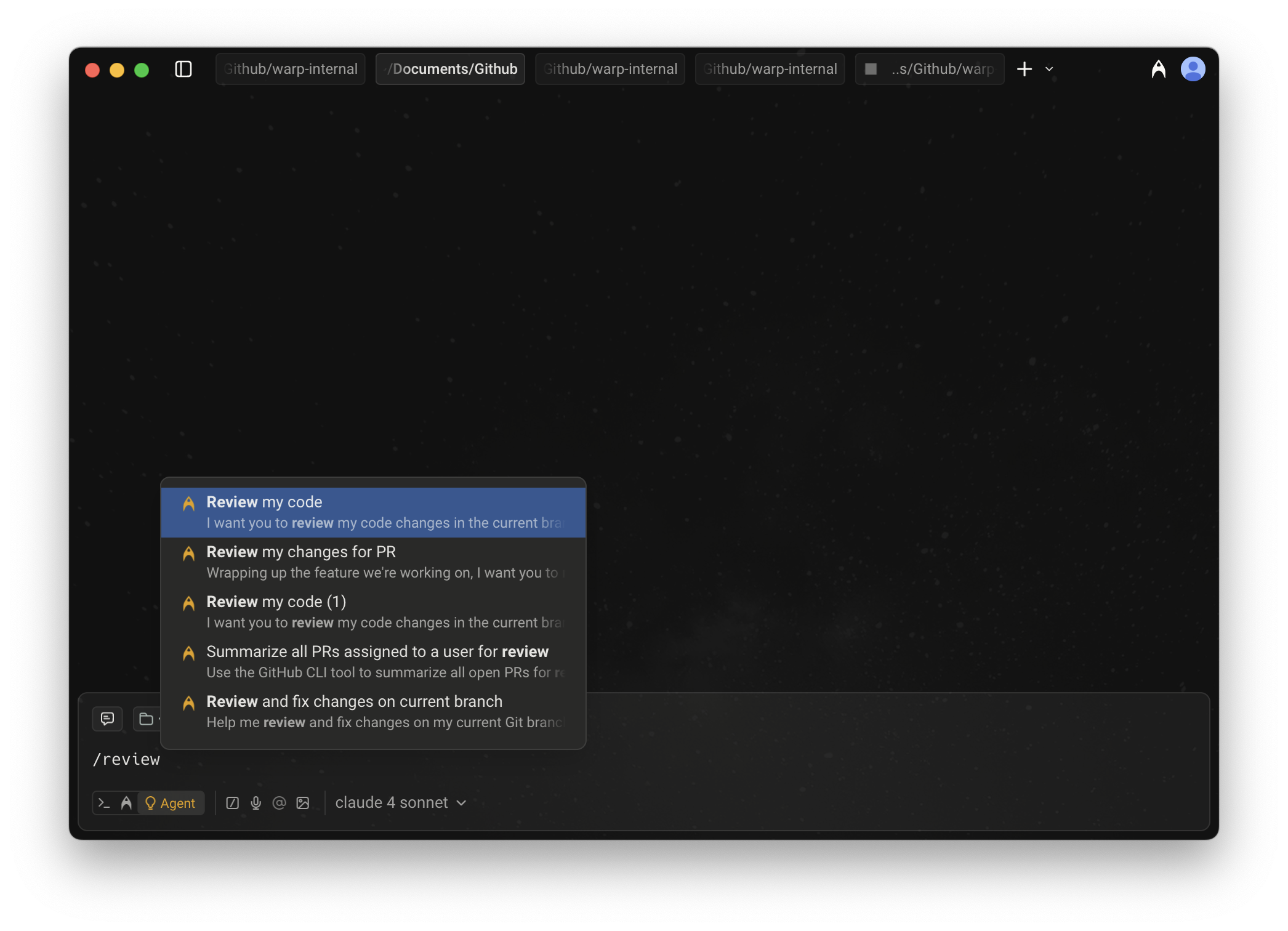
In addition to static commands, the menu also shows [Agent Prompts](https://docs.warp.dev/knowledge-and-collaboration/warp-drive/prompts) saved in your [Warp Drive](https://docs.warp.dev/knowledge-and-collaboration/warp-drive/).

* These prompts can be custom ones you’ve created or ones shared with you.
* As you type after `/`, prompts are filtered dynamically, so you can quickly run them without leaving the input field.

<figure><img src="https://769506432-files.gitbook.io/~/files/v0/b/gitbook-x-prod.appspot.com/o/spaces%2FAULCelT4yIUOcSwWWvPk%2Fuploads%2Fgit-blob-15807b88aca5d87bf4df6de5147fa7715dfe5299%2Fslash-commands-prompts.png?alt=media" alt=""><figcaption><p>Slash Commands menu with filtered Agent Prompts</p></figcaption></figure>

### Tips

* **Context-aware:** Many Slash Commands use your current working directory or file selection as context.
* **Quick access:** Use `/` from anywhere in Agent Mode or Auto-Detection Mode to avoid navigating through menus.

### Example of using a Slash Command

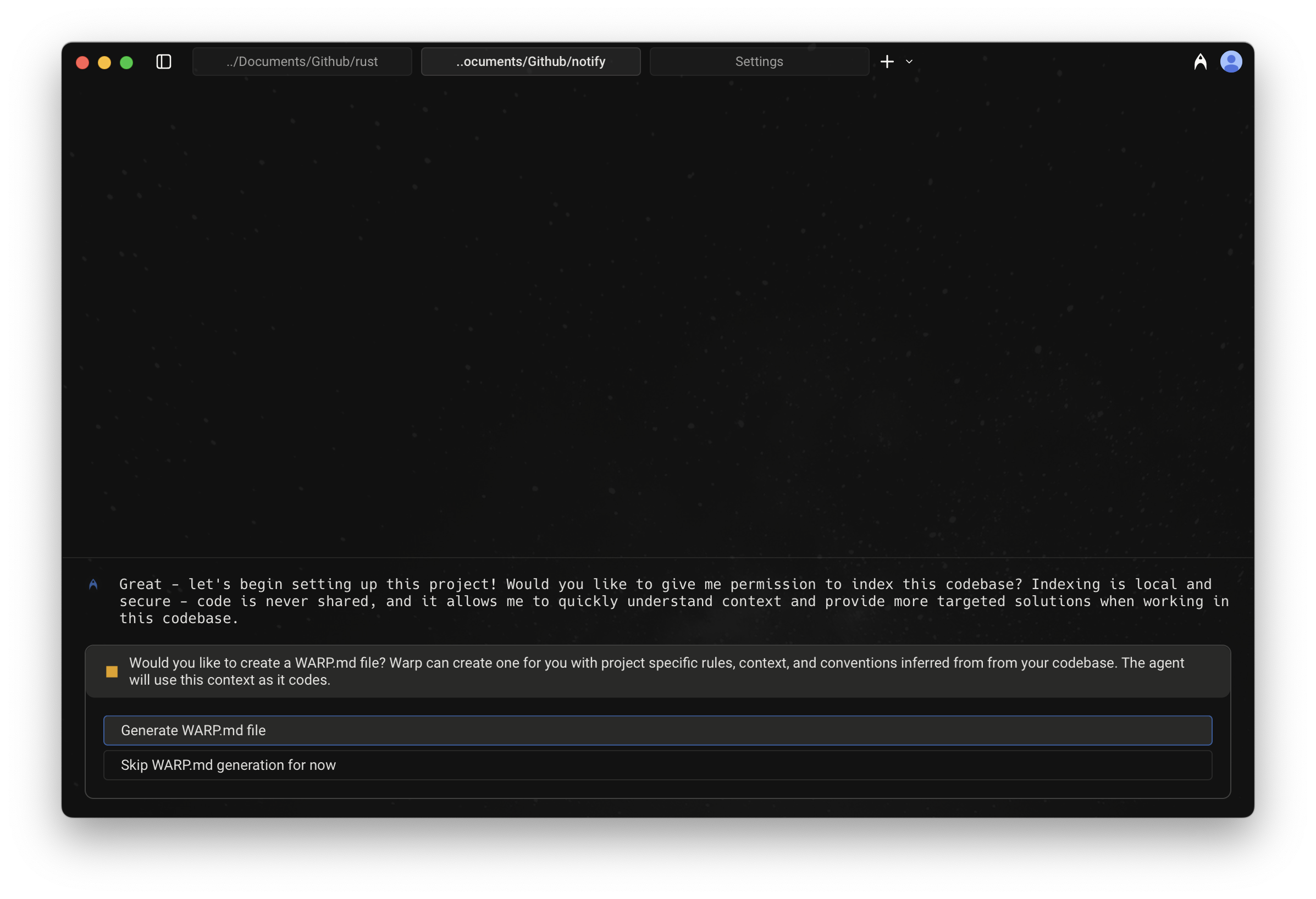
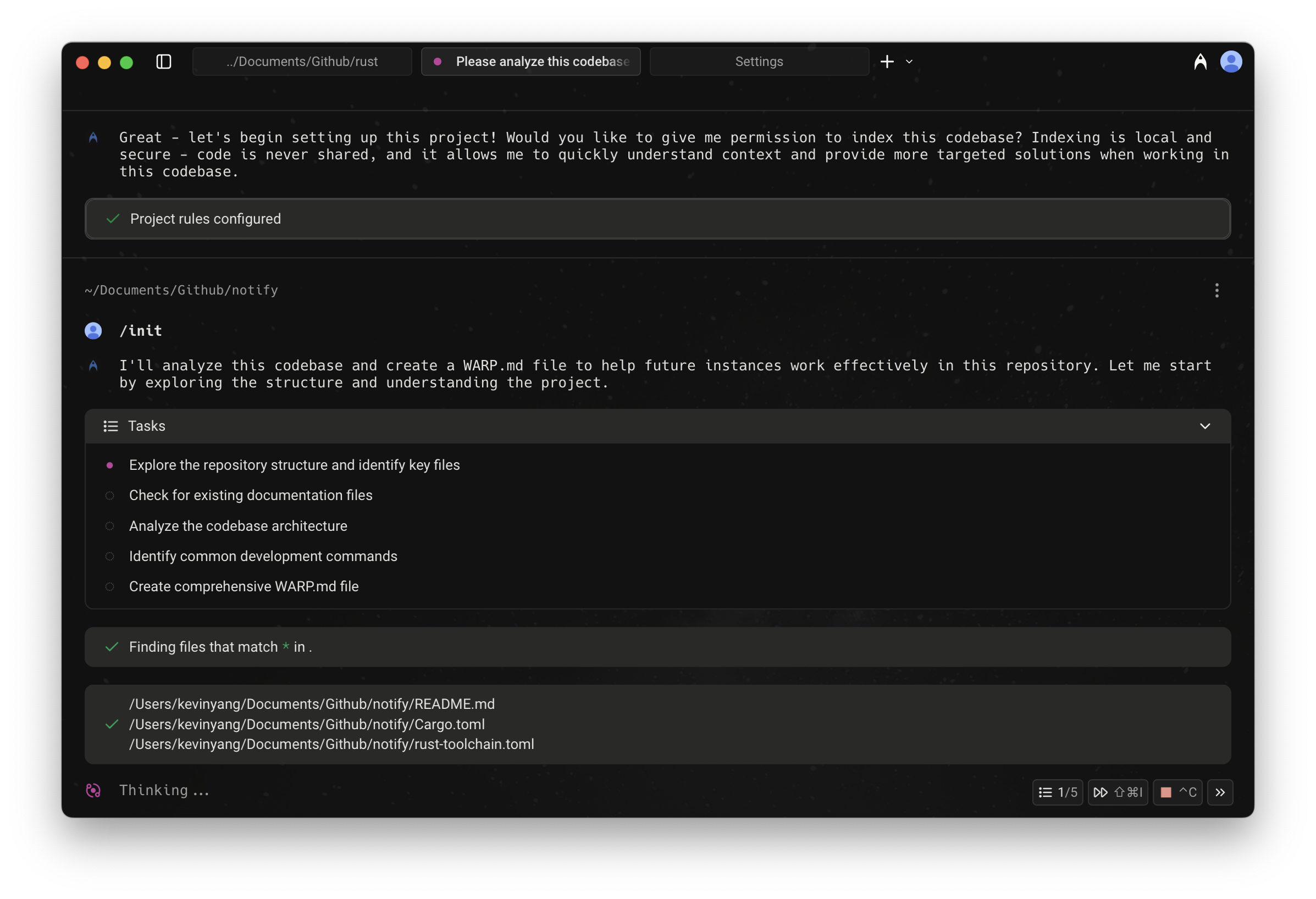
Below is an example interaction when `/init` is run:

<figure><img src="https://769506432-files.gitbook.io/~/files/v0/b/gitbook-x-prod.appspot.com/o/spaces%2FAULCelT4yIUOcSwWWvPk%2Fuploads%2Fgit-blob-6f17d3c88d28b77d8dbdda74f5a4249335b8168c%2Finit-setup-flow-1.png?alt=media" alt=""><figcaption><p>/init setup flow; 1 of 2</p></figcaption></figure>

<figure><img src="https://769506432-files.gitbook.io/~/files/v0/b/gitbook-x-prod.appspot.com/o/spaces%2FAULCelT4yIUOcSwWWvPk%2Fuploads%2Fgit-blob-a32d318f47a11bf5a2cbcbebdc0fbc37f01eacb1%2Finit-setup-flow-2.png?alt=media" alt=""><figcaption><p>/init setup flow; 2 of 2</p></figcaption></figure>