Support: Troubleshooting, billing, and privacy.
# Support & Community
Canonical page: [/support-and-community/](https://docs.warp.dev/support-and-community/)
> Connect with the developers and engineers building with Warp. Share what you've built, shape what we build next, and get help when you're stuck.
## Find your space [Section titled “Find your space”](#find-your-space) ### Join the community [Section titled “Join the community”](#join-the-community) Our Slack community is where workflows get shared, bugs get squashed, and ideas turn into features. Talk directly with Warp engineers and other developers. Built something with Warp? An agent workflow, a CLI tool, a creative terminal setup? Drop it in `#how-do-you-warp` — we spotlight community projects regularly. ### Build with us on GitHub [Section titled “Build with us on GitHub”](#build-with-us-on-github) Bugs, feature requests, and what’s shipping next. Your upvotes decide what we prioritize. [**Open an issue**](https://github.com/warpdotdev/warp/issues) Warp’s client is open source. See [Contributing to Warp](/support-and-community/community/contributing/) for the full set of contribution paths, including opening pull requests, contributing themes and workflows, and sharing Warp Drive objects. ### Attend events [Section titled “Attend events”](#attend-events) We host [live events](https://luma.com/warpdotdev) year-round — product demos, launch celebrations, community Q\&As, and more. One recurring favorite: ### Follow along [Section titled “Follow along”](#follow-along) * [**X**](https://x.com/warpdotdev) - What we’re shipping and what the community is building * [**YouTube**](https://www.youtube.com/@warpdotdev) - Tutorials, demos, and product deep dives * [**LinkedIn**](https://www.linkedin.com/company/warpdotdev) - Engineering deep dives and company news * [**Reddit**](https://www.reddit.com/r/warpdotdev/) - Unfiltered discussions, feature debates, and Q\&A ## Programs [Section titled “Programs”](#programs) * [**Warp Preview**](/support-and-community/community/warp-preview-and-alpha-program/) — Try experimental features before anyone else. Your feedback directly shapes what ships. * [**Refer a Friend**](/support-and-community/community/refer-a-friend/) — Send Warp to a developer you think would love it. Earn themes, swag, and gift cards. * [**Oz Open Source Partnership**](/support-and-community/community/open-source-partnership/) — Free agent credits for high-impact open source projects. ## Get help [Section titled “Get help”](#get-help) * [Sending us feedback](/support-and-community/troubleshooting-and-support/sending-us-feedback/) * [Known issues](/support-and-community/troubleshooting-and-support/known-issues/) * [Plans, pricing, and refunds](/support-and-community/plans-and-billing/plans-pricing-refunds/) * [Privacy](/support-and-community/privacy-and-security/privacy/)
# Contributing to Warp
Canonical page: [/support-and-community/community/contributing/](https://docs.warp.dev/support-and-community/community/contributing/)
> Contribute to Warp's open source client by filing issues, opening pull requests, building themes, and sharing workflows.
Warp’s client is open source under [AGPL v3](https://github.com/warpdotdev/warp/blob/master/LICENSE-AGPL) at [`warpdotdev/warp`](https://github.com/warpdotdev/warp), and there’s room for every kind of contribution — from a one-line bug report to a full feature PR, a new theme, or a workflow that ships to every Warp user. For the full code contribution flow, see [`CONTRIBUTING.md`](https://github.com/warpdotdev/warp/blob/master/CONTRIBUTING.md). ## Ways you can contribute [Section titled “Ways you can contribute”](#ways-you-can-contribute) * **Report a bug or request a feature** - [File an issue](https://github.com/warpdotdev/warp/issues/new/choose) in [`warpdotdev/warp`](https://github.com/warpdotdev/warp), or [explore existing issues](https://github.com/warpdotdev/warp/issues?q=is%3Aissue+is%3Aopen+sort%3Areactions-%2B1-desc) to comment on or upvote ones that matter to you. Clear reproductions and upvotes help Warp prioritize. * **Contribute code** - Claim any issue labeled `ready-to-spec` or `ready-to-implement`, then open a spec or code PR. [`CONTRIBUTING.md`](https://github.com/warpdotdev/warp/blob/master/CONTRIBUTING.md) covers the spec format, tests, `./script/presubmit`, and the PR template. * **Build a theme** - Submit a new color scheme or improve an existing one at [`warpdotdev/themes`](https://github.com/warpdotdev/themes). * **Share a workflow** - Add reusable command patterns to [`warpdotdev/workflows`](https://github.com/warpdotdev/workflows). Merged workflows ship to every Warp user. * **Publish Warp Drive objects** - Share Workflows, Notebooks, Rules, and Prompts publicly from [Warp Drive](/knowledge-and-collaboration/warp-drive/). * **Find an issue to pick up** - Browse [`build.warp.dev`](https://build.warp.dev), a live dashboard of the work Warp’s agents are tackling across `warpdotdev/warp`. Use it to spot gaps, avoid duplicate work, and surface issues that haven’t been claimed yet. * **Help others in the community** - Answer questions in the [Warp community Slack](https://go.warp.dev/join-preview) or [Discord](https://discord.com/invite/warpdotdev), and join conversations in [GitHub Discussions](https://github.com/warpdotdev/warp/discussions). ## Send feedback and bug reports [Section titled “Send feedback and bug reports”](#send-feedback-and-bug-reports) The fastest way to file a bug or feature request is the [`/feedback`](/support-and-community/troubleshooting-and-support/sending-us-feedback/#using-feedback-in-warp) slash command inside Warp. It drafts and files a GitHub issue without leaving the terminal. Other channels: * File an issue directly in [`warpdotdev/warp`](https://github.com/warpdotdev/warp/issues/new/choose). * Press `⌘+Shift+F` (macOS) or `Ctrl+Shift+F` (Windows/Linux) to open the in-app feedback dialog. On macOS, you can also use the **Send Feedback** option in Warp’s Help menu. * Email for privacy questions. For logs, crash reports, CPU samples, and AI conversation IDs, see [Sending feedback and logs](/support-and-community/troubleshooting-and-support/sending-us-feedback/). ## Reporting security issues [Section titled “Reporting security issues”](#reporting-security-issues) Danger Do not file public issues for security vulnerabilities. Email with reproduction steps, impact, and any proof of concept. We’ll acknowledge receipt and coordinate a fix and disclosure. Full guidance is in [`CONTRIBUTING.md`](https://github.com/warpdotdev/warp/blob/master/CONTRIBUTING.md#reporting-security-issues). ## Code of conduct [Section titled “Code of conduct”](#code-of-conduct) Warp’s open source repositories follow the [Contributor Covenant](https://www.contributor-covenant.org/) v2.1. Read the [full text](https://github.com/warpdotdev/warp/blob/master/CODE_OF_CONDUCT.md), or report violations to .
# Oz Open Source Partnership
Canonical page: [/support-and-community/community/open-source-partnership/](https://docs.warp.dev/support-and-community/community/open-source-partnership/)
> Warp supports high-impact open source projects with free agent credits through the Oz Open Source Partnership program.
Warp is committed to supporting the open source community. Through the Oz Open Source Partnership program, we offer free agent usage credits to high-impact open source projects, helping maintainers and contributors accelerate their development workflows. ## What you get [Section titled “What you get”](#what-you-get) * **Free Oz credits** - Receive complimentary credits to run agents on your open source project * **Agent access** - Use cloud agents to automate tasks like code review, bug triage, documentation, and more across your repositories * **Ongoing support** - Warp partners with accepted projects to ensure they get the most value from agents ## Who can apply [Section titled “Who can apply”](#who-can-apply) The Oz Open Source Partnership program is designed for actively maintained, high-impact open source projects. When reviewing applications, we consider factors like community size, project activity, and the potential impact of agents on your workflow. ## How to apply [Section titled “How to apply”](#how-to-apply) Tell us about your open source project by filling out the [application form](https://tally.so/r/LZWxqG). We’ll review your submission and follow up with next steps.
# Refer a friend and earn rewards
Canonical page: [/support-and-community/community/refer-a-friend/](https://docs.warp.dev/support-and-community/community/refer-a-friend/)
> Think Warp would be the ideal product for someone you know? You can invite your team or friends within the app and earn rewards.
**There are two ways you can invite a friend:** 1. Send them an invite link. They will be directed to our product download page. 2. Input their email address, which we’ll use to email them with your referral link. ## Referral rewards program [Section titled “Referral rewards program”](#referral-rewards-program) We give out themes, swag, and other perks as thanks for helping to grow our community. The tiers are as follows: | Referrals | Reward | Digital Gift Card Alternative | | --------- | -------------------- | :---------------------------: | | 1 | Exclusive Theme | $0 | | 5 | Stickers and Keycaps | $5 | | 10 | T-Shirt | $10 | | 20 | Moleskin Notebook | $20 | | 35 | Baseball Hat | $35 | | 50 | Hoodie | $50 | | 75 | Hydroflask | $75 | | 100 | North Face Backpack | $100 | By participating in Warp’s referral program, you agree to the [Referral program terms and conditions](/support-and-community/community/refer-a-friend/#referral-program-terms-and-conditions). ### Your friend gets a theme [Section titled “Your friend gets a theme”](#your-friend-gets-a-theme) If your friend joins and activates their Warp account after clicking your invite link, they will receive a unique theme. ## Referral program terms and conditions [Section titled “Referral program terms and conditions”](#referral-program-terms-and-conditions) > **Last Updated:** November 27, 2024 ### 1 referral: An exclusive theme [Section titled “1 referral: An exclusive theme”](#1-referral-an-exclusive-theme) When someone joins Warp with your referral code, the referral theme will become available in your theme picker after you restart the app. We also send an email alerting you. This reward is available to all users worldwide. ### All other referral tiers [Section titled “All other referral tiers”](#all-other-referral-tiers) Once you’ve hit the other referral tiers, we’ll email you with details on how to claim your reward. Physical rewards are available to users residing in the United States, and Warp will cover shipping costs for these users. International users can also claim physical rewards; however, they will be responsible for any customs fees. For all users, there’s an option to claim a digital reward (gift card) instead of physical Warp swag. ### International users [Section titled “International users”](#international-users) International users who choose physical rewards are responsible for paying any customs fees associated with shipping. Estimated costs are provided in the [approximate customs fees by region](/support-and-community/community/refer-a-friend/#approximate-customs-fees-by-region) section below. Please note that once the package leaves the United States, Warp no longer has visibility or control over the shipment process, including any customs-related issues or fees that may arise. Alternatively, international users may opt to receive a digital gift card instead of a physical reward. Note: for users who qualified for referral rewards before October 15th, 2024, Warp will cover all shipping and customs costs. Starting from that date onwards, international users receiving referral rewards will be responsible for paying any customs fees associated with shipping. ### Shipping time frame [Section titled “Shipping time frame”](#shipping-time-frame) Physical rewards may take 2 to 3 weeks to arrive for users located in the United States, and 4 to 12 weeks for international users. After claiming your order, you will receive an email with a shipping confirmation and a tracking link from Printfection, our swag vendor. If you have any questions about the status of your shipment or order, please reach out to with your order number. ### General terms and conditions [Section titled “General terms and conditions”](#general-terms-and-conditions) Referrals must be valid and confirmed by Warp to count towards rewards. This means the referred user must accept the referral via the referral link and log into Warp’s desktop application. Warp reserves the right, at its sole discretion, to disqualify any referrals deemed fraudulent. Any users who refer fake emails or users will be disqualified at the sole discretion of Warp. Warp reserves the right to modify or terminate the referral rewards program at any time without prior notice. Participation in the swag program constitutes acceptance of these terms and conditions. If you have any questions about the referral program, please contact . ### Digital gift card rewards [Section titled “Digital gift card rewards”](#digital-gift-card-rewards) All amounts are listed in USD. Rewards are based on the number of valid referrals. | Number of referrals | Gift card amount | | :-----------------: | :--------------: | | 1 | $0 | | 5 | $5 | | 10 | $10 | | 20 | $20 | | 35 | $35 | | 50 | $50 | | 75 | $75 | | 100 | $100 | ### Approximate customs fees by region [Section titled “Approximate customs fees by region”](#approximate-customs-fees-by-region) All amounts are listed in USD. Fees are estimates and may vary regardless of package size. | Country / region | Approximate customs fees | | :-------------------------------------------------: | :----------------------: | | Canada & Mexico | $40 to $70 | | Europe | $40 to $80 | | Others (Asia, South America, Africa, Oceania, etc.) | $50 to $120 | \*Note: The approximate customs fees provided are estimates and may vary based on your country’s specific import regulations, taxes, and duties. Actual fees can differ due to factors such as package contents, declared value, and current customs policies. We recommend checking with your local customs office or postal service for precise information relevant to your situation. ## Referral rewards program FAQs [Section titled “Referral rewards program FAQs”](#referral-rewards-program-faqs) #### **”I have referred people but have not received an email.”** [Section titled “”I have referred people but have not received an email.””](#i-have-referred-people-but-have-not-received-an-email) Please allow a few hours for the referral system to process and send email updates. If you still haven’t received an email after a reasonable amount of time, contact us at and we’ll look into it. #### **”I’ve claimed my physical reward but have issues receiving my package.”** [Section titled “”I’ve claimed my physical reward but have issues receiving my package.””](#ive-claimed-my-physical-reward-but-have-issues-receiving-my-package) If you experience issues with your shipment, please respond to the shipping notification email you should have received from Printfection. For further assistance, contact our swag vendor’s operations team at with your order number. #### **”I’ve referred friends, but they didn’t use the link. Does it still count?”** [Section titled “”I’ve referred friends, but they didn’t use the link. Does it still count?””](#ive-referred-friends-but-they-didnt-use-the-link-does-it-still-count) Unfortunately, any referrals who didn’t use your link will not count towards the rewards, and we have no way of modifying the referral count. #### **”I’ve referred friends, but they joined anonymously. Does it still count?”** [Section titled “”I’ve referred friends, but they joined anonymously. Does it still count?””](#ive-referred-friends-but-they-joined-anonymously-does-it-still-count) For a referral to count, new users must sign up and actively use Warp. Unfortunately, we’re unable to associate anonymous users with specific referral links at this time. We’re actively working on solutions to make the referral process more seamless and reliable for anonymous users. Stay tuned for updates as we improve this experience. #### **”The reward tiers recently changed with the new swag items. I previously qualified for X. What happens now, and are the new swag items retroactive?”** [Section titled “”The reward tiers recently changed with the new swag items. I previously qualified for X. What happens now, and are the new swag items retroactive?””](#the-reward-tiers-recently-changed-with-the-new-swag-items-i-previously-qualified-for-x-what-happens-now-and-are-the-new-swag-items-retroactive) Our referral program was updated on November 21, 2024, with new reward tiers and exciting swag options. To ensure a smooth transition, we will honor previous reward tiers alongside the updated program until December 15, 2024. If you’re unsure how these changes impact your previous qualifications or eligibility for the new swag items, feel free to reach out to us at for assistance.
# Warp Preview program
Canonical page: [/support-and-community/community/warp-preview-and-alpha-program/](https://docs.warp.dev/support-and-community/community/warp-preview-and-alpha-program/)
> Warp Preview is an early-access build of Warp with experimental features. Try what's next before it ships.
Warp Preview is an early-access program that allows you to explore Warp’s newest and most experimental features. It’s independent from the stable build, so you can always revert to a reliable version of Warp whenever you need it. ### Key Warp Preview features [Section titled “Key Warp Preview features”](#key-warp-preview-features) * **Early access** - Try out experimental features before they’re officially released. * **Faster updates** - Enjoy frequent updates and patches as we refine new capabilities. * **Direct impact** - Your feedback plays a critical role in shaping Warp’s future. To learn more about Warp Preview, check out our [launch blog post](https://www.warp.dev/blog/warp-preview). ### Getting started with Warp Preview [Section titled “Getting started with Warp Preview”](#getting-started-with-warp-preview) 1. **Download**: Get the Warp Preview build from the [Warp Preview download page](https://www.warp.dev/download-preview). 2. **Sign in**: [Log in](/getting-started/quickstart/installation-and-setup/#log-in-to-warp-optional) with your Warp account (not optional for Warp Preview). 3. **Run side-by-side**: You can keep Warp Preview alongside your stable Warp installation. ### Important notes [Section titled “Important notes”](#important-notes) * **Experimental build** - Expect occasional bugs or incomplete features. * **Login required** - You must sign in to use Warp Preview. This helps us gather feedback, quickly diagnose critical issues, and ensure we can reach out if you need support. * **Flexibility** - Switch between Preview and Stable builds at any time. * **Distinct icon** - Warp Preview uses a unique icon to help distinguish it from the stable version. ### Providing Warp Preview feedback [Section titled “Providing Warp Preview feedback”](#providing-warp-preview-feedback) Share feedback, report bugs, and discuss Preview features in the [community Slack](https://go.warp.dev/join-preview). You can also [send feedback directly from the app](/support-and-community/troubleshooting-and-support/sending-us-feedback/#sending-warp-feedback).
# Plans and billing
Canonical page: [/support-and-community/plans-and-billing/](https://docs.warp.dev/support-and-community/plans-and-billing/)
> Understand your Warp plan options, how credits work, and how to manage billing settings.
Warp offers flexible plans for individual developers, teams, and enterprises. Credits power all agent features and meter across three buckets: AI credits (the model call), compute credits (the sandbox an agent runs in), and platform credits (run lifecycle, integrations, dashboard, APIs, and observability). Top up your monthly allowance with add-on credit purchases or enable auto-reload. Looking for **Bring Your Own API Key** or **custom inference endpoints**? They’ve moved to [Inference & providers](/agent-platform/inference/model-choice/) under Warp Agents. * [**Plans, pricing, and refunds**](/support-and-community/plans-and-billing/plans-pricing-refunds/) - Compare plans, pricing tiers, and refund policies. * [**Credits**](/support-and-community/plans-and-billing/credits/) - How credits are used and calculated across AI features. * [**Add-on credits**](/support-and-community/plans-and-billing/add-on-credits/) - Purchase additional credits or enable auto-reload. * [**Platform credits**](/support-and-community/plans-and-billing/platform-credits/) - The third credit bucket alongside AI credits and compute credits, covering Warp’s platform layer. * [**Pricing FAQs**](/support-and-community/plans-and-billing/pricing-faqs/) - Answers to common questions about plans and billing.
# Add-on credits
Canonical page: [/support-and-community/plans-and-billing/add-on-credits/](https://docs.warp.dev/support-and-community/plans-and-billing/add-on-credits/)
> Purchase add-on credits to keep using premium AI models after reaching your monthly credit limit.
Add-on credits let you continue using premium AI models even after you’ve reached your monthly credit limit — at lower rates and with more control over spending. You can manage and purchase add-on credits directly in **Settings** > **Billing and usage**. 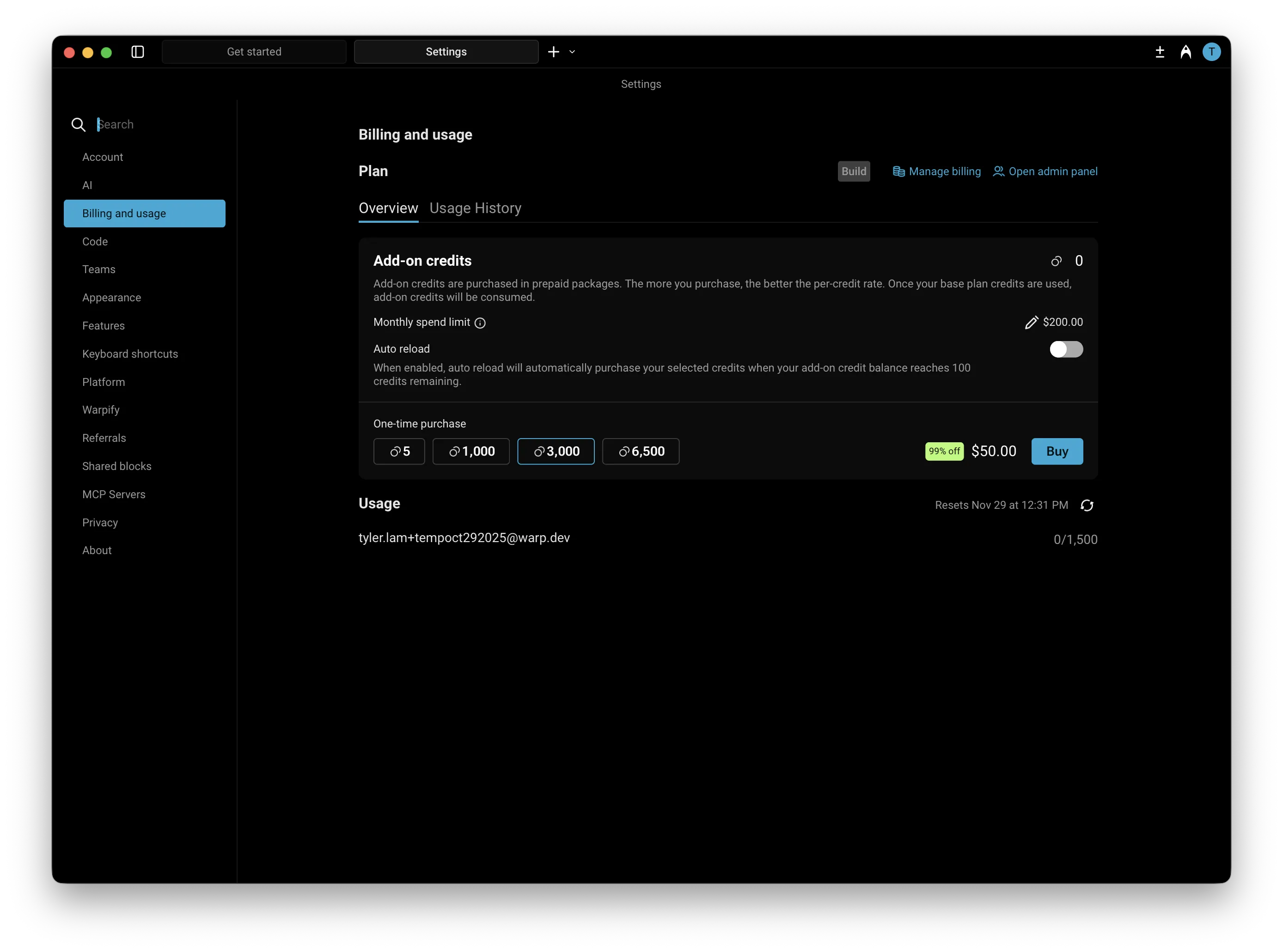 ### How do add-on credits work? [Section titled “How do add-on credits work?”](#how-do-add-on-credits-work) Add-on credits extend your AI usage beyond the included monthly quota in your plan. Once your plan’s credits are used up, Warp will automatically begin drawing from your available add-on credits. If you’ve enabled **auto-reload**, new credits will be added automatically and billed based on your selected configuration of monthly spending limit and selected purchase amount. Add-on credits are available for Build, Max, Business, and Enterprise plans (with custom pricing for Enterprise). On self-serve plans (Build, Max, and Business), add-on credits are scoped to each individual user; Enterprise uses a team-pooled model. These credits **roll over across billing cycles** and remain valid for **12 months from the purchase date**. Add-on credits draw from the same pool as [platform credits](/support-and-community/plans-and-billing/platform-credits/) and compute credits, so a single balance covers all three credit types. ### Purchasing add-on credits [Section titled “Purchasing add-on credits”](#purchasing-add-on-credits) You have two options for purchasing more credits: #### 1. Buy on-demand [Section titled “1. Buy on-demand”](#1-buy-on-demand) You can purchase additional add-on credits at any time directly within the app under **Settings** > **Billing and usage**. Buying more credits upfront provides a larger discount. The table below shows the available credit denominations, their prices, and corresponding discounts: | Credits | Price (USD) | Price per Credit | Discount | | ------- | ----------- | ---------------- | --------- | | 400 | $10 | $0.025 | Base rate | | 1,000 | $20 | $0.020 | 20% off | | 3,000 | $50 | $0.016 | \~35% off | | 6,500 | $100 | $0.0153 | \~40% off | #### 2. Enable auto-reload [Section titled “2. Enable auto-reload”](#2-enable-auto-reload) Auto-reload automatically purchases more credits whenever your balance reaches **100 credits**, ensuring uninterrupted access to premium AI features. By default, **auto-reload is disabled for new subscribers**. When you turn it on, it starts with a **$200 monthly spend limit**, which you can adjust anytime in **Settings** > **Billing and usage**. Auto-reload uses the same denominations and discounts as manual purchases. The denomination you select (e.g., 400, 1,000, 3,000, or 6,500 credits) will repeat each time your balance is depleted, up to your monthly spending limit. Larger denominations offer up to \~40% off per credit. #### **Configuring a monthly spend limit** [Section titled “Configuring a monthly spend limit”](#configuring-a-monthly-spend-limit) Your monthly spend limit sets the maximum amount you can spend on add-on credits in a single calendar month. This ensures you have full control over your AI usage costs while still allowing flexibility for automatic top-ups when needed, keeping your workflow uninterrupted. * The default limit is $200, but you can increase or decrease it anytime in **Settings** > **Billing and usage**. * **If a credit purchase would exceed your limit, it won’t process** — you’ll need to either raise your limit or choose a smaller add-on credit amount. * Once your limit is reached, no additional add-on credit purchases (manual or automatic) will occur until: * The next calendar month begins, or * You update your limit in settings. Caution Your monthly spend limit is separate from your billing cycle (which determines when your subscription renews).\ \ The limit resets automatically at the start of each calendar month, so you can manage recurring AI usage with predictable spending and clear visibility into your costs. ### Billing and credit usage [Section titled “Billing and credit usage”](#billing-and-credit-usage) When your monthly credit balance renews: 1. Warp first consumes your included monthly credits (e.g., Build plan credits). 2. After those are used, Warp continues to draw from any available add-on credits. 3. If your add-on credits run out and auto-reload is enabled, Warp will automatically purchase more up to your monthly limit. You can track your remaining credits and spending in the credits transparency footer and in **Settings** > **Billing and usage**. #### Teams using add-on credits [Section titled “Teams using add-on credits”](#teams-using-add-on-credits) On Build, Max, and Business self-serve plans, add-on credits are scoped to individual users. Each team member’s add-on credits draw down only for their own usage. Team admins manage add-on credit settings for the team in **Settings** > **Billing and usage**: * **Team-wide spend cap** — Sets the maximum amount the team can spend on add-on credits per calendar month, applied across all members. * **Auto-reload** — When enabled, the admin selects an add-on credit denomination for the team. Warp automatically purchases that denomination for any user whose add-on credit balance drops below 100 credits, subject to the team-wide spend cap. While auto-reload is on, individual users cannot purchase add-on credits manually. * **Manual purchases** — When auto-reload is off, eligible team members can purchase add-on credits for themselves, as long as the team stays below the team-wide spend cap. For how cloud agent runs that aren’t initiated by a specific team member (scheduled runs, agent API key runs) are billed, see [How are cloud agent runs on team plans billed when no individual user triggered them?](/support-and-community/plans-and-billing/pricing-faqs/#how-are-cloud-agent-runs-on-team-plans-billed-when-no-individual-user-triggered-them) in the Pricing FAQs. ### Plan changes and cancellations [Section titled “Plan changes and cancellations”](#plan-changes-and-cancellations) Any purchased add-on credits remain in your account and can continue to be used for up to 12 months after purchase, as long as you have an active subscription. If you move to the Free plan, you’ll lose access to any previously purchased add-on credits and won’t be able to use them. You also can’t buy additional add-on credits until you’re subscribed again. Caution Add-on credits are tied to your team. Leaving the team, being removed by an admin, or having the team deleted revokes your access to any credits tied to that team. Premium models require an active paid plan. #### When team membership changes [Section titled “When team membership changes”](#when-team-membership-changes) Add-on credits are tied to the team they were purchased under. The flows below describe what happens in common team-membership scenarios: * **A user leaves a team** - You lose access to any add-on credits tied to that team. If you rejoin the same team later, you regain access to any unused, non-expired credits. The admin pays a prorated rate for your seat on rejoin. * **An admin removes a member** - That member loses access to any add-on credits tied to the team. If they rejoin later, they regain access to any unused, non-expired credits. * **An admin deletes the team** - Any remaining add-on credits tied to the team are no longer usable.
# Warp credits and billing
Canonical page: [/support-and-community/plans-and-billing/credits/](https://docs.warp.dev/support-and-community/plans-and-billing/credits/)
> Details on Warp credits and how they are calculated.
### What are Warp credits? [Section titled “What are Warp credits?”](#what-are-warp-credits) Any interaction with Warp’s Agent consumes credits. Credits are primarily based on AI usage — the number of credits a task consumes varies based on the size and complexity of your codebase, the size of the task, the model you’re using, the amount of context the agent needs to gather, and more. Warp meters credits across three types of infrastructure — inference, compute, and platform — each with its own bucket. Credit types and where an agent runs (local or cloud) are independent: each agent run consumes from whichever credit types apply to it. * **AI credits** cover inference: the LLM call itself. Consumed when Warp pays for the model call through Warp-managed providers. * **Compute credits** cover compute: the sandbox an agent runs in. Consumed when an agent run uses Warp-hosted compute. In practice this is cloud agent runs; local agent runs use your own machine and don’t consume compute credits. See [compute credits](/support-and-community/plans-and-billing/credits/#compute-credits). * **Platform credits** cover Warp’s platform layer: run lifecycle, integrations, dashboard, APIs, and observability. Apply to every cloud agent run, plus local agent runs on Business and Enterprise plans that use customer-supplied inference (BYOK, a custom inference endpoint, or BYOLLM). See [platform credits](/support-and-community/plans-and-billing/platform-credits/). All three buckets draw from the same Warp credit pool and [add-on credits](/support-and-community/plans-and-billing/add-on-credits/), so you can manage them as a single balance in the Warp app under **Settings** > **Billing and usage**. Each interaction consumes **at least one credit**, though more complex interactions may use **multiple credits**. Because of factors such as codebase size, model choice, number of tool calls, and the nature of LLMs, credit usage is **non-deterministic** — two similar prompts can still use a different number of credits. Since there’s no exact formula for predicting usage, we recommend building an intuitive understanding by experimenting with different prompts, models, and tracking how many credits they consume. **Tracking your credit usage** In an Agent conversation, a **turn** represents a single exchange (a response from the LLM). To see how many credits a turn consumed, hover over the **credit count chip** at the bottom of the Agent’s response: 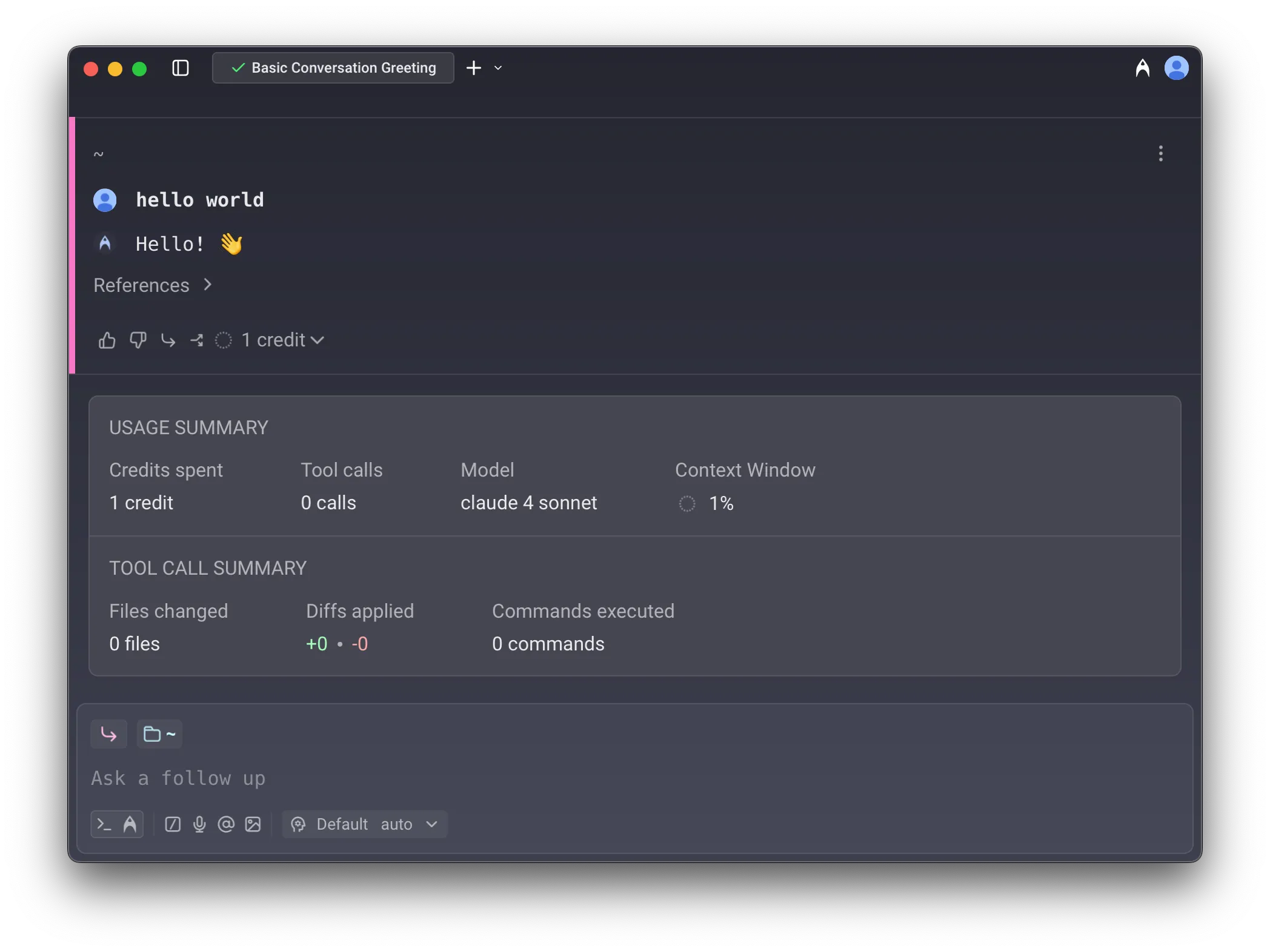 Conversation usage footer. #### Credit **limits and billing** [Section titled “Credit limits and billing”](#credit-limits-and-billing) * **Seat-level allocation**: On team plans, credit limits apply per seat — each team member has their own allowance. Individual users (not on a team) also have their own credit allocation. * **Cloud agents and integrations**: Individual users can run cloud agents via the CLI and API, drawing from their Warp credits. Slack and Linear integrations require team membership. * **Hitting the credit limits**: Once you hit your monthly credit limit, your access will depend on your plan. On the Free plan, AI access stops until your next billing cycle. On paid plans, you can continue using AI with usage-based billing via [add-on credits](/support-and-community/plans-and-billing/add-on-credits/). #### **Other features that use credits** [Section titled “Other features that use credits”](#other-features-that-use-credits) In addition to direct Agent conversations, the following features also consume credits: * [Generate](/agent-platform/local-agents/overview/) helps you look up commands and suggestions as you type. As you refine your input, multiple credits may be used before you select a final suggestion. * [AI Autofill in Workflows](/knowledge-and-collaboration/warp-drive/workflows/#ai-autofill) counts as a credit each time it is run. ### How are Warp credits calculated? [Section titled “How are Warp credits calculated?”](#how-are-warp-credits-calculated) A **credit** in Warp is a unit of work representing the total processing required to complete an interaction with an Agent. It is **not** the same as “one user message” — instead, it scales with the number of tokens processed during the interaction. In short: **the more tokens used, the more credits consumed**. Several factors influence how many credits are counted for a single interaction: #### **1. The LLM model used** [Section titled “1. The LLM model used”](#1-the-llm-model-used) Generally, smaller, faster models typically consume fewer credits than larger, reasoning-based models. For example, **Claude Opus 4.7** tends to consume the most tokens and credits in Warp, followed by **Claude Sonnet 4.6, GPT-5.5, Gemini 3.1 Pro**, and others in roughly that order. This generally correlates with model pricing as well. #### 2. Tool calls triggered by the Agent [Section titled “2. Tool calls triggered by the Agent”](#2-tool-calls-triggered-by-the-agent) Warp’s Agents make a variety of tool calls, including: * Searching for files (grep) * Retrieving and reading files * Making and applying code diffs * Gathering web or documentation context * Running other utilities Some prompts require only a couple of tool calls, while others may trigger many — especially if the Agent needs to explore your development environment, navigate a large codebase, or apply complex changes. **More tool calls = more credits**. #### 3. Task complexity and number of steps [Section titled “3. Task complexity and number of steps”](#3-task-complexity-and-number-of-steps) Some tasks are straightforward and may require only a single quick response, without much thinking or reasoning. Others can involve multiple stages—such as planning, generating intermediate outputs, verifying results, applying changes, and self-correcting—each of which can add to the credits count. #### 4. Amount of context passed to the model [Section titled “4. Amount of context passed to the model”](#4-amount-of-context-passed-to-the-model) Prompts that include large amounts of context (such as [attached blocks](/agent-platform/local-agents/agent-context/blocks-as-context/), long user query messages, etc.) or file attachments like [images](/agent-platform/local-agents/agent-context/images-as-context/) may also increase the number of credits used due to increased token consumption. #### 5. Prompt caching (hits and misses) [Section titled “5. Prompt caching (hits and misses)”](#5-prompt-caching-hits-and-misses) Many model prompts include repeated content, like system instructions: * **Cache hits**: if the model provider can match a prefix or a part of the prompt from a past request, it can reuse results from the cache, reducing both tokens consumed and latency. * **Cache misses**: if no match is found, the full prompt may be processed again, which can increase credit consumption. Because cache results depend on model provider behavior and timing, two similar prompts may still have different credit counts, depending on when you run the commands. These are the most common factors affecting credit usage, though there are others. Understanding them can help you manage your credits more efficiently and get the most from your plan. ### Compute credits [Section titled “Compute credits”](#compute-credits) Compute credits cover Warp-hosted compute consumed by an agent run. In practice, cloud agent runs consume them because they run on Warp’s compute; local agent runs typically don’t, since they run on your own machine. Compute credits are sometimes referred to as **cloud agent credits** when the conversation is framed around cloud agents vs local agents — they’re the same bucket described from a different angle. #### Eligible for compute credits [Section titled “Eligible for compute credits”](#eligible-for-compute-credits) The following scenarios use compute credits: * **First-party integrations** - Running agents through Slack or Linear integrations * **Cloud agent runs** - Using `oz agent run-cloud` via the CLI * **Oz API** - Running agents through Warp’s Oz API * **Cloud Mode** - Running an agent from Cloud Mode in the Warp app #### Not eligible for compute credits [Section titled “Not eligible for compute credits”](#not-eligible-for-compute-credits) * **Local agent runs** — Using `oz agent run` on your local machine * **Self-hosted compute** — Using `oz agent run` on GitHub Actions, CI/CD pipelines, or other self-hosted infrastructure ### Platform credits [Section titled “Platform credits”](#platform-credits) Platform credits cover Warp’s platform infrastructure — run lifecycle, scheduling, integrations, dashboard, APIs, and observability — for every cloud agent run, plus local agent runs on Business and Enterprise plans that use customer-supplied inference. #### Eligible for platform credits [Section titled “Eligible for platform credits”](#eligible-for-platform-credits) Platform credits are used in the following scenarios: * **Cloud agents on any plan** use platform credits for every cloud agent run, regardless of which agent runs the task or which inference source it uses. * **Local agents on Business or Enterprise with customer-supplied inference** use platform credits when the local agent run uses [Bring Your Own API Key (BYOK)](/agent-platform/inference/bring-your-own-api-key/), a [custom inference endpoint](/agent-platform/inference/custom-inference-endpoint/), or [BYOLLM](/enterprise/enterprise-features/bring-your-own-llm/). #### Not eligible for platform credits [Section titled “Not eligible for platform credits”](#not-eligible-for-platform-credits) The following scenarios do **not** use platform credits: * **Local agents on Free, Build, or Max plans** don’t use platform credits, regardless of inference source. * **Local agents on Business or Enterprise using Warp-managed inference** don’t use platform credits because Warp is already paying for the model call through AI credits. * **Regular terminal usage** doesn’t use platform credits. Shell commands and non-AI Warp features don’t consume credits. * **Third-party agent CLIs run directly** don’t use platform credits when you run `claude`, `codex`, or another agent CLI outside of Oz. For a full breakdown of how platform credits work, see [platform credits](/support-and-community/plans-and-billing/platform-credits/). ### Cloud agent runs on team plans [Section titled “Cloud agent runs on team plans”](#cloud-agent-runs-on-team-plans) Cloud agent runs that aren’t initiated by a specific team member — for example, scheduled runs or runs triggered through an agent API key — follow plan-specific billing rules. On self-serve plans (Build, Max, Business), these runs are billed to the team owner: the owner’s plan-included credits first, then their add-on credits. With auto-reload off, the request is blocked when both pools are depleted (insufficient credits error). With auto-reload on, usage can trigger a reload on the owner’s pool subject to the team-wide spend cap. On Enterprise plans, these runs draw from the team-scoped credit pool per your contract. For the full waterfall, see [How are cloud agent runs on team plans billed when no individual user triggered them?](/support-and-community/plans-and-billing/pricing-faqs/#how-are-cloud-agent-runs-on-team-plans-billed-when-no-individual-user-triggered-them) in the Pricing FAQs.
# Plans, pricing, and refunds
Canonical page: [/support-and-community/plans-and-billing/plans-pricing-refunds/](https://docs.warp.dev/support-and-community/plans-and-billing/plans-pricing-refunds/)
> Learn about Warp's plans and pricing tiers. Get started for free.
## Warp plans and pricing [Section titled “Warp plans and pricing”](#warp-plans-and-pricing) Warp offers flexible, pay-as-you-go plans designed for individual developers, teams, and enterprises. You only pay for what you use—each plan includes a monthly allowance of credits that power features such as code generation, debugging, and multi-agent workflows. **Explore the following sections for more details:** * [Credits](/support-and-community/plans-and-billing/credits/) — learn how credits are used and calculated across AI features. * [Add-on credits](/support-and-community/plans-and-billing/add-on-credits/) — purchase additional credits or enable auto-reload at discounted rates. * [Platform credits](/support-and-community/plans-and-billing/platform-credits/) — learn how platform credits cover Warp’s platform infrastructure for cloud agent runs and local runs with customer-supplied inference. * [Bring Your Own API Key](/agent-platform/inference/bring-your-own-api-key/) — connect your own model provider API keys for custom usage and billing. * [Custom inference endpoint](/agent-platform/inference/custom-inference-endpoint/) — connect an OpenAI-compatible endpoint such as OpenRouter, LiteLLM, z.ai, or an internal gateway. * [Pricing FAQs](/support-and-community/plans-and-billing/pricing-faqs/) — answers to common questions about plans, billing, and usage. Don’t have Warp yet? [Download Warp](https://www.warp.dev/download) and get started for free today. ### Warp’s refund policies [Section titled “Warp’s refund policies”](#warps-refund-policies) Please review the details of our refund policies below. To request a refund, email [**billing@warp.dev**](mailto:billing@warp.dev) with information about your situation — the more context you provide, the faster we can resolve your request. Caution In case of product defect, we require [Conversation ID](/support-and-community/troubleshooting-and-support/sending-us-feedback/#gathering-ai-conversation-id), [Logs](/support-and-community/troubleshooting-and-support/sending-us-feedback/#gathering-warp-logs), and “[Help improve Warp](/support-and-community/privacy-and-security/privacy/#how-to-disable-telemetry-and-crash-reporting)” must be enabled in order for us to identify the issue before we can provide any refunds or credits. #### Subscription refund policy [Section titled “Subscription refund policy”](#subscription-refund-policy) **Monthly plans** If you signed up for a monthly Warp subscription by mistake, we can issue a full refund if you cancel or downgrade within 24 hours of being charged and no credits have been used during that billing cycle. After 24 hours, or if credits have been used, we will cancel your subscription so that no future charges occur, and you can continue to use your plan through the end of the current billing cycle. **Annual plans** If you signed up for an annual Warp subscription by mistake, we can issue a full refund if you cancel or downgrade within 15 days of being charged and no credits have been used during that billing period. After 15 days, we will refund you for the remaining full months on your subscription, excluding the first month. #### Add-on credits refund policy [Section titled “Add-on credits refund policy”](#add-on-credits-refund-policy) * If you purchased [add-on credits](/support-and-community/plans-and-billing/add-on-credits/) by mistake, you can receive a refund **as long as none of the credits have been used**. Warp cannot refund add-on credits if there has been any usage. Add-on credits remain available for up to **12 months** from the date of purchase, as long as you have an active subscription — if you move to the Free plan, you’ll lose access to any remaining add-on credits. Caution Warp does not offer a formal guaranteed uptime Service Level Agreement (SLA). Live incidents can be monitored on our [**Status Page**](https://status.warp.dev/), and open issues are tracked on our [**GitHub Issues**](https://github.com/warpdotdev/Warp/issues).
# Platform credits
Canonical page: [/support-and-community/plans-and-billing/platform-credits/](https://docs.warp.dev/support-and-community/plans-and-billing/platform-credits/)
> Platform credits cover Warp's platform layer on every cloud agent run and on local runs with customer-supplied inference. Learn when they apply.
Platform credits cover Warp’s platform infrastructure for coordinating, observing, and integrating agent runs. They apply to every cloud agent run, plus local agent runs on Business and Enterprise plans that use customer-supplied inference such as BYOK, a custom inference endpoint, or BYOLLM. Warp meters credits across three types of infrastructure: **inference** (the model call), **compute** (the sandbox an agent runs in), and **platform** (everything that runs around the agent — run lifecycle, integrations, dashboard, APIs, and observability). Each type maps to one credit bucket: [AI credits](/support-and-community/plans-and-billing/credits/), [compute credits](/support-and-community/plans-and-billing/credits/#compute-credits), and platform credits. Credit types and where an agent runs (local or cloud) are independent. Customer-supplied inference covers [Bring Your Own API Key (BYOK)](/agent-platform/inference/bring-your-own-api-key/), [custom inference endpoints](/agent-platform/inference/custom-inference-endpoint/), and [BYOLLM](/enterprise/enterprise-features/bring-your-own-llm/). Caution BYOK and customer-supplied inference (custom inference endpoints, plus BYOLLM) are available to individual users and organizations with 10 or fewer employees on any plan. Organizations with more than 10 employees need a Warp Business or Enterprise plan to use BYOK or customer-supplied inference. See Warp’s [Terms of Service](https://www.warp.dev/legal/terms-of-service) for details. ## The three credit buckets [Section titled “The three credit buckets”](#the-three-credit-buckets) Each credit bucket covers a different layer of the infrastructure Warp provides. Credit types and where an agent runs (local or cloud) are independent — each agent run consumes from whichever credit types apply to it. * **AI credits** cover inference: the LLM call itself. Consumed when Warp pays for the model call through Warp-managed providers. Used by agent conversations, [Generate](/agent-platform/local-agents/generate/), [AI Autofill](/knowledge-and-collaboration/warp-drive/workflows/#ai-autofill), and other AI features. See [credits](/support-and-community/plans-and-billing/credits/) for how AI credits are calculated. * **Compute credits** cover compute: the sandbox an agent runs in. Consumed when an agent run uses Warp-hosted compute. In practice this is cloud agent runs (Slack and Linear integrations, `oz agent run-cloud`, the Oz API, and Cloud Mode in the Warp app); local agent runs use your own machine and don’t consume compute credits. See [compute credits](/support-and-community/plans-and-billing/credits/#compute-credits). * **Platform credits** cover Warp’s platform layer: run lifecycle, integrations, dashboard, APIs, and observability. Apply to every cloud agent run, plus local agent runs on Business and Enterprise plans that use customer-supplied inference. The three buckets are independent and a single run can consume from more than one. A Warp-managed cloud agent run, for example, consumes AI credits for the model call, compute credits for the hosted compute, and platform credits for the platform infrastructure that runs the agent. ## How platform credits are measured [Section titled “How platform credits are measured”](#how-platform-credits-are-measured) Platform credits accrue while an agent is actively working on a task — from when the task starts running to when it finishes, fails, or is cancelled. Idle time, time spent waiting on user input, and time before the task starts don’t accrue platform credits. See [Warp pricing](https://www.warp.dev/pricing) for current rates. ## When platform credits apply [Section titled “When platform credits apply”](#when-platform-credits-apply) Whether platform credits apply depends on where the agent runs and who’s paying for inference. ### Uses platform credits [Section titled “Uses platform credits”](#uses-platform-credits) * **Cloud agents on any plan** use platform credits for every cloud agent run, regardless of which agent runs the task (Warp Agent, Claude Code, or Codex), inference source (Warp-managed, BYOK, or BYOLLM), or compute source (Warp-hosted or self-hosted workers). Warp’s platform infrastructure coordinates every cloud agent run. * **Local agents on Business or Enterprise with customer-supplied inference** use platform credits when the local agent run uses [BYOK](/agent-platform/inference/bring-your-own-api-key/), a [custom inference endpoint](/agent-platform/inference/custom-inference-endpoint/), or BYOLLM. Warp isn’t paying for the model call, but Warp’s platform infrastructure is still running the local agent. BYOK and customer-supplied inference are subject to plan-size eligibility — see the callout above. ### Doesn’t use platform credits [Section titled “Doesn’t use platform credits”](#doesnt-use-platform-credits) * **Local agents on Free, Build, or Max plans** don’t use platform credits, regardless of whether you use Warp-managed inference or BYOK. * **Local agents on Business or Enterprise using Warp-managed inference** don’t use platform credits because Warp is already paying for the model call through AI credits. * **Regular terminal usage** doesn’t use platform credits. Shell commands and non-AI Warp features don’t consume credits. * **Third-party agent CLIs run directly** don’t use platform credits when you run `claude`, `codex`, or another agent CLI without going through Oz. ## Where platform credits appear [Section titled “Where platform credits appear”](#where-platform-credits-appear) Platform credits appear in the same billing views as your other credit usage. * **Per-user credit totals** - In the Warp app, **Settings** > **Billing and usage** includes platform credits alongside AI credits and compute credits. * **Admin usage breakdown** - For team admins, the Admin Panel billing view shows a per-bucket breakdown for each member and for the team as a whole. Platform credits appear as their own segment in the stacked usage bar, distinct from the AI credits and compute credits segments. * **Add-on credits and limits** - Platform credits draw from the same pools as your other usage — your monthly Warp credits first, then [add-on credits](/support-and-community/plans-and-billing/add-on-credits/) once those are exhausted. ## Related pages [Section titled “Related pages”](#related-pages) * [Credits](/support-and-community/plans-and-billing/credits/) - How AI credits are measured and calculated. * [Add-on credits](/support-and-community/plans-and-billing/add-on-credits/) - Purchase additional credits or enable auto-reload. * [Bring Your Own API Key](/agent-platform/inference/bring-your-own-api-key/) - Connect your own model provider keys. * [Custom inference endpoint](/agent-platform/inference/custom-inference-endpoint/) - Route Warp through any OpenAI-compatible endpoint. * [Plans, pricing, and refunds](/support-and-community/plans-and-billing/plans-pricing-refunds/) - Compare plans and refund policies.
# Pricing and billing FAQs
Canonical page: [/support-and-community/plans-and-billing/pricing-faqs/](https://docs.warp.dev/support-and-community/plans-and-billing/pricing-faqs/)
> Frequently asked questions about upgrading, managing billing, refunds, and invoicing with Warp's paid plans.
### How can I upgrade and subscribe to a Warp plan? [Section titled “How can I upgrade and subscribe to a Warp plan?”](#how-can-i-upgrade-and-subscribe-to-a-warp-plan) All paid Warp plans come with higher monthly credit limits than the Free plan. When you upgrade from Free to a paid plan, your credit usage resets. If you’re switching between paid plans, any AI usage you’ve already accumulated will carry over. You can subscribe to a Warp paid plan as an individual or as part of a team. To upgrade: * In the app: Go to **Settings** > **Billing and usage**, then click the Upgrade link * Online: See [Warp pricing](https://www.warp.dev/pricing) After entering your payment details, you’ll receive an invoice and confirmation via email. ### How can I get the most out of my Warp plan? [Section titled “How can I get the most out of my Warp plan?”](#how-can-i-get-the-most-out-of-my-warp-plan) Warp’s plans are designed for developers who rely on AI to code, debug, and move faster with their team. Pick the plan that matches the scale of your usage and the controls your team needs: * **Build** — Usage-based plan for individuals or small teams with monthly credits, the ability to [Bring Your Own API Key (BYOK)](/agent-platform/inference/bring-your-own-api-key/) or point Warp at a [custom inference endpoint](/agent-platform/inference/custom-inference-endpoint/), and access to [add-on credits](/support-and-community/plans-and-billing/add-on-credits/) with volume-based discounts. * **Max** — Plan for individuals or small teams with heavier AI usage. Includes a larger monthly credit allowance than Build, plus a better effective rate for credits than buying add-on credits on Build. * **Business** — Multi-seat plan for teams. Includes everything in Build, plus admin-configurable data controls, SAML-based SSO, and centralized billing. Available up to the seat limit listed on [Warp pricing](https://www.warp.dev/pricing). * **Enterprise** — Custom plan for organizations that need higher seat counts, [Bring Your Own LLM (BYOLLM)](/enterprise/enterprise-features/bring-your-own-llm/) managed inference, granular admin controls, advanced security and compliance, and dedicated support. For the most up-to-date feature and usage details — including current per-plan seat limits and monthly credit allowances — see [Warp pricing](https://www.warp.dev/pricing). ### How can I subscribe to a Warp Enterprise plan? [Section titled “How can I subscribe to a Warp Enterprise plan?”](#how-can-i-subscribe-to-a-warp-enterprise-plan) Warp offers two options for larger teams and organizations: * **Business plan**: Self-serve multi-seat plan available for immediate upgrade. Includes admin-configurable data controls and admin-controlled SAML-based SSO. See [Warp pricing](https://www.warp.dev/pricing) for the current seat limit. * **Enterprise plan**: Custom pricing, credit allowances, and terms — built for larger engineering organizations or teams with advanced security, compliance, or support needs. Enterprise also includes [Bring Your Own LLM (BYOLLM)](/enterprise/enterprise-features/bring-your-own-llm/) managed inference, with routing, orchestration, governance, and observability provided by Warp. For Warp-managed model traffic (requests Warp routes to OpenAI, Anthropic, or Google on your behalf), all plans are covered by Warp’s Zero Data Retention (ZDR) agreements with the underlying model providers. Traffic you route through your own API key or a custom inference endpoint is governed by that provider’s data-retention policies, not Warp’s agreements. Admin-configurable data controls — including team-wide retention policies and training opt-outs — are available on Business and Enterprise. ### What counts as a team member and how does billing work for members? [Section titled “What counts as a team member and how does billing work for members?”](#what-counts-as-a-team-member-and-how-does-billing-work-for-members) In Warp, a *team member* is any seat with access to your Team — including the shared Warp Drive, Notebooks, Workflows, and other team resources. All plans allow you to invite unlimited Warp Drive collaborators, but paid-plan features and credit allocation are governed by your plan’s seat limit (see [Are there new seat limits per plan?](#are-there-new-seat-limits-per-plan) below). Upgrading applies to your entire team, including your own account and all active members. On the Free plan, you can share a limited number of Notebooks and Workflows with other Free users. If your team exceeds that limit, you’ll be prompted to [upgrade to a plan](https://app.warp.dev/upgrade).\ \ Once you upgrade, you’ll receive email notifications as team members accept invites. Billing is **prorated**, meaning you’re only charged for the days each member has access during your billing cycle. If a member leaves mid-cycle, Warp automatically applies a credit for the unused time to your next invoice. **There are differences in how members are billed based on your payment schedule:** * **Monthly plans**: New members are billed immediately for the remaining time in the month. * **Annual plans**: New members are billed immediately for the remaining time in the year. For example, if a member joins your monthly plan halfway through the month, you will be charged just half of the monthly fee ($25.00 out of $50). Similarly, if a member joins with four months remaining in an annual plan, you will be charged for those four months only, which amounts to $160 (4/12 of the annual $480). If a member leaves part way through the billing cycle, Warp will issue a prorated credit based on the unused portion of their membership. This credit is applied to your team’s next invoice, regardless of whether you’re on a monthly or annual plan. Caution All members of the team will have the same subscription plan, you can’t mix and match plans for each member of a team. To have different plans, you currently must have separate teams. ### What is the value of joining or creating a team on Warp? [Section titled “What is the value of joining or creating a team on Warp?”](#what-is-the-value-of-joining-or-creating-a-team-on-warp) Team members have access to your shared [Warp Drive](/knowledge-and-collaboration/warp-drive/) objects and limited access to Warp’s collaboration features, including Session Sharing and Warp Drive storage. **Upgrading the team to a plan unlocks powerful collaboration and knowledge-sharing tools to help your team move faster, together:** * Create unlimited [Notebooks](/knowledge-and-collaboration/warp-drive/notebooks/) and [Workflows](/knowledge-and-collaboration/warp-drive/workflows/) in Warp Drive to organize and share knowledge across your team. * Use Unlimited [Session Sharing](/knowledge-and-collaboration/session-sharing/) to collaborate in real time through live, shared terminal sessions. ### My co-workers are using Warp but we’re not on a Team together yet. How does billing work? [Section titled “My co-workers are using Warp but we’re not on a Team together yet. How does billing work?”](#my-co-workers-are-using-warp-but-were-not-on-a-team-together-yet-how-does-billing-work) Individual users with either personal or work email domains may continue to use Warp independently without incurring billing. The benefit of joining together on a Warp Team is that you get access to a shared Team Drive and collaboration features. When you’re ready to use Warp more collaboratively, we suggest you nominate an Admin to [create a Team](/knowledge-and-collaboration/teams/) and invite members to join. When your Team exceeds the Warp Drive limits, you will be prompted to upgrade to a plan. ### How does usage work if logged into the same account on multiple devices? [Section titled “How does usage work if logged into the same account on multiple devices?”](#how-does-usage-work-if-logged-into-the-same-account-on-multiple-devices) When you use the account to sign into Warp on different devices, for example Linux on one computer and Windows on another, your usage of metered features like credits is tracked at the account level, not the device level. You can use your Warp account on multiple personal computers. Warp is designed to provide a consistent experience across devices. When you log in with the same account on different computers, your settings and preferences can be synced through the [Settings Sync](/terminal/more-features/settings-sync/) feature. ### What happens when I downgrade during a billing cycle? [Section titled “What happens when I downgrade during a billing cycle?”](#what-happens-when-i-downgrade-during-a-billing-cycle) The subscription will downgrade to the lower plan limits at the end of the billing cycle. If you’re switching between paid plans, any AI usage you’ve already accumulated will carry over.\ \ You can downgrade at any point throughout your subscription through the billing portal by going to **Settings** > **Billing and usage** > **Manage billing**. ### What happens when I cancel during a billing cycle? [Section titled “What happens when I cancel during a billing cycle?”](#what-happens-when-i-cancel-during-a-billing-cycle) You can cancel at any point throughout your subscription through the billing portal by going to **Settings** > **Billing and usage** > **Manage billing**. The subscription will be canceled at the **end of your billing cycle**, monthly or yearly. **You can continue to use your Warp paid plan features until the cycle end date**. Any additional team members added to your team will be invoiced at the end of your billing cycle. ### What happens if I upgrade from monthly to annual billing? [Section titled “What happens if I upgrade from monthly to annual billing?”](#what-happens-if-i-upgrade-from-monthly-to-annual-billing) When upgrading from a monthly to annual billing cycle the billing is prorated, meaning you only pay for the annual portion of the year you haven’t paid for yet. You will be billed for the remaining part of the billing year with the discounted rate. You can upgrade at any point throughout your subscription through the billing portal by going to **Settings** > **Billing and usage** > **Manage billing**. ### What happens to unused credits? [Section titled “What happens to unused credits?”](#what-happens-to-unused-credits) Unused credits do not rollover to the next cycle and can’t be transferred to other accounts. You see when your credits will reset in the **Settings** > **Billing and usage** menu. ### What happens if my payment fails? [Section titled “What happens if my payment fails?”](#what-happens-if-my-payment-fails) If a payment fails, you will receive an email from Stripe and your Warp Team Settings will show a past-due alert. Certain paid plan features and the ability to invite new members will be locked down while your Team is in a past-due state. Paying the most recent invoice through the billing portal by going to **Settings** > **Billing and usage** > **Manage billing** will fully re-enable your paid plan features. ### What counts as a credit? [Section titled “What counts as a credit?”](#what-counts-as-a-credit) Each time you submit a prompt in Warp, whether to generate code, suggest a command, or accomplish a task, you initiate an interaction with the Agent. Please see more details in our [credits](/support-and-community/plans-and-billing/credits/) page. ### What counts as an AI token? [Section titled “What counts as an AI token?”](#what-counts-as-an-ai-token) Tokens are chunks of text, such as words, parts of code, or characters, that large language models (LLMs) break down to analyze and generate responses. LLMs have a maximum number of tokens they can process at once. Credits and suggestions are not the same as tokens, which are limited separately regardless of which plan you’re on. If you’re curious, you can read the [OpenAI article on tokens](https://help.openai.com/en/articles/4936856-understanding-tokens), or refer to the pricing page for plan-level credit allocations. If you reach your monthly credit limits on the Free plan, premium models pause until your quota resets at the start of your next billing cycle. On paid plans, you can continue using premium models via [add-on credits](/support-and-community/plans-and-billing/add-on-credits/) and auto-reload — see [What if I need more AI usage than my plan includes?](#what-if-i-need-more-ai-usage-than-my-plan-includes) for the full list of options. ### How often do my credits reset? [Section titled “How often do my credits reset?”](#how-often-do-my-credits-reset) Allotted credits refill every 30 days from your signup date. When you upgrade to a [paid plan](https://www.warp.dev/pricing), you will be given more credits immediately. You can follow along with your refill period by referencing **Settings** > **Billing and usage**. Alternatively, purchase [add-on credits](/support-and-community/plans-and-billing/add-on-credits/), or enable auto-reload with a monthly spend limit, to continue using premium models beyond your included quota. ### How do credits work for multi-seat teams? [Section titled “How do credits work for multi-seat teams?”](#how-do-credits-work-for-multi-seat-teams) On the new multi-seat paid plans, credits attribute differently than they did on Warp’s older pooled-credit teams: * **Plan-included monthly credits** — Each seat receives its own monthly credit allowance that resets every 30 days based on the team’s renewal date. See [Warp pricing](https://www.warp.dev/pricing) for the current per-seat allowance on your plan. * **Add-on credits** — As of May 21, 2026, [add-on credits](/support-and-community/plans-and-billing/add-on-credits/) are scoped to the individual user who purchased or was allocated them, not pooled across the team. A single heavy user can no longer drain the whole team’s purchased credits. * **Grandfathered pooled credits** — Teams that purchased add-on credits before May 21, 2026 keep their existing pooled balance until it’s exhausted. Pooled credits are spent down first across the team; all new add-on credit purchases after May 21, 2026 are user-scoped. * **Team-wide spend cap** — Admins set a single team-wide monthly spend cap that governs auto-reload across the team. See [How does auto-reload work for teams?](#how-does-auto-reload-work-for-teams) below. Enterprise plans support team-scoped credit pools and per-user spend limits separately — see [enterprise billing](/enterprise/support-and-resources/billing/). ### How do platform credits factor in? [Section titled “How do platform credits factor in?”](#how-do-platform-credits-factor-in) Warp meters credits across three buckets: **AI credits** (the model call), **compute credits** (the sandbox a cloud agent runs in), and **platform credits** (run lifecycle, integrations, dashboard, APIs, and observability). All three draw from the same pool — your monthly Warp credits first, then [add-on credits](/support-and-community/plans-and-billing/add-on-credits/) once those are exhausted. Platform credits apply in two situations: * **Every cloud agent run, on every plan.** Warp’s platform infrastructure coordinates every cloud run regardless of which agent or inference source it uses. On self-serve plans (Free, Build, Max, Business), platform-credits billing is in a preview period through June 30, 2026 — see [When do platform credits start being charged on self-serve plans?](#when-do-platform-credits-start-being-charged-on-self-serve-plans) for details. * **Local agent runs on Business and Enterprise that use customer-supplied inference** — BYOK, a custom inference endpoint, or BYOLLM. Warp isn’t paying for the model call, but Warp’s platform infrastructure is still running the agent. Billing for these runs is also in preview through June 30, 2026 on self-serve plans; metering begins July 1, 2026. Local agent runs on Free, Build, or Max — and local runs on Business or Enterprise that use Warp-managed inference — do not consume platform credits. See [platform credits](/support-and-community/plans-and-billing/platform-credits/) for the full breakdown. ### What if I need more AI usage than my plan includes? [Section titled “What if I need more AI usage than my plan includes?”](#what-if-i-need-more-ai-usage-than-my-plan-includes) If you regularly run through your plan’s monthly credit allowance, you have a few options: * **Upgrade to Max** — Designed for developers with heavier AI usage. Max includes a higher monthly credit allowance than Build, plus a better effective rate for credits than buying [add-on credits](/support-and-community/plans-and-billing/add-on-credits/) on Build. See [Warp pricing](https://www.warp.dev/pricing) for current allowances. * **Purchase add-on credits** — Top up your account on demand. Larger denominations have a better effective rate. Add-on credits roll over month-to-month and remain valid for 12 months as long as you have an active subscription — if you move to the Free plan, you’ll lose access to any remaining add-on credits. See [add-on credits](/support-and-community/plans-and-billing/add-on-credits/) for current denominations. * **Enable auto-reload** — Pick a denomination and a monthly spend cap, and Warp will automatically purchase add-on credits when your balance drops below 100 credits, up to your cap. * **Bring Your Own API Key (BYOK)** — Point Warp at your own OpenAI, Anthropic, or Google API key. Requests routed through BYOK don’t consume Warp credits — you’re billed directly by the model provider. See [Bring Your Own API Key](/agent-platform/inference/bring-your-own-api-key/). On Business and Enterprise, platform credits may apply for local agent runs (billing starts July 1, 2026 on self-serve plans — see [When do platform credits start being charged on self-serve plans?](#when-do-platform-credits-start-being-charged-on-self-serve-plans)). * **Use a custom inference endpoint** — Route requests through any OpenAI-compatible endpoint (OpenRouter, LiteLLM, z.ai, an internal gateway, etc.) without spending Warp credits. See [Custom inference endpoint](/agent-platform/inference/custom-inference-endpoint/). On Business and Enterprise, platform credits may apply for local agent runs (billing starts July 1, 2026 on self-serve plans — see [When do platform credits start being charged on self-serve plans?](#when-do-platform-credits-start-being-charged-on-self-serve-plans)). *BYOK and custom inference endpoint availability is subject to organization size — see [Can I bring my own API key?](#can-i-bring-my-own-api-key) for details.* For organization-scale needs (cloud-provider managed inference, granular admin controls, or higher seat counts), Enterprise plans include [Bring Your Own LLM (BYOLLM)](/enterprise/enterprise-features/bring-your-own-llm/). ### How does auto-reload work for teams? [Section titled “How does auto-reload work for teams?”](#how-does-auto-reload-work-for-teams) Auto-reload prevents team members from getting blocked by credit exhaustion. It works the same way for individual and multi-seat paid plans, with one extra knob for teams. When auto-reload is **on**: * The admin chooses an add-on credit **denomination**. Larger denominations have a better effective per-credit rate. * Whenever any individual user’s balance (their plan credits plus their user-scoped add-on credits balance) drops below **100 credits**, Warp automatically purchases another bundle of the configured denomination on the team’s behalf. * All auto-reload purchases count against a single **team-wide monthly spend cap** that the admin sets. Once the team hits the cap in a given month, auto-reload pauses until the next billing cycle or until the admin raises the cap. * While auto-reload is on, **individual team members cannot purchase add-on credits manually** — the team-wide auto-reload configuration governs all purchases. Teams with a pre-May 21, 2026 grandfathered pooled add-on credit balance: that pooled balance drains first across the team before user-scoped add-on credits and is not counted toward any individual user’s 100-credit auto-reload threshold. When auto-reload is **off**, eligible team members can purchase add-on credits for themselves, as long as the team stays below the team-wide monthly spend cap. Users keep working as long as they have plan credits, previously purchased add-on credits, or have routed Warp at their own API key or [custom inference endpoint](/agent-platform/inference/custom-inference-endpoint/). Once those run out, premium-model usage is blocked until credits are topped up or the next billing cycle begins. Auto-reload can be enabled, paused, or reconfigured at any time in **Settings** > **Billing and usage**. ### How are cloud agent runs on team plans billed when no individual user triggered them? [Section titled “How are cloud agent runs on team plans billed when no individual user triggered them?”](#how-are-cloud-agent-runs-on-team-plans-billed-when-no-individual-user-triggered-them) Some cloud agent runs aren’t initiated by a specific team member — for example, scheduled runs or runs triggered through an agent API key. On self-serve plans (Build, Max, Business), these runs are billed to the **team owner**. Caution Team owners: scheduled runs and runs triggered through an agent API key draw from your personal credit pool. If auto-reload is enabled on your account, automated jobs can consume your add-on credits and count toward your spend cap. Review your auto-reload settings and team-wide spend cap in **Settings** > **Billing and usage** before relying on scheduled or API-key-triggered cloud agents. The waterfall on the owner’s account is: 1. First, the owner’s plan-included monthly credits are consumed. 2. Once those are exhausted, the owner’s add-on credits are consumed. When auto-reload is **off**, the request is blocked once both buckets are depleted. When auto-reload is **on**, cloud agent usage can trigger auto-reload on the owner’s pool subject to the team-wide spend cap; further cloud agent runs then draw from that reloaded balance until the cap is reached. “Blocked” means the run fails immediately with an insufficient-credits error rather than queuing or retrying. For unattended runs (scheduled jobs, team-API-key triggers), this manifests as a failed run in the Oz dashboard with an [insufficient credits](/reference/api-and-sdk/troubleshooting/errors/insufficient-credits/) error code; the run won’t be retried automatically. Owners should monitor the dashboard and configure spend caps with headroom for critical scheduled workloads. ### Can I use a Free plan if I’m a developer at a large company or organization? [Section titled “Can I use a Free plan if I’m a developer at a large company or organization?”](#can-i-use-a-free-plan-if-im-a-developer-at-a-large-company-or-organization) Yes. Developers at any company size are welcome to use Warp’s Free plan. If you need access to advanced collaboration features or higher limits, you may benefit from upgrading to a plan, but Warp does not require large organizations to upgrade. ### Are there any Warp discounts for students, non-profits, or open-source teams? [Section titled “Are there any Warp discounts for students, non-profits, or open-source teams?”](#are-there-any-warp-discounts-for-students-non-profits-or-open-source-teams) Warp doesn’t currently offer discounts for students or non-profits. We recommend exploring the Free plan, which includes all core terminal features and is a great starting point for individual or community use. For open source teams, two paths are available: * The [Oz Open Source Partnership](/support-and-community/community/open-source-partnership/) program offers free agent credits to high-impact open source projects. * Warp’s client itself is open source under [AGPL v3](https://github.com/warpdotdev/warp/blob/master/LICENSE-AGPL), so you can build, run, and contribute to it directly. See [Contributing to Warp](/support-and-community/community/contributing/) for the flow. ### Where is Warp Drive data for my team stored? [Section titled “Where is Warp Drive data for my team stored?”](#where-is-warp-drive-data-for-my-team-stored) Warp Drive data is securely stored on Google Cloud Platform servers located in the United States. All data is encrypted in transit and at rest. For more details, please [visit the Security Overview](https://www.warp.dev/legal/security) or contact . ### Does Warp have a SOC 2 Type 2 attestation? [Section titled “Does Warp have a SOC 2 Type 2 attestation?”](#does-warp-have-a-soc-2-type-2-attestation) Yes. Warp has obtained a SOC 2 Type 2 attestation from an accredited third party. See the [Trust Center](/enterprise/security-and-compliance/trust-center/) to request the report. ### Does Warp have Zero Data Retention policies with LLM providers? [Section titled “Does Warp have Zero Data Retention policies with LLM providers?”](#does-warp-have-zero-data-retention-policies-with-llm-providers) Warp integrates with multiple LLM providers — including Anthropic, OpenAI, Google, and Fireworks AI — to power its AI features. Warp has executed Zero Data Retention (ZDR) agreements with these providers. Across all plans, these agreements mean: * LLM providers commit not to train their models on any customer-generated data processed through Warp’s services. * LLM providers commit to delete inputs and outputs after generating the relevant output, within a fixed time period. Warp enforces these commitments through both technical measures and contractual safeguards with the LLM providers. ### How can I enable Zero Data Retention in Warp? [Section titled “How can I enable Zero Data Retention in Warp?”](#how-can-i-enable-zero-data-retention-in-warp) Zero Data Retention (ZDR) can be enabled in two ways: * **Individual level** — Any user can enable full ZDR for their own account by disabling **Help Improve Warp** in **Settings** > **Privacy**. * **Organization-wide** — On Business and Enterprise plans, admins can enforce ZDR for all members from the [Admin Panel](/enterprise/team-management/admin-panel/), so team-wide compliance doesn’t rely on individual settings. To discuss organization-wide ZDR for your team, [contact our sales team](https://www.warp.dev/contact-sales). Regardless of plan, Warp never allows OpenAI, Anthropic, Google, or other model providers to store, retain, or train their models on your data — see [Does Warp have Zero Data Retention policies with LLM providers?](#does-warp-have-zero-data-retention-policies-with-llm-providers) for details. ### Can I bring my own API key? [Section titled “Can I bring my own API key?”](#can-i-bring-my-own-api-key) Yes. On Free, Build, Max, Business, and Enterprise plans, you can configure your own OpenAI, Anthropic, or Google API key in **Settings** > **AI** > **Manage models**. Requests routed through your own key don’t consume Warp credits — you’re billed directly by the model provider. See [Bring Your Own API Key](/agent-platform/inference/bring-your-own-api-key/) for setup steps, the list of supported providers and models, and the differences between BYOK, custom inference endpoints, and BYOLLM. BYOK and custom inference endpoint support are available for individual users and organizations with 10 or fewer employees, subject to Warp’s Terms of Service. Companies or organizations with more than 10 employees need a Warp Business or Enterprise plan to use these features. On Business and Enterprise, local agent runs that use BYOK still consume platform credits for Warp’s platform infrastructure. See [platform credits](/support-and-community/plans-and-billing/platform-credits/). ### Does Warp support custom inference endpoints? [Section titled “Does Warp support custom inference endpoints?”](#does-warp-support-custom-inference-endpoints) Yes. In addition to BYOK, Warp can route requests to any OpenAI-compatible inference endpoint — including OpenRouter, LiteLLM, z.ai, and internal gateways your team already runs. Custom inference endpoint requests also don’t consume Warp credits. Custom inference endpoints are available on Free, Build, Max, Business, and Enterprise. See [Custom inference endpoint](/agent-platform/inference/custom-inference-endpoint/) for configuration steps, billing behavior, and how custom inference endpoints differ from BYOK and from Enterprise’s [Bring Your Own LLM (BYOLLM)](/enterprise/enterprise-features/bring-your-own-llm/) managed inference. BYOK and custom inference endpoint support are available for individual users and organizations with 10 or fewer employees, subject to Warp’s Terms of Service. Companies or organizations with more than 10 employees need a Warp Business or Enterprise plan to use these features. On Business and Enterprise, local agent runs that use a custom inference endpoint still consume platform credits for Warp’s platform infrastructure. See [platform credits](/support-and-community/plans-and-billing/platform-credits/). ### Does Warp support other model routers or “Bring Your Own LLM”? [Section titled “Does Warp support other model routers or “Bring Your Own LLM”?”](#does-warp-support-other-model-routers-or-bring-your-own-llm) On the Enterprise plan, Warp’s [Bring Your Own LLM (BYOLLM)](/enterprise/enterprise-features/bring-your-own-llm/) lets you route inference through major cloud-provider Model-as-a-Service offerings. BYOLLM currently supports AWS Bedrock, with Azure Foundry and Google Vertex coming soon. Warp still manages model support, routing, and orchestration, but inference runs in your cloud environment so you can maintain data locality, security controls, and existing cloud spend commitments. Custom or in-house model routers outside this list aren’t supported by default today. If you have specific requirements, [contact our sales team](https://www.warp.dev/contact-sales). For lighter-weight routing through any OpenAI-compatible endpoint (OpenRouter, LiteLLM, z.ai, internal gateways), see [Does Warp support custom inference endpoints?](#does-warp-support-custom-inference-endpoints) above. ### What features are available during multi-harness orchestration beta? [Section titled “What features are available during multi-harness orchestration beta?”](#what-features-are-available-during-multi-harness-orchestration-beta) Multi-harness orchestration is currently in beta and available to all users. You can use the [Warp Agent](/agent-platform/cloud-agents/harnesses/warp-agent/) alongside [Claude Code](/agent-platform/cloud-agents/harnesses/claude-code/) and [Codex](/agent-platform/cloud-agents/harnesses/codex/) in Oz cloud environments, and mix and match harnesses across workflows. [Agent Memory](/agent-platform/agent-memory/) is currently in Research Preview. It lets preferences, project knowledge, and learnings from past sessions carry across harnesses and future agent runs. [Contact our sales team](https://www.warp.dev/contact-sales) to request access. As these features move out of beta or Research Preview, availability, limits, and pricing may change. ### What payment options are available for Warp’s self-service plans? [Section titled “What payment options are available for Warp’s self-service plans?”](#what-payment-options-are-available-for-warps-self-service-plans) Warp uses Stripe as our payments processor and currently accepts the following payment methods: credit card, debit card, Link, Apple Pay, Google Pay. We don’t support ACH, checks, PayPal, cryptocurrency, or other alternative payment methods at this time. ### How do I cancel my subscription? [Section titled “How do I cancel my subscription?”](#how-do-i-cancel-my-subscription) You can cancel at any point throughout your subscription through the billing portal by going to **Settings** > **Billing and usage** > **Manage billing**. Cancelled subscriptions will remain active until the end of the billing cycle. ### How do I get a refund? [Section titled “How do I get a refund?”](#how-do-i-get-a-refund) For monthly subscriptions, we can issue a full refund if you cancel within 24 hours of being charged and no credits have been used. For annual subscriptions, we can issue a full refund within 15 days if no credits have been used, or a prorated refund for remaining months after that. Please see [Warp’s Refund Policy](/support-and-community/plans-and-billing/plans-pricing-refunds/#warps-refund-policies) for full details and exceptions. ### Why doesn’t my promo code work or why was it disabled? [Section titled “Why doesn’t my promo code work or why was it disabled?”](#why-doesnt-my-promo-code-work-or-why-was-it-disabled) Warp’s promotions are a way to try Warp before committing to a subscription, not get unlimited free or inexpensive AI. To prevent abuse, we’re limiting promotion codes to first-time redemptions only, so each account can only use one promotion code.\ \ In addition certain promo codes we issue are only valid for specific plans (not all plans) and expire after a certain time. If you apply a promo code for a certain plan, then upgrade to another plan, the promotion doesn’t transfer to the new plan so you will end up paying full price for the upgrade. Caution Warp reserves the right to disable any promotion codes at any time, and cancel the associated subscriptions if we find that the code was being abused. ### How can I subscribe to Warp as tax exempt? [Section titled “How can I subscribe to Warp as tax exempt?”](#how-can-i-subscribe-to-warp-as-tax-exempt) Warp does allow tax exempt organizations to subscribe, but there are some additional steps that you need to take. 1. Create a Warp account, login, and go to the [upgrade page](https://app.warp.dev/upgrade), and select a plan, but **don’t checkout or pay yet.** This will only setup your billing account in the system that will be used in the later steps. 2. E-mail with your proof of your organization tax exempt status and your Warp account email. 3. Warp’s team will verify your tax exempt status and will change your account to tax exempt. 4. Finally, subscribe to your plan of choice. You will see no taxes applied to the bill. ### Why can’t I subscribe to Warp? [Section titled “Why can’t I subscribe to Warp?”](#why-cant-i-subscribe-to-warp) There are certain prohibited and restricted businesses in which Stripe and major credit card networks will not process payments. For the most updated information, see Stripe’s [restricted businesses list](https://stripe.com/legal/restricted-businesses). ### I have a question and need help. How can I reach a human at Warp? [Section titled “I have a question and need help. How can I reach a human at Warp?”](#i-have-a-question-and-need-help-how-can-i-reach-a-human-at-warp) The team at Warp is standing by and ready to help. For subscribers technical issues email , for subscribers billing issues email , for security concerns email , and for questions about privacy email . *** ### May 2026 pricing changes [Section titled “May 2026 pricing changes”](#may-2026-pricing-changes) The May 21, 2026 update introduces new seat limits, changes how add-on credits are attributed, opens BYOK to every plan, adds custom inference endpoints, and starts metering platform credits for cloud agent runs. The questions below cover what’s changing and what to do if any of it affects you. #### Are there new seat limits per plan? [Section titled “Are there new seat limits per plan?”](#are-there-new-seat-limits-per-plan) Yes. As of May 21, 2026, each plan has an explicit seat limit. See [Warp pricing](https://www.warp.dev/pricing) for the current per-plan caps. The seat limit governs paid-plan features and credit allocation. It’s separate from the unlimited Warp Drive collaborators every plan supports. You can keep inviting unlimited users to share Notebooks, Workflows, and other Warp Drive resources without hitting the seat cap. The cap only applies when a user takes a paid seat on your team. #### What if my team is already above the new seat limit? [Section titled “What if my team is already above the new seat limit?”](#what-if-my-team-is-already-above-the-new-seat-limit) Your team’s current access doesn’t change. Existing members keep their seats and can continue using Warp the same way they do today. The cap only governs **adding new members**. While your team is at or above the cap, you can’t add a new member or backfill a seat after a member leaves. To grow past the cap, switch to the next plan up (or to Enterprise) anytime under **Settings** > **Billing and usage**. #### How are add-on credits being attributed differently? [Section titled “How are add-on credits being attributed differently?”](#how-are-add-on-credits-being-attributed-differently) Before May 21, 2026, add-on credits on multi-seat teams were **pooled**. Every team member drew from a single shared balance. As of May 21, 2026, **add-on credits are user-scoped**. Each user has their own balance, and a single heavy user can no longer drain the whole team’s purchased credits. Two practical changes for teams: * **Anyone on the team can now purchase add-on credits** for their own usage, subject to the team-wide spend cap admins set under **Settings** > **Billing and usage**. Previously, admins typically managed the shared pool on behalf of the team. * **Grandfathered pooled credits**: Existing pooled add-on credit balances purchased before May 21, 2026 are honored. They drain first across the team before any user-scoped add-on credits are consumed. No new credits are added to the pooled balance. Once it’s exhausted, all future add-on credit purchases are user-scoped. For details, see [add-on credits](/support-and-community/plans-and-billing/add-on-credits/). #### What happens to my add-on credits if I leave the team? [Section titled “What happens to my add-on credits if I leave the team?”](#what-happens-to-my-add-on-credits-if-i-leave-the-team) Add-on credits are tied to the team that paid for them, so team-membership changes affect access: * **You leave a team**: You lose access to any add-on credits tied to that team. If you rejoin the same team later, you regain access to any unused, non-expired credits. The admin pays a prorated rate for your seat on rejoin. * **An admin removes you from a team**: You lose access to any add-on credits tied to that team. If you rejoin later, you regain access to any unused, non-expired credits. * **An admin deletes the team**: Any remaining add-on credits tied to the team are no longer usable by anyone. Unused add-on credits remain valid for 12 months from purchase, as long as you have an active subscription. See [When team membership changes](/support-and-community/plans-and-billing/add-on-credits/#when-team-membership-changes) on the add-on credits page for full details. #### Can I bring my own API key on the Free plan now? [Section titled “Can I bring my own API key on the Free plan now?”](#can-i-bring-my-own-api-key-on-the-free-plan-now) Yes. As of May 21, 2026, **Bring Your Own API Key (BYOK)** is available on all plans, including Free. Previously, BYOK required a Build, Business, or Enterprise subscription. You can configure your OpenAI, Anthropic, or Google key under **Settings** > **AI** > **Manage models**. See [Bring Your Own API Key](/agent-platform/inference/bring-your-own-api-key/) for the full list of supported providers and setup steps. #### What is the new custom inference endpoint feature? [Section titled “What is the new custom inference endpoint feature?”](#what-is-the-new-custom-inference-endpoint-feature) **Custom inference endpoints** let you route Warp’s AI traffic through any OpenAI-compatible inference endpoint, including OpenRouter, LiteLLM, z.ai, and internal gateways your team already runs. Support is available on Free, Build, Max, Business, and Enterprise. Here’s how custom inference endpoints differ from BYOK and BYOLLM: * **BYOK** sends requests directly to OpenAI, Anthropic, or Google using your own provider API key. * **Custom inference endpoint** sends requests to any OpenAI-compatible URL you control or that your team runs. * **BYOLLM** is an Enterprise-only managed inference feature. Warp routes traffic through your cloud provider (AWS Bedrock today, with Azure Foundry and Google Vertex coming soon) and handles the routing, orchestration, governance, and observability. For setup and details, see [Custom inference endpoint](/agent-platform/inference/custom-inference-endpoint/). #### When do platform credits start being charged on self-serve plans? [Section titled “When do platform credits start being charged on self-serve plans?”](#when-do-platform-credits-start-being-charged-on-self-serve-plans) [Platform credits](/support-and-community/plans-and-billing/platform-credits/) apply to every cloud agent run, plus local agent runs on Business that use BYOK or a custom inference endpoint. **For self-serve plans (Free, Build, Max, Business), platform-credits billing doesn’t start until July 1, 2026.** Between May 21 and June 30, 2026, all self-serve plans are in a **preview period**. Platform credits are not consumed during this window, so they won’t draw from your monthly Warp credits, your add-on credit balance, or your spend cap. On **Enterprise**, platform credit usage is governed by your contract. See [enterprise billing](/enterprise/support-and-resources/billing/) for details. On **July 1, 2026**, Warp begins consuming platform credits for: * Every cloud agent run on Free, Build, Max, or Business. * Local agent runs on Business that use BYOK or a custom inference endpoint. #### I’m a team admin. What do I need to do? [Section titled “I’m a team admin. What do I need to do?”](#im-a-team-admin-what-do-i-need-to-do) A short checklist to triage the May 2026 changes for your team: * **Check your seat count.** Go to **Settings** > **Teams** to see whether your team is at or above your plan’s new seat limit. If you are, see [What if my team is already above the new seat limit?](#what-if-my-team-is-already-above-the-new-seat-limit). * **Set your team’s add-on credit spend cap.** Under **Settings** > **Billing and usage**, configure the monthly cap that applies to add-on credit purchases across your team. Team members can now buy their own add-on credits, but every purchase counts against this cap. * **Let your team know add-on credits are user-scoped now.** Each member can purchase add-on credits for their own usage without affecting anyone else’s balance. * **Plan for platform credits on July 1, 2026.** If your team is on Business and uses BYOK or a custom inference endpoint locally, those local runs will start consuming platform credits when the preview period ends. See [When do platform credits start being charged on self-serve plans?](#when-do-platform-credits-start-being-charged-on-self-serve-plans).
# Warp network log
Canonical page: [/support-and-community/privacy-and-security/network-log/](https://docs.warp.dev/support-and-community/privacy-and-security/network-log/)
> Logs for all network traffic (both requests and responses) originating from the current terminal session.
## What is it [Section titled “What is it”](#what-is-it) You can use Warp’s network log to help debug issues or simply use it to understand when information is sent or received over the network throughout a Warp session. Each log item is a timestamped Debug format string for either a request or response object handled by Warp. Messages are logged via pre-request and post-response hooks in Warp’s internal HTTP client. ## How to use it [Section titled “How to use it”](#how-to-use-it) 1. To access the network log, select the Input in a session and open the [Command Palette](/terminal/command-palette/), then search for “Show Warp Network Log”. 2. That will insert a command into your Input editor - it should look something like this: `tail -f "some/path/to/warp_network.log"`. 3. Press Enter to run this command. You’ll then see the corresponding requests and responses logged in the network log. ## How it Works [Section titled “How it Works”](#how-it-works) [Network Log Demo](https://www.loom.com/embed/0d9eaeb8715846f3a96d557abe23e7ac) ## Known issues with Network Log [Section titled “Known issues with Network Log”](#known-issues-with-network-log) At the moment, network traffic originating from crash reports and error messages is not captured in the network log. This is due to our use of the Sentry SDK, which encapsulates all network logic and doesn’t currently expose a hook for handling requests and responses directly. The team is actively investigating a solution to include such traffic in the log in a future release. You may also disable Crash Reporting entirely in Warp’s **Settings** > **Privacy** tab.
# Privacy and data control
Canonical page: [/support-and-community/privacy-and-security/privacy/](https://docs.warp.dev/support-and-community/privacy-and-security/privacy/)
> Warp's approach to privacy and your control over your data
## Transparency and control [Section titled “Transparency and control”](#transparency-and-control) Our philosophy is complete transparency and control over any data leaving your machine. This means you can: * Read a complete list of [all the telemetry events](/support-and-community/privacy-and-security/privacy/#exhaustive-telemetry-table) that get sent for app analytics * Monitor telemetry in real-time with Warp’s native [Network Log](/support-and-community/privacy-and-security/network-log/) * [Opt out](/support-and-community/privacy-and-security/privacy/#how-to-disable-telemetry-and-crash-reporting) of telemetry at any time * Read and audit Warp’s client source code at [`warpdotdev/warp`](https://github.com/warpdotdev/warp), open source under [AGPL v3](https://github.com/warpdotdev/warp/blob/master/LICENSE-AGPL) ## What telemetry data does Warp collect and why? [Section titled “What telemetry data does Warp collect and why?”](#what-telemetry-data-does-warp-collect-and-why) Warp collects high-level telemetry and usage data to discover product quality issues and guide feature prioritization. If you haven’t opted out of “Help improve Warp”, we may collect: 1. High level product usage and analytics data to analyze feature uptake and usage patterns. See the full list of tracked events in the [exhaustive telemetry table](/support-and-community/privacy-and-security/privacy/#exhaustive-telemetry-table) below. These are all high level metrics and do not include any user generated content. 2. AI interactions and console inputs that power our [AI features](/agent-platform/local-agents/overview/). Warp unconditionally applies [Secret Redaction](/support-and-community/privacy-and-security/secret-redaction/) in all AI interactions to ensure that any sensitive data is *never* collected or sent to third parties. Caution Business and Enterprise plans are covered by our Zero Data Retention (ZDR) agreement. No AI interaction or console data is ever collected. Selling usage data will never be part of Warp’s business model. This data is used solely to improve the end-user experience. Warp uses Sentry for crash reporting and Rudderstack for app analytics. You can read our [full privacy policy](https://www.warp.dev/legal/privacy-policy) as well as [how Warp handles security](https://www.warp.dev/legal/security). ### How to disable telemetry and crash reporting [Section titled “How to disable telemetry and crash reporting”](#how-to-disable-telemetry-and-crash-reporting) 1. Navigate to **Settings** > **Privacy**, or open the [Command Palette](/terminal/command-palette/) and search for “privacy” 2. Toggle off “Help improve Warp”, “Send crash reports”, or both 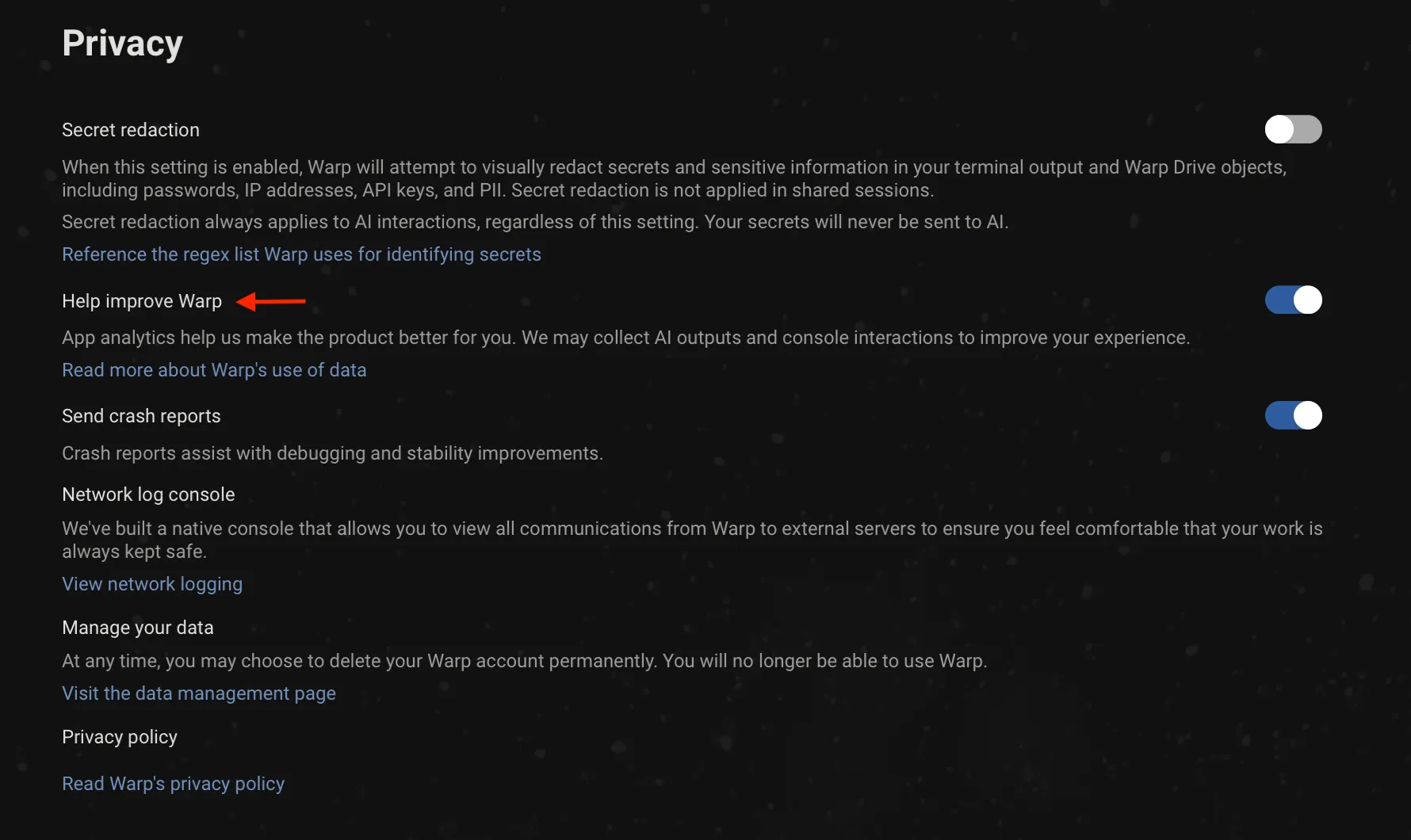 With telemetry disabled, no console interactions are ever persisted on Warp’s servers. Each request contains a `X-Warp-Telemetry-Enabled` header to specify whether telemetry is disabled, and even if this is missing from the request, our server assumes it’s disabled. ### Delete your account and data [Section titled “Delete your account and data”](#delete-your-account-and-data) Warp provides a convenient way for you to delete your account and data. Any active Warp subscriptions associated with the account will also be cancelled when deleted. You can delete your Warp account and data in the following ways: * From Warp, go to **Settings** > **Privacy** > **“Visit the data management page”** Click the “Delete” button on the Data Management page to go through the data deletion flow. * From the web, log in to your Warp account on the [Warp login page](https://app.warp.dev/login), then go to the [data management page](https://app.warp.dev/data_management) and click the “Delete” button to go through the data deletion flow. Caution If you’re a [Team](/knowledge-and-collaboration/teams/) admin, the deletion flow will require that you assign a team member as the new admin. ### Exhaustive Telemetry Table [Section titled “Exhaustive Telemetry Table”](#exhaustive-telemetry-table) | Event Name | Description | | ---------------------------------------------------------- | ---------------------------------------------------------------------------------------------------------------------------------------------------------------------------------------------------------- | | `AI Command Search opened` | Opened the modal for AI Command Search, where you can use natural language to search for commands | | `AI Execution Profile Created` | A new AI execution profile was created | | `AI Execution Profile Deleted` | An AI execution profile was deleted | | `AI Execution Profile: Added To Allowlist` | An item was added to an AI execution profile allowlist | | `AI Execution Profile: Added To Denylist` | An item was added to an AI execution profile denylist | | `AI Execution Profile: Context Window Selected` | Selected a context window limit for an execution profile’s base model | | `AI Execution Profile: Model Selected` | An AI model was selected for an AI execution profile | | `AI Execution Profile: Removed From Allowlist` | An item was removed from an AI execution profile allowlist | | `AI Execution Profile: Removed From Denylist` | An item was removed from an AI execution profile denylist | | `AI Execution Profile: Setting Updated` | An AI execution profile setting was updated | | `AI Input Not Sent` | The AI input was not sent | | `AI Suggested Rule Added` | Clicked the Add Suggested Rule button in the AI blocklist | | `AI Suggested Rule Content Changed` | Content changed by the user in the suggested rule dialog | | `AI Suggested Rule Edited` | Clicked the Edit Suggested Rule button in the AI blocklist | | `AIAutonomy.AutoexecutedRequestedCommand` | Autoexecuted an Agent Mode requested command | | `AIAutonomy.ChangedAgentModeAskUserQuestionPermission` | Changed Agent Mode permission for asking user questions | | `AIAutonomy.ChangedAgentModeCodingPermissions` | Changed Agent Mode permissions for coding tasks | | `AIAutonomy.ToggledAutoexecuteReadonlyCommandsSetting` | Toggled setting to autoexecute readonly Agent Mode requested commands | | `Active Indexed Repos Changed` | Active indexed repositories changed, affecting codebase context. | | `Add Added Subshell Command` | Added a command to be automatically Warpified via Warp’s subshell wrapper | | `Add Denylisted SSH Tmux Wrapper Host` | Added a SSH host to the denylist for prompting for Tmux Wrapper | | `Add Denylisted Subshell Command` | Explicitly prevent a command from being Warpified via Warp’s subshell wrapper | | `Add Tab With Shell` | Added a tab with specific shell | | `Added Workflow Alias` | Added an alias to a Warp Drive workflow | | `Agent Management View Copied Session Link` | User copied a session link from the Agent Management View | | `Agent Management View Opened Session` | User opened a session from the Agent Management View | | `Agent Management View Toggled` | User toggled the Agent Management View open or closed | | `Agent Mode Query Suggestion Accepted` | Prompt Suggestion accepted | | `Agent Mode Query Suggestions Banner Shown` | Prompt Suggestions banner shown | | `Agent Mode Setup Banner Accepted` | Agent Mode setup banner accepted | | `Agent Mode Setup Banner Dismissed` | Agent Mode setup banner dismissed | | `Agent Mode Setup Project Scoped Rules Action` | User clicked a button in the Agent Mode setup project scoped rules step | | `Agent Mode.Setup Codebase Context Action` | User clicked a button in the Agent Mode setup codebase context step | | `Agent Predict` | Completed an Agent Predict prediction | | `Agent Toolbar Dismissed` | User dismissed the use-agent toolbar | | `AgentManagement.AgentTypeSelectorOpened` | User opened the agent type selector from agent management | | `AgentManagement.ArtifactClicked` | User clicked an artifact button | | `AgentManagement.CloudRunCancelled` | User cancelled a cloud run | | `AgentManagement.CloudRunOpened` | User opened a cloud run | | `AgentManagement.ConversationForked` | User forked a conversation | | `AgentManagement.ConversationLinkCopied` | User copied a conversation link | | `AgentManagement.ConversationOpened` | User opened a conversation | | `AgentManagement.DetailsPanelContinueLocally` | User clicked Continue locally in the details panel | | `AgentManagement.DetailsViewed` | User clicked View details | | `AgentManagement.DismissSetupGuide` | User dismissed the ambient agent setup guide | | `AgentManagement.FilterChanged` | User changed a filter in the management view | | `AgentManagement.OpenSetupGuide` | User opened the ambient agent setup guide | | `AgentManagement.SessionLinkCopied` | User copied a session link | | `AgentManagement.SetupGuideDocsLink` | User clicked a docs URL in the setup guide | | `AgentManagement.SetupGuideStepCopy` | User copied a workflow step from the setup guide | | `AgentManagement.SetupGuideStepRun` | User ran a workflow step from the setup guide | | `AgentManagement.SlashCommandContinueLocally` | User invoked /continue-locally to fork a cloud conversation locally | | `AgentManagement.SpawnNewCloudAgent` | User spawned a new cloud agent from agent management | | `AgentManagement.SpawnNewLocalAgent` | User spawned a new local agent from agent management | | `AgentManagement.TombstoneArtifactClicked` | User clicked an artifact in the tombstone view | | `AgentManagement.TombstoneContinueInCloud` | User clicked Continue in the tombstone to start a cloud follow-up | | `AgentManagement.TombstoneContinueLocally` | User clicked Continue locally in the tombstone | | `AgentManagement.ViewToggled` | User toggled the agent management view open or closed | | `AgentMode.AttachedContext` | Attached block as context to an Agent Mode query | | `AgentMode.AttachedImages` | Attached images to an Agent Mode query | | `AgentMode.ChangedInputType` | The input type was changed from shell -> AI or AI -> shell | | `AgentMode.ClickedEntrypoint` | Clicked on an Agent Mode entrypoint | | `AgentMode.Code.DiffHunksNavigated` | Agent Mode Code diff hunks navigated | | `AgentMode.Code.DiffMatchFailed` | Failed to match code diff | | `AgentMode.Code.FileExceededContextLimit` | File from AI exceeded context limit | | `AgentMode.Code.FilesNavigated` | Agent Mode Code files navigated | | `AgentMode.Code.InvalidFile` | File(s) in code diff could not be found | | `AgentMode.Code.MalformedFinalLineProxy` | Suggested code diff likely required malformed trailing line correction (heuristic) | | `AgentMode.Code.MissingLineNumbers` | Code diff was missing line numbers | | `AgentMode.Code.SuggestedCodeEditedByUser` | Agent Mode Code suggestion edited by user | | `AgentMode.Code.SuggestedEditAcceptAndContinueClicked` | User selected Accept and start conversation for a code diff suggestion in Agent Mode | | `AgentMode.Code.SuggestedEditAcceptClicked` | User selected Accept for a code diff suggestion in Agent Mode | | `AgentMode.Code.SuggestedEditReceived` | Agent Mode suggested a code edit | | `AgentMode.Code.SuggestedEditResolved` | Agent Mode pending code edit suggestion resolved | | `AgentMode.CreatedAIBlock` | Created an AI block in agent mode | | `AgentMode.Error` | Received an error when getting Agent Mode response | | `AgentMode.ExecutedWarpDrivePrompt` | Executed a saved prompt. | | `AgentMode.ExitedShellProcess` | An agent-requested command caused the shell process to exit | | `AgentMode.FileGlob.Failed` | The file glob tool failed to complete | | `AgentMode.FileGlob.Succeeded` | The file glob tool completed successfully | | `AgentMode.FullEmbedCodebaseContextSearch.Failed` | Failed to search full embed codebase context | | `AgentMode.FullEmbedCodebaseContextSearch.Success` | Successfully searched full embed codebase context | | `AgentMode.Grep.Failed` | The grep tool failed to complete | | `AgentMode.Grep.Succeeded` | The grep tool completed successfully | | `AgentMode.MerkleTreeSnapshot.Diff.Failed` | Failed to diff merkle tree snapshot | | `AgentMode.MerkleTreeSnapshot.Diff.Success` | Successfully diffed merkle tree snapshot | | `AgentMode.MerkleTreeSnapshot.Rebuild.Failed` | Failed to rebuild merkle tree from snapshot | | `AgentMode.MerkleTreeSnapshot.Rebuild.Success` | Successfully rebuilt merkle tree from snapshot | | `AgentMode.NaturalLanguageDetection.InputBufferSubmitted` | Input buffer submitted | | `AgentMode.OpenedCitation` | Opened a citation that was surfaced in agent mode | | `AgentMode.Orchestration.AgentProposedConfig` | An agent-authored orchestration config snapshot first became visible to the user on a plan card | | `AgentMode.Orchestration.Entered` | Orchestration was activated in a conversation via /orchestrate or a run\_agents confirmation card surfacing. Plan-card entries are tracked separately via AgentProposedConfig + PlanConfigApprovalToggled. | | `AgentMode.Orchestration.PillBarInteraction` | User interacted with the orchestration pill bar (switch, pin, open in pane/tab, stop, kill, etc.) | | `AgentMode.Orchestration.PlanConfigApprovalToggled` | User toggled the Use orchestration switch on a plan card | | `AgentMode.Orchestration.RunAgentsCardDecision` | User accepted, accepted-without-orchestration, or rejected a run\_agents confirmation card. Reports which config fields diverged from the original tool call and/or the active approved config. | | `AgentMode.Orchestration.TeamAgentCommunicationFailed` | Failed to send an orchestration message or lifecycle event for a TeamAgent | | `AgentMode.PotentialAutoDetectionFalsePositive` | Manually toggled input to shell mode after input was auto-detected as natural language. | | `AgentMode.QueryAttemptAtLImit` | Tried to send an Agent Mode query but they already reached the query limit | | `AgentMode.RequestRetrySucceeded` | Agent Mode request succeeded after retrying following an initial error | | `AgentMode.SetupCreateEnvironmentAction` | User clicked a button in the Agent Mode setup create environment step | | `AgentMode.SurfacedCitations` | Agent mode used and cited external sources that were used in its response | | `AgentMode.SyncCodebaseContext.BuildTree.Failed` | Failed to build merkle tree for codebase context | | `AgentMode.SyncCodebaseContext.BuildTree.Success` | Successfully built merkle tree for codebase context | | `AgentMode.SyncCodebaseContext.Failed` | Failed to sync codebase context | | `AgentMode.SyncCodebaseContext.Success` | Successfully synced codebase context | | `AgentMode.ToggleAutoDetectionSetting` | Toggled the setting that enables or disables natural language auto-detection in the input. | | `AgentNotification.Shown` | An agent notification was shown to the user (toast or mailbox) | | `AgentTip Clicked` | User clicked a link or action in an Agent Tip | | `AgentTip Shown` | Selected an Agent Tip to show in the Agent Mode status bar | | `AgentView.Entered` | User entered the Agent View | | `AgentView.Exited` | User exited the Agent View | | `AgentView.InlineConversationMenuItemSelected` | User selected an item from the inline conversation menu | | `AgentView.InlineConversationMenuOpened` | User opened the inline conversation menu in Agent View | | `AgentView.ShortcutsViewToggled` | User toggled the shortcuts view in Agent View | | `AgenticOnboarding.BlockSelected` | Selected an agentic onboarding block to execute | | `AmbientAgent.CloudMode.Entered` | User entered cloud agent view | | `AmbientAgent.CloudMode.EnvironmentSelector.Opened` | User opened the environment selector menu | | `AmbientAgent.CloudMode.EnvironmentSelector.Selected` | User selected an environment from the selector | | `AmbientAgent.CloudMode.EnvironmentSettings.GitHubAuth` | User started GitHub authentication from the environment form | | `AmbientAgent.CloudMode.EnvironmentSettings.LaunchedAgent` | User launched an environment setup agent from the environment form | | `AmbientAgent.ConcurrencyModal.Dismissed` | User dismissed the cloud agent capacity modal | | `AmbientAgent.ConcurrencyModal.Opened` | User opened the cloud agent capacity modal | | `AmbientAgent.ConcurrencyModal.UpgradeClicked` | User clicked the upgrade button in the cloud agent capacity modal | | `AmbientAgent.DispatchFailed` | Ambient agent failed to dispatch or encountered an error | | `AmbientAgent.EnvironmentSettings.CreatedEnvironment` | User created a new environment | | `AmbientAgent.EnvironmentSettings.DeletedEnvironment` | User deleted an environment | | `AmbientAgent.EnvironmentSettings.Image.Suggested` | Docker image was suggested for an environment | | `AmbientAgent.EnvironmentSettings.Image.SuggestionFailed` | Docker image suggestion failed | | `AmbientAgent.EnvironmentSettings.Opened` | User opened the environment management pane | | `AmbientAgent.EnvironmentSettings.UpdatedEnvironment` | User updated an existing environment | | `AmbientAgent.Handoff.Initiated` | User initiated a local-to-cloud handoff | | `AmbientAgents.ThirdPartyHarness.RuntimeError.Detected` | Runtime output scanner detected a known failure substring in a third-party harness block. | | `Anonymous User Attempted Login-Gated Feature` | Anonymous user attempted to access a login-gated feature | | `Anonymous User Expiration Lockout` | An anonymous user opened Warp after their conversion deadline and was locked out | | `Anonymous User Hit Cloud Object Limit` | Anonymous user attempted to create a cloud object past their personal object limit | | `Anonymous User Initiated Signup` | An anonymous user initiated the sign up flow | | `Anonymous User Linked from Browser` | Received an auth payload from anonymous user after linking in browser | | `App Download Source` | Whether the Warp was installed from the home page or through homebrew | | `App Startup` | App is launched | | `Attached Workflow Alias Environment Variables` | Added or removed environment variables for a Warp Drive workflow alias | | `Attempting to Relaunch for Update` | Attempted to relaunch the app after installing an update | | `Auth Common Question Clicked in App` | Clicked on “Common Question” when logging in | | `Auth: Open Privacy Settings Overlay` | Privacy settings are open during sign-in | | `Auth: Toggle Common Questions` | Toggled FAQ Page when logging in | | `Autosuggestion Inserted` | Accepted autosuggestion | | `Background Block Started` | Warp created a background-output Block (whenever a processes has been backgrounded and yields some output) | | `BaselineCommand Latency` | Command execution time | | `Block Creation` | Created Block | | `Block Filter Toolbelt Button Clicked` | Clicked the block filter icon in the top-right of a block | | `Block Selection` | Selected Block | | `Bootstrap Slow Contents` | Contents of the bootstrap block if bootstrapping is slow | | `Bootstrapping Slow` | Slow bootstrap on session startup | | `Bootstrapping Succeeded` | Successful bootstrap for session | | `CLI Subagent Action Executed` | User approved a blocked action from the CLI subagent | | `CLI Subagent Action Rejected` | User rejected a blocked action from the CLI subagent | | `CLI Subagent Control State Changed` | Control state changed in CLI subagent (agent in control, agent blocked, user in control, or agent tagged in) | | `CLI Subagent Input Dismissed` | User dismissed the input in the CLI subagent | | `CLI Subagent Responses Toggled` | User toggled the visibility of agent responses in CLI subagent | | `CLI.Execute.Agent.Create` | Created an agent from the Warp CLI | | `CLI.Execute.Agent.Delete` | Deleted an agent from the Warp CLI | | `CLI.Execute.Agent.Get` | Got agent details from the Warp CLI | | `CLI.Execute.Agent.List` | Listed agents from the Warp CLI | | `CLI.Execute.Agent.Profile.List` | Listed agent profiles from the Warp CLI | | `CLI.Execute.Agent.Run` | Ran an agent from the Warp CLI | | `CLI.Execute.Agent.RunAmbient` | Ran an ambient agent from the Warp CLI | | `CLI.Execute.Agent.Skills` | Listed agent skills from the Warp CLI | | `CLI.Execute.Agent.Update` | Updated an agent from the Warp CLI | | `CLI.Execute.ApiKey.Create` | Created an API key from the Warp CLI | | `CLI.Execute.ApiKey.Expire` | Expired an API key from the Warp CLI | | `CLI.Execute.ApiKey.List` | Listed API keys from the Warp CLI | | `CLI.Execute.Artifact.Download` | Downloaded an artifact from the Warp CLI | | `CLI.Execute.Artifact.Get` | Got artifact metadata from the Warp CLI | | `CLI.Execute.Artifact.Upload` | Uploaded an artifact from the Warp CLI | | `CLI.Execute.Conversation.Get` | Got conversation by ID from the Warp CLI | | `CLI.Execute.Environment.Create` | Created a cloud environment from the Warp CLI | | `CLI.Execute.Environment.Delete` | Deleted a cloud environment from the Warp CLI | | `CLI.Execute.Environment.Get` | Got cloud environment details from the Warp CLI | | `CLI.Execute.Environment.Image.List` | Listed available base images from the Warp CLI | | `CLI.Execute.Environment.List` | Listed cloud environments from the Warp CLI | | `CLI.Execute.Environment.Update` | Updated a cloud environment from the Warp CLI | | `CLI.Execute.Federate.IssueGcpToken` | Issued a GCP federated identity token from the Warp CLI | | `CLI.Execute.Federate.IssueToken` | Issued a federated identity token from the Warp CLI | | `CLI.Execute.HarnessSupport.FinishTask` | Reported task completion via harness-support from the Warp CLI | | `CLI.Execute.HarnessSupport.NotifyUser` | Sent a user notification via harness-support from the Warp CLI | | `CLI.Execute.HarnessSupport.Ping` | Pinged harness-support from the Warp CLI | | `CLI.Execute.HarnessSupport.ReportArtifact` | Reported an artifact via harness-support from the Warp CLI | | `CLI.Execute.HarnessSupport.ReportShutdown` | Reported agent shutdown via harness-support from the Warp CLI | | `CLI.Execute.Integration.Create` | Created an integration from the Warp CLI | | `CLI.Execute.Integration.List` | Listed integrations from the Warp CLI | | `CLI.Execute.Integration.Update` | Updated an integration from the Warp CLI | | `CLI.Execute.Login` | Logged in via the Warp CLI | | `CLI.Execute.Logout` | Logged out via the Warp CLI | | `CLI.Execute.MCP.List` | Listed MCP servers from the Warp CLI | | `CLI.Execute.Model.List` | Listed models from the Warp CLI | | `CLI.Execute.Provider.List` | Listed providers from the Warp CLI | | `CLI.Execute.Provider.Setup` | Set up a provider via the Warp CLI | | `CLI.Execute.Run.Conversation.Get` | Got run conversation from the Warp CLI | | `CLI.Execute.Run.Message.List` | Listed run messages from the Warp CLI | | `CLI.Execute.Run.Message.MarkDelivered` | Marked a run message as delivered from the Warp CLI | | `CLI.Execute.Run.Message.Read` | Read a run message from the Warp CLI | | `CLI.Execute.Run.Message.Send` | Sent a run message from the Warp CLI | | `CLI.Execute.Run.Message.Watch` | Watched run messages from the Warp CLI | | `CLI.Execute.Schedule.Create` | Created a scheduled agent from the Warp CLI | | `CLI.Execute.Schedule.Delete` | Deleted a scheduled agent from the Warp CLI | | `CLI.Execute.Schedule.Get` | Got scheduled agent configuration from the Warp CLI | | `CLI.Execute.Schedule.List` | Listed scheduled agents from the Warp CLI | | `CLI.Execute.Schedule.Pause` | Paused a scheduled agent from the Warp CLI | | `CLI.Execute.Schedule.Unpause` | Unpaused a scheduled agent from the Warp CLI | | `CLI.Execute.Schedule.Update` | Updated a scheduled agent from the Warp CLI | | `CLI.Execute.Secret.Create` | Created a secret from the Warp CLI | | `CLI.Execute.Secret.Delete` | Deleted a secret from the Warp CLI | | `CLI.Execute.Secret.List` | Listed secrets from the Warp CLI | | `CLI.Execute.Secret.Update` | Updated a secret from the Warp CLI | | `CLI.Execute.Task.Get` | Got status of task from the Warp CLI | | `CLI.Execute.Task.List` | Listed tasks from the Warp CLI | | `CLI.Execute.Whoami` | Printed current user info from the Warp CLI | | `CLIAgentFooter.ImageAttached` | User attached an image from the CLI agent footer | | `CLIAgentFooter.SettingToggled` | User toggled the CLI agent footer setting | | `CLIAgentFooter.Shown` | CLI agent footer was shown to the user | | `CLIAgentFooter.VoiceInputUsed` | User used voice input from the CLI agent footer | | `CLIAgentPlugin.ChipClicked` | User clicked the plugin install or update chip | | `CLIAgentPlugin.ChipDismissed` | User dismissed the plugin install or update chip | | `CLIAgentPlugin.Detected` | A CLI agent plugin was detected via a SessionStart event | | `CLIAgentPlugin.OperationFailed` | Auto plugin install or update failed | | `CLIAgentPlugin.OperationSucceeded` | Auto plugin install or update completed successfully | | `CLIAgentRichInput.Closed` | CLI agent Rich Input was closed | | `CLIAgentRichInput.Opened` | User opened CLI agent Rich Input | | `CLIAgentRichInput.Submitted` | User submitted a prompt via CLI agent Rich Input | | `Changed invite view option` | Toggled between link and invite for invite | | `Clicked Continue Conversation Button` | User clicked the Continue Conversation button in a block footer | | `Clicked Reset to Defaults Button in Settings Import` | Reset the imported settings in the settings import onboarding block | | `Clone Repo Prompt Submitted` | User submitted a repository URL from the clone repo view | | `Code Pane Opened` | Opened the code editor pane from various sources | | `CodePanels.FileOpened` | Opened a file from code review, project explorer, or global search | | `CodeReview.AddToContext` | Content added to AI context from code review | | `CodeReview.BaseChanged` | Diff base changed in code review | | `CodeReview.CommentAdded` | Inline code review comment added | | `CodeReview.CommentDeleted` | Inline code review comment deleted | | `CodeReview.CommentEdited` | Inline code review comment edited | | `CodeReview.CommentEditorOpened` | Inline code review comment editor opened | | `CodeReview.CommentListExpanded` | Inline code review comment list expanded | | `CodeReview.CommentListItemClicked` | Inline code review comment list item clicked | | `CodeReview.CommentRelocationFailed` | Inline code review comment relocation fell back to approximate line | | `CodeReview.CommentResolved` | Inline code review comment resolved | | `CodeReview.CommentsAttached` | Newly-imported comments relocated against editor lines | | `CodeReview.CommentsReceived` | Agent insert\_code\_review\_comments tool call received and processed | | `CodeReview.DiffLoadCompleted` | Diff content loaded successfully | | `CodeReview.FileSaved` | File saved in code review pane | | `CodeReview.FindBarModeChanged` | Search mode changed in code review find bar | | `CodeReview.FindBarToggled` | Code review find bar opened or closed | | `CodeReview.FindNavigated` | Navigated to next or previous match in code review find bar | | `CodeReview.GitButtonTriggered` | User clicked a git operation button in the code review header | | `CodeReview.GitDialogCompleted` | Git operation dialog reached a terminal state (succeeded, failed, or cancelled) | | `CodeReview.LoadDiffFailed` | Failure when loading diff content | | `CodeReview.LoadMetadataFailed` | Failure when calculating diff metadata | | `CodeReview.PaneOpened` | Code review pane opened | | `CodeReview.PaneStateChanged` | Code review pane minimized or maximized | | `CodeReview.RevertHunkClicked` | Revert hunk button clicked | | `CodeReview.ReviewSubmitted` | Inline code review submitted to agent | | `CodeView.SelectionAddedAsContext` | Added selected code as context from the code editor | | `CodexModal.Opened` | User opened the Codex modal | | `CodexModal.UseCodexClicked` | User clicked ‘Use Codex’ in the Codex modal | | `Command Correction Event` | Accepted command correction | | `Command File Run` | Opened a .cmd or unix executable file and ran it directly in Warp | | `Command Palette Search Accepted` | Accepted a command palette search result | | `Command Palette Search Exited` | Exited command palette search without accepting a result | | `Command Search Async Query Completed` | Finished searching for a command in the background | | `Command Search Exited` | Exited command search (universal search panel to search) without accepting a result | | `Command Search Filter Changed` | Changed command search filter | | `Command Search Opened` | Opened command search (universal search panel to search) | | `Command Search Result Accepted` | Accepted command search result | | `Complete Welcome Tip` | Completed all welcome tips items | | `Completed Settings Import` | Imported a terminal’s settings via the settings import onboarding block | | `ComputerUse.Approved` | A RequestComputerUse action was approved (manually or auto-executed) | | `ComputerUse.Cancelled` | A RequestComputerUse action was cancelled/rejected | | `Confirm Suggestion` | Accepted tab completion suggestion | | `Context Menu Copy` | Clicked “Copy” in context menu | | `Context Menu Copy Prompt` | Clicked “Copy Prompt” in context menu | | `Context Menu Copy Selected Text` | Clicked “Copy selected text” in context menu | | `Context Menu Insert Selected Text into Input` | Clicked “insert into input” in context menu | | `Context Menu Toggle Git Prompt Dirty Indicator` | Toggled indicator of dirty git prompt | | `Context Menu: Find Within Blocks` | Clicked “find within blocks” in context menu | | `Context Menu: Initiate Block Sharing` | Opened “Share” modal via context menu | | `Context Menu: Reinput Commands` | Clicked “reinput commands” in context menu | | `ConversationList.ItemDeleted` | Deleted a conversation from the conversation list | | `ConversationList.ItemOpened` | Opened a conversation from the conversation list | | `ConversationList.LinkCopied` | Copied a conversation link from the conversation list | | `ConversationList.Opened` | Opened the conversation list view in the left panel | | `Copied Shared Session Link` | Copied a shared session link | | `Copy Block Sharing Link` | Clicked “Share block…” in context menu | | `Copy Invite Link` | Clicked “Copy Link” on Referral Modal | | `Copy Obfuscated Secret` | Copied a secret’s obfuscated contents to clipboard | | `Copy Object To Clipboard` | Copied an object to the user’s keyboard | | `Create Custom Theme` | Created a custom theme using the built-in theme creator | | `Create Project Prompt Submitted` | User submitted a prompt from the create project view | | `Create Project Prompt Submitted Content` | User submitted custom prompt content from the create project view | | `Custom Secret Regex Added` | Custom Secret Regex Added | | `Database Read Error` | Database read error when trying to get app state for session restoration | | `Database Startup Error` | Failed to initialize sqlite upon startup | | `Database Write Error` | Database write error when trying to write app state for session restoration | | `Decline Subshell Bootstrap` | Developer declined the Warp banner to Warpify the current session | | `Delete Custom Theme` | Deleted a custom theme using the built-in theme creator | | `Deleted Notebook` | Deleted notebook from Warp Drive team | | `Deleted Workflow` | Deleted workflow from Warp Drive team | | `Disable Input Sync Inputs` | Disabled / turn off the Input Synchronization (across editors) | | `Dismiss Alias Expansion Banner` | Dismissed the banner to enable automatic alias expansion within the Input Editor | | `Dismiss Welcome Tips` | Dismissed Welcome tips | | `Don't Show Sharer Grant Modal Again` | When you check don’t show again on the confirmation modal for granting a role | | `Drag and Drop Tab` | Tab dragged and dropped | | `Drag and Drop Tab Group` | Tab group dragged and dropped | | `Duplicate Object` | Cloned a Warp Drive object | | `Edited Input Before Precmd` | Input edited before precmd hook completes | | `Edited Workflow Alias Argument` | Edited an argument in a Warp Drive workflow alias | | `Enable Alias Expansion From Banner` | Enabled automatic alias expansion within the Input Editor from the banner | | `Executed Conversation Rewind` | User executed a rewind to a previous conversation state | | `Expanded Code Suggestion` | Expanded the passive code diff suggestion | | `Export Object` | Exported a Warp Drive object | | `Features Page Action` | Changed settings in Features Page | | `File Tree Toggled` | Opened the file tree/project explorer | | `FileTree.AttachedAsContext` | Attached a file or directory as context from the file tree | | `FileTree.ItemCreated` | Created a new file from the file tree | | `Find Option Toggled` | Changed settings in Find Toggle | | `Focused Config in Settings Import` | Selected a terminal in the settings import onboarding block | | `FreeTierLimitHitInterstitial.Closed` | User closed the free tier limit hit interstitial | | `FreeTierLimitHitInterstitial.Displayed` | The free tier limit hit interstitial was displayed | | `FreeTierLimitHitInterstitial.UpgradeButtonClicked` | User clicked the ‘Upgrade’ button in the free tier limit hit interstitial | | `Generate Block Sharing Link` | Generated Block sharing link | | `Generate Metadata For Workflow Error` | Failed to generate metadata for a workflow using Warp AI | | `Generate Metadata For Workflow Success` | Successfully generated metadata for a workflow using Warp AI | | `Get Started Skip to Terminal` | User clicked skip to terminal from get started view | | `Global Search Opened` | Opened the global search view | | `Global Search Query Started` | Started a global search (warp\_ripgrep) search | | `ITerm Profile has Multiple Hotkeys` | Attempted to import an iTerm profile that contained multiple hotkey window bindings | | `Identified Antivirus Software` | Identified running antivirus software on the user’s machine | | `Image Received` | Received an image through an image protocol over the pty | | `InitialWorkingDirectoryConfigurationChanged` | Replaced the default working directory with a different path | | `Initiate Reauth` | Started the flow to re-authenticate the client | | `Input Mode Changed` | Changed the Input Editor Mode (Pinned to Bottom, Pinned to Top, Classic / Waterfall Mode) | | `Input.AtMenuInteracted` | Interacted with the @ menu | | `Input.ContextChipInteracted` | Interacted with a context chip | | `Input.InputUXModeChanged` | Changed the input UX mode | | `Input.VoiceInputUsed` | Used voice input | | `InputBoxAICommandSearch` | Opened AI Command Search via the Input Editor’s context menu (right clicking the buffer) | | `InputBoxAskWarpAI` | Clicked “Ask Warp AI” from the Input Editor’s context menu | | `InputBoxCommandSearch` | Opened Command Search via the Input Editor’s context menu (right clicking the buffer) | | `InputBoxCutSelectedText` | Copied selected text from Input Editor | | `InputBoxPaste` | Pasted text into the Input Editor’s via its context menu (right clicking the buffer) | | `InputBoxSelectAll` | Selected all the text in the Input Editor via its context menu (right clicking the buffer) | | `Invited Teammates` | Sent emails to invite teammates to join Warp Drive team | | `Invoked Environment Variables` | Invoked an environment variables object | | `Isolation.DetectedIsolationPlatform` | Detected that Warp is running in an isolated sandbox | | `Joined Shared Session` | When you join another instance of Warp using shared sessions | | `Jumped to Bookmark Block` | Jumped to bookmarked Block | | `Jumped to Bottom of Block Button Clicked` | Used the button to jump to the bottom of a Block | | `Jumped to Previous Command` | Jumped to a previous command | | `Jumped to Shared Session Participant` | Clicked on a shared session participant avatar to jump to their location in the session | | `Keybinding Changed` | Edited a custom keybinding | | `Keybinding Removed` | Removed / cleared a keybinding | | `Keybinding Reset to Default` | Reset a custom keybinding to its default | | `Knowledge Pane Opened` | Knowledge Pane Opened | | `Linear.IssueLinkOpened` | User opened a warp\://linear deeplink to work on an issue | | `Log In Button Clicked in App` | Clicked on “Log in” button | | `Log Out` | Logged out of the Warp client | | `Log Out Modal Cancel Pressed` | Escaped the log out flow by canceling the log out modal | | `Log Out Modal Shown` | When the log out modal is displayed | | `Logged in to native app` | Login is successful | | `Logged-out App Startup` | Started Warp in the logged-out / signed-out state | | `Login Later Button Clicked` | Clicked “Login later” button | | `Login Later Confirmation Button Clicked` | Clicked “Yes, skip login” confirmation button | | `Lsp.ControlAction` | User performed an LSP control action from the footer menu | | `Lsp.FindReferencesShown` | Find references card displayed via LSP | | `Lsp.GotoDefinition` | User triggered goto definition via LSP | | `Lsp.HoverShown` | Hover tooltip displayed with LSP content or diagnostics | | `Lsp.ServerEnabled` | User enabled an LSP server for a workspace | | `Lsp.ServerEnablementSkipped` | User skipped LSP enablement during /init | | `Lsp.ServerFailed` | LSP server failed to start | | `Lsp.ServerInstallCompleted` | An LSP server installation finished | | `Lsp.ServerRemoved` | User removed an LSP server | | `Lsp.ServerStarted` | LSP server successfully started and is available | | `MCP Server Added` | MCP Server Added | | `MCP Server Collection Pane Opened` | MCP Server Collection Pane Opened | | `MCP Server Spawned` | MCP Server Spawned | | `MCP Template Created` | MCP Template Created | | `MCP Template Installed` | MCP Template Installed | | `MCP Template Shared` | MCP Template Shared | | `MCP Tool Call Accepted` | MCP Tool Call Accepted | | `Move Active Tab` | Move active tab left or right | | `Move Tab` | Move tab left or right | | `Needs Reauth` | User needs to re-authenticate | | `New Session From Directory` | Dragged a file, folder, etc. into Warp to start a session | | `Notebook Action` | Took an action on a notebook: edit, delete, modified font size, etc. | | `Notebook Edited` | Edited a notebook | | `Notebook Opened` | Opened a notebook | | `Notification Clicked` | Clicked desktop notification sent from Warp | | `Notification Failed to Send` | Failed to send desktop notification | | `Notification Permissions Requested` | Requested permission for desktop notification permissions | | `Notification Request Permissions Outcome` | Recorded outcome of attempting to request desktop notification permissions | | `Notification Sent` | Sent desktop notification | | `Notifications Discovery Banner Action` | Showed banner introducing the notifications feature | | `Notifications Error Banner Action` | Showed error banner for notifications feature | | `Object Link Copied` | The web link to an object has been copied. | | `Open Context Menu` | Opened context menu (such as right clicking, clicking on ellipses in the top right of a Block, etc.) | | `Open Launch Config` | Opened launch config for a session | | `Open Launch Config File` | Opened the launch config YAML file from modal once saved successfully | | `Open Palette` | Opened the palette | | `Open Quake Mode Window` | Toggled quake mode window when previously hidden or closed | | `Open Repo Folder Submitted` | User selected a folder to open as a repo from the “Open repository” button | | `Open Save Config Modal` | Opened save launch configuration modal | | `Open Slash Menu` | Opened the slash commands menu | | `Open Suggestions Menu` | Opened a suggestion menus, such as with up arrow or tab | | `Open Team from URI` | Showed settings view of their newly joined team within the app | | `Open Theme Chooser` | Opened theme chooser (list of different themes and visualizations of those themes) | | `Open Theme Creator Modal` | Opened theme creator modal (modal to create a new theme) | | `Open Welcome Tips` | Opened welcome tips in app | | `Open Workflows Search` | Opened workflows search in command search pane | | `OpenAndWarpifyDockerSubshell` | Warpifying a docker subshell from using the docker extension | | `OpenInputBoxContextMenu` | Opened the Input Editor’s context menu | | `Opened Changelog Link` | Opened the changelog link within the App | | `Opened Link` | Opened a highlighted link within input or output | | `Opened Rewind Confirmation Dialog` | User opened the rewind confirmation dialog | | `Opened Save As Workflow Modal` | Opened the modal to create a new workflow using a Block’s context—command, etc. | | `Opened Sharing Dialog` | Opened the sharing settings dialog for a session or Warp Drive object | | `Opened Warp AI` | Activated Warp AI | | `Opened alt screen find bar` | Opened the Find bar in the Alt Screen | | `Page Up/Down In Editor Pressed` | Pressed `PAGE-UP` or `PAGE-DOWN` within the Input Editor | | `Pane Drag Ended` | Ended dragging a pane via the pane header | | `Pane Drag Inititiated` | Initiated dragging a pane via the header | | `Parameterized Workflow With Environment Variables` | Selected from environment variables dropdown to parameterize workflow | | `Parsed Config in Settings Import` | Parsed a terminal’s settings as part of settings import | | `Preview Pane Promoted` | Promoted a preview code tab to a normal tab | | `Prompt Edited` | Edited the prompt using the built-in prompt editor | | `Prompt Editor Opened` | Opened the prompt editor | | `Pty Spawned` | Tracks the manner by which we create a new shell process (new codepath vs. old codepath). Used to ensure nothing breaks as we change parts of our infrastructure. | | `QueuedPrompt.Deleted` | User deleted a queued prompt row | | `QueuedPrompt.Edited` | User committed a non-empty edit to a queued prompt row | | `QueuedPrompt.PanelCollapseToggled` | User toggled the queued prompts panel collapse state | | `QueuedPrompt.Reordered` | User reordered a queued prompt row via drag-and-drop | | `Quit Modal Cancel Pressed` | `Cancel` button on the alert modal was pressed | | `Quit Modal Disabled` | The quit modal dialog has been disabled and will not popup when a user closes Warp while a session is running | | `Quit Modal Shown` | Showed an alert modal to warn the user about closing the app/window with a running process | | `Received Subshell RC File DCS` | Spawned a subshell to be automatically Warpified | | `Recent Menu Item Selected` | User selected an item from the recents list on the new tab zero state | | `RemoteCodebaseIndex.AutoIndexRequested` | Remote codebase auto-indexing requested one or more repositories | | `RemoteCodebaseIndex.StatusChanged` | The remote codebase index status changed | | `RemoteServer.BinaryCheck` | Remote server binary check completed (found, not found, or error) | | `RemoteServer.ClientRequestError` | A client request to the remote server failed | | `RemoteServer.DaemonStartup` | Remote server daemon startup completed and socket bound | | `RemoteServer.Disconnection` | An established remote server connection was dropped | | `RemoteServer.HostUnsupported` | Preinstall check classified the remote host as unsupported, falling back to the legacy SSH flow | | `RemoteServer.Initialization` | Remote server connection and initialization completed (success or failure) | | `RemoteServer.Installation` | Remote server binary installation completed (success or failure) | | `RemoteServer.MessageDecodingError` | A server message could not be decoded (no parseable request\_id) | | `RemoteServer.ReconnectExhausted` | All reconnection attempts were exhausted after a spontaneous disconnect | | `RemoteServer.Reconnection` | A reconnection attempt succeeded after a spontaneous disconnect | | `RemoteServer.SetupDuration` | End-to-end duration of the remote server setup flow | | `Remove Added Subshell Command` | Removed a command from the list of commands to automatically Warpify via Warp’s subshell wrapper | | `Remove Denylisted SSH Tmux Wrapper Host` | Removed an SSH host from the denylist from prompting for Tmux Wrapper | | `Remove Denylisted Subshell Command` | Removed a command from the list of commands to IGNORE when trying to Warpify via Warp’s subshell wrapper | | `Removed Workflow Alias` | Removed an alias from a Warp Drive workflow | | `Removed user from team` | Remove user from Warp Drive team | | `RepoMetadata.BuildTree.Failed` | Failed to build file tree for repo metadata | | `Resource Center Keybindings Page Opened` | Opened the keybinding page within the resource center | | `Resource Center Opened` | Opened Resource Center pane | | `Resource Center Tips Completed` | Completed resource center tips | | `Resource Center Tips Skipped` | Skipped welcome tips for new users | | `SSH Bootstrap Attempt` | Attempted bootstrapping for an SSH session | | `SSH ControlMaster Error` | Encountered a ControlMaster error during an SSH session | | `SSH Install Tmux Block Accepted` | User accepted an ssh install tmux block | | `SSH Install Tmux Block Dismissed` | User dismissed an ssh install tmux block | | `SSH Install Tmux Block Displayed` | Displayed an ssh install tmux block | | `SSH Interactive Session Detected` | An interactive SSH session was detected | | `SSH Remote Server Choice Do Not Ask Again Toggled` | Toggled the ‘Don’t ask me this again’ checkbox on the SSH remote-server choice block | | `SSH Tmux Warpification Error Block` | Ssh tmux warpification errored out | | `SSH Tmux Warpification Succeeded` | Ssh tmux warpification succeeded | | `SSH Tmux Warpify Block Accepted` | User accepted an ssh tmux warpify block | | `SSH Tmux Warpify Block Dismissed` | User dismissed an ssh tmux warpify block | | `Save Launch Config` | Saved current launch configuration of windows, tabs, and panes | | `Select App Icon` | Selected app icon | | `Select Command Palette Option` | Selected option from command palette (i.e. CMD-P) | | `Select Cursor Type` | Selected cursor type | | `Select Navigation Palette Item` | Selected session from the Session Navigation Palette (search across panes, tabs, and windows) | | `Select Theme` | Selected theme | | `Sent email invites` | Sent email invites for Warp Drive team | | `Session Abandoned Before Bootstrap` | Abandoned session before the bootstrapping completes | | `Set Line Height` | Set line height through Settings -> Appearance | | `Set New Windows at Custom Size` | Set new windows at custom size through Settings -> Appearance | | `Set SSH Extension Install Mode` | Changed the SSH extension install mode (always ask / always allow / always skip) | | `Set Window Blur Radius` | Changed the blur radius from the `Settings -> Appearance` dialog | | `Set Window Opacity` | Changed the opacity (window transparency) from the `Settings -> Appearance` dialog | | `Settings Import Initiated` | Started the import settings flow for new users | | `Settings.Environments.PageOpened` | User opened the Environments settings page | | `Shared Object Limit Hit Banner View Plans Button Clicked` | Clicked the ‘View Plans’ button on the persistent drive banner | | `Sharer Cancelled Grant Role` | When you cancel granting a role to a shared session participant | | `Shell Terminated Prematurely` | The shell process terminated prematurely | | `Show Alias Expansion Banner` | Displayed the banner asking whether Warp should automatically expand aliases within the Input Editor | | `Show Subshell Banner` | Displayed the banner asking whether Warp should Warpify the current session via Warp’s subshell wrapper | | `Show Warpify SSH Banner` | Displayed the banner asking whether Warp should Warpify the current SSH session via Warp’s SSH Wrapper | | `ShowNotificationsDiscoveryBanner` | Showed notifications discovery banner in the block list | | `ShowNotificationsErrorBanner` | Showed error banner for notifications feature | | `Showed File in File Explorer` | Opened a file in Finder by using “Show in Finder” | | `Sign Up Button Clicked in App` | Clicked “Sign Up” button | | `Skill.Opened` | A skill was opened from an ‘open skill’ button or /edit-skill command | | `Skill.Read` | A skill was read via the ReadSkill tool call | | `Skip Onboarding Survey` | Skipped onboarding survey as a whole | | `Slash Command Accepted` | User accepted a slash command | | `Split Pane` | Split tab into multiple panes | | `Static Prompt Suggestion Accepted` | Static Prompt Suggestion accepted | | `Static Prompt Suggestions Banner Shown` | Static Prompt Suggestions banner shown | | `Suggested Code Diff Banner Shown` | Suggested Code Diff banner shown | | `Suggested Code Diff Failed` | Suggested Code Diff Failed | | `Suggested Prompt Accepted` | Suggested prompt accepted | | `Suggested Prompt Cancelled` | Suggested prompt cancelled | | `Suggested Prompt Shown` | Suggested prompt shown | | `Tab Creation` | Created a tab | | `Tab Operations` | Took operation on a tab: change color, close tab, close adjacent tabs, etc. | | `Tab Renamed` | Changed tab title | | `Tab Single Result Autocompletion` | Accepted tab completion and inserted into Input Editor | | `TabConfigs.ExistingConfigOpened` | User opened an existing saved tab config | | `TabConfigs.GuidedModalOpened` | User opened the guided Create a tab config modal | | `TabConfigs.GuidedModalSubmitted` | User submitted the guided Create a tab config modal | | `TabConfigs.MenuCreateNewTabConfigClicked` | User clicked the New tab config entry from the tab configs menu | | `TabConfigs.NewWorktreeConfigOpened` | User opened a new worktree config from the submenu or new worktree modal | | `Team Created` | Created a Warp Drive team | | `Team Joined` | Joined a Warp Drive team | | `Team Left` | Left a Warp Drive team | | `Team Link Copied` | Copied a Warp Drive team link | | `Thin Strokes Setting Changed` | Changed thin strokes setting in settings -> Appearance | | `Tier Limit Hit` | User hit the tier limit for a feature | | `Toggle Active AI Enablement` | Toggled active AI enablement. | | `Toggle Agent Mode Codebase Context` | Toggled on/off the enablement of codebase context usage for Agent Mode. | | `Toggle Agent Mode Query Suggestions Setting` | Toggled on/off the prompt suggestions setting | | `Toggle Approvals Modal` | Opened or closed teams modal | | `Toggle Block Filter Case Sensitivity` | Toggled on/off case sensitivity within the block filter editor | | `Toggle Block Filter Invert` | Toggled on/off invert within the block filter editor | | `Toggle Block Filter Query` | Toggled on/off a block filter query | | `Toggle Block Filter Regex` | Toggled on/off regex within the block filter editor | | `Toggle Code Suggestions Setting` | Toggled on/off the code suggestions setting | | `Toggle Codebase Context Autoindexing` | Toggled on/off the enablement of autoindexing for codebase context. | | `Toggle Dim Inactive Panes` | Whether the dim inactive panes feature has been toggled | | `Toggle Focus Pane On Hover` | Toggled on/off focus pane on hover feature, which causes panes to automatically focus when hovering over them | | `Toggle Git Operations Autogen Setting` | Toggled on/off the git operations autogen setting | | `Toggle Global AI Enablement` | Toggled global AI enablement. | | `Toggle Intelligent Autosuggestions Setting` | Toggled on/off the intelligent autosuggestions setting | | `Toggle Jump to Bottom of Block Button` | Enabled or disabled the Jump to Bottom of Block Button | | `Toggle Ligature Rendering` | Toggled ligature rendering | | `Toggle New Windows at Custom Size` | Whether the new windows at custom size feature has been toggled | | `Toggle Obfuscate Secret` | Revealed or hid a secret | | `Toggle Preserve Active Tab Color` | Enabled or disabled preserving the active tab color | | `Toggle Restore Session` | Toggled session restoration (“Restore windows, tabs, panes, on startup”) | | `Toggle SSH Tmux Wrapper` | Changed the setting for SSH sessions to prompt for Tmux Wrapper | | `Toggle SSH Warpification` | Changed the setting for SSH sessions to be warified | | `Toggle Same Line Prompt` | Toggled on/off same line prompt | | `Toggle Secret Redaction` | Toggled on/off the setting for Secret Redaction - attempts to redact secrets and sensitive information | | `Toggle Settings Sync` | Toggle Settings Sync | | `Toggle SharedBlock Title Generation` | Toggled on/off the shared block title generation setting | | `Toggle Show Agent Tips` | Toggled the Show Agent Tips setting in AI settings | | `Toggle Show Block Dividers` | Enabled or disabled the Show Block Dividers Button | | `Toggle Sticky Command Header in Active Pane` | Expanded or collapsed the sticky command header in the active pane | | `Toggle Sync Inputs Across All Panes in All Tabs` | Enable the synchronization of the Input Editor’s buffer to all the panes in all the tabs | | `Toggle Sync Inputs Across All Panes in Current Tab` | Enable the synchronization of the Input Editor’s buffer to all the panes in the current tab | | `Toggle Tab Indicators` | Enabled or disabled the tab indicators (failed command, etc.) | | `Toggle Voice Input Setting` | Toggled on/off the voice input setting | | `Toggle Warp AI` | Toggled Warp AI—an AI assistant to help you debug errors, look up forgotten commands and more | | `Toggled Bookmark Block` | Bookmarked or unbookmarked Block | | `Toggled Tab Bar Visibility` | Toggled when to display the tab bar | | `Tried to Execute Before Precmd` | Attempted to execute command before precmd, a shell stage that has metadata on a command such as ssh, prompt info, etc. | | `Trigger Subshell Bootstrap` | Attempted to Warpify the current session via Warp’s subshell wrapper | | `Triggered Command XRay` | Triggered Command X-Ray (hovering over a command for explanation) | | `Unable to Update To New Version` | Update available but not authorized to install | | `Undo Close` | Re-opened a closed tab or window (undo closing a tab or window) | | `Unhandled Editor Modifier Key` | Used modifier keybinding keystroke which is not currently supported | | `Unsupported Shell` | Booted Warp with a shell that isn’t supported | | `Update Block Filter Query` | When a new filter is applied to a block | | `Update Block Filter Query With Context Lines` | When the number of context lines for a block filter query is updated | | `Update Tab Close Button Position` | Updated the tab close button position | | `Updated Alt Screen Padding Mode` | Updated the custom padding setting for the alt-screen | | `Updated Sorting Choice` | Modified the sorting scheme for Warp Drive objects | | `UseAgentToolbar.SettingToggled` | User toggled the Use Agent footer setting | | `Used Warp AI Prepared Prompt` | Used one of the Warp-provided prompts, like “Show examples” | | `User Initiated Closing Something` | Attempted to either quit the app or close a window | | `User Initiated Log Out` | Confirms a user has explicitly logged out of the application | | `User Menu Upgrade Clicked` | Clicked the ‘Upgrade’ menu item in the user menu | | `VerticalTabs.DiffStatsChipClicked` | User clicked a diff stats chip in the vertical tabs panel or detail sidecar | | `VerticalTabs.DisplayOptionChanged` | User updated a display option in the vertical tabs settings popup | | `VerticalTabs.PrChipClicked` | User clicked a GitHub PR chip in the vertical tabs panel or detail sidecar | | `Vim Keybindings Banner Dismissed` | Dismissed the banner to enable Vim keybindings in the Input Editor | | `Vim Keybindings Banner Displayed` | Displayed the banner asking whether Warp should enable Vim keybindings in the Input Editor | | `Vim Keybindings Enabled from Banner` | Enabled Vim keybindings in the Input Editor from the banner | | `Warp AI Action` | Executed a Warp AI action: Restart, Copy, Insert into terminal | | `Warp AI Character Limit Exceeded` | Attempted to ask a question longer than 1k chars to Warp AI | | `Warp AI Request Issued` | Issued a question to Warp AI | | `Warp Drive Opened` | Opened Warp Drive panel | | `Warp Drive Sharing onboarding block shown` | Showed onboarding block for Warp Drive sharing | | `Warp Drive object opened on desktop` | Warp Drive object on the web was opened on the desktop | | `Warpify Footer Accepted Warpify` | User clicked Warpify in the warpify footer | | `Warpify Footer Shown` | Displayed the warpify footer for a detected subshell or SSH session | | `Web session opened on desktop` | Shared session viewed on the web was opened on the desktop | | `Workflow Executed` | Executed workflow | | `Workflow Selected` | Selected workflow and populated into the Input Editor | | `Zero State Prompt Suggestion Used` | Used a zero state prompt suggestion | | `experiments.client.enroll_client` | Client assigned to A/B test | | `onboarding_agent_slide_upgrade_clicked` | User clicked the Upgrade button on the Customize your agent slide | | `onboarding_callout_completed` | User completed the callout flow | | `onboarding_callout_displayed` | A callout was displayed to the user | | `onboarding_callout_next` | User clicked next on a callout | | `onboarding_folder_selected` | User selected a folder | | `onboarding_folder_selection_started` | User started folder selection | | `onboarding_free_user_no_ai_upgrade_clicked` | User clicked the upgrade button on the free-user no-AI experiment slide | | `onboarding_get_started_clicked` | User clicked the Get Started button | | `onboarding_setting_changed` | User changed a setting during onboarding | | `onboarding_slide_navigated_back` | User navigated to the previous slide | | `onboarding_slide_navigated_next` | User navigated to the next slide | | `onboarding_slide_viewed` | User viewed a slide in the onboarding flow | | `onboarding_slides_completed` | User completed the onboarding slides | | `onboarding_started` | User started the onboarding flow | | `onboarding_welcome_login_clicked` | User clicked the Log in link on the welcome/intro slide | | `perf_metrics.memory_usage_high` | Total application memory usage exceeded a significant threshold | | `perf_metrics.resource_usage` | Periodic report on application resource usage statistics | | `revenue.AutoReloadModalClosed` | User closed the auto-reload modal (either dismissed or enabled auto-reload) | | `revenue.AutoReloadToggledFromBillingSettings` | User toggled auto-reload in Billing & Usage settings | | `revenue.OutOfCreditsBannerClosed` | User closed the ‘Out of credits’ banner (dismissed or purchased credits) |
# Secret Redaction
Canonical page: [/support-and-community/privacy-and-security/secret-redaction/](https://docs.warp.dev/support-and-community/privacy-and-security/secret-redaction/)
> Secret Redaction detects and redacts secrets, passwords, API keys, and PII in your terminal output before sending data to servers.
## How to access it [Section titled “How to access it”](#how-to-access-it) Disabled by default, to enable Secret Redaction open **Settings** > **Privacy** > **Secret redaction** or type in “Secret Redaction” to toggle it in the [Command Palette](/terminal/command-palette/). ## How it works [Section titled “How it works”](#how-it-works) Secret Redaction attempts to detect sensitive data (including secrets, passwords, API keys, and PII) using your list of regex patterns. Any identified secret will be redacted instead of being sent to our servers or any LLM provider. Additionally, Warp Drive will prevent you from saving any secrets in plain text (workflows, MCP servers, prompts, etc.).\ \ Warp ships with a [list of recommended regex](/support-and-community/privacy-and-security/secret-redaction/#secret-regex-list) you can easily add to the list. Additionally you can add custom regex for secrets you want to include in **Settings** > **Privacy** > **Secret redaction** > **Custom secret redaction**. ## Visually hiding secrets [Section titled “Visually hiding secrets”](#visually-hiding-secrets) By default, identified secrets will be displayed with a strikethrough visual treatment, i.e. ` echo`` `` `~~`password`~~. If instead you’d prefer to visually hide the secrets as well, i.e. `echo ********`, the setting to obfuscate secrets with asterisks can be found in **Settings** > **Privacy** > **Secret redaction** > **Hide secrets in blocklist**. Clicking on a secret will display a tooltip that lets you reveal the secret or copy the secret’s contents. When trying to copy terminal output containing secrets, it will be copied as asterisks (e.g. `echo password` becomes `echo ********`) unless revealed or copied from the tooltip. Secret redaction is not applied in [Session Sharing](/knowledge-and-collaboration/session-sharing/). ## Case sensitivity [Section titled “Case sensitivity”](#case-sensitivity) Secret redaction regexes are case-sensitive by default (i.e. the regex `password` will not match the text `Password`). If you want a regex to be case-sensitive, you can prepend `(?i)` like so: `(?i)password` to ensure that `PASSWORD`, `Password`, and `password` would all match. ## Secret regex list [Section titled “Secret regex list”](#secret-regex-list) Here is a list of the recommended regular expressions that Warp uses to identify secrets: | Secret Type | Regex Pattern | | ----------------------------------------- | ----------------------------------------------------------------------------------------- | | IP V4 Address | `\b((25[0-5]\|(2[0-4]\|1\d\|[1-9]\|)\d)\.?\b){4}\b` | | IP V6 Address | `\b((([0-9A-Fa-f]{1,4}:){1,6}:)\|(([0-9A-Fa-f]{1,4}:){7}))([0-9A-Fa-f]{1,4})\b` | | Slack App Token | `\bxapp-[0-9]+-[A-Za-z0-9_]+-[0-9]+-[a-f0-9]+\b` | | Phone Number | `\b(\+\d{1,2}\s)?\(?\d{3}\)?[\s.-]\d{3}[\s.-]\d{4}\b` | | AWS Access ID | `\b(AKIA\|A3T\|AGPA\|AIDA\|AROA\|AIPA\|ANPA\|ANVA\|ASIA)[A-Z0-9]{12,}\b` | | MAC Address | `\b((([a-zA-z0-9]{2}[-:]){5}([a-zA-z0-9]{2}))\|(([a-zA-z0-9]{2}:){5}([a-zA-z0-9]{2})))\b` | | Google API Key | `\bAIza[0-9A-Za-z-_]{35}\b` | | Google OAuth ID | `\b[0-9]+-[0-9A-Za-z_]{32}\.apps\.googleusercontent\.com\b` | | GitHub Classic Personal Access Token | `\bghp_[A-Za-z0-9_]{36}\b` | | GitHub Fine Grained Personal Access Token | `\bgithub_pat_[A-Za-z0-9_]{82}\b` | | GitHub OAuth Access Token | `\bgho_[A-Za-z0-9_]{36}\b` | | GitHub User to Server Token | `\bghu_[A-Za-z0-9_]{36}\b` | | GitHub Server to Server Token | `\bghs_[A-Za-z0-9_]{36}\b` | | Stripe Key | `\b(?:r\|s)k_(test\|live)_[0-9a-zA-Z]{24}\b` | | Firebase Auth Domain | `\b([a-z0-9-]){1,30}(\.firebaseapp\.com)\b` | | JSON web token | `\b(ey[a-zA-z0-9_\-=]{10,}\.){2}[a-zA-z0-9_\-=]{10,}\b` | | OpenAI API Key | `\bsk-[a-zA-Z0-9]{48}\b` | | Anthropic API Key | `\bsk-ant-api\d{0,2}-[a-zA-Z0-9\-]{80,120}\b` | | Fireworks API Key | `\bfw_[a-zA-Z0-9]{24}\b` |
# Known issues and workarounds
Canonical page: [/support-and-community/troubleshooting-and-support/known-issues/](https://docs.warp.dev/support-and-community/troubleshooting-and-support/known-issues/)
> Known Warp issues with workarounds, including SSH, shells, and incompatible tools.
## General [Section titled “General”](#general) ### SSH [Section titled “SSH”](#ssh) To enable Blocks over SSH, Warp uses an SSH Wrapper function; navigate to settings > features if you need to disable it. Please see [Troubleshooting Legacy SSH](/terminal/warpify/ssh-legacy/#troubleshooting-ssh) for more info on workarounds to SSH issues, or see the [new SSH Page](/terminal/warpify/ssh/) for more on the upcoming features. ### Online features don’t work [Section titled “Online features don’t work”](#online-features-dont-work) There is a known issue that can occur that causes online features to break ([Agent](/agent-platform/local-agents/overview/), [Generate](/agent-platform/local-agents/overview/), [Block Sharing](/terminal/blocks/block-sharing/), [Refer a Friend](/support-and-community/community/refer-a-friend/) ). This is due to the login token going stale, typically due to a password change, and can be resolved by the following steps: * macOS 1. Remove Warp user login with the following command: ```bash sudo security delete-generic-password -l "dev.warp.Warp-Stable" $HOME/Library/Keychains/login.keychain ``` 2. [Login to Warp](/getting-started/quickstart/installation-and-setup/#log-in-to-warp-optional) * Windows 1. Remove any user files with the following command: ```powershell Remove-Item $env:LOCALAPPDATA\warp\Warp\data\*-User ``` 2. [Login to Warp](/getting-started/quickstart/installation-and-setup/#log-in-to-warp-optional) * Linux 1. Remove Warp user login with your keychain manager (gnome-keyring, kwallet, etc.). Search for `dev.warp.Warp` and delete the `User` password/secret. 2. Remove any user files with the following command: ```bash rm -f ${XDG_STATE_HOME:-$HOME/.local/state}/warp-terminal/*-User ``` 3. [Login to Warp](/getting-started/quickstart/installation-and-setup/#log-in-to-warp-optional) ### English-only UI [Section titled “English-only UI”](#english-only-ui) Nov 2021: We have added character support for Chinese, Korean, and Japanese, but our UI currently only supports English. ### Abnormal rendering of Chinese characters [Section titled “Abnormal rendering of Chinese characters”](#abnormal-rendering-of-chinese-characters) If you notice issues with the terminal rendering Chinese characters (i.e. [#3366](https://github.com/warpdotdev/Warp/issues/3366)). Please try adding the following lines to your rc file. ```plaintext export LC_ALL=zh_CN.UTF-8 export LANG=zh_CN.UTF-8 ``` ### Warp fails to render a window [Section titled “Warp fails to render a window”](#warp-fails-to-render-a-window) This can likely occur due to some corruption in the local sqlite db. You may see a similar error your [logs](/support-and-community/#gathering-warp-logs): ```plaintext [WARN] SQLite error 283 (A WAL mode database file was recovered): recovered 383 frames from WAL file /home/xxxxx/.local/state/warp-terminal/warp.sqlite-wal ``` To try and resolve the issue of Warp not rendering a window, rename the SQLite database found in the [following locations](/terminal/sessions/session-restoration/#session-restoration-database). ### Misc. [Section titled “Misc.”](#misc) * When you [SSH](/support-and-community/troubleshooting-and-support/known-issues/#ssh), we start a bash shell on the remote host. We built a wrapper around SSH to make Warp features possible. * If your default shell is zsh, your aliases typically do not transfer over. Other shells are unsupported for now. * When you open a [non-shell-based subshell (REPL)](https://github.com/warpdotdev/Warp/issues/4082), Warp does not modify the environment — it behaves like a standard terminal session. * Warp may become unresponsive if it doesn’t have permission to access the folders. * [No touch input support](https://github.com/warpdotdev/Warp/issues/5347) ## Agent Mode [Section titled “Agent Mode”](#agent-mode) * Note that Agent Mode blocks are not shareable during [session sharing](/knowledge-and-collaboration/session-sharing/). Participants will be able to share regular shell commands that are run, but will not be able to share AI interactions (requested commands, AI blocks, etc.). * Block actions such as [Block Sharing](/terminal/blocks/block-sharing/) are not available on Agent Mode AI blocks. * Agents do not have up-to-date information on several commands’ completion specs * Agent Mode works better with Warp’s default prompt settings, where the prompt starts on a new line, than it does with a same-line prompt. If you are using the same-line prompt, the cursor will jump from the end of the single line to the start of the input box when you switch to Agent Mode. ## Shells [Section titled “Shells”](#shells) ### fish shell `read` command [Section titled “fish shell read command”](#fish-shell-read-command) There is an issue in fish shell version 3.6 and below that causes the `read` built-in command to break Warp’s integration with fish. This means that using `read` directly or any fish scripts that call `read` will not work as expected in Warp. That issue is resolved in the fish repository and so should be fixed in the next release of fish itself. We recommend upgrading fish to the most recent version to resolve this issue. ### Warp shell loads slowly due to EDR [Section titled “Warp shell loads slowly due to EDR”](#warp-shell-loads-slowly-due-to-edr) If you comment out the rc files (i.e. `~/.zshrc`, `~/.bashrc`, `~/.config/fish/config.fish`), and still notice a slowdown on loading the shell, it is likely due to an Endpoint Detection and Response or EDR (i.e. Sentinel One, CrowdStrike, Carbon Black) causing the issue. Please restart your system and see if the issue persists. If so, please [Send us Feedback](/support-and-community/) and provide details of your EDR, OS, shell, etc. ### Configuring and debugging your RC files [Section titled “Configuring and debugging your RC files”](#configuring-and-debugging-your-rc-files) To support Blocks ([custom hooks](https://www.warp.dev/blog/how-warp-works#implementing-blocks)), a native Input Editor experience, AI blocks, etc. we have built custom support for a subset of shell functionality (decouple functionality from the shell and move to the terminal). This leads to Warp being incompatible with various tools and plugins. Please see the [list of incompatible](/support-and-community/troubleshooting-and-support/known-issues/#list-of-incompatible-tools) tools to find the tools that are known not to work with Warp. Unlike typical terminals which are essentially continuous character grids, each section of Warp is its own (separate) UI element. Please see our [Prompt](/terminal/appearance/prompt/) page for more information on custom prompts. #### Debugging [Section titled “Debugging”](#debugging) If Warp is not working with your dotfile configuration, you can run your shell in Warp with a clean configuration using examples below: * bash You can set up clean configs for Bash (Bourne Again SHell) by moving or commenting out your `.bashrc`\ \ If Warp starts working correctly then Warp is incompatible with something in the current dotfiles. We can isolate what is incompatible by iteratively disabling sections of our dotfiles with the `WarpTerminal` flag until we find the culprit. See the list of incompatible tools below and comment them out just for Warp with the following conditionals: ```bash # bash (See ~/.bashrc) if [[ $TERM_PROGRAM != "WarpTerminal" ]]; then ##### WHAT YOU WANT TO DISABLE FOR WARP - BELOW # Unsupported plugin/prompt code here, i.e. ##### WHAT YOU WANT TO DISABLE FOR WARP - ABOVE fi ``` * zsh You can set up clean configs for Zsh (Z SHell) by moving or commenting out your `.zshrc`\ \ If Warp starts working correctly then Warp is incompatible with something in the current dotfiles. We can isolate what is incompatible by iteratively disabling sections of our dotfiles with the `WarpTerminal` flag until we find the culprit. See the list of incompatible tools below and comment them out just for Warp with the following conditional: ```bash # zsh (See ~/.zshrc) if [[ $TERM_PROGRAM != "WarpTerminal" ]]; then ##### WHAT YOU WANT TO DISABLE FOR WARP - BELOW # Unsupported plugin/prompt code here ##### WHAT YOU WANT TO DISABLE FOR WARP - ABOVE fi ``` * fish You can set up clean configs for Fish (Friendly Interactive SHell) by moving or commenting out your `config.fish`\ \ If Warp starts working correctly then Warp is incompatible with something in the current config file. We can isolate what is incompatible by iteratively disabling sections of our config file with the `WarpTerminal` flag until we find the culprit. See the list of incompatible tools below and comment them out just for Warp with the following conditional: ```bash # fish (see ~/.config/fish/config.fish) if test "$TERM_PROGRAM" != "WarpTerminal" ##### WHAT YOU WANT TO DISABLE FOR WARP - BELOW # Unsupported plugin/prompt code here ##### WHAT YOU WANT TO DISABLE FOR WARP - ABOVE end ``` * pwsh You can set up clean configs for pwsh (PowerShell) by moving or commenting out your `$PROFILE` If Warp starts working correctly then Warp is incompatible with something in the current profile. We can isolate what is incompatible by iteratively disabling sections of our profile with the WarpTerminal flag until we find the culprit. See the list of incompatible tools below and comment them out just for Warp with the following conditional: ```powershell # pwsh (see $PROFILE) if ($env:TERM_PROGRAM -ne "WarpTerminal") { ##### WHAT YOU WANT TO DISABLE FOR WARP - BELOW # Unsupported plugin/prompt code here ##### WHAT YOU WANT TO DISABLE FOR WARP - ABOVE } ``` #### List of incompatible tools [Section titled “List of incompatible tools”](#list-of-incompatible-tools) The following non-exhaustive list of plugins, prompts, or tools can cause potential issues in Warp: * oh-my-fish, oh-my-bash, or other unsupported shell prompts. See our [Custom Prompt Compatibility Table](/terminal/appearance/prompt/#custom-prompt-compatibility-table). * [iterm shell integration](https://iterm2.com/documentation-shell-integration.html) * `test -e "${HOME}/.iterm2_shell_integration.zsh" && source "${HOME}/.iterm2_shell_integration.zsh" || true` * [Termium](https://codeium.com/blog/termium-codeium-in-terminal-launch) * `eval "$(termium shell-hook show pre)"` * `eval "$(termium shell-hook show post)"` * [thefuck experimental instant mode](https://github.com/nvbn/thefuck?tab=readme-ov-file#experimental-instant-mode) * `eval $(thefuck --alias --enable-experimental-instant-mode)` * [fubectl](https://github.com/kubermatic/fubectl) * `[ -f ${HOME}/bin/fubectl.source ] && source ${HOME}/bin/fubectl.source` * [BIND keys](https://github.com/warpdotdev/Warp/issues/537) * `bindkey '^j' down-line-or-beginning-search`, which causes users to have to hit ENTER twice to run a command. * `bindkey 'tab' autosuggest-accept`, which causes incorrect behavior with autocompletion. * `z`, `compdef`, `compinit`, [prezto utility module](https://github.com/sorin-ionescu/prezto/blob/master/modules/utility/README.md), [bash-it](https://github.com/Bash-it/bash-it), CodeWhisperer or other [shell-based completion](https://github.com/warpdotdev/Warp/discussions/434) plugins. * OH-MY-ZSH Themes * e.g. avit, spaceship, maybe more … * OH-MY-ZSH Plugins * e.g. zsh-autosuggestions, zsh-autocomplete, maybe more … * Oh-My-Tmux * zsh4h (ZSH for Humans) * znap * FZF * `[[ -r "/usr/local/etc/profile.d/bash_completion.sh" ]] && "/usr/local/etc/profile.d/bash_completion.sh"` * `eval "$(rbenv init -)"` * `grml-zsh-config` * Python virtual environment PS1 [settings](https://github.com/warpdotdev/Warp/issues/2713#issuecomment-1447129449) * [Starship settings](/terminal/appearance/prompt/#starship-settings) * `zle-line-init` * Potentially more — this is a non-exhaustive list. If you find an incompatible tool, please email us at ## Operating systems [Section titled “Operating systems”](#operating-systems) * macOS **SSH to local network device is denied on macOS** On macOS, you may be [denied permission to SSH](https://github.com/warpdotdev/Warp/issues/5550) from Warp into other devices in your local network and see an error like: `ssh: connect to host port 22: Undefined error: 0`.\ To resolve this issue, go to > **System Settings** > **Privacy & Security** > **Local Network** and add Warp. 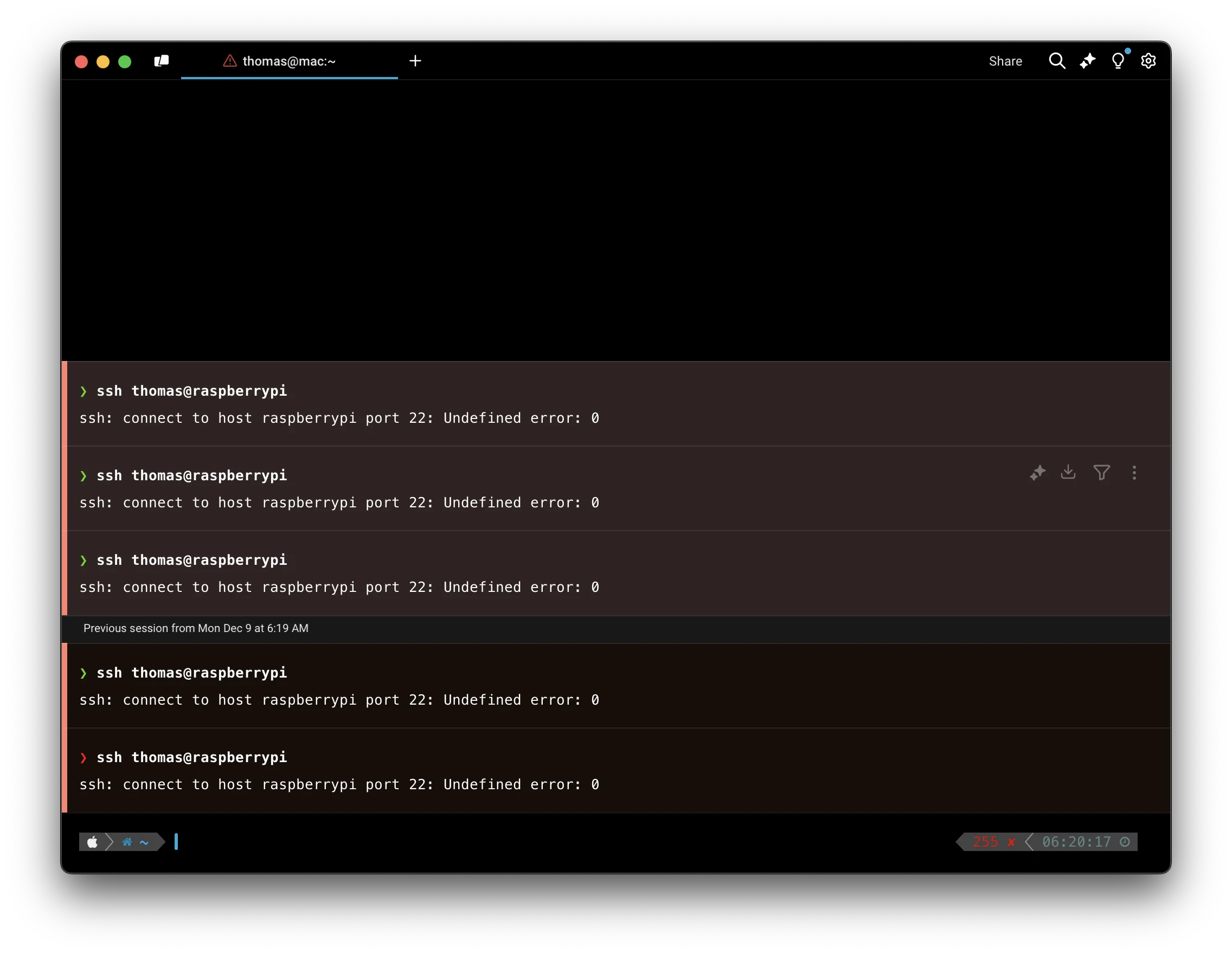 An SSH permission error on macOS. **Unexpected loss of permission on macOS** On macOS, you may see an `Operation not permitted` error when trying to run commands in directories that have already been granted macOS permissions (Documents, Downloads, Desktop, etc). The best workaround at this time is to [apply any pending updates](/support-and-community/troubleshooting-and-support/updating-warp/) so that the new Warp binary has the correct permissions. We are tracking this issue in [GitHub issue #3009](https://github.com/warpdotdev/Warp/issues/3009). 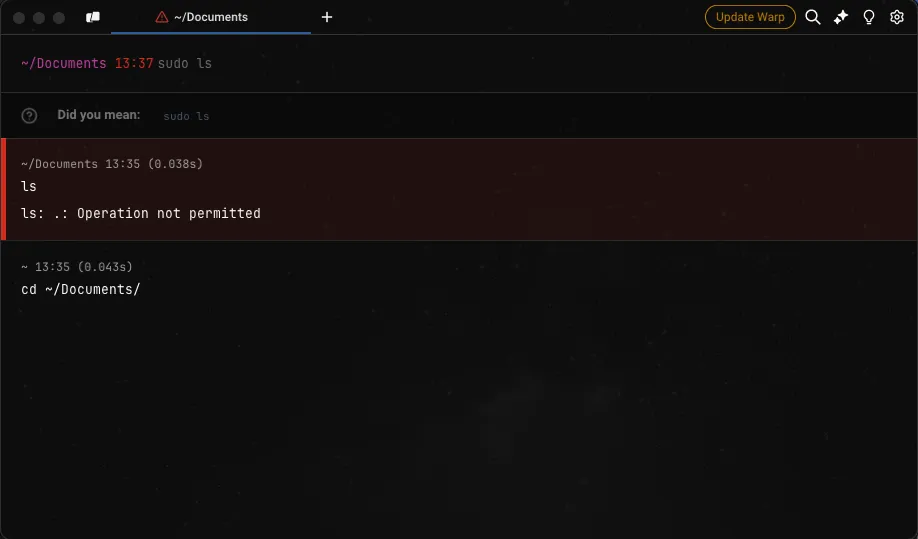 A file permission error dialog on macOS. **Auto-Update error on macOS** Warp may have an error opening after auto-update on macOS Ventura. This issue has been resolved for current and future releases of Warp. To avoid the issue, [update Warp](/support-and-community/troubleshooting-and-support/updating-warp/) *before* you upgrade to macOS Ventura.\ \ If you experience an error opening Warp, please try the following: * Go to the macOS Applications folder, right-click on Warp, choose Open, then the ‘“Warp” is damaged’ dialog will have the option to click the Open button. [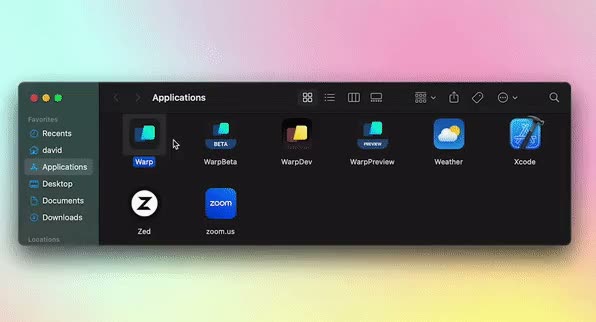](/assets/support-and-community/open-warp-mac.mp4) * If the above doesn’t work, [uninstall Warp](/support-and-community/troubleshooting-and-support/logging-out-and-uninstalling/), then [re-install Warp](/getting-started/quickstart/installation-and-setup/). **Running x86 commands with macOS** In some cases, CLI applications only work on x86, so you can run Warp with Rosetta on macOS to be able to use them by doing the following. * Go to **Finder** > **Applications** and search for Warp. * Right-click and select Get Info. * Then check the box on Open with Rosetta. * Windows **Unsupported in Warp on Windows** The following features are not supported in Warp on Windows. Please track the relevant GitHub issues linked below for any changes: * [cmd.exe](https://github.com/warpdotdev/Warp/issues/5882) or [fish](https://github.com/warpdotdev/Warp/issues/6060) shells **Warp won’t run on Windows** We’re tracking some issues on Windows where [Warp crashes on startup](https://github.com/warpdotdev/Warp/issues/5840) or doesn’t render, with some possible workarounds below. If none of the workarounds help, please open a [new GitHub issue](https://github.com/warpdotdev/warp/issues/new/choose) and include [logs](/support-and-community/#gathering-warp-logs), installation (Baremetal or VM, x86\_64 or ARM64), and the issue you had. * Graphics * You can select the graphics backend used to render new Warp windows in the Settings menu, under **Features** > **System** > **Preferred graphics backend**. * You can also opt to render new Warp windows with an integrated GPU, under **Features** > **System** > **Prefer rendering new windows with integrated GPU (low power)**. **Crash on opening a Launch configuration or doesn’t become transparent on Windows** When a user has an Nvidia 572.xx or AMD 23.10.x drivers or above, Warp may [crash when trying to open a Launch Configuration](https://github.com/warpdotdev/Warp/issues/5875), or [Warp fails to become transparent](https://github.com/warpdotdev/Warp/issues/5903) (opacity setting doesn’t work). These are known limitations of the graphics drivers. We’re investigating the issues and will update the GitHub issues above. You can workaround this by forcing the graphics backend to Vulkan or OpenGL by running the following from another terminal and setting your GPU driver Vulkan/OpenGL render method setting to “Prefer Native”, or using the [DX12 backend](/support-and-community/troubleshooting-and-support/known-issues/#warp-wont-run-or-render-on-windows): ```powershell # Run if Warp on Windows is installed for a single user $env:WGPU_BACKEND="vulkan,gl"; & "$env:LOCALAPPDATA\Programs\Warp\warp.exe" # Run if Warp on Windows is installed for all users $env:WGPU_BACKEND="vulkan,gl"; & "$env:PROGRAMFILES\Warp\warp.exe" ``` * Linux **Warp won’t run on Linux** We’re tracking some issues on Linux where a [Warp window doesn’t show/render](https://github.com/warpdotdev/Warp/issues/4215) and won’t run in [Virtual Machines](https://github.com/warpdotdev/Warp/issues/4476), over [remote desktops](https://github.com/warpdotdev/Warp/issues/4435), or on [WSL](https://github.com/warpdotdev/Warp/issues/4240). Some possible workarounds are below. If none of the workarounds help, please open a [new GitHub issue](https://github.com/warpdotdev/warp/issues/new/choose) and include [logs](/support-and-community/#gathering-warp-logs) with your Linux distro, installation (WSL, Baremetal or VM, x86\_64 or ARM64), and the issue you had. * System * Installing or Updating [Xorg](https://www.x.org/wiki/) / [Wayland](https://wayland.freedesktop.org/): `sudo apt install xserver-xorg` / `sudo apt install wayland` * Installing [Hack font](https://sourcefoundry.org/hack/) on WSL and VMs: `sudo apt install fonts-hack` * Install [WSL utilities](https://github.com/wslutilities/wslu): `sudo apt install wslu` * Install Mesa utilities: `sudo apt install mesa-utils` * Install Mesa Vulkan drivers: `sudo apt install mesa-vulkan-drivers` * If unable to use the file picker: `sudo apt install xdg-desktop-portal xdg-desktop-portal-gtk zenity` * If unable to copy-paste: `sudo apt install wl-clipboard` * Graphics * Install or Update your GPU driver: e.g. [NVIDIA](https://github.com/warpdotdev/Warp/issues/4215#issuecomment-1969750786) 535.x or below drivers * For Ubuntu: `sudo ubuntu-drivers install` * For Fedora: `sudo dnf install akmod-nvidia` * For Arch Linux: `sudo pacman -S nvidia` * For openSUSE: `sudo zypper install x11-video-nvidiaG05` * Use [Low Power (integrated) GPU](https://github.com/warpdotdev/Warp/issues/4215#issuecomment-1967500574) in `~/.config/warp-terminal/user_preferences.json` file: `{"prefs":{"PreferLowPowerGPU": "true",}}`. The low-power workaround is particularly helpful if you see [`Unrecognized device error ERROR_INITIALIZATION_FAILED` in warp.log](https://github.com/warpdotdev/Warp/issues/4390#issuecomment-1989493913). * Environmental Variables * Prefix `warp-terminal` with the variables (multiple can be used), and once you confirm they work, `export` them in your `.profile`/`.zprofile` to [load on startup](https://github.com/warpdotdev/Warp/issues/4240#issuecomment-1968228029): * [Default to Wayland](https://github.com/warpdotdev/Warp/issues/4240#issuecomment-1961993281): `WARP_ENABLE_WAYLAND=1` * Set [Default GPU](https://docs.mesa3d.org/drivers/d3d12.html#utilities) for WSL: e.g. `MESA_D3D12_DEFAULT_ADAPTER_NAME=NVIDIA` * Set [Graphics APIs](https://github.com/gfx-rs/wgpu?tab=readme-ov-file#environment-variables): e.g. `WGPU_BACKEND=gl` **Update fails after upgrading Linux** Some Linux distros may modify Warp’s package repository during the OS upgrades. We’re aware of this on Ubuntu, but this may affect other Linux distros. We’re tracking this issue in [GitHub issue #5201](https://github.com/warpdotdev/Warp/issues/5201).\ \ To workaround this issue, manually add the repository to update Warp. The Ubuntu example is below: ```plaintext sudo apt-get install wget gpg wget -qO- https://releases.warp.dev/linux/keys/warp.asc | gpg --dearmor > warpdotdev.gpg sudo install -D -o root -g root -m 644 warpdotdev.gpg /etc/apt/keyrings/warpdotdev.gpg sudo sh -c 'echo "deb [arch=amd64 signed-by=/etc/apt/keyrings/warpdotdev.gpg] https://releases.warp.dev/linux/deb stable main" > /etc/apt/sources.list.d/warpdotdev.list' rm warpdotdev.gpg sudo apt update && sudo apt install warp-terminal ``` See the instructions for other Linux distros on our [quickstart guide](/getting-started/quickstart/installation-and-setup/#linux).
# Logging out & uninstalling
Canonical page: [/support-and-community/troubleshooting-and-support/logging-out-and-uninstalling/](https://docs.warp.dev/support-and-community/troubleshooting-and-support/logging-out-and-uninstalling/)
> How to log out from Warp, and how to uninstall Warp.
## Logging out [Section titled “Logging out”](#logging-out) You can log out of Warp through: * **Settings** > **Account**, with the “Log out” button * [Command Palette](/terminal/command-palette/), with the “Log out” item. [](/assets/support-and-community/logout.mp4) ### Known issues: [Section titled “Known issues:”](#known-issues) 1. When you log out, you will lose all running processes and all unsaved objects. 2. When you log out and log in to Warp with another account, the following preferences will be preserved from the original account: 1. Theme 2. Keybindings 3. Settings (e.g. autosuggestion, notifications, font size, welcome tips status) 3. Whenever you log in to Warp, you will receive the onboarding survey. ## Uninstalling Warp [Section titled “Uninstalling Warp”](#uninstalling-warp) Removing Warp from your computer involves uninstalling Warp and then removing any files or data. * macOS **Uninstalling Warp by dmg** * Remove Warp with `sudo rm -r /Applications/Warp.app` * Open **Finder** > **Applications**, right-click on Warp, and select “Move to Trash” **Uninstalling Warp by Homebrew** * Remove Warp with `brew uninstall warp` **Removing Warp settings, files, logs, and database** ```bash # Remove Warp settings defaults defaults delete dev.warp.Warp-Stable # Remove Warp logs sudo rm -r $HOME/Library/Logs/warp.log # Remove Warp database, Codebase Context, and MCP logs sudo rm -r "$HOME/Library/Group Containers/2BBY89MBSN.dev.warp/Library/Application Support/dev.warp.Warp-Stable" # Remove Warp user files, themes, and launch configurations sudo rm -r $HOME/.warp # Note: Removing $HOME/.warp will delete files for both Stable and Preview. # If you wish to delete it all, then: sudo rm -r $HOME/.warp ``` **For Warp Preview users:** ```bash # Remove Warp Preview settings defaults defaults delete dev.warp.Warp-Preview # Remove Warp Preview logs sudo rm -r $HOME/Library/Logs/warp_preview.log # Remove Warp Preview database, Codebase Context, and MCP logs sudo rm -r "$HOME/Library/Group Containers/2BBY89MBSN.dev.warp/Library/Application Support/dev.warp.Warp-Preview" # Note: Removing $HOME/.warp will delete files for both Preview and Stable. # If you wish to delete it all, then: sudo rm -r $HOME/.warp ``` * Windows **Uninstalling Warp by WinGet** ```powershell winget uninstall Warp.Warp ``` **Uninstalling Warp installed by Installer** * Search for “Installed apps” section of the Control Panel. * Search for and Uninstall the Warp application **Removing Warp settings, files, logs, and database** ```powershell # Remove Warp settings in the Windows Registry Remove-Item -Path "HKCU:\Software\Warp.dev\Warp" -Recurse -Force # Remove Warp settings, keybindings, logs, database, Codebase Context, and MCP logs Remove-Item -Path "$env:LOCALAPPDATA\warp\Warp" -Recurse -Force # Remove Warp themes, tab configs, workflows, and launch configurations Remove-Item -Path "$env:APPDATA\warp\Warp" -Recurse -Force # Remove MCP server config and bundled skills (shared across Stable and Preview) Remove-Item -Path "$env:USERPROFILE\.warp" -Recurse -Force ``` **For Warp Preview users:** ```powershell # Remove Warp Preview settings in the Windows Registry Remove-Item -Path "HKCU:\Software\Warp.dev\WarpPreview" -Recurse -Force # Remove Warp Preview settings, keybindings, logs, database, Codebase Context, and MCP logs Remove-Item -Path "$env:LOCALAPPDATA\warp\WarpPreview" -Recurse -Force # Remove Warp Preview themes, tab configs, workflows, and launch configurations Remove-Item -Path "$env:APPDATA\warp\WarpPreview" -Recurse -Force # Note: Removing $env:USERPROFILE\.warp also removes Stable's MCP config and skills. ``` * Linux **Uninstalling Warp by package manager** ```bash # apt uninstall sudo apt remove warp-terminal # dnf uninstall sudo dnf remove warp-terminal # zypper uninstall sudo zypper remove warp-terminal # pacman uninstall sudo pacman -R warp-terminal ``` * Uninstall Warp using the same package manager that you used to [install](/getting-started/quickstart/installation-and-setup/) it. **Removing Warp settings, files, logs, and database** ```bash # Remove Warp settings and keybindings files rm -r ${XDG_CONFIG_HOME:-$HOME/.config}/warp-terminal # Remove Warp logs, database, Codebase Context, and MCP logs rm -r ${XDG_STATE_HOME:-$HOME/.local/state}/warp-terminal # Remove Warp themes, tab configs, workflows, and launch configurations rm -r ${XDG_DATA_HOME:-$HOME/.local/share}/warp-terminal # Remove MCP server config and bundled skills (shared across Stable and Preview) rm -r $HOME/.warp ``` **For Warp Preview users:** ```bash # apt uninstall sudo apt remove warp-terminal-preview # dnf uninstall sudo dnf remove warp-terminal-preview # zypper uninstall sudo zypper remove warp-terminal-preview # pacman uninstall sudo pacman -R warp-terminal-preview ``` * Uninstall Warp Preview using the same package manager that you used to install it. ```bash # Remove Warp Preview settings and keybindings files rm -r ${XDG_CONFIG_HOME:-$HOME/.config}/warp-terminal-preview # Remove Warp Preview logs, database, Codebase Context, and MCP logs rm -r ${XDG_STATE_HOME:-$HOME/.local/state}/warp-terminal-preview # Remove Warp Preview themes, tab configs, workflows, and launch configurations rm -r ${XDG_DATA_HOME:-$HOME/.local/share}/warp-terminal-preview # Note: Removing $HOME/.warp also removes Stable's MCP config and skills. ```
# Sending feedback and logs
Canonical page: [/support-and-community/troubleshooting-and-support/sending-us-feedback/](https://docs.warp.dev/support-and-community/troubleshooting-and-support/sending-us-feedback/)
> Send Warp feedback, bug reports, and feature requests, and gather logs, crash reports, CPU samples, and AI conversation IDs to attach to them.
### Sending Warp feedback [Section titled “Sending Warp feedback”](#sending-warp-feedback) * Use the [`/feedback`](#using-feedback-in-warp) slash command inside Warp to open the static feedback experience. * Open a new bug or feature request in our [GitHub repository](https://github.com/warpdotdev/warp/issues/new/choose). * Join our [Warp Community Slack](https://go.warp.dev/join-preview) and share feedback in **#feedback-general**, or **#feedback-preview** if it is specific to [Warp Preview](/support-and-community/community/warp-preview-and-alpha-program/). * For security issues or questions, email . * For questions about privacy, email . #### Subscriber and Enterprise [Section titled “Subscriber and Enterprise”](#subscriber-and-enterprise) * For subscriber technical issues or questions (bugs, credits, etc.), email . * For subscriber billing issues or questions (refunds, cancellation, etc.), email . * For enterprise, please direct all feedback and issues to your designated Slack channel. ## Using `/feedback` in Warp [Section titled “Using /feedback in Warp”](#using-feedback-in-warp) The `/feedback` [slash command](/agent-platform/capabilities/slash-commands/) is the fastest way to report a Warp bug, flag a regression, or file a feature request from inside the terminal. It opens the feedback form without starting an Agent conversation or consuming credits. ### What to include [Section titled “What to include”](#what-to-include) Whether you use the `/feedback` slash command or file an issue manually, a good feedback report answers these questions up front: * **What happened?** Describe the observed behavior in one or two sentences. * **What did you expect?** Describe the behavior you expected instead. * **How do we reproduce it?** List numbered steps when possible. If you can’t reproduce the issue reliably, mention that too. * **What version of Warp are you on?** `/feedback` fills this in automatically; for manual reports, copy it from **Settings** > **Account**. * **Logs, screenshots, or conversation IDs.** See [Gathering Warp Logs](#gathering-warp-logs), [Collecting crash reports on macOS](#collecting-crash-reports-on-macos), or [Gathering AI conversation ID](#gathering-ai-conversation-id) below. See the [Slash Commands reference](/agent-platform/capabilities/slash-commands/) for the full list of commands available in Warp. ## Gathering Warp Logs [Section titled “Gathering Warp Logs”](#gathering-warp-logs) Retrieve Warp’s logs by following the instructions for your platform below. Locate the log file and attach it to your GitHub issue or email. * macOS The Warp log files are located at `~/Library/Logs/`. **Warp logs on macOS** Run the following to zip the Warp logs to your Desktop: ```bash zip -j ~/Desktop/warp-logs.zip ~/Library/Logs/warp.log* ``` **Warp Preview logs on macOS** Run the following to zip the Warp Preview logs to your Desktop: ```bash zip -j ~/Desktop/warp_preview-logs.zip ~/Library/Logs/warp_preview.log* ``` Caution If your issue is graphical (e.g. no display of windows) or a crash, please run Warp with the following command to capture more log information: ```bash # Run if Warp on macOS is installed RUST_LOG=wgpu_core=info,wgpu_hal=info /Applications/Warp.app/Contents/MacOS/stable # Run if Warp Preview on macOS is installed RUST_LOG=wgpu_core=info,wgpu_hal=info /Applications/WarpPreview.app/Contents/MacOS/preview ``` * Windows The Warp log files are located at `$env:LOCALAPPDATA\warp\Warp\data\logs\`. **Warp logs on Windows** Close Warp and run the following from another terminal to zip the logs to your Desktop: ```powershell Compress-Archive -Path "$env:LOCALAPPDATA\warp\Warp\data\logs\warp.log*" -DestinationPath "$([Environment]::GetFolderPath('Desktop'))\warp-logs.zip" ``` **Warp Preview logs on Windows** Close Warp Preview and run the following from another terminal to zip the logs to your Desktop: ```powershell Compress-Archive -Path "$env:LOCALAPPDATA\warp\WarpPreview\data\logs\warp_preview.log*" -DestinationPath "$([Environment]::GetFolderPath('Desktop'))\warp_preview-logs.zip" ``` Caution If your issue is graphical (e.g. no display of windows) or a crash, please run Warp with the following command to capture more log information: ```powershell # Run if Warp on Windows is installed for a single user $env:RUST_LOG="wgpu_core=info,wgpu_hal=info"; & "$env:LOCALAPPDATA\Programs\Warp\warp.exe" # Run if Warp on Windows is installed for all users $env:RUST_LOG="wgpu_core=info,wgpu_hal=info"; & "$env:PROGRAMFILES\Warp\warp.exe" # Run if Warp Preview on Windows is installed for a single user $env:RUST_LOG="wgpu_core=info,wgpu_hal=info"; & "$env:LOCALAPPDATA\Programs\WarpPreview\preview.exe" # Run if Warp Preview on Windows is installed for all users $env:RUST_LOG="wgpu_core=info,wgpu_hal=info"; & "$env:PROGRAMFILES\WarpPreview\preview.exe" ``` * Linux The Warp log files are located at `~/.local/state/warp-terminal/`. **Warp logs on Linux** Run the following to zip the Warp logs to your home directory: ```bash (cd ~/.local/state/warp-terminal && tar -czf ~/warp-logs.tar.gz warp.log*) ``` **Warp Preview logs on Linux** Run the following to zip the Warp Preview logs to your home directory: ```bash (cd ~/.local/state/warp-terminal-preview && tar -czf ~/warp_preview-logs.tar.gz warp_preview.log*) ``` Caution If your issue is graphical (e.g. no display of windows) or a crash, please run Warp with the following command to capture more log information: ```bash # Run if Warp on Linux is installed RUST_LOG=wgpu_core=info,wgpu_hal=info MESA_DEBUG=1 EGL_LOG_LEVEL=debug warp-terminal # Run if Warp Preview on Linux is installed RUST_LOG=wgpu_core=info,wgpu_hal=info MESA_DEBUG=1 EGL_LOG_LEVEL=debug warp-terminal-preview ``` ## Collecting crash reports on macOS [Section titled “Collecting crash reports on macOS”](#collecting-crash-reports-on-macos) If Warp crashes, macOS may generate `.ips` crash report files in `~/Library/Logs/DiagnosticReports/`. Run the following to collect all Warp crash reports into a zip on your Desktop: ```bash files=$(find ~/Library/Logs/DiagnosticReports -name "*.ips" -exec grep -l "dev\.warp" {} + 2>/dev/null) && [ -n "$files" ] && echo "$files" | xargs zip -j ~/Desktop/warp-crash-logs.zip || echo "No Warp crash reports found." ``` Attach the resulting `warp-crash-logs.zip` to your [bug report](/support-and-community/troubleshooting-and-support/sending-us-feedback/#sending-warp-feedback). ## Collecting debug info on Windows [Section titled “Collecting debug info on Windows”](#collecting-debug-info-on-windows) Occasionally, the Warp team may ask you to provide debugging information on Windows OS in particular with one of the following: ```powershell # If Warp is in your PATH, Run: warp --dump-debug-info # Otherwise you may need to use an absolute path and ... # Warp on Windows is installed for a single user, Run: & $env:LOCALAPPDATA\programs\Warp\warp.exe --dump-debug-info # Warp on Windows is installed for all users, Run: & $env:PROGRAMFILES\Warp\warp.exe --dump-debug-info ``` ## Collecting CPU samples [Section titled “Collecting CPU samples”](#collecting-cpu-samples) Certain conditions can cause Warp to use more CPU than expected or become unresponsive. Collecting a CPU sample while the issue is happening is the best way to report it. The sample provides the information the Warp team needs to identify and fix the root cause. Collect a sample using the steps for your platform and attach it to a new [GitHub issue](https://github.com/warpdotdev/warp/issues/new/choose). * macOS 1. Reproduce the high CPU usage or unresponsiveness in Warp. 2. While the issue is occurring, open **Activity Monitor**, select the **Warp** process, and click **Sample Process**. 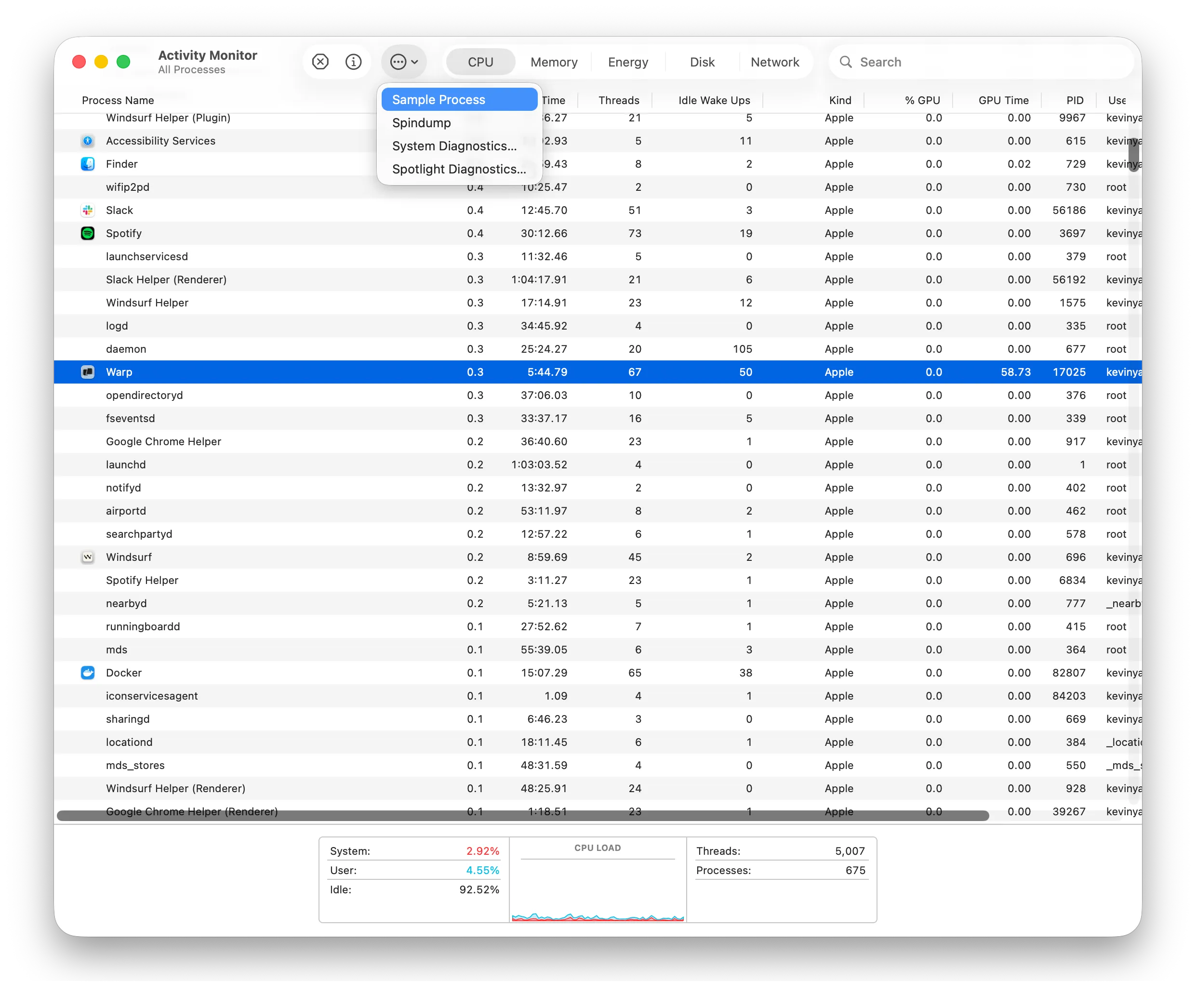 Sampling a Warp process in Activity Monitor. 3. Save the resulting sample and attach it to your GitHub issue. * Windows Install [`samply`](https://github.com/mstange/samply) to record a CPU trace: ```powershell powershell -ExecutionPolicy Bypass -c "irm https://github.com/mstange/samply/releases/download/samply-v0.13.1/samply-installer.ps1 | iex" ``` 1. Find the Warp process ID: ```powershell Get-Process *warp* ``` 2. Start recording, replacing `` with the process ID from the previous step: ```powershell samply record -p ``` 3. Reproduce the issue that causes high CPU usage or unresponsiveness. 4. Press `Ctrl+C` to stop recording. `samply` opens the profile in the Firefox Profiler in your browser. Click the upload icon in the top-right corner to generate a shareable link, then paste it into your GitHub issue. * Linux Install [`samply`](https://github.com/mstange/samply) to record a CPU trace: ```bash curl --proto '=https' --tlsv1.2 -LsSf https://github.com/mstange/samply/releases/download/samply-v0.13.1/samply-installer.sh | sh ``` Caution `samply` requires access to Linux perf events. If you get a permission error, run: ```bash echo '-1' | sudo tee /proc/sys/kernel/perf_event_paranoid ``` 1. Start recording the Warp process: ```bash samply record -p $(pgrep -f warp-terminal) ``` 2. Reproduce the issue that causes high CPU usage or unresponsiveness. 3. Press `Ctrl+C` to stop recording. `samply` opens the profile in the Firefox Profiler in your browser. Click the upload icon in the top-right corner to generate a shareable link, then paste it into your GitHub issue. ## Gathering AI conversation ID [Section titled “Gathering AI conversation ID”](#gathering-ai-conversation-id) To gather the conversation ID, `RIGHT-CLICK` on the AI conversation block in question and select “Copy conversation ID”, then paste that into the [bug report](/support-and-community/troubleshooting-and-support/sending-us-feedback/#sending-warp-feedback) that you submit so that our team can investigate the issue. Whenever there is an error in the Agent Conversation, there will also be an option to directly copy the conversation ID for the bug report. 
# Troubleshooting Login
Canonical page: [/support-and-community/troubleshooting-and-support/troubleshooting-login-issues/](https://docs.warp.dev/support-and-community/troubleshooting-and-support/troubleshooting-login-issues/)
> Fix common login issues including SSO, proxies, ad blockers, and auth tokens.
## Can’t sign up for or log into Warp [Section titled “Can’t sign up for or log into Warp”](#cant-sign-up-for-or-log-into-warp) Clicking it should open a signup or login pop-up. If clicking the button opens a blank pop-up window, try using a proxy. Your ISP or Firewall may be blocking the app’s call to `*.googleapis.com`. ## All browsers [Section titled “All browsers”](#all-browsers) This error could occur if you installed an ad blocker or have stale browser cookies, including our Firebase auth pop-up. **To fix it:** 1. Disable your ad blocker for `app.warp.dev` 2. Clear any cookies and cache, or open an incognito / private browser window 3. Try the [Warp login page](https://app.warp.dev/login) again ### Safari [Section titled “Safari”](#safari) If you are using Safari, you may see the following messages in your console: 1. `Unable to access localStorage` 2. And every time you click the “Sign Up” button, you get `Unhandled Promise Rejection: Error: This operation is not supported in the environment the application is running on. "location.protocol" must be http, https, or chrome-extension and web storage must be enabled.` This error likely occurs because you are blocking all cookies in Safari’s security settings, but Firebase Auth requires the cookie to record whether the user is logged in. **To fix it:** 1. Go to Safari Preferences > Privacy 2. Uncheck the “Block all cookies” checkbox ## Proxies [Section titled “Proxies”](#proxies) When behind a proxy, a possible workaround is to disable QUIC in the browser. It will then fall back to TCP and likely allow login. * In Chrome, or Chromium-based browsers like Edge, Opera, and Arc, type `chrome://flags` into the address bar. 1. In the search bar on the flags page, type `Experimental QUIC protocol`. 2. Locate the “Experimental QUIC protocol” flag and click on the drop-down menu next to it. 3. Select “Disabled” from the options. 4. Relaunch Chrome for the changes to take effect. * In Firefox, type `about:config` into the address bar. 1. You will see a warning message. Click on the “Accept the Risk and Continue” button. 2. In the search bar, type `network.http.http3.enable`. 3. Double-click on the `network.http.http3.enable` preference to set its value to `false`. This will disable QUIC in Firefox. 4. Restart Firefox for the changes to take effect. * In Safari, unfortunately, there is no built-in option to disable QUIC in Safari. Safari uses QUIC as its default transport protocol and does not provide a user-accessible setting to disable it. ## SSO login [Section titled “SSO login”](#sso-login) ### Can’t open Warp from SSO [Section titled “Can’t open Warp from SSO”](#cant-open-warp-from-sso) When directly launching Warp from Okta or other SSO providers’, you may see an error message like “`Unable to process request due to missing initial state...`”. This is due to a limitation with Warp authentication APIs. Instead, do the following: 1. Go to the [Warp login page](https://app.warp.dev/login) 2. Choose “Continue with SSO” 3. Login with your normal SSO credentials ### I logged in with another method before and now can’t use SSO [Section titled “I logged in with another method before and now can’t use SSO”](#i-logged-in-with-another-method-before-and-now-cant-use-sso) In cases where you logged in with another method, please do the following to fix SSO login: 1. Go to the [Warp login page](https://app.warp.dev/login) 2. Login with the original method that you used to create your Warp account (email, Google, GitHub). 3. Once logged in, go to the [SSO linking page](https://app.warp.dev/link_sso) 4. This should link your login to SSO. You can now proceed to login with “Continue with SSO”. ## Flagged as fraudulent [Section titled “Flagged as fraudulent”](#flagged-as-fraudulent) If you received the message “This account has been flagged as fraudulent.”, this means that you have failed one or more checks in our fraud detection system, and you will be unable to authenticate to Warp or leverage AI features. Please note that creating multiple accounts or using throwaway emails is against our [Terms of Service](https://www.warp.dev/legal/terms-of-service) and increases the chance of triggering this system significantly. ### False positives [Section titled “False positives”](#false-positives) At times, ad-blockers or systems like Pi-hole may falsely trigger this system. You may be able to remediate this error by temporarily disabling these and attempting login again. ### Requesting an appeal [Section titled “Requesting an appeal”](#requesting-an-appeal) If you are still unable to authenticate, you may email to request an appeal. Please include the email of the account you are experiencing the issue on so a member of our support team can investigate. This may take 5-10 days. If you have an active subscription and continue to have login issues, see [how to get help with login issues](/support-and-community/troubleshooting-and-support/troubleshooting-login-issues/#get-help-with-login-issues). ## How to get an Auth token to login [Section titled “How to get an Auth token to login”](#how-to-get-an-auth-token-to-login) If the browser does not open from Warp directly when you click “Sign up” or “Sign in”. Please go to the [Signup](https://app.warp.dev/signup) page to create an account or [Login](https://app.warp.dev/login) page if you already have one, then copy the auth token from the “here” link on the logged\_in page and paste it into Warp. If nothing happens when you click “Take me to Warp” on the logged-in page. If this happens to you, copy the “here” link on the web logged-in page ([https://app.warp.dev/logged\\\_in](https://app.warp.dev/logged%5C_in)) to copy the authentication token, then paste it into the app as shown below. Caution On Linux and Windows, the default copy-and-paste [Keyboard shortcuts](/getting-started/keyboard-shortcuts/) are `CTRL+SHIFT+C` and `CTRL+SHIFT+V` respectively.\ \ On Linux and WSL you should install and set your default `$BROWSER` to `brave-browser` to workaround any copy-paste issues. Please see the workaround guide below. [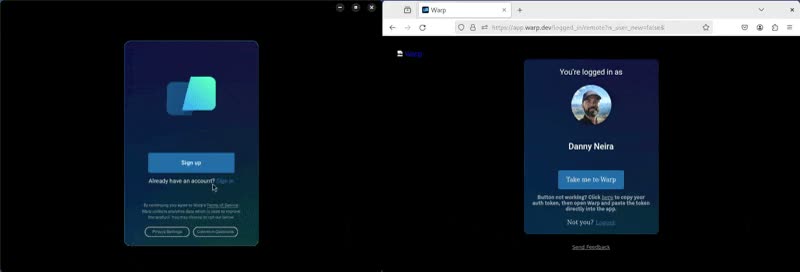](/assets/support-and-community/auth-token-demo.mp4) 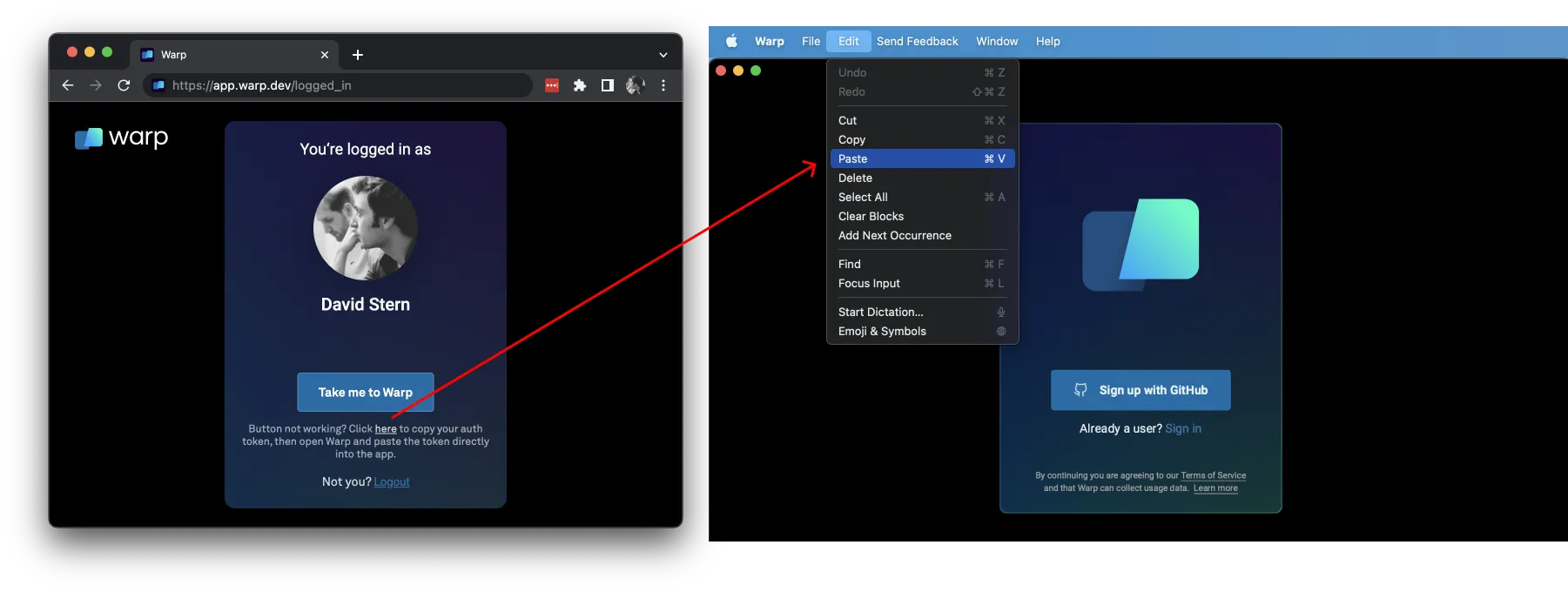 If “Take me to Warp” is still not working it may be due to a [proxy issue](/support-and-community/troubleshooting-and-support/troubleshooting-login-issues/#proxies). See this guide to [fixing Warp after submitting an invite code](https://embiid.blog/post/WARP-does-not-work-after-submitting-an-invite-code/) for a workaround. ## Get help with login issues [Section titled “Get help with login issues”](#get-help-with-login-issues) If Sign Up or Login does not work after trying the steps above, please [contact us](https://www.warp.dev/contact) for support.
# Updating Warp
Canonical page: [/support-and-community/troubleshooting-and-support/updating-warp/](https://docs.warp.dev/support-and-community/troubleshooting-and-support/updating-warp/)
> Check for updates, troubleshoot auto-update permissions, and refresh signing keys.
Warp automatically checks for updates on startup, and periodically while running, by connecting to `releases.warp.dev`. A notification will appear in the top right corner of the Warp window when a new update is available.  To check for updates, search for “update” in the [Command Palette](/terminal/command-palette/) or go to **Settings** > **Account** and click “Check for Update”. [](/assets/support-and-community/check-for-update.mp4) If nothing happens, it means you already have the latest stable build. ## macOS: Auto-update permissions issues [Section titled “macOS: Auto-update permissions issues”](#macos-auto-update-permissions-issues) Warp cannot auto-update if it does not have the correct permissions to replace the running version of Warp. If this is the case, a banner will prompt you to manually update Warp.  There are 2 main causes of this: 1. You opened Warp directly from the mounted volume instead of dragging it into your Applications directory. If this is the case, the easiest fix is to quit Warp, drag the application into /Applications, and restart Warp. 2. You are a non-Admin user. This can happen if you use a computer with multiple profiles. If you have admin access on the computer, opening the app with the admin user should fix the auto-update issues. ## Linux: Refreshing the package signing key [Section titled “Linux: Refreshing the package signing key”](#linux-refreshing-the-package-signing-key) If you encounter signature verification errors when trying to update Warp on Linux, you may need to refresh the package signing key. This can happen if the key on your system has expired. ### Debian / Ubuntu (apt) [Section titled “Debian / Ubuntu (apt)”](#debian--ubuntu-apt) You may see an error like the following: ```plaintext W: GPG error: https://releases.warp.dev/linux/deb stable Release: The following signatures were invalid: EXPKEYSIG 31F4254AFE49E02E Warp Linux Maintainers (Package Signing Authority) E: The repository 'https://releases.warp.dev/linux/deb stable Release' is not signed. ``` To fetch the updated signing key, run: ```bash curl -fsSL https://releases.warp.dev/linux/keys/warp.asc | gpg --dearmor | sudo tee /etc/apt/trusted.gpg.d/warpdotdev.gpg > /dev/null ``` Then retry your update: ```bash sudo apt update && sudo apt install warp-terminal ``` ### Fedora / RHEL / CentOS (dnf/yum) [Section titled “Fedora / RHEL / CentOS (dnf/yum)”](#fedora--rhel--centos-dnfyum) You may see an error like the following: ```plaintext OpenPGP check for package "warp-terminal-v0.2026.01.28.08.14.stable_04-1.x86_64" (/var/cache/libdnf5/warpdotdev-4ac10ef632833104/packages/warp-terminal-v0.2026.01.28.08.14.stable_04-1.x86_64.rpm) from repo "warpdotdev" has failed: Problem occurred when opening the package. ``` To fetch the updated signing key, run: ```bash sudo rpm --import https://releases.warp.dev/linux/keys/warp.asc ``` Then retry your update: ```bash sudo dnf upgrade warp-terminal # or for older systems: sudo yum upgrade warp-terminal ``` ### Arch Linux (pacman) [Section titled “Arch Linux (pacman)”](#arch-linux-pacman) You may see an error like the following: ```plaintext error: warpdotdev: signature from "Warp Linux Maintainers (Package Signing Authority) " is expired ``` To fetch the updated signing key, run: ```bash sudo pacman-key --recv-keys "linux-maintainers@warp.dev" --keyserver hkp://keys.openpgp.org:80 sudo pacman-key --lsign-key "linux-maintainers@warp.dev" ``` Then retry your update: ```bash sudo pacman -Syu warp-terminal ```
# Using Warp Offline
Canonical page: [/support-and-community/troubleshooting-and-support/using-warp-offline/](https://docs.warp.dev/support-and-community/troubleshooting-and-support/using-warp-offline/)
> Using Warp offline and what features are supported.
The first time you download and open Warp, you will need to be online for the initial setup. After the initial setup Warp’s core terminal features will work as expected when you’re offline, regardless of whether you are logged in or logged out. Requiring all users, logging in or logged out, to be online when first accessing Warp is required to allow use of Warp’s AI and cloud features. When you first open the app, we create a unique user-ID to meter AI-usage and attach cloud objects to specific accounts. If you opt to use Warp logged-out, this unique ID is attached to an anonymous user account. ### Cloud-based features require online access [Section titled “Cloud-based features require online access”](#cloud-based-features-require-online-access) Warp’s cloud-based features which require an internet connection will not work in offline mode. Those features include: * [Warp Drive](/knowledge-and-collaboration/warp-drive/#using-warp-drive-offline) (Some files may be read-only in offline mode) * [Agent](/agent-platform/local-agents/overview/) * [Agent Mode](/agent-platform/local-agents/interacting-with-agents/) * [Generate](/agent-platform/local-agents/overview/) * [AI Autofill](/knowledge-and-collaboration/warp-drive/workflows/#warp-ai-autofill) * [Prompts](/knowledge-and-collaboration/warp-drive/prompts/) * [Active AI Recommendations](/agent-platform/local-agents/active-ai/) * [Voice](/agent-platform/local-agents/interacting-with-agents/voice/) * [Rules](/agent-platform/capabilities/rules/) * [Model Context Protocol](/agent-platform/capabilities/mcp/) * [Teams](/knowledge-and-collaboration/teams/) * [Session Sharing](/knowledge-and-collaboration/session-sharing/) * [Block Sharing](/terminal/blocks/block-sharing/) * [Refer a Friend](/support-and-community/community/refer-a-friend/)